
Okwu mmalite
Thank you for choosing the Mxmoonant Wireless Orthodontic Appliance Cleaner. This device is designed to provide efficient and hygienic cleaning for your orthodontic appliances, such as aligners, retainers, and mouthguards. Please read this manual thoroughly before use to ensure proper operation and maintenance.
Ozi nchekwa
- Do not immerse the main unit in water beyond the IPX5 splash-proof rating.
- Debe ebe ụmụaka na-apụghị iru.
- Jiri naanị eriri USB chaja enyere.
- Etusala ma ọ bụ nwaa ịrụkwa ngwaọrụ ahụ.
- Ensure the appliance is placed correctly in the cleaning tank before operation.
- Ejila ihe nhicha na-emebi emebi ma ọ bụ abrasive.
- Chekwaa n'ebe kpọrọ nkụ mgbe ọ naghị eji ya.
Ihe ngwugwu
Biko lelee ngwungwu maka ihe ndị a:
- Mxmoonant Wireless Orthodontic Appliance Cleaner
- High-quality Plastic Retainer Case
- Obere ahịhịa
- Igwe nchaji USB
- Cleaning Effervescent Tablets (quantity may vary)
- Akpa ákwà
- Akwụkwọ ntuziaka onye ọrụ

Image: All accessories included with the Mxmoonant Wireless Orthodontic Appliance Cleaner, neatly displayed.
Njirimara ngwaahịa
- Ịrụ ọrụ nhicha dị ike: 18W cleaning power with 50 kHz high-frequency vibration effectively removes deep stains. Can be used with water or cleaning tablets for enhanced results, eliminating stain buildup and freshening odors.
- Wireless Operation & Portability: Designed for invisible orthodontic appliances, this cleaner offers wireless convenience. The built-in 14.8 Wh battery provides up to eight cleaning cycles on a single charge. Features 360° comprehensive cleaning with a food-grade 304 stainless steel inner tank for durability and hygiene.
- Kọmpat na njem-enyi: Its small size allows for easy storage in school bags, luggage, or purses, making it suitable for travel, school, office, or business trips. Operates quietly, ensuring discreet use in public environments without causing disturbance.
- IPX5 Mgbochi mmiri: Features IPX5 splash-proof design, allowing safe use in bathroom environments.

Image: The compact size of the cleaner, demonstrating its portability and the internal battery capacity for multiple uses.
Melite
- Chaja ngwaọrụ: Before first use, fully charge the cleaner using the provided USB cable. Connect the cable to the charging port on the device and a compatible USB power adapter (5V2A recommended, not included). The charging indicator will show the charging status.
- Prepare the Cleaning Tank: Open the lid of the cleaner. The inner tank is made of food-grade 304 stainless steel.
- Tinye mmiri: Fill the cleaning tank with water up to the "MAX" line. Do not overfill. For enhanced cleaning, you may add one cleaning effervescent tablet to the water.
- Place Appliance: Carefully place your aligner, retainer, or mouthguard into the water in the cleaning tank. Ensure it is fully submerged.
- Mechie mkpuchi: Close the lid securely before starting the cleaning cycle.

Image: Illustration of the cleaner's internal dimensions and water fill line, indicating suitable appliance types (aligners, mouthguards) and clarifying it is not for full dentures.
Ntuziaka ọrụ
- Ike Na: Ensure the device is charged and your appliance is placed inside with water.
- Họrọ Ụdị nhicha:
- Mode 1 (Quick Cleaning): Press the power button once for a 5-minute quick cleaning cycle.
- Mode 2 (Deep Cleaning): Press the power button twice for a 10-minute deep cleaning cycle.
- Usoro nhicha: The device will begin vibrating. A low buzzing sound is normal during operation.
- Ịmecha okirikiri: The device will automatically shut off once the cleaning cycle is complete.
- Remove Appliance: Open the lid and carefully remove your cleaned appliance. Rinse it thoroughly under running water.
- Mmiri efu: Pour out the used water from the cleaning tank.
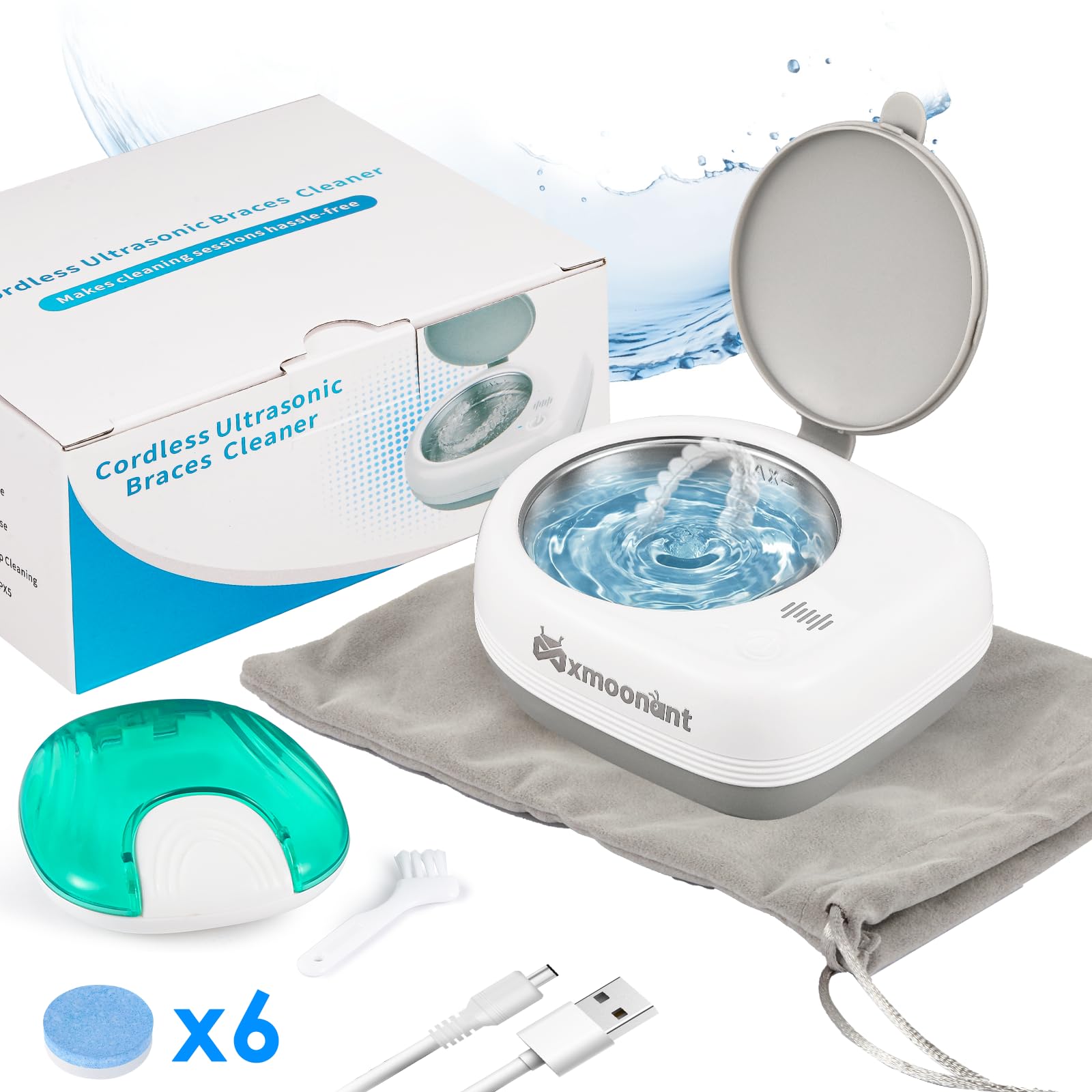
Image: The cleaner's control panel, illustrating the single-button operation for selecting between 5-minute quick cleaning and 10-minute deep cleaning modes.
Nlekọta
- Na-ehicha tank ahụ: After each use, rinse the stainless steel inner tank with clean water. You can use the provided mini brush for any stubborn residue.
- ihicha: After cleaning, wipe the device dry with a soft cloth or leave the lid open to air dry. Ensure the device is completely dry before storing.
- Nchekwa: Store the cleaner in a dry, cool place, away from direct sunlight and moisture. Use the fabric pouch for protection during travel.
- Ịchaji: Recharge the device when the battery indicator shows low power. Avoid completely draining the battery for optimal battery life.
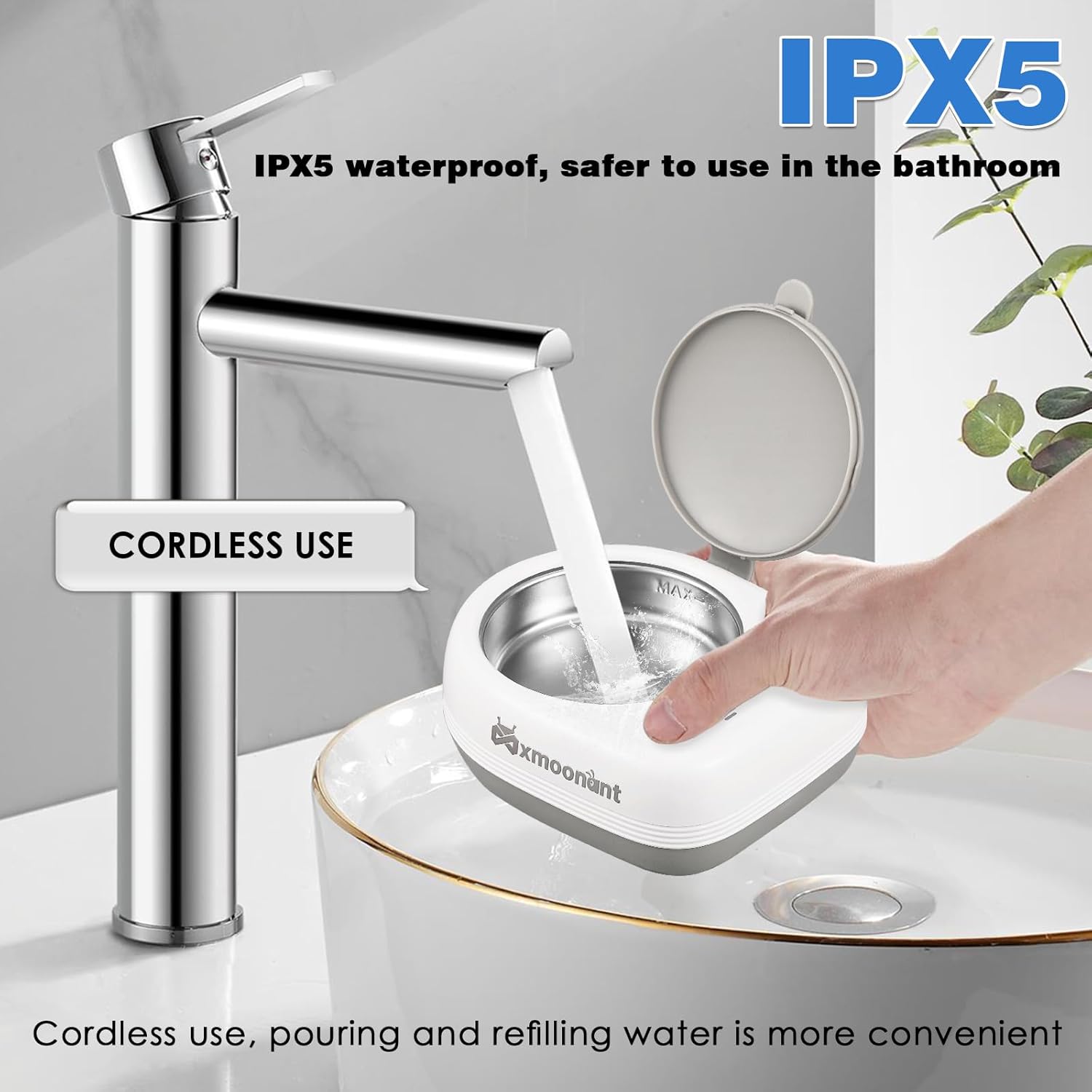
Image: The cleaner being rinsed under a faucet, illustrating its cordless design and IPX5 water resistance for easy cleaning and maintenance.
Nchọpụta nsogbu
| Nsogbu | Ihe nwere ike ime | Ngwọta |
|---|---|---|
| Ngwaọrụ anaghị agbanwu. | Batrị dị ala. | Chajie ngwaọrụ ahụ nke ọma site na iji eriri USB. |
| Cleaning performance is poor. | Insufficient water or cleaning solution. Appliance not fully submerged. | Ensure water level is correct. Add a cleaning tablet. Ensure appliance is fully submerged. Try the 10-minute deep cleaning mode. |
| Ngwaọrụ kwụsịrị na mberede. | Battery low. Overheating protection activated. | Recharge the device. Allow the device to cool down before restarting. |
| Oke mkpọtụ mgbe arụ ọrụ. | Appliance touching the tank walls. Device not on a stable surface. | Adjust the position of the appliance. Place the cleaner on a flat, stable surface. A low buzzing sound is normal. |
Nkọwapụta
| Oke | Uru |
|---|---|
| Ụdị | Mxmoonant |
| Nlereanya | Wireless Orthodontic Appliance Cleaner (B0D46F6X2J) |
| Ihe onwunwe | ABS, Food-grade 304 Stainless Steel (inner tank) |
| Ike | 80 ml |
| Nha ịbụ | 360 g |
| Enyere ike | 18 W |
| Ugboro ugboro | 50 kHz |
| Oke batrị | 7.4V 2000mAh (14.8 Wh) |
| Ntinye Voltage | 5V2A |
| Akụkụ (L*W*H) | 127*107*49 mm |
| Mmiri Nguzogide | IPX5 |

Image: Detailed product specifications table, outlining key technical parameters of the cleaner.
Akwụkwọ ikike na nkwado
For warranty information and customer support, please refer to the product packaging or contact Mxmoonant customer service directly. Keep your purchase receipt as proof of purchase.
For further assistance, please visit the official Mxmoonant websaịtị ma ọ bụ kpọtụrụ ndị otu nkwado ha.