
Okwu mmalite
Thank you for choosing the JEGOAT S9 Ear Wax Removal Tool Camera. This device is designed to provide a safe and effective way to inspect and clean your ears, as well as other small areas of the body. Featuring a 1296P HD camera, 6 LED lights, and smart app connectivity, it offers a clear visual for precise and gentle use. Please read this manual thoroughly before operation to ensure proper usage and maintenance.
Ihe ngwugwu
Nyochaa na etinyere ihe niile edepụtara n'okpuru na ngwugwu gị:
- JEGOAT S9 Ear Wax Removal Tool Camera
- USB-C eriri USB
- 12 Replaceable Silicone Ear Picks (Q-shaped scoop)
- Nhicha ahịhịa
- Metal Storage Case for additional ear picks
- Assorted Metal Ear Picks (various shapes for different cleaning needs)
- Akwụkwọ ntuziaka onye ọrụ

Foto nke 1: All components included in the JEGOAT S9 package.

Foto nke 2: Soft silicone tips designed for gentle ear care, ensuring comfort and safety during use.
Melite
1. Ịchaji ngwaọrụ
Before first use, fully charge the device. Connect the provided USB-C charging cable to the charging port at the bottom of the device and to a 9V charger (not included). The indicator light will show charging status. A full charge provides approximately 70 minutes of continuous use.

Foto nke 3: The device features a Type-C charging port and a 230 mAh rechargeable battery, offering 70 minutes of working time per charge.
2. Nbudata na Njikọ Ngwa
- Budata ngwa: Scan the QR code provided in the manual or on the product packaging, or search for "EarVision" in your device's app store (iOS/Android).
- Ike Na: Long press the power button on the device for 1 second to turn it on. The blue indicator light will flash, indicating it's searching for a connection.
- Jikọọ site na Wi-Fi: Open the "EarVision" app. The app will automatically search for nearby devices. Select the device (e.g., "softish-18828b") from the list and tap "Join" to connect. The indicator light will turn solid blue once connected.
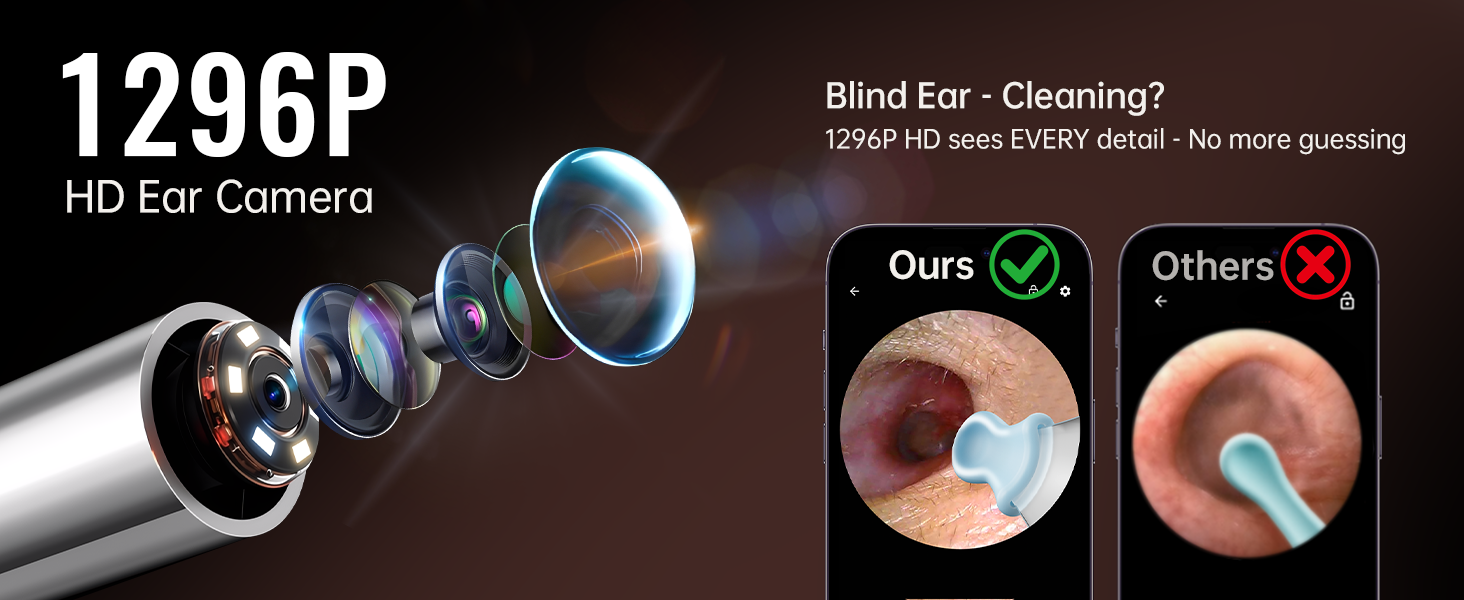
Foto nke 4: Step-by-step guide for connecting the device to the EarVision app on your smartphone.
Vidio 1: This video demonstrates the unboxing, setup, and initial connection process of the ear wax removal tool with the companion app.
Ntuziaka ọrụ
1. Attaching Ear Picks
Gently slide a silicone ear pick onto the tip of the device. Ensure it is securely attached before use. The Q-shaped scoop design helps protect the ear canal.
2. Iji igwefoto
Once connected to the app, you will see a real-time view from the 1296P HD camera. The 6 LED lights provide clear illumination inside the ear canal. The 360° wide-angle lens offers a comprehensive view. The app also features an eardrum reminder function to alert you if you get too close to the eardrum, enhancing safety.

Foto nke 5: Zuru ezu view of the 1296P HD camera's components, including the precision lens, 6 bright LED lights, and 360° wide-angle capability.

Foto nke 6: The eardrum reminder function helps protect your ears by alerting you when the tool is too close to the eardrum.
3. Safe Ear Cleaning
Carefully insert the device into the ear canal while observing the real-time image on your smartphone. Use the silicone ear pick to gently scoop out earwax. Avoid pushing wax deeper into the ear. The tool can also be used for examining other areas like teeth, nose, or facial details.
Vidio 2: This video demonstrates the process of earwax removal using the tool, showing the visual feedback on a smartphone.
Vidio 3: A user demonstrates the effectiveness of the ear wax removal tool, highlighting the clear view provided by the camera.
Nlekọta
Na-ehicha ngwaọrụ
- The lens is IP67 waterproof. After each use, rinse the lens with water or wipe it with an alcohol pad.
- Do not submerge the entire device in water.
- Use the provided cleaning brush to remove any debris from the device and accessories.
- Replace silicone ear picks as needed for hygiene.
Nchekwa
Store the device and its accessories in a cool, dry place, away from direct sunlight and fire. Keep out of reach of children.
Nchọpụta nsogbu
- Ngwaọrụ anaghị agbanwu: Gbaa mbọ hụ na chajịrị ngwaọrụ ahụ nke ọma.
- Enweghị ike ijikọ na Wi-Fi: Make sure the device is powered on and within range of your smartphone. Restart both the device and the app. Check your phone's Wi-Fi settings to ensure it's not connected to another network.
- Ogo onyonyo adịghị mma: Ensure the lens is clean and free of debris.
- Nsogbu ngwa: Ensure your app is updated to the latest version. If problems persist, try reinstalling the app.
Nkọwapụta
| Njirimara | Nkọwa |
|---|---|
| Nọmba nlereanya | S9 |
| Mkpebi igwefoto | 1296P HD |
| Ọkụ ọkụ LED | 6 |
| Njikọta | Wi-Fi / Bluetooth (App: EarVision) |
| Ndakọrịta | iOS na gam akporo |
| Ngosi nke enweghị mmiri | IP67 (naanị lens) |
| Ndụ batrị | 70 minutes (per full charge) |
| Nchaji ọdụ ụgbọ mmiri | USB Ụdị-C |
| Akụkụ ngwaahịa | 6.6 x 3.7 x 0.65 sentimita asatọ |
| Ibu Ibu | 3.35 ounces |
Akwụkwọ ikike
The JEGOAT S9 Ear Wax Removal Tool Camera comes with a 30-day refund/replacement return policy. Some users have reported receiving a lifetime warranty card with their product. Please refer to any specific warranty information included in your product packaging or contact customer support for details.
Nkwado
For further assistance, technical support, or warranty inquiries, please contact JEGOAT customer service:
- Email: service@jegoat.online
- Nkwado ngwa: Gaa leta earvision.atomath.com/wifi_camera/index for app-related information and updates.