
Naztech 15352
Naztech Xpods PRO True Wireless Earbuds
Akwụkwọ ntuziaka
Okwu mmalite
The Naztech Xpods PRO are true wireless earbuds designed for an immersive audio experience with advanced features for daily use and active lifestyles. These earbuds offer high-definition sound, noise isolation, and extended battery life, all within a compact and durable design.
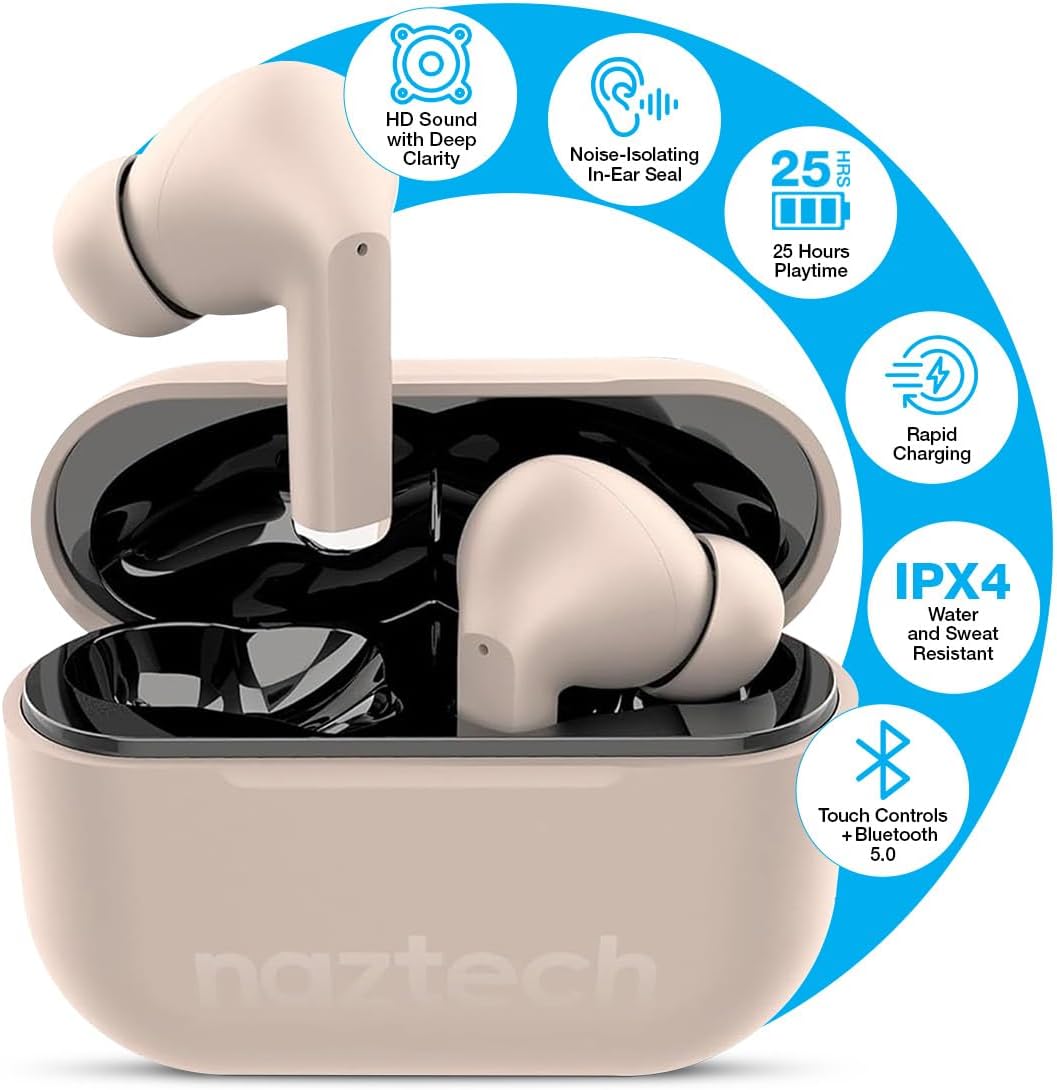
Image: Naztech Xpods PRO True Wireless Earbuds in Sandstone, resting in their open charging case.
Kedu ihe dị na Igbe ahụ
- Naztech Xpods PRO True Wireless Earbuds
- Akpa nchaji ikuku
- USB-C eriri USB
- Ọtụtụ nha ndụmọdụ ndụmọdụ ntị silicone
- Akwụkwọ ntuziaka
Melite
1. Ịchaji ihe ntị na akpa
Before first use, fully charge the Xpods PRO charging case and earbuds. The case can be charged via the included USB-C cable or a compatible Qi wireless charging pad (sold separately).
- Nchaji USB-C: Connect the USB-C cable to the charging port on the case and to a power source.
- Nchaji ikuku: Place the charging case on a Qi-compatible wireless charging pad.
- The LED indicator on the case will show charging status. A full charge provides up to 25 hours of total playtime (5 hours per charge from earbuds + 20 hours from case). A 10-minute quick charge can provide 1 hour of playback.

Image: Naztech Xpods PRO charging case on a wireless charging pad, illustrating 25 hours total playtime and quick charge feature.
2. Ijikọ na ngwaọrụ gị
The Xpods PRO utilize Bluetooth 5.0 for stable and universal compatibility with Android and iPhone devices.
- Hụ na earphones dị n'ime akpa chaja ma chajịa akpa ahụ.
- Mepee igbe nchaji. Igwe ntị ga-abanye na ọnọdụ njikọta na-akpaghị aka.
- Na ekwentị gị ma ọ bụ ngwaọrụ Bluetooth nyere gị aka, gaa na ntọala Bluetooth.
- Select "Naztech Xpods Pro" from the list of available devices.
- Ozugbo ejikọrọ, ị ga-anụ nkwenye a na-anụ, na ntị ntị ga-adị njikere maka ojiji.

Image: Naztech Xpods PRO earbuds and a smartphone screen showing successful Bluetooth pairing.
Ntuziaka ọrụ
The Xpods PRO feature intuitive touch controls for easy management of audio playback and calls.
Ọrụ njikwa aka

Image: Visual guide to touch sensor controls on the Naztech Xpods PRO earbuds.
- Gwuo/kwụsịtụ: Otu mgbata na ntị ntị.
- Track na-esote: Pịa bọtịnụ ntị aka nri ugboro abụọ.
- Gara aga Track: Kpatụ ntị ugboro abụọ n'akụkụ aka ekpe.
- Azịza/Kwụsị Oku: Otu mgbata na ntị ntị.
- Jụ oku: Pịa ma jide otu ntị ntị maka sekọnd 2.
- Mee ka onye enyemaka olu rụọ ọrụ: Pịa ugboro atọ na ntị ntị.
Ịkpọ na ịnata oku
The Xpods PRO feature dual microphones with advanced voice capture technology to filter out wind and background noise, ensuring clear conversations.
- Use the touch controls as described above to manage calls.
- Audio will automatically switch to the earbuds when a call is initiated or received while connected.
Nlekọta na nlekọta
To ensure the longevity and optimal performance of your Naztech Xpods PRO, follow these care guidelines:
- Nhicha: Jiri akwa dị nro, kpọrọ nkụ na-adịghị na-ehicha ntị ntị na chaja mgbe niile. Zere iji kemịkalụ siri ike ma ọ bụ ihe na-emebi emebi.
- Ndụmọdụ ntị: Wepụ ma hichaa nsọtụ ntị silicone mgbe niile site na iji mmiri na ncha dị nro. Hụ na ha kpọrọ nkụ kpamkpam tupu ị tinyeghachi ha.
- Nguzogide mmiri: The Xpods PRO are IPX4 water and sweat resistant, meaning they are protected against splashing water from any direction. They are suitable for workouts and light rain but should not be submerged in water.
- Nchekwa: Mgbe ejighị ya, chekwaa earbuds n'ime akpa nchaji ha iji chebe ha ma debe ha ebubo.
- Okpomọkụ: Zere ikpughe ntị ntị n'ebe okpomọkụ dị oke elu (ọkụ ma ọ bụ oyi) ma ọ bụ ìhè anyanwụ kpọmkwem ruo ogologo oge.

Image: Naztech Xpods PRO earbuds designed for active lifestyles, featuring IPX4 water resistance.
Nchọpụta nsogbu
If you encounter issues with your Xpods PRO, refer to the following common solutions:
- Igwe ntị anaghị ejikọta:
- Ensure both earbuds are charged and in the case.
- Gbanyụọ ma gbanye Bluetooth nke ngwaọrụ gị.
- Forget/delete "Naztech Xpods Pro" from your device's Bluetooth list and attempt to re-pair.
- Only One Earbud Working:
- Tinyeghachi ntị abụọ ahụ n'ime akpa chaja, mechie mkpuchi ahụ, chere sekọnd ole na ole, wee mepee ya ọzọ.
- Gbaa mbọ hụ na akwụgoro ekwe ntị abụọ ahụ.
- Okwu ịchaji:
- Lelee eriri USB-C na ihe nkwụnye ike maka mmebi.
- Hụ na kọntaktị chaja dị na ntị ntị na n'ime akpa ahụ dị ọcha ma ghara inwe ihe ruru unyi.
- Ọ bụrụ na ị na-eji chaja ikuku, hụ na akpa ahụ dabara nke ọma na pad chaja ahụ.
- Low Sound Quality/Noise:
- Ensure the ear tips provide a secure seal in your ear. Try different sizes.
- Clean the earbud speakers and ear tips.
- Ensure your device's volume is adequately set.
Nkọwapụta
| Njirimara | Nkọwapụta |
|---|---|
| Nọmba nlereanya | 15352 |
| Ụdị Bluetooth | 5.0 |
| Oke Bluetooth | 33 ụkwụ |
| Ndụ batrị (Ngụkọta) | Up to 25 Hours (5 hours per charge + 20 hours with charging case) |
| Oge Nchaji | 1 Hour (for case) |
| Usoro njikwa | Metụ aka |
| Ọkwa Nguzogide mmiri | IPX4 (mmiri na-eguzogide) |
| Ibu Ibu | 4 ounces |
| Akụkụ ngwaahịa | 4.7 x 4.7 x 1.2 sentimita asatọ |
| Ngwa dakọtara | Any device with Bluetooth capabilities |
| Ụdị ọkwọ ụgbọ ala ọdịyo | Ọkwọ ụgbọala dị ike |
| Njikwa mkpọtụ | Active Noise Cancellation (Passive Noise Isolation from fit) |
Akwụkwọ ikike na nkwado
For warranty information or technical support, please refer to the official Naztech websaịtị ma ọ bụ kpọtụrụ ngalaba ọrụ ndị ahịa ha. Debe ihe akaebe nke ịzụrụ ihe maka akwụkwọ ikike ọ bụla.
Ask a question about this manual
Ask about setup, troubleshooting, compatibility, parts, safety, or missing instructions. Manuals+ will review the question and use this page’s manual context to help answer it.