
KLLOQUE K10B
KLLOQUE Fingerprint Door Lock User Manual
Ụdị: K10B
1. Okwu mmalite
Welcome to the KLLOQUE Fingerprint Door Lock user manual. This smart door knob provides advanced security and convenience for your home or office. With multiple unlocking methods including fingerprint, app control, and traditional keys, it offers a versatile solution for various needs. Please read this manual carefully to ensure proper installation, setup, and operation of your new smart lock.
2. Ngwaahịa gafereview
The KLLOQUE Fingerprint Door Lock is a 3-in-1 biometric door knob designed for enhanced security and ease of use. It features a robust aluminum construction and a sleek silver finish.
Akụkụ ndị bụ isi:
- 3-in-1 Unlocking: Fingerprint, Mobile App (Bluetooth), and Physical Key.
- Ụdị ọtụtụ: Passage Mode (unlocked), Entrance Mode (fingerprint/app unlock), Privacy Mode (administrator unlock only).
- Nchọpụta Mkpisiaka Ngwa Ngwa: Stores up to 20 fingerprints.
- Mkpọchi akpaaka: 5-second auto-locking feature for added security.
- Batrị enwere ike ịchaji: Built-in 400mAh battery, charged via USB-C.
- Low-Battery Alarm: Visual power display and alarm function.
- Local Fingerprint Storage: Ensures privacy by storing fingerprints locally.

Figure 1: KLLOQUE Fingerprint Door Lock (Silver) with companion app.

Figure 2: Multiple ways to unlock the KLLOQUE smart door lock.
3. Nwụnye
The KLLOQUE Fingerprint Door Lock is designed for easy installation, typically requiring only a screwdriver. For detailed step-by-step instructions, please refer to the official Akwụkwọ ntuziaka nwụnye (PDF).
Ndụmọdụ nwụnye dị mkpa:
- When installing the interior knob, ensure both the Exterior and Interior Knobs are inserted according to the 'UP' sign on the top to keep them in place.
- The spindle bar must be in the vertical position.
- Align the thumb turn adjustment arrow to the center dot and the 'UP' sign. Insert the arrow upward on the mounting, applying slight force to fully seat the rear lock.
Ndakọrịta ọnụ ụzọ:
Tupu ịzụtaasing and installing, please verify your door's dimensions:
- Ọkpụrụkpụ ọnụ ụzọ: 1 3/8" – 2 1/8" (35-54 mm)
- Dayameta oghere ọnụ ụzọ: 2 1/8" (54 mm)
- Mbido: 2 3/4" (70 mm) or 2 3/8" (60 mm)

Figure 3: Door compatibility and measurement guide.
4. Nhazi
App Control & Bluetooth Pairing:
The KLLOQUE smart door knob can be controlled via a dedicated mobile application (detailed in the manual). This app allows you to manage fingerprints, view unlocking records, and control the lock/unlock and privacy modes within Bluetooth range.
- Download the app from your smartphone's app store.
- Follow the in-app instructions to pair your lock via Bluetooth.
- For Wi-Fi control and remote access beyond Bluetooth range, a separately purchased gateway is required.

Figure 4: App control interface for the smart door lock.
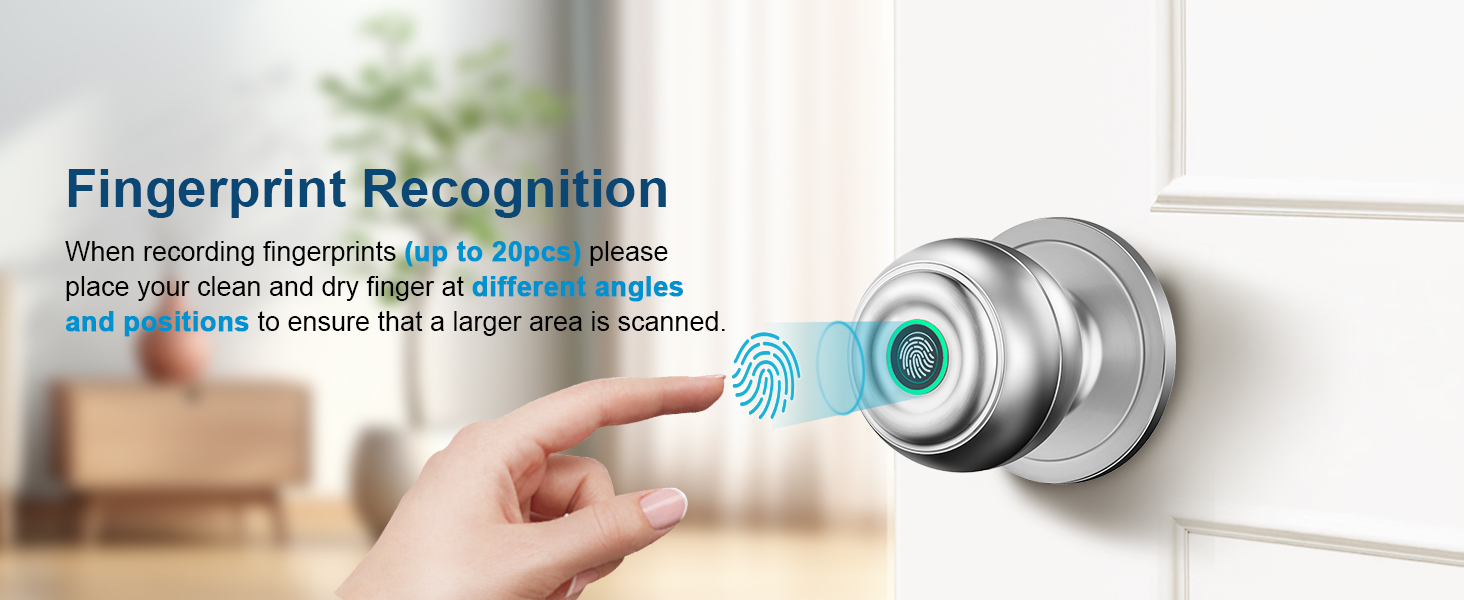
Figure 5: Fingerprint recognition on the smart door knob.
Ndebanye aha mkpịsị aka:
The lock can store up to 20 unique fingerprints. To register a fingerprint:
- Open the KLLOQUE app and navigate to the "Set Fingerprint" section.
- Follow the on-screen prompts to add a new fingerprint.
- Place your clean and dry finger on the sensor at different angles and positions to ensure a larger area is scanned for optimal recognition.
- Repeat the process until the app confirms successful registration.
5. Ụdị arụ ọrụ
The KLLOQUE smart door knob offers three distinct operating modes, easily switchable by rotating your thumbprint around the smart door knob:
- Passage Mode (Unlocked Mode): In this mode, the door remains unlocked and can be opened by simply turning the knob, similar to a standard passage door knob. This is ideal for areas where free access is desired.
- Normal Mode (Entrance Mode): The lock will auto-lock after 5 seconds. To unlock, a registered fingerprint or app control is required. This mode provides enhanced security for private spaces.
- Ụdị nzuzo: This is the most secure mode. Only administrator fingerprints or app control can unlock the door. This mode is perfect for ensuring maximum privacy and preventing unauthorized entry.
- Ọnọdụ Silent: The smart door knob can operate with whisper-quiet operation, ensuring minimal disturbance.

Nyocha 6: N'eluview of the four operating modes.

Figure 7: Passage Mode allows free access.

Figure 8: Normal Mode provides security with auto-lock.

Figure 9: Privacy Mode for maximum security.
6. Nchaji na batrị
The KLLOQUE Fingerprint Door Lock features a built-in 400mAh rechargeable battery. It is designed for long-lasting performance, but regular charging is recommended.
- Ịchaji: Fully charging the battery takes approximately 3 to 4 hours using a USB-A to Type-C cable (not included).
- Ndụ batrị: Battery life may vary depending on usage frequency. The lock features a visual power display to monitor battery level.
- Low-Battery Alarm: An alarm function will notify you when the battery is low, prompting you to recharge.
- Igodo ndabere: In case of complete battery depletion, physical keys are provided for manual unlocking. It is recommended to keep at least one key in a secure, accessible location outside the locked area.

Figure 10: Type-C USB Fast Charging and battery indicators.
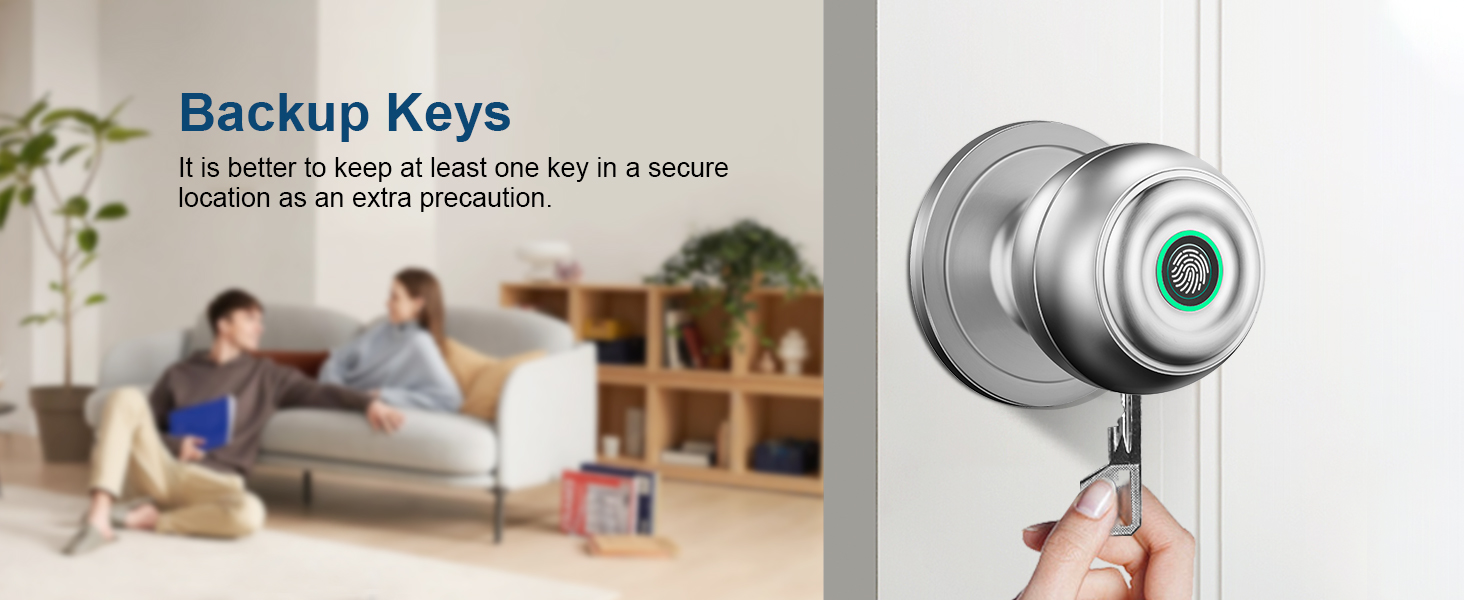
Figure 11: Backup keys for manual unlocking.
7. Nchọpụta nsogbu
| Nsogbu | Ihe nwere ike ime | Ngwọta |
|---|---|---|
| Achọpụtaghị akara mkpịsị aka. | Wet or dirty finger; improper placement; unregistered fingerprint. | Ensure finger is clean and dry. Place finger firmly and completely on the sensor. Try different angles. Re-register fingerprint if necessary. |
| Lock not responding. | Low battery; temporary malfunction. | Check battery level and recharge if low. Use physical key for immediate access. Try restarting the lock (if applicable, refer to manual for reset procedure). |
| App not connecting to lock. | Bluetooth off; out of range; app issue. | Ensure Bluetooth is enabled on your device. Move closer to the lock. Restart the app or your phone. |
| Door knob feels loose after installation. | Improper installation of interior/exterior knobs or spindle bar. | Re-check installation steps, especially ensuring 'UP' signs are aligned and the spindle bar is vertical and fully seated. |
8. Nkọwapụta
- Akara: KLLOQUE
- Aha nlereanya: K10B
- Ụdị mkpọchi: Mkpọchi ngwakọta
- Ihe: Aluminum (Handle Material: Zinc)
- Agba: Ọlaọcha
- Akụkụ ngwaahịa: 9 x 3.5 x 3.5 sentimita asatọ
- Ibu ihe: 1.59 pound
- Atụmatụ pụrụ iche: Fingerprint, App, Keys Unlock, Auto Lock, Privacy/Normal/Passage Mode, Share or add Members, View History Logs, Mute Mode
- Njikwa Type: APP
- Usoro njikwa: Ngwa
- Protocol Njikọta: Bluetooth
- Isi mmalite ike: Built-in 400mAh rechargeable battery (USB-C charging)
- Okpomọkụ arụ ọrụ: 23°F - 131°F
- Ọnọdụ ihu igwe: IP54
- Lock & Unlock Lifespan: ugboro 15,000

Figure 12: Durability and environmental resistance specifications.
9. Akwụkwọ ikike na nkwado
KLLOQUE stands behind the quality of its products. Your Fingerprint Door Lock comes with a Akwụkwọ ikike nke afọ 1 site na ụbọchị ịzụrụ.
For any questions, technical assistance, or warranty claims, please contact KLLOQUE's US-Based Support team. Refer to the product packaging or the official KLLOQUE websaịtị maka ozi kọntaktị.

Figure 13: KLLOQUE US-Based Support.
Ask a question about this manual
Ask about setup, troubleshooting, compatibility, parts, safety, or missing instructions. Manuals+ will review the question and use this page’s manual context to help answer it.