
1. Okwu mmalite
This manual provides essential information for the safe and effective operation, maintenance, and troubleshooting of your DOVAMAN DMS01A 10-Inch Sliding Miter Saw. Please read this manual thoroughly before initial use and retain it for future reference.
1.1 Ngwaahịa gafereview
The DOVAMAN DMS01A is a versatile 10-inch sliding miter saw designed for multi-material cutting, including wood, PVC, and soft metals. It features a powerful 15Amp motor with dual-speed settings (5000 RPM and 3200 RPM), a laser guide for precision, and an ambidextrous design for user comfort. The saw includes a 13-inch sliding rail and extendable side tables to accommodate various material sizes.

Figure 1.1: DOVAMAN DMS01A 10-Inch Sliding Miter Saw with included accessories.
1.2 Ozi nchekwa
Always observe basic safety precautions to reduce the risk of fire, electric shock, and personal injury. Keep this manual for safety instructions.
- Gụọ ntuziaka niile: Mara onwe gị na njikwa na ojiji nke ngwaọrụ ahụ nke ọma.
- Yiri akụrụngwa nchedo onwe nke dabara adaba (PPE): Yiri ugegbe nchekwa mgbe niile, nchebe ịnụ ihe, na ihe mkpuchi uzuzu.
- Gbaa mbọ hụ na mpaghara ọrụ dị mma: Keep the work area clean, well-lit, and free from obstructions. Do not operate in damp ma ọ bụ ọnọdụ mmiri.
- Chekwaa workpiece: Mgbe niile clamp or hold the workpiece firmly against the fence and table.
- Maintain proper balance: Emechala oke. Debe ụkwụ kwesịrị ekwesị na nguzozi mgbe niile.
- Kwupu ike: Always disconnect the saw from the power source before making adjustments, changing blades, or performing maintenance.
- Jiri agụba kwesịrị ekwesị: Ensure the blade is sharp, clean, and suitable for the material being cut.
- Debe ndị nche n'ebe ha nọ: Never operate the saw with guards removed or damaged.
- Zenarị ịmalite na mberede: Hụ na mgbanyụ ahụ nọ n'ọnọdụ Gbanyụọ tupu ị tinye ngwaọrụ ahụ.
2. Nhazi
Before operating the saw, ensure it is properly assembled and secured.
2.1 Mwepu na nyocha
Carefully remove all components from the packaging. Inspect for any damage that may have occurred during shipping. The package includes:
- DOVAMAN DMS01A 10-Inch Miter Saw
- 3 x TCT Blades (two 40-tooth, one 48-tooth)
- 2 Extra Carbon Brushes
- Nkwado Clamp
- Akwụkwọ ntuziaka onye ọrụ
2.2 Mounting the Saw
For stability and safety, the miter saw should be securely mounted to a workbench or a dedicated miter saw stand. Use appropriate bolts and washers to fasten the saw through the mounting holes in its base.
2.3 Nwụnye agụba
- Kwụpụ ike: Hụ na ewepụghị ihe e ji akwọ osisi ahụ.
- Open Blade Guard: Lift the lower blade guard and secure it in the open position if applicable, or follow specific instructions for your model to access the blade arbor.
- Tọpụ Arbor Akụ: Use the provided wrench to loosen the arbor nut while holding the arbor lock button. The nut is typically reverse-threaded.
- Wepu Old Blade (ọ bụrụ na ọdabara): Carefully remove the old blade and any washers.
- Wụnye Blade ọhụrụ: Place the new blade onto the arbor, ensuring the teeth are pointing in the correct direction (usually indicated by an arrow on the blade and saw).
- Secure Arbor Nut: Reinstall any washers and tighten the arbor nut firmly while holding the arbor lock button.
- Close Blade Guard: Release the blade guard.

Figure 2.1: The DOVAMAN DMS01A miter saw and its included blades.
3. Ntuziaka ọrụ
Understand the various functions and controls of your miter saw for optimal performance.
3.1 Ntọala Ike na Ọsọ
The saw features a dual-speed setting to match the cutting requirements of different materials:
- 5000 RPM (Position II): Ideal for quick cuts in wood and softer materials.
- 3200 RPM (Position I): Recommended for clean cuts in PVC and soft metals, reducing heat buildup and improving cut quality.

Figure 3.1: Dual-speed settings for various cutting applications.

Figure 3.2: Saw operating at 5000 RPM for quick cuts.
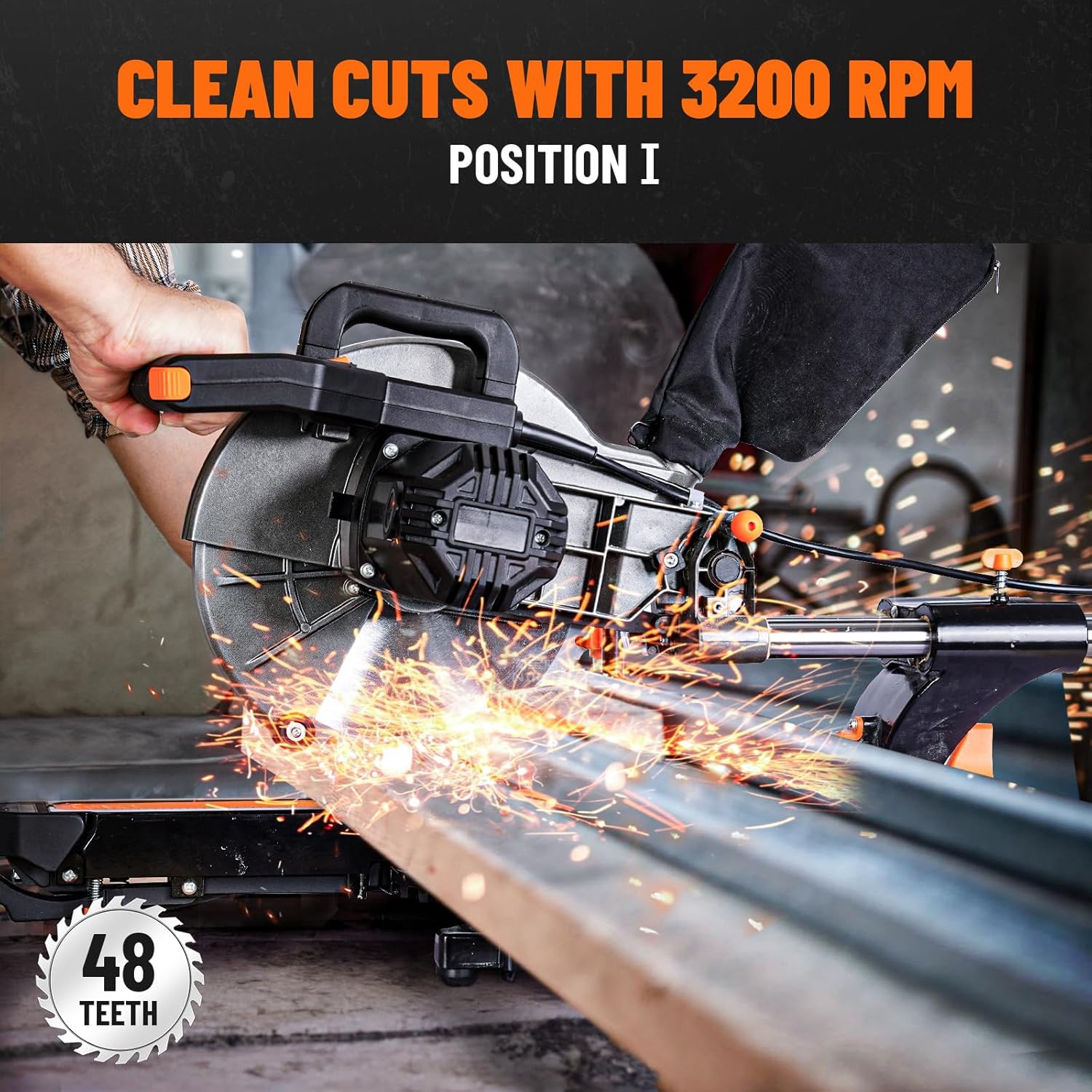
Figure 3.3: Saw operating at 3200 RPM for clean cuts on materials like soft metal.
3.2 Laser Guide for Precision
Activate the built-in laser guide to project a precise cutting line onto your workpiece, ensuring accurate cuts. Always verify the laser's alignment before making critical cuts.

Figure 3.4: The built-in laser guide assists in achieving precise cuts.
3.3 Miter and Bevel Cuts
The saw allows for both miter (horizontal) and bevel (vertical) angle adjustments. It features 9 positive stops for common miter angles, simplifying repetitive cuts. The single bevel cut range is 0-45 degrees.
- Miter Angle Adjustment: Loosen the miter lock handle, adjust the turntable to the desired angle, and tighten the handle. Use the positive stops for quick setting.
- Ndozi Nkuku Bevel: Loosen the bevel lock, tilt the saw head to the desired angle (up to 45 degrees), and tighten the lock.

Figure 3.5: Optimum cross-cut capacities at 90 and 45 degrees.

Figure 3.6: The 9 positive stops facilitate precise miter angle settings.

Figure 3.7: Demonstrating a compound miter cut.
3.4 Sliding Function
The 13-inch sliding rail allows for a wider cutting capacity, up to 4 x 13 inches. To utilize the sliding function, unlock the slide lock (if present) and pull the saw head towards you before pushing it through the workpiece.
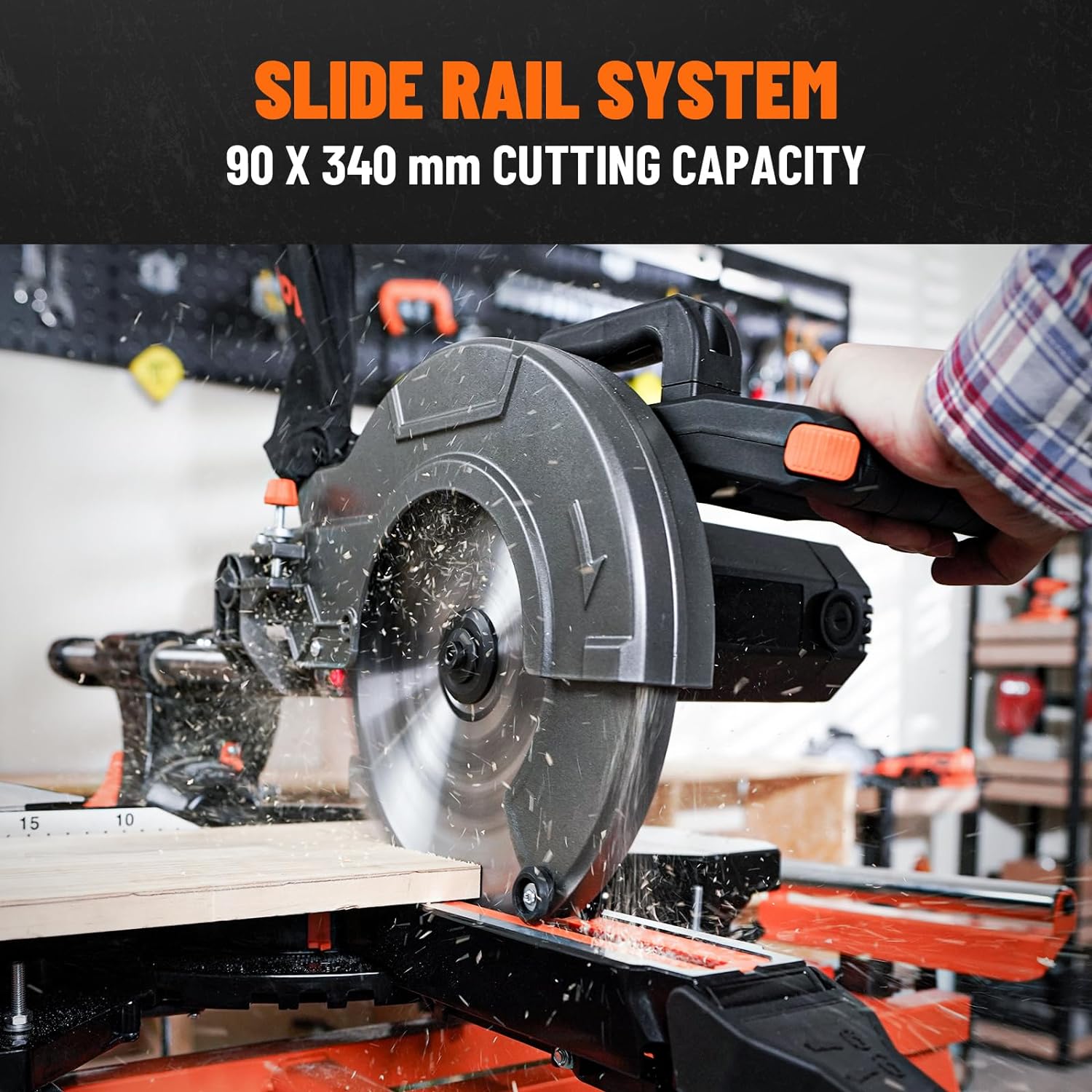
Figure 3.8: The slide rail system provides a cutting capacity of 90 x 340 mm.
3.5 Ambidextrous Operation
The saw is designed for comfortable use by both left and right-handed operators, featuring dual lock switches on the handle.

Figure 3.9: Ergonomic handle for ambidextrous use.
4. Nlekọta
Regular maintenance ensures the longevity and safe operation of your miter saw.
- Nhicha: After each use, disconnect the power and clean the saw, especially the dust collection port and blade guard, to prevent buildup. Use a soft brush or compressed air.
- Nyocha agụba: Regularly inspect the blade for sharpness, cracks, or missing teeth. Replace damaged or dull blades promptly.
- Ndochi ahịhịa carbon: The saw includes 2 extra carbon brushes. Refer to the specific instructions in your full manual for replacement procedures when brushes wear down.
- mmanu mmanu: Apply a light coat of machine oil to moving parts, such as the sliding rails, periodically to ensure smooth operation.
- Lelee ngwa ngwa: Periodically check all nuts, bolts, and screws for tightness and tighten as necessary.
5. Nchọpụta nsogbu
This section addresses common issues you might encounter with your miter saw.
| Nsogbu | Ihe nwere ike ime | Ngwọta |
|---|---|---|
| Saw anaghị amalite | Enweghị ike; Mgbanwe adịghị mma; Brush carbon emebiela | Check power connection; Test switch; Replace carbon brushes. |
| Ọdịdị ịkpụ adịghị mma (ike, ịgbawa agbawa) | Dull or incorrect blade; Incorrect speed setting; Workpiece not secured | Replace or sharpen blade; Select appropriate speed; Secure workpiece firmly. |
| Laser guide not visible or inaccurate | Dust on laser lens; Misalignment; Battery (if applicable) | Clean laser lens; Check and adjust laser alignment; Replace laser battery. |
| Saw binds or stalls during cut | Dull blade; Overfeeding; Incorrect blade for material | Replace or sharpen blade; Reduce feed rate; Use correct blade type. |
6. Nkọwapụta
Key technical specifications for the DOVAMAN DMS01A 10-Inch Sliding Miter Saw.
| Njirimara | Nkọwa |
|---|---|
| Nọmba nlereanya | DMS01A |
| Dayameta agụba | 10 sentimita (254mm) |
| Ike moto | 15 Amp (2000 watts) |
| Ọsọ enweghị ibu | 5000 RPM / 3200 RPM (Dual Speed) |
| Voltage | 120 volts |
| Max Cross Cut Capacity (90°) | 3.5 x 13.4 sentimita (90 x 340 mm) |
| Max Bevel Cut Capacity (45°) | 3.5 x 9.4 sentimita (90 x 240 mm) |
| Bevel n'akuku | 0-45° Single Bevel |
| Ogologo akụkụ | Up to 45° Left/Right with 9 Positive Stops |
| Included Blades | Two 40-tooth TCT, One 48-tooth TCT |
| Ibu Ibu | 37.4 pound (17 Kilogram) |
| Akụkụ ngwaahịa | 33"L x 19"W x 15"H |
| UPC | 702571863588 |
7. Akwụkwọ ikike na nkwado
Your DOVAMAN DMS01A 10-Inch Sliding Miter Saw is backed by a 2-year limited warranty. For warranty claims, technical assistance, or customer service inquiries, please contact DOVAMAN customer support through your purchase platform or the official DOVAMAN websaịtị.
Please have your model number (DMS01A) and proof of purchase available when contacting support.