
Okwu mmalite
This manual provides essential instructions for the safe and efficient operation, maintenance, and troubleshooting of your Oster OCAF900 Digital Espresso Coffee Machine. Please read all instructions carefully before first use and keep this manual for future reference.
Ozi nchekwa dị mkpa
Na-agbaso usoro nchekwa nchekwa mgbe niile mgbe ị na-eji ngwa eletriki iji belata ihe egwu ọkụ, ujo eletrik na/ma ọ bụ mmerụ ahụ n'ahụ mmadụ, gụnyere ndị a:
- Gụọ ntuziaka niile.
- Emetụla ebe dị ọkụ aka. Jiri aka ma ọ bụ mkpọ.
- Iji kpuchido ọkụ eletrik, etinyela eriri, plọg, ma ọ bụ ngwa n'ime mmiri ma ọ bụ mmiri mmiri ọzọ.
- Nleba anya dị mkpa mgbe ụmụaka na-eji ngwa ọ bụla ma ọ bụ nso.
- Kpupu na ntinye mgbe ejighị ya na tupu ihicha. Kwe ka ọ dị jụụ tupu ịtinye ma ọ bụ wepụ akụkụ, na tupu ihicha ngwa ahụ.
- Ejikwala ngwa ọ bụla nwere eriri ma ọ bụ plọg mebiri emebi ma ọ bụ mgbe ngwa ahụ dara, ma ọ bụ mebie ya n'ụzọ ọ bụla.
- Iji mgbakwunye ngwa anaghị akwado ndị nrụpụta ngwa nwere ike bute ọkụ, ujo eletrik, ma ọ bụ mmerụ ahụ ndị mmadụ.
- Ejila n'èzí.
- Ekwela ka eriri kwụgide n'akụkụ tebụl ma ọ bụ counter, ma ọ bụ metụ ebe dị ọkụ aka.
- Etinyela na ma ọ bụ nso gas na-ekpo ọkụ ma ọ bụ ọkụ eletrik, ma ọ bụ na oven ọkụ.
- Buru ụzọ tinye plọg mgbe niile na ngwa, wee tinye eriri n'ime oghere mgbidi. Iji kwupu njikọ, gbanyụọ njikwa ọ bụla ka ọ bụrụ "gbanyụọ", wee wepụ plọg na mpụta mgbidi.
- Ejila ngwa maka ndị ọzọ na-abụghị ebumnuche ebumnuche.
- Ekwesịrị iji nlezianya mee ihe mgbe ị na-ebugharị ngwa nwere mmiri ọkụ.
Ngwaahịa gafereview
The Oster OCAF900 is a digital espresso coffee machine designed for both ground coffee and Nespresso-compatible capsules. It features a 20-bar pump for optimal extraction, a milk frother, and programmable functions.
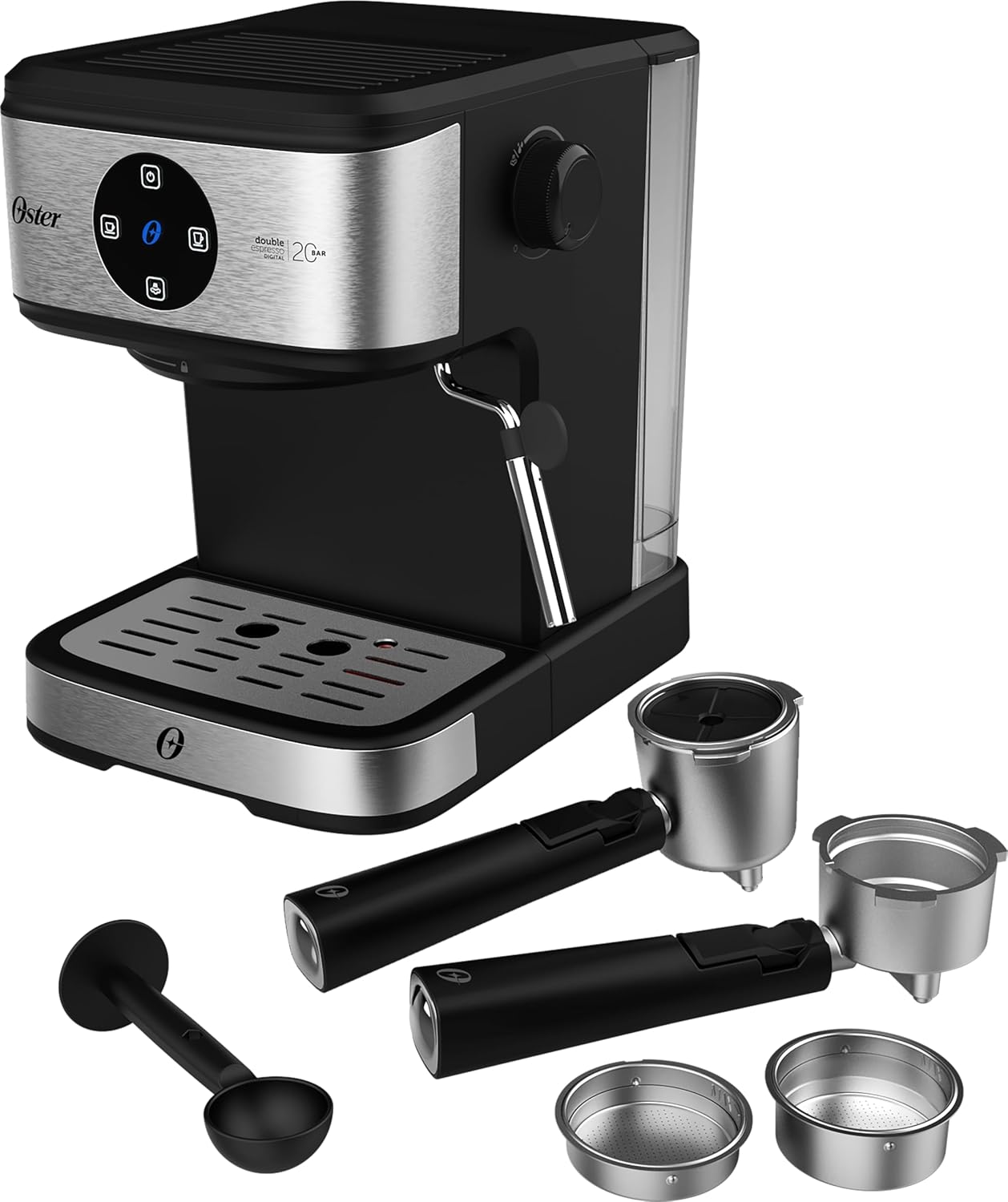
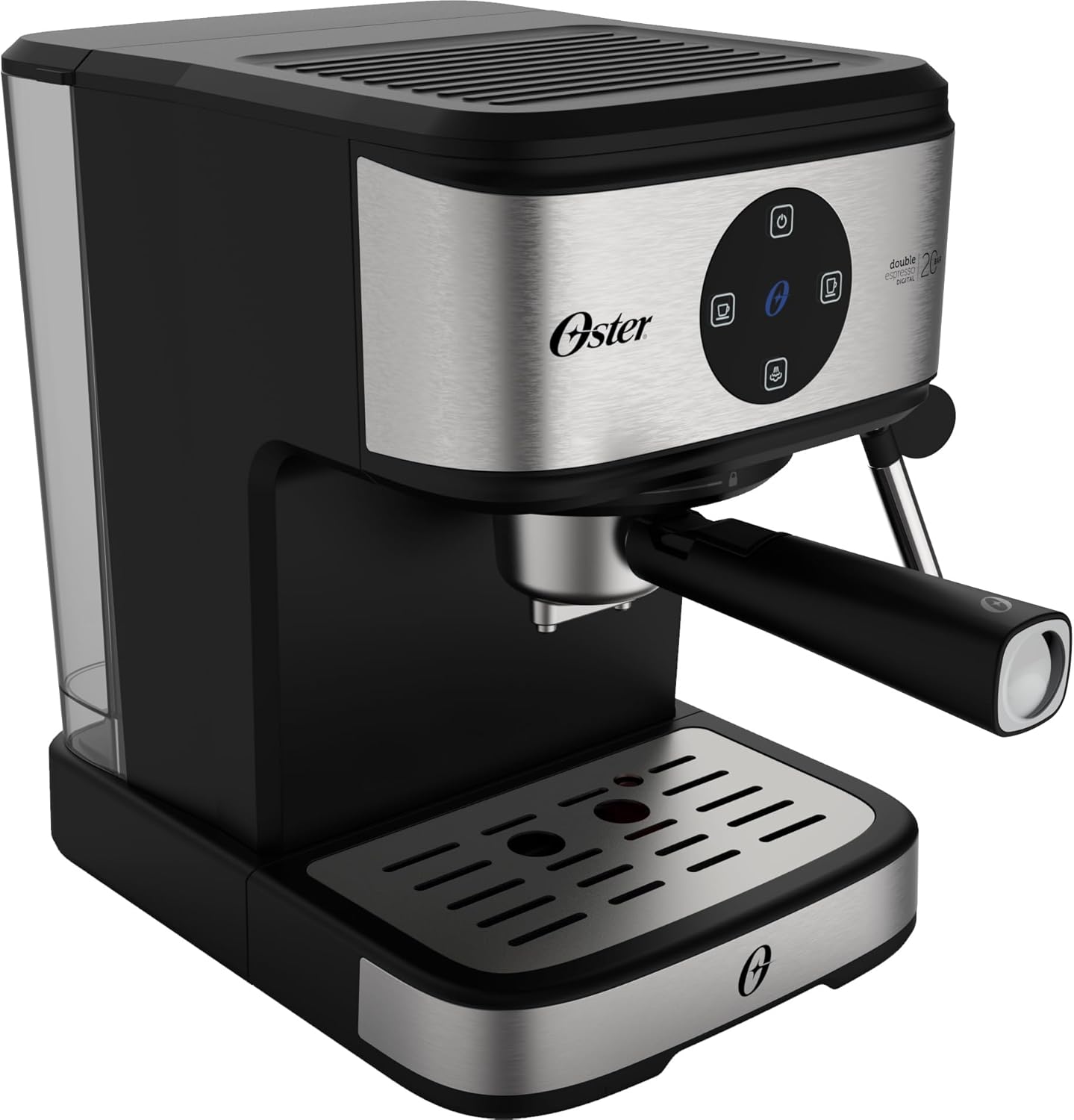
N'ihu view of the Oster OCAF900 Digital Espresso Coffee Machine, showcasing ya sleek imewe na dijitalụ akara panel.

Included accessories: portafilters for single and double espresso, a measuring spoon/tamper, and a capsule adapter.
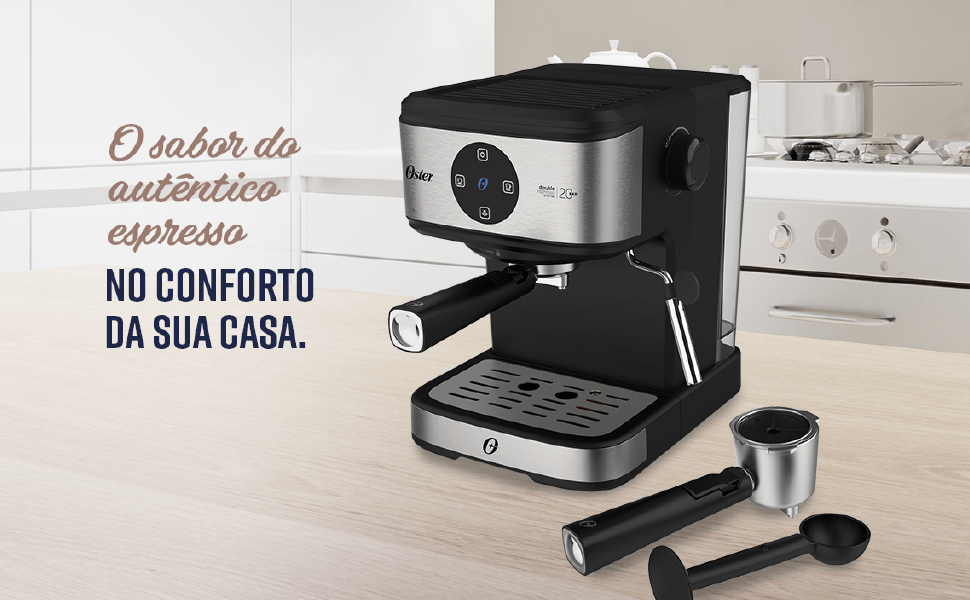
gafereview of key features: 1.6L capacity, anti-heating system, 1100W power, milk and water frother, single/double espresso portafilter, and 4 pre-programmed/customizable functions.
Ntọala na ojiji mbụ
- Iwepu: Jiri nlezianya wepụ ihe niile e ji ekpuchi ihe ma hụ na akụkụ niile dị.
- Nhicha izizi: Before first use, wash the water tank, portafilters, and drip tray with warm, soapy water. Rinse thoroughly and dry. Wipe the exterior of the machine with a damp akwa .
- Jupụta tank mmiri: Fill the removable water tank with fresh, cold water up to the MAX level indicator. Ensure the tank is properly seated in the machine.
- Njikọ ike: Tinye eriri ọkụ n'ime oghere eletrik 220V gbadoro ụkwụ.
- Digital Panel Operation:
- Remove any protective sticker from the digital control panel.
- To turn on the machine, simply touch the power command button (usually the top button).
- To turn off the machine, press and hold the power command button for 5 seconds.
- Pump mbụ: Before making coffee, run a cycle with only water to prime the pump and rinse the internal components. Place a cup under the coffee outlet, select a coffee function (without coffee), and let water flow through.
Visual guide for operating the digital panel: removing the sticker, turning on with a simple touch, and turning off by pressing for 5 seconds.
Ntuziaka ọrụ
Iji Ground Kọfị na-eme Espresso
- Ensure the machine is on and the water tank is filled.
- Select the appropriate filter basket for single or double espresso and place it into the portafilter.
- Add finely ground espresso coffee to the filter basket. Do not overfill; the coffee level should be slightly below the rim to ensure proper sealing.
- Dị obere tamp the coffee grounds with the measuring spoon's flat end.
- Tinye portafilter n'isi ihe e ji eme mmanya site n'ịhazi ya ma tụgharịa ya nke ọma n'aka nri ruo mgbe ọ ga-adị mma.
- Tinye iko espresso gị n'elu tray mmiri mmiri n'okpuru oghere portafilter.
- Select your desired espresso shot (single or double) from the digital control panel. The machine will begin brewing.
- Once brewing is complete, carefully remove the portafilter. Always remove the portafilter with the coffee grounds immediately after use to prevent steam buildup and potential damage to electronic components.
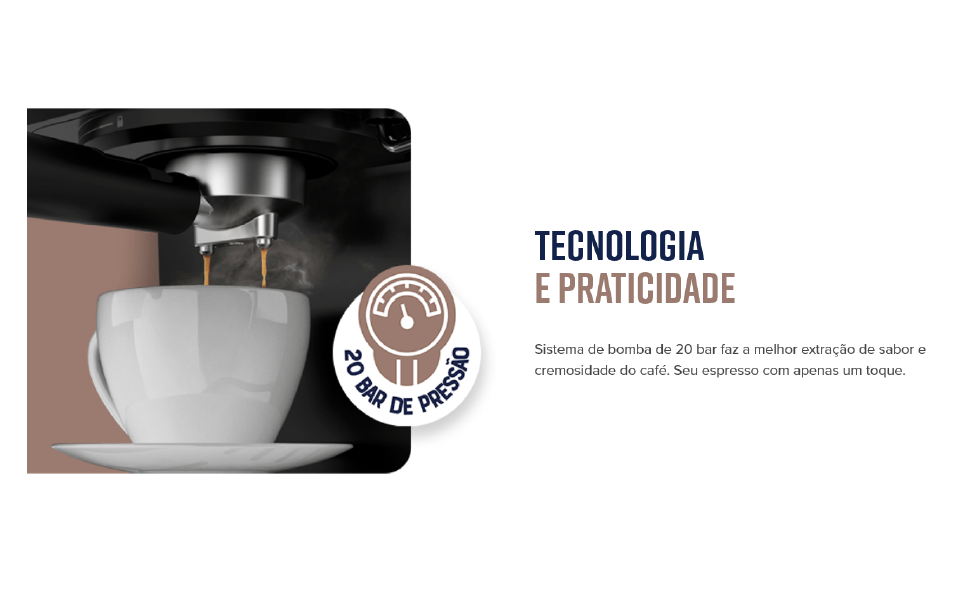
The Oster OCAF900 brewing a rich espresso shot into a cup, demonstrating the 20-bar pressure extraction.
Using Nespresso-Compatible Capsules
- Ensure the machine is on and the water tank is filled.
- Insert the capsule adapter into the portafilter.
- Place a Nespresso-compatible capsule into the adapter.
- Tinye portafilter n'isi ihe e ji eme mmanya site n'ịhazi ya ma tụgharịa ya nke ọma n'aka nri ruo mgbe ọ ga-adị mma.
- Tinye iko gị n'okpuru ihe mkpuchi portafilter.
- Select your desired coffee shot from the digital control panel.
- Once brewing is complete, carefully remove the portafilter and dispose of the used capsule.

Illustration of the machine's 2-in-1 compatibility, allowing use of both ground coffee and Nespresso-compatible capsules.
Frothing Milk / Hot Water Dispensing
- Ensure the machine is on and has reached operating temperature.
- Fill a frothing pitcher with cold milk (dairy or non-dairy) to just below the spout.
- Debe mkpanaka uzuoku ahụ n'ime mmiri ara ehi, n'okpuru elu.
- Turn the steam control knob to the steam/hot water position.
- Move the pitcher up and down to create foam. Once desired foam is achieved, turn off the steam.
- For hot water, place a cup under the steam wand and turn the steam control knob to the hot water position.
- After frothing, always clean the steam wand immediately by wiping it with a damp ákwà na obere ogeasing uzuoku iji kpochapụ ihe fọdụrụ n'ime mmiri ara ehi ọ bụla.

The Oster OCAF900 using its steam wand to froth milk, creating a creamy texture for lattes and cappuccinos.
Ihe ngosi vidiyo
This video demonstrates the general operation and features of the Oster OCAF900 Digital Espresso Coffee Machine, including brewing espresso and frothing milk. Note: This is a preview vidiyo.
Nlekọta na nlekọta
Nhicha kwa ụbọchị
- Portafilter: After each use, remove the portafilter and discard the coffee grounds. Rinse the portafilter and filter basket under warm water.
- Ụdị Steam: Ozugbo mmiri ara ehi kpochara, jiri mgbasa ozi hichaa uzuoku uzuokuamp ákwà. Mee ka ọrụ uzuoku ahụ rụọ ọrụ nwa oge iji kpochapụ ihe fọdụrụ n'ime mmiri ara ehi.
- Ntapu atịpị: Wụpụ ihe ma hichaa tray mmiri ahụ mgbe niile iji gbochie mmiri ịbanye na nje bacteria.
- tank mmiri: Empty and rinse the water tank daily. Refill with fresh water for each use.
- Mputa: Jiri nwayọ hichaa mpụta igwe, damp akwa . Ejila ihe nchacha abrasive ma ọ bụ ihe ncha.
Ebelata
Over time, mineral deposits (limescale) can build up in your machine, affecting performance and coffee taste. Descale your machine regularly, depending on your water hardness and frequency of use (e.g., every 2-3 months).
- Kwadebe ihe ngwọta na-ekpochapụ dịka ntụziaka ndị nrụpụta descaler si dị (ma ọ bụ jiri ngwakọta nke mmanya ọcha na mmiri).
- Jupụta tank mmiri na ngwọta nkwụsị.
- Debe nnukwu akpa n'okpuru ihe mkpuchi kọfị na mkpanaka steam.
- Run several brewing cycles (without coffee) and steam cycles until the water tank is empty.
- Sachaa tankị mmiri ahụ nke ọma ma tinye mmiri ọhụrụ n'ime ya.
- Run several cycles with fresh water to rinse out any remaining descaling solution.
Nchọpụta nsogbu
| Nsogbu | Ihe nwere ike ime | Ngwọta |
|---|---|---|
| Coffee does not brew or flows slowly. |
|
|
| Kọfị na-atọ ụtọ ọkụ. |
|
|
| Touch panel issues (e.g., turns off randomly). |
|
|
| Mmiri ara ehi adịghị esi nke ọma. |
|
|
Nkọwapụta
| Njirimara | Nkọwa |
|---|---|
| Nlereanya | OCAF900 |
| Ụdị | Oster |
| Voltage | 220 volts |
| Ike | 1100 Watt |
| Nrụgide | 20 Ogwe |
| Ike tank mmiri | 1.6 lita |
| Ihe onwunwe | Igwe anaghị agba nchara |
| Agba | Black Inox |
| Akụkụ (Ngwaahịa) | 28.9P x 21.8L x 27.3A cm (28.9 x 21.8 x 27.3 cm) |
| Atụmatụ pụrụ iche | Cup warmer, Milk frother, Permanent filter, Automatic cleaning function, Programmable |
| GTIN | 7898742840014 |
Ozi akwụkwọ ikike
Your Oster OCAF900 Digital Espresso Coffee Machine comes with a standard manufacturer's warranty. Please refer to the warranty card included with your product for specific terms and conditions, including the warranty period and coverage details.
Extended warranty options may be available for purchase. For more information on extended warranty plans, please consult your retailer or the Oster official websaịtị.
Nkwado ndị ahịa
If you encounter any issues not covered in the troubleshooting section, or require further assistance, please contact Oster customer support. You can find contact information on the official Oster websaịtị ma ọ bụ na nkwakọ ngwaahịa gị.
When contacting support, please have your product model (OCAF900) and serial number (if applicable) ready.