
Okwu mmalite
Thank you for choosing the Digitek DWM-107 2-in-1 Wireless Microphone System. This manual provides essential information for the proper setup, operation, and maintenance of your device. Please read it thoroughly before use to ensure optimal performance and longevity of the product.
The Digitek DWM-107 is a versatile wireless microphone system designed for high-quality audio capture across various platforms, including smartphones, cameras, and computers. It features dual transmitters, a receiver, TFT card recording, 360-degree sound capture, and advanced noise cancellation.
Kedu ihe dị na Igbe ahụ
Carefully unpack your Digitek DWM-107 system and ensure all components are present:
- 2 x Microphone Transmitters (Tx)
- 1 x Receiver (Rx)
- 1 x Battery Compartment (Charging Box)
- 1 x TRRS to TRRS Audio Cable (for smartphones/tablets)
- 1 x TRRS to TRS Audio Cable (for cameras/laptops)
- 1 x USB-C Nchaji USB
- 1 x USB-C na eriri USB-C
- 1 x USB-C na eriri ọkụ
- 1 x Windscreen
- 1 x Akwụkwọ ntuziaka onye ọrụ

Image: All components included in the Digitek DWM-107 package.
Ngwaahịa gafereview
Mbufe (Tx)
- Igwe okwu: Built-in omnidirectional microphone.
- Bọtịnụ ike: Press and hold to power on/off. Short press to mute/unmute.
- Bọtịnụ kagbuo mkpọtụ: Activates/deactivates noise reduction.
- TFT Card Slot: For direct audio recording.
- Nchaji ọdụ ụgbọ mmiri: USB-C for charging.
- Ngosipụta ọnọdụ: LED lights indicating power, pairing, and recording status.
Onye nnata (Rx)
- Ọdụ ụgbọ mmiri mmepụta 3.5mm jack for connecting to recording devices.
- Monitoring Port: 3.5mm jack for real-time audio monitoring.
- Bọtịnụ ike: Pịa ma jide ka ịgbanwuo/ gbanyụọ.
- Nchaji ọdụ ụgbọ mmiri: USB-C for charging.
- Ngosipụta ihuenyo: Shows battery levels, signal strength, and recording status.
Igbe Nchaji
- Oghere chaja: For two transmitters and one receiver.
- Ihe ngosi batrị: LED display showing the charging box's battery level.
- Ọdụ USB-C: For charging the box itself.
Ntuziaka nhazi
- Chajịa ngwaọrụ: Before first use, fully charge the transmitters and receiver using the provided charging box and USB-C cable. The charging box itself should also be charged.
- Ike Na: Press and hold the power button on both the transmitter(s) and the receiver until their screens or indicator lights turn on.
- Njikọta akpaaka: The transmitters and receiver are designed to pair automatically upon power-on. A successful connection will be indicated on the receiver's display. If pairing fails, power cycle both devices.
- Connect to Recording Device:
- For Smartphones/Tablets (Android/iOS): Use the TRRS to TRRS Audio Cable or the USB-C to Lightning/USB-C cable to connect the receiver's output port to your device's audio input.
- For Cameras/Laptops: Use the TRRS to TRS Audio Cable to connect the receiver's output port to your camera's microphone input or laptop's audio input.
- Tinye ihe nnyefe: Clip the transmitter to the speaker's clothing, ensuring the microphone is facing towards the mouth for optimal sound capture. Use the included windscreen to reduce wind noise if recording outdoors.

Image: Seamless plug-and-play connectivity with automatic pairing.
Ntuziaka ọrụ
Na-edekọ ọdịyo
- Once connected, open your recording application on your smartphone, camera, or computer.
- Start recording. The audio from the transmitter(s) will be captured by your device.
- Monitor audio in real-time by plugging headphones into the receiver's monitoring port.

Image: Real-time audio monitoring for optimal sound adjustment.
TFT Card Recording
The DWM-107 transmitters support direct recording to a TFT (microSD) card, providing a backup or standalone recording option.
- Insert a formatted TFT card (up to 32GB, Class 10 recommended) into the TFT card slot on the transmitter.
- Press the dedicated record button on the transmitter to start/stop recording. The transmitter's display will indicate recording status.
- Iji nweta ndekọ files, connect the transmitter to a computer via USB-C or insert the TFT card into a card reader.

Image: Transmitter with TFT card recording function.
Nkagbu mkpọtụ
Activate the built-in noise cancellation feature to reduce ambient background noise for clearer audio.
- Press the noise cancellation button on the transmitter to toggle the feature on or off.
- An indicator on the transmitter's display will confirm the status of noise cancellation.

Image: Noise cancellation technology for crystal-clear audio.
360-Degree Sound Capture
The omnidirectional microphone captures sound from all directions, ensuring comprehensive audio coverage.

Image: 360-degree sound capture for comprehensive audio recording.
Ngwa dị iche iche
The DWM-107 is suitable for various recording scenarios:
- Interviews
- Nkuzi
- Pọdkastị
- Vlogs and Travel Videos
- Mgbasa ozi dị ndụ

Foto: Examples of versatile uses for the Digitek DWM-107 wireless microphone.
Batrị na Nchaji
The DWM-107 system is designed for extended use with efficient charging.
- Ndụ batrị nnyefe/nnata: Ruo awa 9 nke iji na-aga n'ihu.
- Ike igbe igbe: 850mAh, capable of recharging the units multiple times.
- Oge nchaji: Approximately 1.2 to 1.5 hours for a full charge of the units within the charging box.
- Ụzọ nchaji: Use the provided USB-C cable to charge the charging box. The units charge automatically when placed inside the powered charging box.

Image: Battery and charging specifications for the DWM-107 system.
Ndakọrịta
The Digitek DWM-107 offers wide compatibility with various devices:
- Android Smartphones and Tablets
- iOS Smartphones and Tablets (iPhone, iPad)
- Igwefoto DSLR
- Igwefoto
- PC na Laptọọpụ
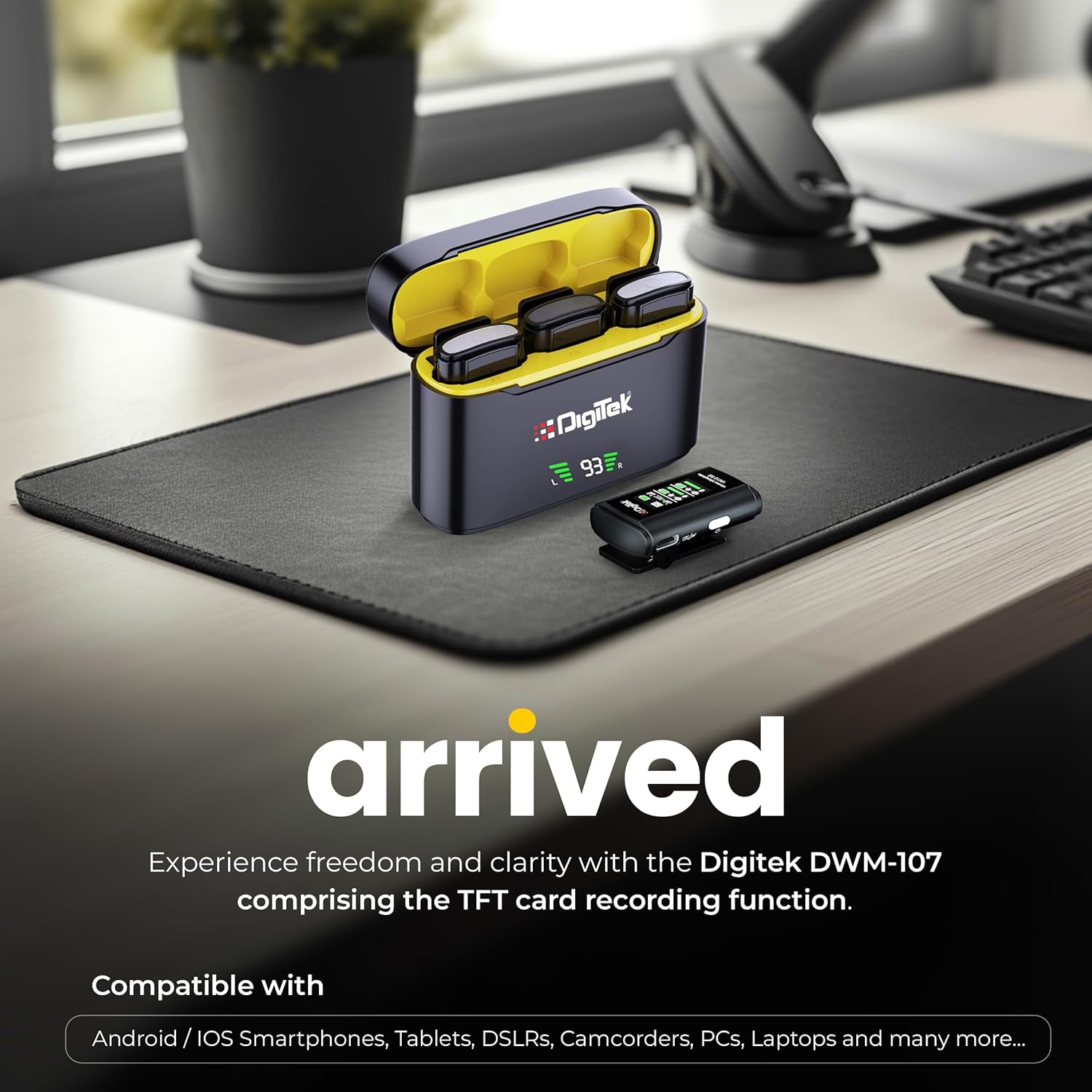
Image: Digitek DWM-107 compatibility with Android, iOS, DSLR, and PC devices.
Nlekọta
- Nhicha: Use a soft, dry cloth to clean the devices. Avoid using harsh chemicals or abrasive materials.
- Nchekwa: Store the microphone system in a cool, dry place away from direct sunlight and extreme temperatures.
- Nlekọta batrị: For long-term storage, ensure the batteries are partially charged (around 50%) to preserve battery health. Recharge periodically if stored for extended periods.
- Nlekọta USB: Handle cables gently. Avoid sharp bends or excessive pulling to prevent damage.
Nchọpụta nsogbu
| Nsogbu | Ihe nwere ike ime | Ngwọta |
|---|---|---|
| Enweghị mmepụta ọdịyo |
|
|
| Poor audio quality / Distortion |
|
|
| TFT card recording not working |
|
|
| Ndụ batrị dị mkpụmkpụ |
|
|
Nkọwapụta
| Njirimara | Nkọwa |
|---|---|
| Nọmba nlereanya | DWM-107 |
| Teknụzụ Njikọta | 2.4G Wireless (UHF) |
| Ikuku iche | Ruo mita 60 (ebe mepere emepe) |
| Nzaghachi ugboro ugboro | 16 KHz (Full frequency audio quality) |
| Signgbaàmà-na-Noise ruru | 78 dB |
| Ụkpụrụ Polar | Omnidirectional |
| Mgbochi | 32 ohms |
| Battery Life (Tx/Rx) | Ruo awa iri abụọ |
| Ịchaji Ike igbe | 850mAh |
| Oge Nchaji | Approx. 1.2 - 1.5 hours |
| TFT Card Support | Yes (up to 32GB, Class 10 recommended) |
| Nkagbu mkpọtụ | Wuru n'ime |
| Akụkụ (L x W x H) | 15 x 8 x 6 cm |
| Ibu Ibu | 450 g |
| Ihe onwunwe | Plastic |
| Agba | Nwa |
Akwụkwọ ikike na nkwado
For warranty information and customer support, please refer to the warranty card included in your product packaging or visit the official Digitek website. You may also contact the manufacturer directly:
- Onye nrụpụta: Ụlọ ọrụ IMS Mercantiles Pvt. Ltd.
- adreesị: 704, 7th floor, Ring Road Mall, Sec-3, Rohini, Delhi 110085
- Nkwado akwụghị ụgwọ: 1800-123-544-444
Biko dowe akwụkwọ ikike ịzụrụ ihe ọ bụla.