
1. Ngwaahịa gafereview
Ụlọ ọrụ CZEview 3K 5MP Indoor Security Camera is a versatile device designed for home surveillance, pet monitoring, and baby monitoring. It offers crystal-clear 3K 5MP resolution, dual-band 2.4/5GHz Wi-Fi connectivity, and advanced features such as remote pan, tilt, and zoom capabilities. The camera includes night vision for low-light conditions, motion detection with auto-tracking, and two-way audio communication. It is also compatible with Alexa for convenient voice control.


2. Kedu ihe dị na Igbe ahụ
Biko lelee ọdịnaya nke ngwugwu ahụ ka ị hụ na ihe niile dị:
- 2x CZEview Igwefoto Pan/Tilt
- Ihe nkwụnye ọkụ
- Ntuziaka mmalite ngwa ngwa
- Ịkwado Skru
- Efere arịọnụ
3. Ntuziaka Nhazi
3.1 Ntọala mbụ
- Njikọ ike: Connect the camera to the power adapter using the provided micro-USB cable and plug it into a power outlet. The camera will power on and initiate its startup sequence.
- Nbudata ngwa: Download the designated mobile application (e.g., 'Elemage Cam' or as specified in the Quick Start Guide) from your device's app store (compatible with Android and iOS).
- Ndebanye aha akaụntụ: Mepee ngwa ahụ wee soro ntuziaka dị na ihuenyo iji debanye aha akaụntụ ọhụrụ ma ọ bụ banye ma ọ bụrụ na ị nwere otu.
- Tinye ngwaọrụ: Within the app, select the option to add a new device. Follow the prompts to scan the QR code on the camera or manually select your camera model.
3.2 Njikọ Wi-Fi
Ụlọ ọrụ CZEview camera supports both 2.4GHz and 5GHz Wi-Fi networks, offering flexibility and improved performance.

- Nhọrọ netwọk: Ensure your smartphone is connected to the Wi-Fi network you intend to connect the camera to.
- Ntinye paswọọdụ: Enter your Wi-Fi password accurately into the app when prompted. Double-check for typos.
- Usoro njikọ: The app will guide you through the connection process, which may involve displaying a QR code on your phone screen for the camera to scan, or emitting an audible tone.
- nkwenye: Once connected, the camera will typically indicate a successful connection (e.g., a voice prompt or LED indicator change), and the app will confirm the device is online.
3.3 na -arịgo igwefoto
The camera is designed for indoor use and can be ceiling-mounted for optimal coverage.
- Ebe: Họrọ ebe na-enye ihe achọrọ viewn'akuku ma dị n'ime oke nke netwọk Wi-Fi gị.
- Nwụnye: Use the provided mounting plate and screws to secure the camera to a ceiling or wall. If mounting into wood, pre-drilling pilot holes is recommended.
4. Ntuziaka ọrụ
4.1 Pan, Tilt, and Zoom (PTZ)
The camera offers a 355° horizontal rotation and 100° vertical rotation, allowing for comprehensive coverage of your indoor space. It also features 4x digital zoom.
- Njikwa: Use the directional controls within the mobile app to remotely adjust the camera's viewakụkụ n'akuku.
- Bugharịa: Pinch-to-zoom on the live feed within the app to digitally zoom in on specific areas.

4.2 Ọhụụ abalị
Equipped with infrared LEDs, the camera provides clear video footage even in low-light or complete darkness.
- Akpaghị aka ebighị: Night vision activates automatically when ambient light levels are low.
- Ido anya: The 3K 5MP resolution ensures details are visible in night vision mode.
4.3 Nchọpụta Mmegharị na Nsochi Akpaaka
The camera can detect motion and sound, sending instant notifications to your phone. It also features auto-tracking to follow detected movement.
- Amamọkwa: Enable motion and sound alerts in the app settings to receive real-time notifications.
- Ndepụta akpaaka: When enabled, the camera will automatically pan and tilt to keep a moving subject within its field of view.

4.4 Okwu ụzọ abụọ
Communicate with family members or pets through the camera using the two-way talk feature.
- Nkwalite: Pịa akara ngosi igwe okwu na ihe nkiri dị ndụ view interface of the app to speak through the camera's speaker.
- Na-ege ntị: The camera's built-in microphone allows you to hear audio from the camera's location.

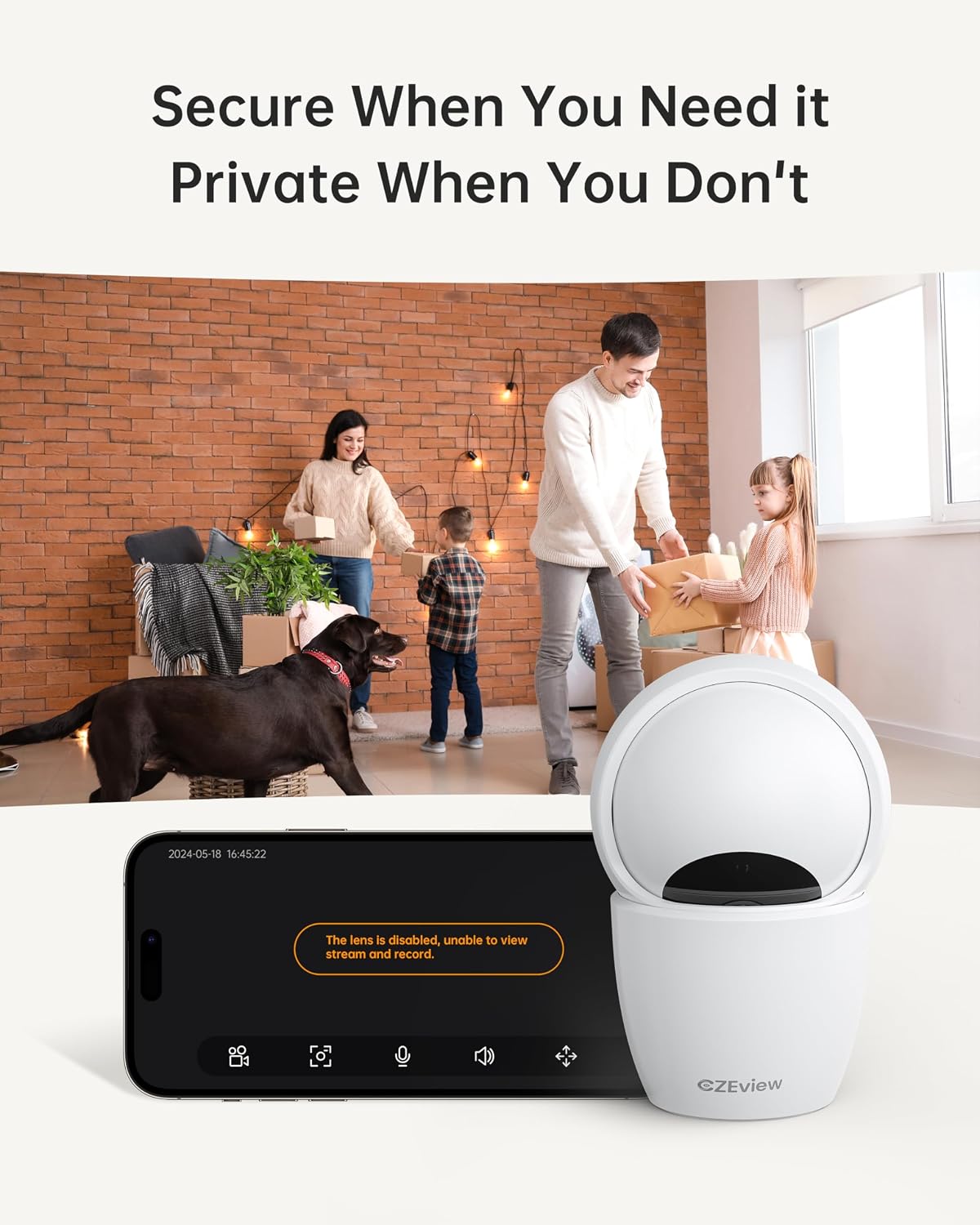
4.5 Ọnọdụ nzuzo
To ensure privacy, the camera can be deactivated with a single click in the app, physically turning the lens away.
- Nkwalite: Locate the privacy mode option in the app settings or live view screen. Activating it will disable video streaming and recording.
- Ịhazi oge: Some app versions may allow scheduling privacy mode for specific times.

4.6 Recording & Storage
The camera supports local storage via a Micro SD card (up to 128GB, not included) and offers optional cloud storage plans for continuous 24/7 recording.
- Micro SD kaadị: Insert the Micro SD card into the slot. To locate the slot and reset button, gently tilt the camera's 'eyeball' (lens housing) upward.
- Nchekwa igwe ojii: Refer to the app for details on available cloud storage plans and subscription options.
Njikọ Alexa nke 4.7
The camera works with Alexa, allowing for voice-activated control and viewing.
- Linking Account: Follow the instructions in the Alexa app to enable the CZEview skill and link your camera account.
- Iwu olu: Jiri iwu dịka "Alexa, gosi m [aha igwefoto]" iji mee ya view the live feed on compatible Alexa devices with screens.
5. Nlekọta
- Nhicha: Jiri ákwà dị nro ma kpọọ nkụ hichaa anya igwefoto na ahụ ya. Zere ihe nhicha ma ọ bụ ihe mgbaze.
- Mmelite ngwanrọ: Regularly check the mobile app for firmware updates to ensure optimal performance and security. Follow the in-app instructions for updating.
- Nkwanye: Ensure the camera is placed in a stable, dry indoor environment, away from direct sunlight, extreme temperatures, and sources of vibration.
6. Nchọpụta nsogbu
| Nsogbu | Ihe nwere ike ime | Ngwọta |
|---|---|---|
| Camera won't connect to Wi-Fi | Incorrect Wi-Fi password; Camera too far from router; Router band incompatibility; Network congestion. | Double-check Wi-Fi password. Move camera closer to router. Ensure router supports 2.4GHz or 5GHz (whichever you are connecting to). Try restarting your router and camera. |
| Imagedị mma adịghị mma | Dirty lens; Insufficient lighting; Network bandwidth issues. | Clean the camera lens with a soft cloth. Ensure adequate lighting or verify night vision is active in low light. Check your internet speed. |
| Enweghị ọkwa nchọpụta ngagharị | Motion detection disabled in app; Sensitivity too low; App notifications blocked. | Enable motion detection in the app settings. Adjust sensitivity level. Check your phone's notification settings for the app. |
| Two-way talk audio issues | Microphone/speaker muted in app; Network delay; Obstruction. | Ensure microphone and speaker are enabled in the app. Check network connection stability. Ensure no physical obstructions are blocking the microphone or speaker. |
| Camera is unresponsive / needs reset | Software glitch; Configuration error. | Unplug the camera, wait 10 seconds, then plug it back in. If issues persist, locate the reset button (by tilting the lens upward) and press it for 5-10 seconds until the camera resets. You may need to re-add the camera to the app after a factory reset. |
7. Nkọwapụta
| Njirimara | Nkọwa |
|---|---|
| Aha Nlereanya | ZY-D4 |
| Ojiji ime ime/n'èzí | Ime ụlọ |
| Mkpebi ka dị irè | 5 MP (3K) |
| Mkpebi ịse vidiyo | 1920p |
| Protocol Njikọta | Wi-Fi (2.4/5Ghz Dual Band) |
| Isi Iyi Ike | Igwe ọkụ eletrik |
| Ụdị njikwa | Elemage Cam App |
| Ụdị nkwụnye | Ugwu elu ụlọ |
| Ogologo Pan/Tilt | 355° kwụ ọtọ, 100° kwụ ọtọ |
| Dijitalụ mbugharị | 4x |
| Nhọrọ nchekwa | Micro SD Card (up to 128GB, not included), Cloud Storage (optional) |
| Atụmatụ pụrụ iche | Night Vision, Motion Sensor, Dual Band Wi-Fi, Auto Tracking, Two-Way Talk, Privacy Mode, Alexa Compatible |
| Akụkụ ngwaahịa | 3 x 3 x 5 sentimita asatọ |
| Ibu Ibu | 1.37 pound |
8. Akwụkwọ ikike na nkwado
For warranty information and technical support, please refer to the Quick Start Guide included in your product packaging or visit the official CZEview webEbe nrụọrụ weebụ. A na-enye nkọwa kọntaktị maka ọrụ ndị ahịa na nke onye nrụpụta websaịtị.