
1. Okwu mmalite
Thank you for choosing the EasySMX T37 Wireless Switch Pro Controller. This manual provides detailed instructions for setting up, operating, maintaining, and troubleshooting your controller. Please read this manual carefully before use to ensure optimal performance and longevity of your device. This controller is compatible with Nintendo Switch, Switch Lite, and Switch OLED consoles.
2. Ngwaahịa gafereview
The EasySMX T37 is a wireless gamepad designed for an enhanced gaming experience on Nintendo Switch systems. It features an ergonomic design, dual turbo vibration, and 6-axis gyro motion control.

Foto 2.1: N'ihu view of the EasySMX T37 Wireless Switch Pro Controller, showcasing its ergonomic shape and button layout.
3. Nhazi
3.1 Ijikọ na Nintendo Switch
- Turn on your Nintendo Switch console.
- Site OMlọ menu, họrọ Ndị njikwa > Gbanwee njide/usoro.
- On the EasySMX T37 controller, press and hold the bọtịnụ SYNC (located on the top edge of the controller) for 3 seconds until the LED indicators start flashing rapidly.
- Once the controller is successfully paired, the player LED(s) on the bottom of the controller will light up solid.
3.2 Ịchaji njikwa
Connect the provided USB-C charging cable to the USB-C port on the controller and the other end to a USB power source (e.g., Switch dock, USB wall adapter, computer USB port). The LED indicators will show charging status and turn off when fully charged.
4. Ntuziaka ọrụ
4.1 Njikwa ntọala
The controller features standard button layouts for Nintendo Switch compatibility:
- Bọtịnụ A/B/X/Y: bọtịnụ ime ihe.
- D-Pad: Ntinye ntụziaka.
- Osisi Analog aka ekpe/aka nri: Movement and camera control.
- L/R/ZL/ZR Buttons: Bọtịnụ ubu na ihe mkpali.
- Bọtịnụ ụlọ: Returns to the Switch HOME Menu.
- Bọtịnụ MGBE E JIJI: Takes screenshots.
- PLUS (+) / MINUS (-) Buttons: Ọrụ Malite/Họrọ.

Image 4.1: A user holding the EasySMX T37 controller, demonstrating the comfortable grip and accessible button placement during gameplay.
4.2 Turbo ọrụ
The Turbo function allows for rapid, automatic pressing of a button, useful in action or arcade games.
- Activate Turbo: Press and hold the desired action button (A/B/X/Y/L/R/ZL/ZR), then press the Pịa bọtịnụ Turbo (T button). The button will now auto-fire.
- Gbanwee ọsọ Turbo: Mgbe ị na-ejide Pịa bọtịnụ Turbo, bugharịa ihe Right Analog Stick Up or Down to cycle through three speeds: 5 shots/s, 12 shots/s, and 20 shots/s.
- Deactivate Turbo: Repeat the activation step (hold the action button, then press the Turbo button) or press and hold the Pịa bọtịnụ Turbo for 5 seconds to clear all Turbo settings.
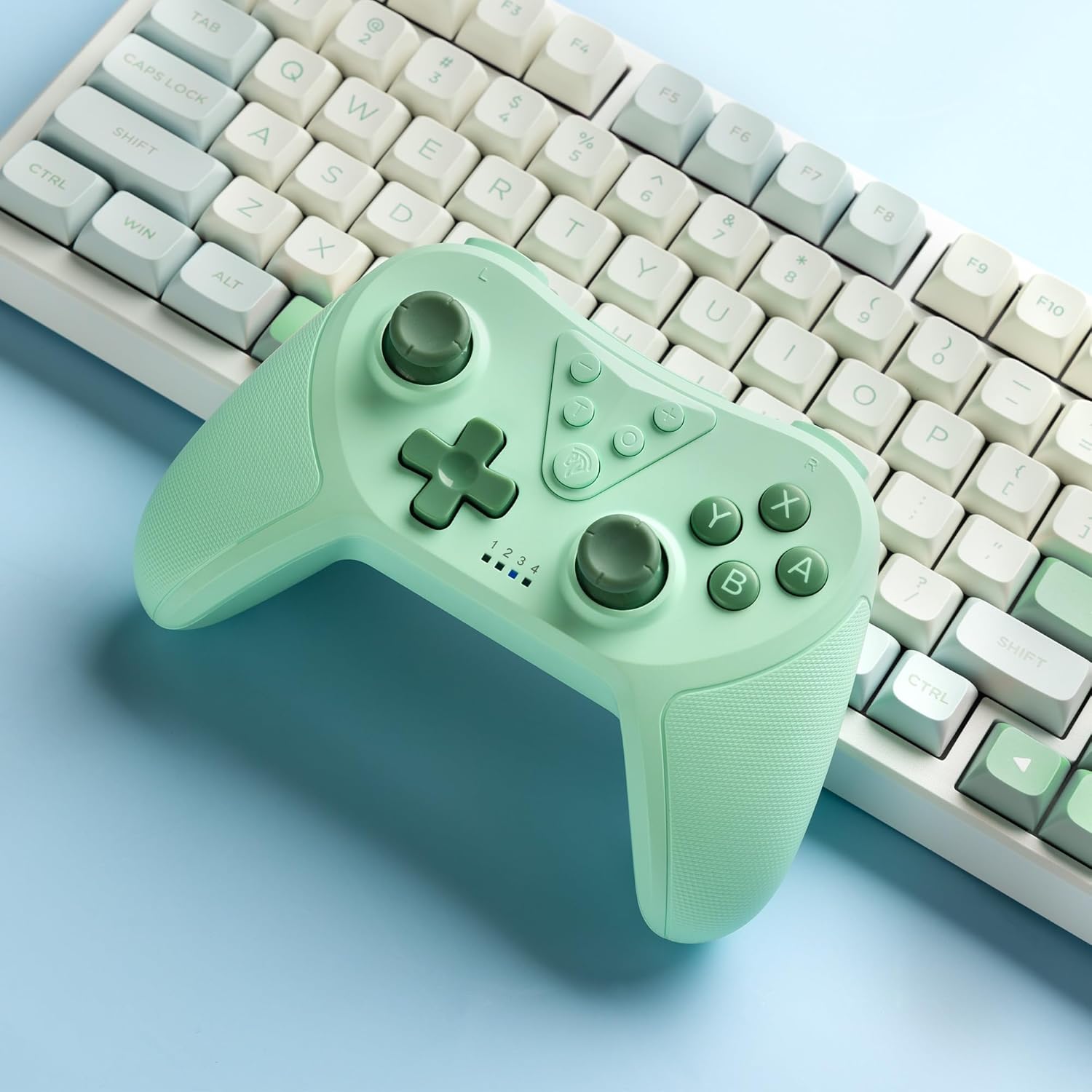
Image 4.2: Illustration of the Turbo function on the EasySMX T37 controller, showing the three adjustable speeds: 5, 12, and 20 shots per second.
4.3 Mgbanwe ịma jijiji
The controller features dual motors for adjustable vibration feedback, enhancing immersion in games.
- Gbanwee ike ịma jijiji: Pịa ma jide Pịa bọtịnụ Turbo, wee bugharịa Left Analog Stick Up or Down to cycle through four vibration levels: 0% (off), 30%, 70%, and 100%.

Image 4.3: Visual representation of the Dual Vibration feature on the EasySMX T37 controller, indicating four intensity levels from 0% to 100%.
4.4 6-Axis Gyro Motion Control
The built-in 6-axis gyroscope provides precise motion sensing, allowing for intuitive control in games that support motion input.

Image 4.4: Illustration depicting the 6-Axis Gyro Motion Control feature of the EasySMX T37 controller, showing how it interacts with a game on the Nintendo Switch screen.
5. Nlekọta
- Nhicha: Jiri ákwà dị nro ma kpọọ nkụ hichaa ihe njikwa ahụ. Zere iji kemịkalụ siri ike ma ọ bụ ihe ndị na-emebi ihe.
- Nchekwa: Chekwaa onye njikwa ahụ n'ebe dị jụụ, kpọrọ nkụ na-adịghị na ìhè anyanwụ kpọmkwem na oke okpomọkụ.
- Nlekọta batrị: Iji mee ka batrị dị ogologo, zere iwepụ ihe njikwa ahụ kpamkpam mgbe niile. Chajie ya mgbe niile, ọbụlagodi na ọ naghị arụ ọrụ ruo ogologo oge.
- Zere mbelata: Chebe onye njikwa ka ọ ghara ịdaba na mmetụta, nke nwere ike imebi ihe ndị dị n'ime.
6. Nchọpụta nsogbu
6.1 Njikwa Anaghị ejikọta
- Gbaa mbọ hụ na ebubo onye njikwa ahụ.
- Verify the Switch console is updated to the latest system version.
- Gbalịa ijikọ njikwa ahụ ọzọ site n'ịgbaso usoro ndị dị na Nkebi nke 3.1.
- If issues persist, try resetting the controller by inserting a thin object into the small reset hole (if present, usually on the back) for a few seconds.
6.2 Buttons Unresponsive or Lagging
- Gbaa mbọ hụ na akwụchara onye njikwa ya nke ọma.
- Move closer to the Switch console to ensure a strong wireless connection.
- Lelee maka ihe mgbochi ma ọ bụ ihe mkpofu ọ bụla dị gburugburu bọtịnụ ahụ.
- Re-pair the controller.
6.3 Controller Not Charging
- Hụ na eriri USB-C ejikọtara ya nke ọma na njikwa ahụ na isi iyi ike ahụ.
- Gbalịa iji eriri USB-C dị iche ma ọ bụ nkwụnye ọkụ.
- Gbaa mbọ hụ na isi iyi ike na-arụ ọrụ.
7. Nkọwapụta
- Ụdị: T37
- Njikọta: Ikuku (Bluetooth)
- ndakọrịta: Nintendo Switch, Switch Lite, Switch OLED
- Atụmatụ: Dual Turbo Function, Adjustable Vibration, 6-Axis Gyro Motion Control, Ergonomic Design
- Product Identifier (ASIN): B0CTTWN84L
8. Akwụkwọ ikike na nkwado
For warranty information, technical support, or further assistance, please refer to the official EasySMX websaịtị ma ọ bụ kpọtụrụ nkwado ndị ahịa ha ozugbo. Debe akwụkwọ nnata ịzụrụ maka akwụkwọ ikike.