
1. Ngwaahịa gafereview
The Docooler IPX7 Waterproof Bluetooth Portable Shower Speaker is designed for audio playback in various environments, including wet conditions. It features Bluetooth 5.0 connectivity, an LED display, FM radio, and a light show function. The speaker is equipped with a removable suction cup for versatile placement.

Image: Docooler IPX7 Waterproof Bluetooth Portable Shower Speaker, showcasing nhazi na atụmatụ ya.
2. Ihe ngwugwu
Chọpụta na ihe niile dị na ngwugwu:
- Docooler IPX7 Waterproof Bluetooth Portable Shower Speaker
- USB-C eriri USB
- Removable Suction Cup
- Akwụkwọ ntuziaka onye ọrụ
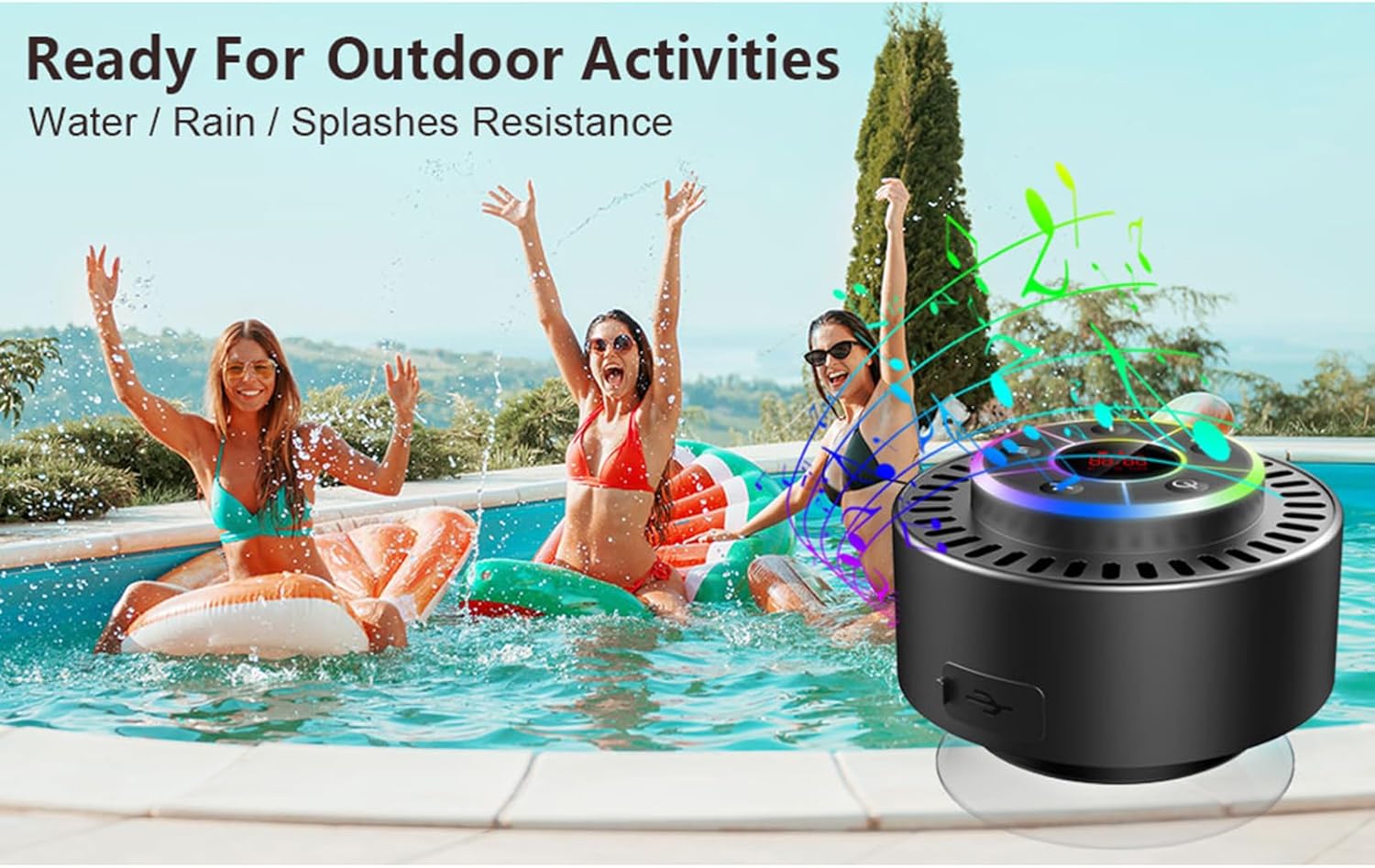
Image: The speaker, USB-C charging cable, and user manual as included in the package.
3. Nhazi
3.1 Ịchaji ọkà okwu
Before initial use, fully charge the speaker. Connect the provided USB-C charging cable to the speaker's charging port and the other end to a USB power adapter (not included) or a computer's USB port. The LED display will indicate charging status.
3.2 Ịtinye iko mmiri
To attach the suction cup, ensure both the speaker's back surface and the desired mounting surface are clean and dry. Press the suction cup firmly against the surface until it adheres securely. For best results, slightly moisten the suction cup before application.
3.3 Gbanyụọ/ gbanyụọ
- Iji gbanye: Pịa ma jide bọtịnụ ike (
 ) for approximately 3 seconds until the LED display illuminates.
 - Iji gbanyụọ: Pịa ma jide bọtịnụ ike for approximately 3 seconds until the LED display turns off.
4. Ntuziaka ọrụ
4.1 bọtịnụ Ọrụ
Foto: Zuru ezu view of the speaker's control panel, indicating the function of each button.
| Bọtịnụ | Ọrụ (Short Press) | Ọrụ (Long Press) |
|---|---|---|
| bọtịnụ ike () | Toggle LED light show modes | Gbanyụọ/ Gbanyụọ |
| M bọtịnụ | Switch between Bluetooth and FM Radio modes | N/A |
| Bọtịnụ Kwụsị/ Kwụsị () | Play/Pause music; Answer/End calls; Auto-scan in FM mode | Jụ oku mbata |
| Previous Song / Volume Down (-) | Previous song (Bluetooth); Previous station (FM) | Belata olu |
| Next Song / Volume Up (+) | Next song (Bluetooth); Next station (FM) | Welie olu |
4.2 Njikọ Bluetooth
When powered on, the speaker automatically enters Bluetooth pairing mode. The LED display will show 'BT'.
- Ensure Bluetooth is enabled on your device (smartphone, tablet, laptop).
- Chọọ maka available Bluetooth devices and select "Docooler Speaker" from the list.
- Once connected, the speaker will emit an audible confirmation, and the 'BT' indicator on the LED display will stabilize.

Image: The speaker demonstrating connectivity with a phone, tablet, and computer via Bluetooth.
4.3 Ezi ikuku stereo (TWS) ijikọ
To achieve 3D stereo sound, two Docooler speakers can be paired together.
- Hụ na ejiri igwe okwu abụọ ahụ rụọ ọrụ ma ghara ijikọ ha na ngwaọrụ Bluetooth ọ bụla ọzọ.
- N'otu ọkà okwu (nke a ga-abụ ọkà okwu mbụ), pịa ma jide Bọtịnụ Kwụsị/ Kwụsị for 2-3 seconds until you hear a pairing tone.
- Ndị ọkà okwu abụọ ahụ ga-ejikọ onwe ha na akpaghị aka.
- Once paired, connect your device to the primary speaker via Bluetooth as described in section 4.2. Audio will now play through both speakers in stereo.

Image: Two Docooler speakers wirelessly connected to a computer, illustrating the True Wireless Stereo (TWS) feature.
Ọnọdụ redio FM 4.4
To switch to FM Radio mode:
- Pịa M bọtịnụ to cycle through modes until 'FM' appears on the LED display.
- Nyocha onwe: Na ọnọdụ FM, pịa obere pịa Bọtịnụ Kwụsị/ Kwụsị to automatically scan and save available radio stations.
- Ọdụ Mgbanwe: Jiri ihe Previous Song / Volume Down (-) na Next Song / Volume Up (+) bọtịnụ ịnyagharịa site na ebe echekwara.
- Gbanwee olu: Pịa ogologo Previous Song / Volume Down (-) or Next Song / Volume Up (+) bọtịnụ iji dozie olu.
4.5 LED Light Show
The speaker features a beat-driven LED light show with seven colors.
- Gbanwee ụkpụrụ ọkụ: Mkpirisi pịa bọtịnụ ike to cycle through different light show patterns or to lock a single color.
- Gbanyụọ ọkụ: Gaa n'ihu ịpị bọtịnụ ike until the lights turn off.
4.6 Oku a na-enweghị aka
When connected via Bluetooth, the built-in microphone allows for hands-free calls.
- Oku azaa: Mkpirisi pịa Bọtịnụ Kwụsị/ Kwụsị.
- Oku ngwụcha: Mkpirisi pịa Bọtịnụ Kwụsị/ Kwụsị n'oge oku.
- Jụ oku: Pịa ogologo Bọtịnụ Kwụsị/ Kwụsị.
4.7 LED Display Information
The LED display shows the current time and battery level in Bluetooth mode. In FM radio mode, it displays the frequency.
5. Nlekọta
5.1 Mgbochi mmiri (IPX7)
The speaker is IPX7 waterproof, meaning it can be submerged in up to 1 meter (3 feet) of water for up to 30 minutes. Ensure the charging port cover is securely closed before exposing the speaker to water. After exposure to water, wipe the speaker dry with a soft cloth.
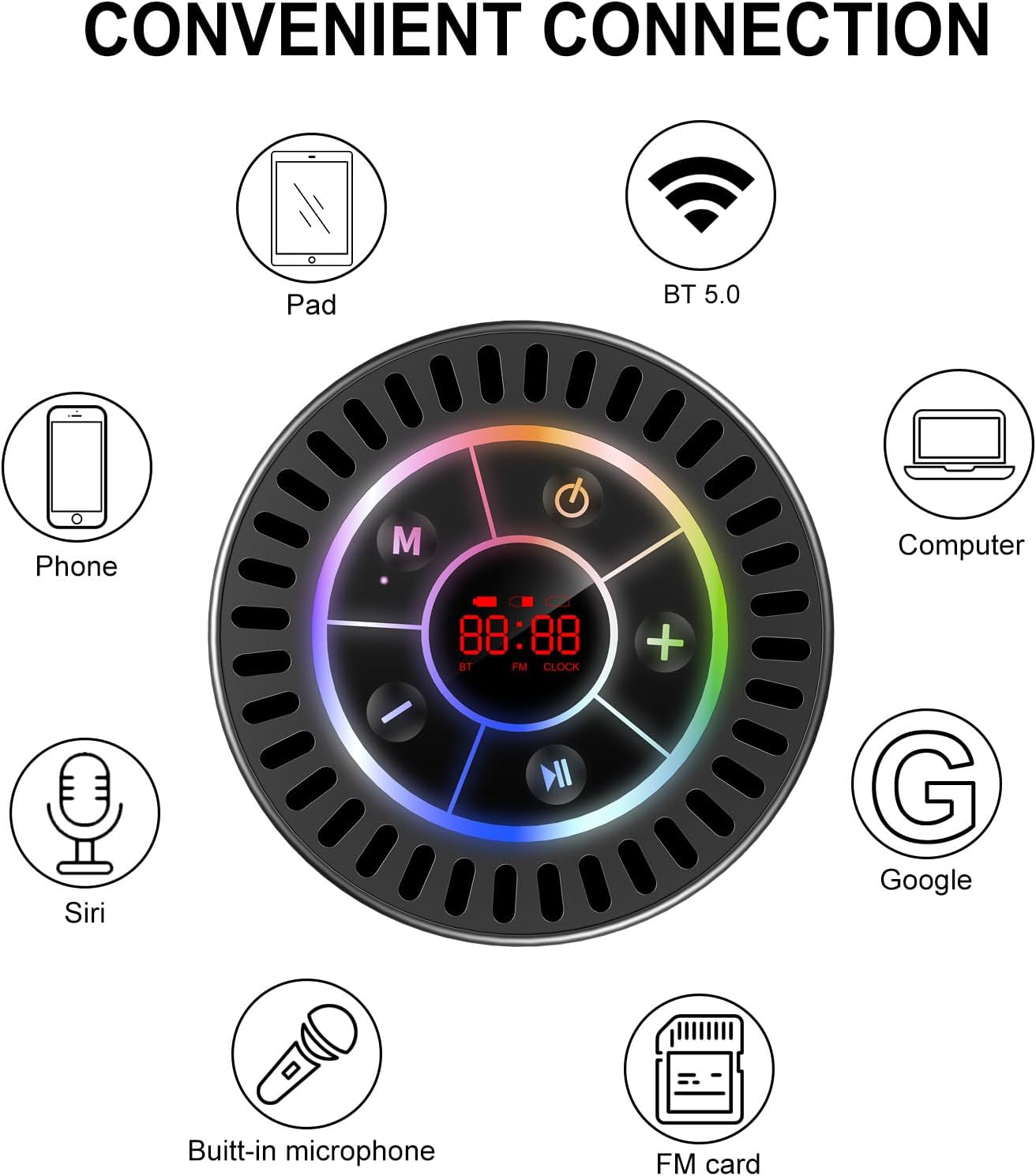
Image: The Docooler speaker attached to a shower wall, demonstrating its waterproof capability.
5.2 Nhicha
Jiri nwayọ hichaa ọkà okwu, damp ákwà. Ejila ihe nhicha na-eme ka ihe dị ọcha, mmanya na-aba n'anya, ma ọ bụ ihe mgbaze kemịkalụ, n'ihi na ihe ndị a nwere ike imebi elu ma ọ bụ ihe dị n'ime.
5.3 Nchekwa
Store the speaker in a cool, dry place away from direct sunlight and extreme temperatures. If storing for an extended period, charge the battery periodically to maintain its lifespan.
6. Nchọpụta nsogbu
- Ọkà okwu adịghị ike: Ensure the battery is charged. Connect the speaker to a power source using the USB-C cable and try again.
- Enweghị ike ijikọ site na Bluetooth:
- Ensure the speaker is in Bluetooth pairing mode ('BT' flashing on display).
- Make sure Bluetooth is enabled on your device and it is within 15 meters of the speaker.
- Ọ bụrụ na ejikọtara na mbụ, nwaa ichefu ngwaọrụ dị na ekwentị gị wee jikọọ ọzọ.
- Malitegharịa ekwentị ma ọkà okwu na ngwaọrụ Bluetooth gị.
- Nnabata redio FM na-adịghị mma: FM radio reception can be affected by location and environmental factors. Try repositioning the speaker or using it in an open area. The charging cable can sometimes act as an antenna to enhance signal.
- Enweghị ụda ma ọ bụ obere olu:
- Lelee ọkwa olu na ma ọkà okwu na ngwaọrụ gị ejikọrọ.
- Ensure the speaker is properly paired and not connected to another device.
- Ọ bụrụ na ị na-eji TWS, hụ na ekweisi abụọ ahụ jikọtara nke ọma na ibe ha wee jikọọ na ngwaọrụ gị.
- Speaker starts at full volume: Some units may default to a high volume upon power-on. Immediately adjust the volume using the '-' button to a comfortable level after turning the speaker on.
- Suction cup does not hold: Ensure the mounting surface is clean, smooth, and dry. Slightly moisten the suction cup before pressing it firmly onto the surface. Avoid porous or textured surfaces.
7. Nkọwapụta

Foto: Ihe gbawara view showing the internal components of the Docooler speaker, highlighting its sound technology.
| Njirimara | Nkọwa |
|---|---|
| Ụdị | Docooler |
| Nọmba nlereanya | SMT4782513347516YX |
| Teknụzụ Njikọta | Bluetooth 5.0 |
| Oke Bluetooth | Ruo mita 15 |
| Ọkwa Nguzogide mmiri | IPX7 (ihe mgbochi mmiri) |
| Ike Nwepu kacha elu | 5 Watt |
| Nzaghachi ugboro ugboro | 100 Hz |
| Ọnọdụ mmepụta ọdịyo | Stereo, Gburugburu (na TWS) |
| Signgbaàmà-na-Noise ruru | 95 dB |
| Ọnụọgụ igwe okwu | 1 (arụnyere n'ime) |
| Isi Iyi Ike | Akwanyere batrị |
| Usoro njikwa | Bọtịnụ |
| Ibu Ibu | 300 grams |
| Ngwa dakọtara | Laptop, MP3 Player, Smartphone, Tablet, Television |
8. Akwụkwọ ikike na nkwado
8.1 Ozi akwụkwọ ikike
This Docooler speaker comes with a limited warranty. For specific terms and conditions, please refer to the warranty card included in your package or contact Docooler customer support.
8.2 Nkwado ndị ahịa
For further assistance, technical support, or warranty claims, please visit the official Docooler website or contact their customer service department. Contact information can typically be found on the product packaging or the brand's online store.