
1. Nhazi ntuziaka
The MCombo 7785 Power Swivel Glider Rocker Recliner is designed for quick and easy assembly, typically within 15 minutes. It arrives in three boxes. Follow these steps for proper setup:
1.1 Mwepu na njirimara akụrụngwa
Carefully unpack all components from the three boxes. Ensure all parts are present before beginning assembly. The main components include the base, backrest, left armrest, right armrest, manual, parts box, and power adapter.

Image: All components of the MCombo 7785 recliner laid out after unpacking.
1.2 Armrest and Backrest Assembly
- Remove any protective packaging from the armrest and backrest connection points.
- Align the metal brackets on the armrests with the corresponding slots on the base. Slide the armrests down until they securely lock into place.
- Similarly, align the backrest with the slots on the base and slide it down firmly until it clicks into position.
1.3 Njikọ waya
Connect the internal wires for the massage, heat, and reclining functions. These connections are tool-free and typically involve matching color-coded or uniquely shaped connectors.
- Connect the massage wires (often red and white RCA-style connectors).
- Connect the massage remote control wire.
- Connect the USB wire.
- Connect the recline remote control wire.
- Plug the power adapter into the designated port on the chair and then into a wall outlet. Ensure the power switch on the chair's base is in the 'ON' position.
Video: Detailed assembly guide for the MCombo 7785 recliner, demonstrating armrest, backrest, and wire connections.
2. Ntuziaka ọrụ
The MCombo 7785 recliner offers multiple features for enhanced comfort and convenience.
2.1 Power Reclining Function
Use the recline remote control to adjust the chair's recline angle. The chair can recline up to 142 degrees, allowing for various comfortable positions, including napping.

Image: The recliner demonstrating its maximum recline angle of 142 degrees.
2.2 Swivel and Gliding Movement
The chair features a 270-degree swivel movement and a smooth gliding motion. These functions operate manually by shifting your weight or gently pushing off the floor.
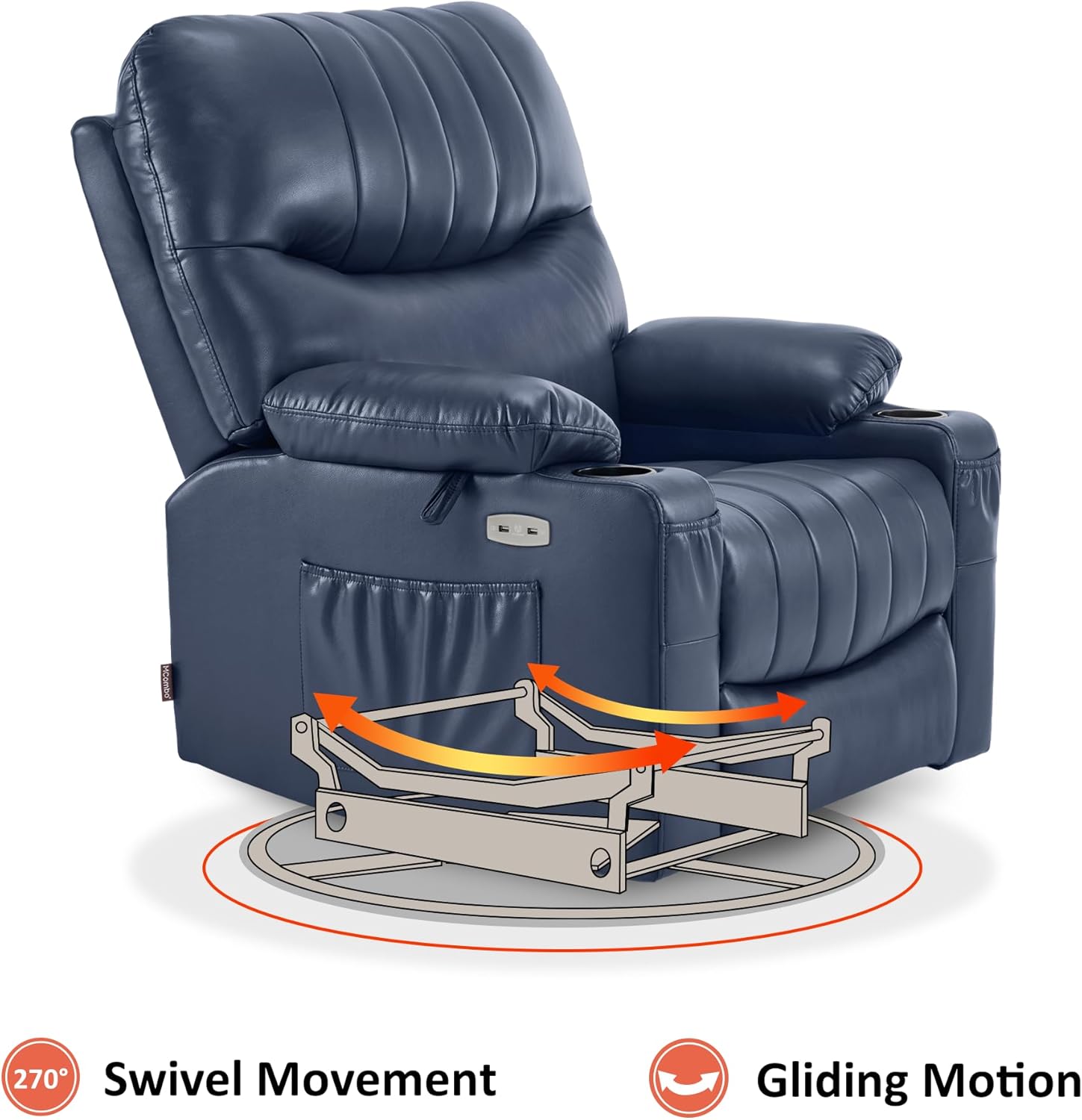
Image: Visual representation of the chair's swivel and gliding capabilities.
2.3 Heat and Vibration Massage
The chair includes a full-body vibration massage system with 7 points (shoulder, waist, thigh) and 1 lumbar heating zone. Use the massage remote control to customize massage modes, intensity, and set timers.
- Ọrụ okpomọkụ: Press the 'HEAT' button on the remote to activate lumbar heating.
- Ịhịa aka n'ahụ: Select from various massage modes and adjust intensity using the remote.
- Ndị na-agụ oge: Set the massage duration using the timer buttons.

Image: The massage remote control, highlighting buttons for heat, massage modes, and timers.
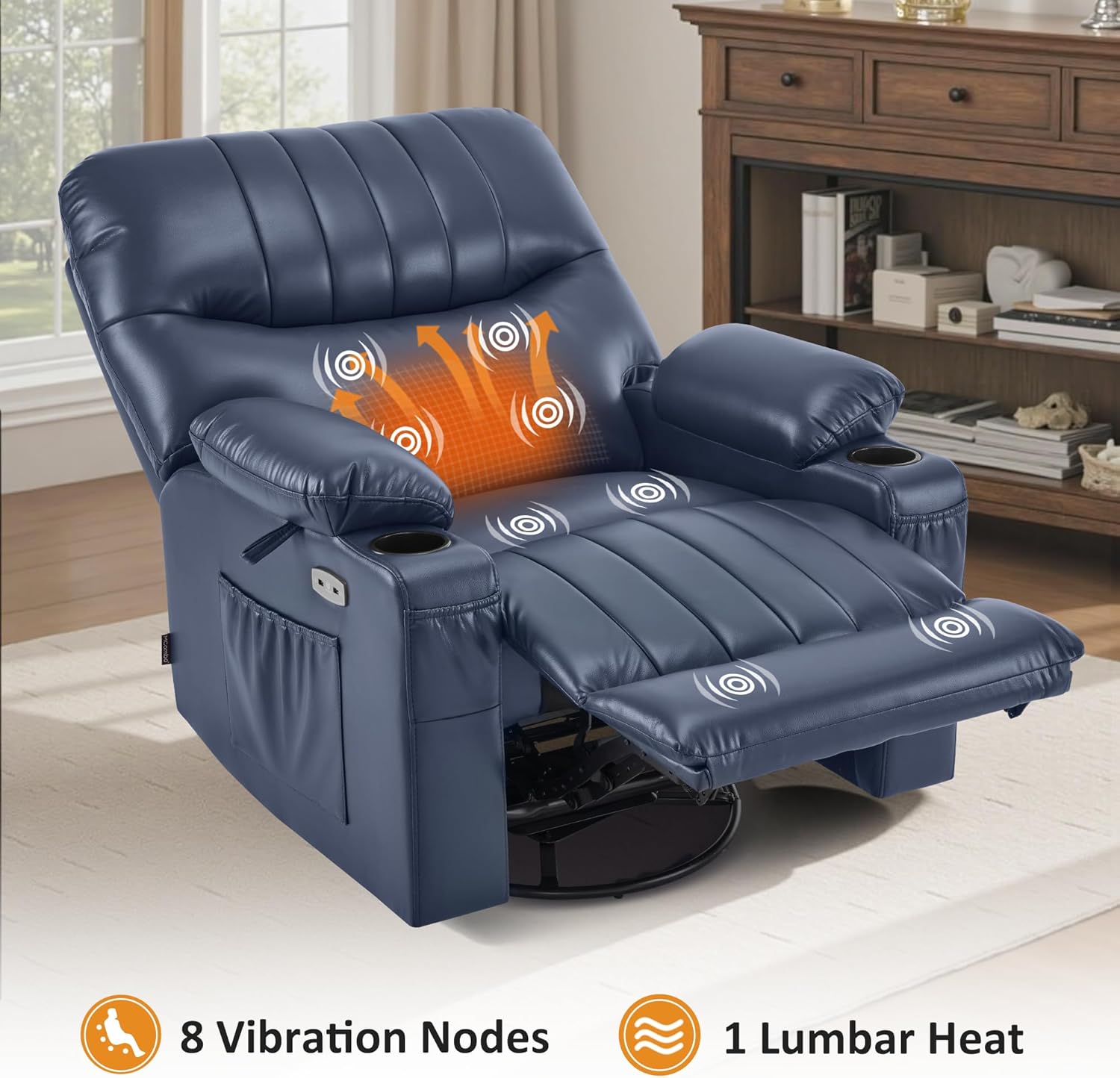
Image: The recliner showing the areas of vibration massage and lumbar heat.
2.4 USB Ports and Storage
The chair is equipped with USB ports for charging low-power devices, cup holders for beverages, and side/front pockets for storing items like magazines or remote controls.
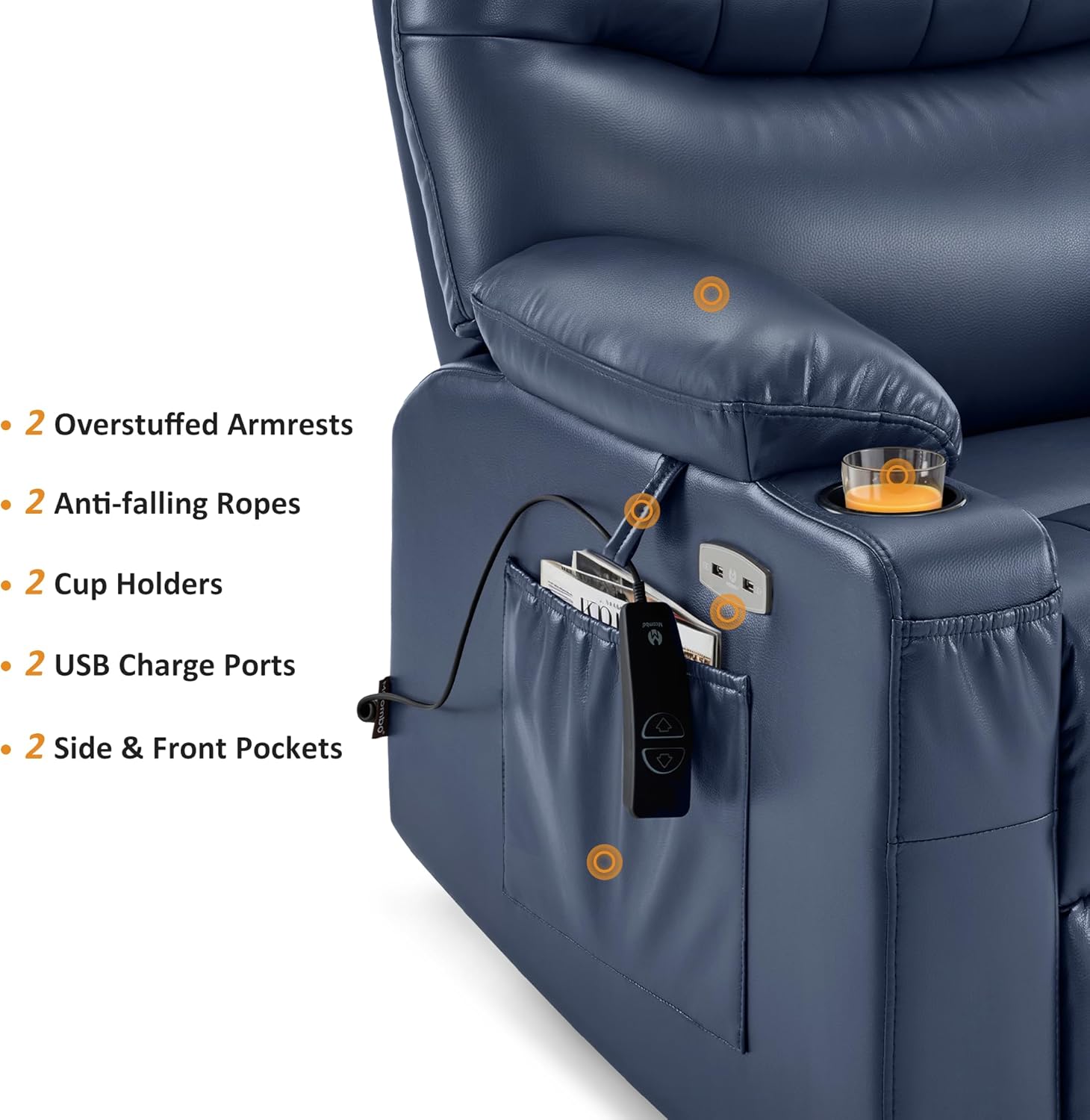
Image: Armrest features including USB ports, cup holders, and storage pockets.
3. Nlekọta
Proper care ensures the longevity and appearance of your MCombo recliner.
3.1 Ntuziaka nhicha
- Faux Leather: Jiri mgbasa ozi hichaa ọchaamp ákwà. Zere kemịkalụ siri ike ma ọ bụ ihe nhicha ihe na-emebi ihe, n'ihi na ihe ndị a nwere ike imebi ihe ahụ.
- Maka ihe ndị na-awụfu, jiri ákwà dị ọcha ma kpọọ nkụ hichaa ya ozugbo.
3.2 Nlekọta n'ozuzu
- Avoid placing the chair in direct sunlight or near heat sources to prevent material fading or cracking.
- Regularly check all connections and fasteners to ensure they are secure.
- Agafela ikike ịdị arọ kacha nke 320 pound.
4. Nchọpụta nsogbu
If you encounter issues with your recliner, refer to the following common solutions:
- Chair Not Reclining/No Power:
- Ensure the power adapter is securely plugged into both the chair and a working wall outlet.
- Check that the power switch on the chair's base is in the 'ON' position.
- Verify all internal wire connections are firm and correctly matched.
- Massage/Heat Not Working:
- Confirm the massage remote control is properly connected.
- Ensure the chair has power (see 'Chair Not Reclining' above).
- Check the specific buttons on the remote for activation.
- Mkpọtụ na-adịghị ahụkebe n'oge a na-arụ ọrụ:
- Inspect the chair's mechanism for any obstructions.
- Ensure all assembly bolts and connections are tightened.
If these steps do not resolve the issue, please contact MCombo customer support.
5. Nkọwapụta
| Njirimara | Nkọwa |
|---|---|
| Ụdị | MCombo |
| Aha Nlereanya | Power Swivel Glider Recliner (Model 7785) |
| Nọmba nlereanya | 6160-7785 |
| Agba | Nevi blu |
| Ihe onwunwe | Faux Leather (Seat Material), Wood (Frame Material), Sponge (Fill Material) |
| Akụkụ ngwaahịa (D x W x H) | 37.8"D x 39.8"W x 42.9"H |
| Ibu Ibu | 146 pound |
| Nkwanye ịdị arọ kacha | 320 Pounds (Tested to endure 25,000 repetitions with a 350-lb load) |
| Akụkụ na-anọdụ ala | Ruo 142 ° |
| Ọgụgụ Ọdụdọ Nọdụ ala | Infinite Position |
| Swivel Movement | 270° |
| Atụmatụ ịhịa aka n'ahụ | Full-body Vibration (7 points: shoulder, waist, thigh), Lumbar Heating (1 zone) |
| Njikọta | ọdụ ụgbọ mmiri USB |
| Nchekwa | Cup Holders (2), Side & Front Pockets |
| Minimum Wall Clearance | 12.2 sentimita asatọ |
| Mgbakọ chọrọ | Ee (enweghị ngwaọrụ) |
| Nlekọta ngwaahịa | Hichapụ Ọcha |
6. Akwụkwọ ikike
The MCombo 7785 Power Swivel Glider Rocker Recliner comes with a Akwụkwọ ikike nke afọ 2Akwụkwọ ikike a na-ekpuchi ntụpọ nrụpụta na ntụpọ ihe eji eme ihe mgbe ejiri ya nkịtị. Biko debe ihe akaebe nke ịzụrụ ihe gị maka nkwupụta akwụkwọ ikike.
For specific details regarding coverage, exclusions, and how to make a claim, refer to the warranty information provided with your product packaging or contact MCombo customer support.
7. Nkwado ndị ahịa
For any questions, assistance with assembly, troubleshooting, or warranty inquiries, please contact MCombo customer support.
- Nkwado n'ịntanetị: Visit the official MCombo websaịtị maka FAQ na akụrụngwa nkwado.
- Ozi mkpọtụrụ: Refer to your product packaging or the MCombo websaịtị maka nkọwa kọntaktị kachasị ọhụrụ (ekwentị, email).
When contacting support, please have your product model number (6160-7785) and proof of purchase readily available to expedite assistance.