
1. Okwu mmalite
This manual provides detailed instructions for the safe and effective use of your iJoy Disney Winnie The Pooh Wireless Bluetooth Speaker. Please read this manual thoroughly before operating the device and retain it for future reference.
2. Kedu ihe dị na Igbe ahụ
Carefully unpack your speaker and ensure all items are present:
- iJoy Disney Winnie The Pooh Wireless Bluetooth Speaker
- Igwe nchaji USB
- Backup AUX Cable
- Akwụkwọ ntuziaka nke ndị nwe (akwụkwọ a)

Image: The speaker shown next to its retail packaging, illustrating the product and its box.
3. Ngwaahịa gafereview
3.1 bọtịnụ njikwa
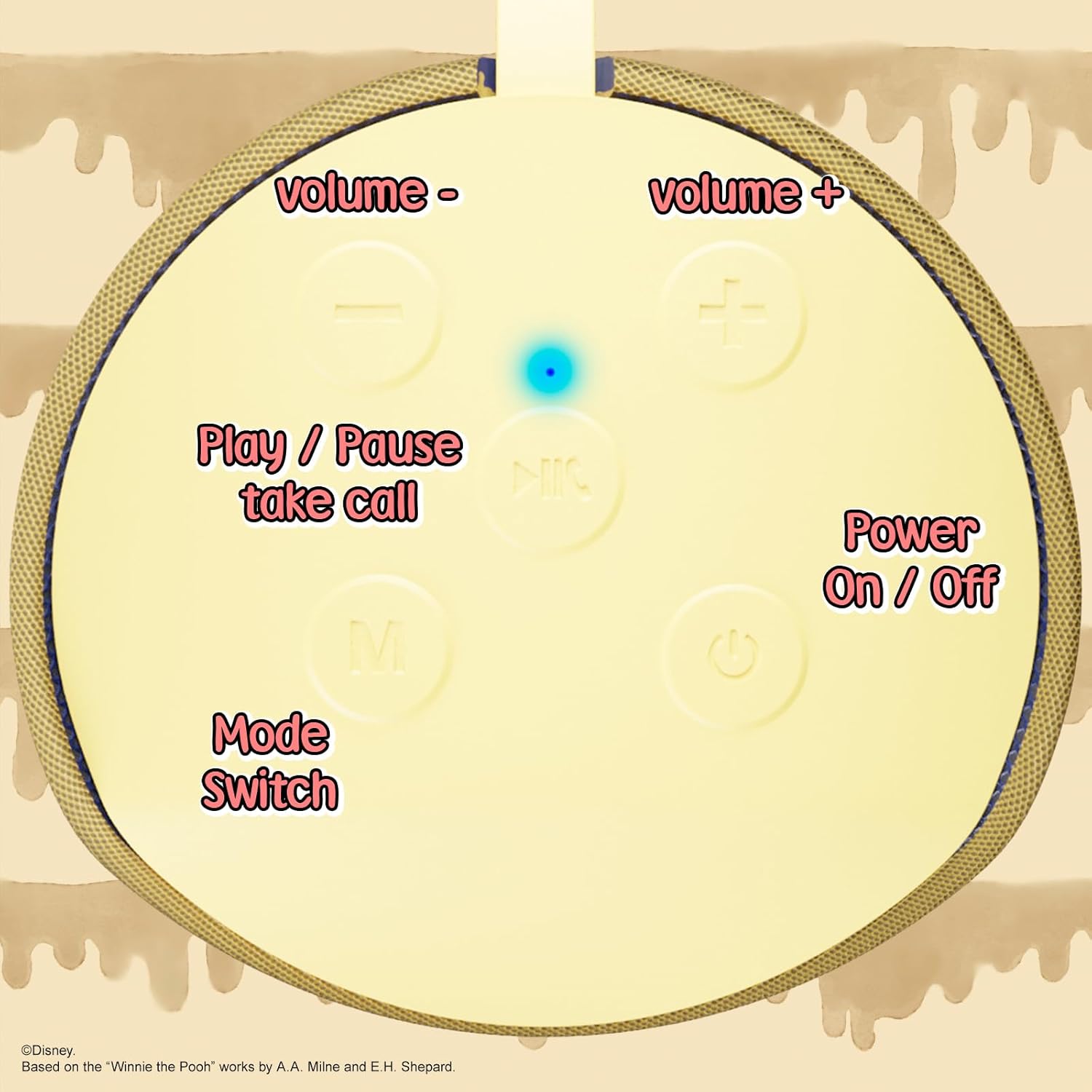
Image: A close-up of the speaker's top panel, displaying the control buttons.
- Ike On / Gbanyụọ Button: Pịa ma jide iji gbanye ma ọ bụ gbanyụọ ọkà okwu ahụ.
- Bọtịnụ Kwụsị/Kwụsị: Press to play or pause audio. Also used to answer or end phone calls.
- Bọtịnụ olu elu (+) Pịa iji mee ka olu dịkwuo elu. Pịa ma jide iji gafere egwu ọzọ.
- Bọtịnụ ụda ala (-) Press to decrease volume. Press and hold to go to the previous track.
- Mode Switch (M) Button: Press to switch between Bluetooth, FM Radio, SD Card, and USB modes.
3.2 ọdụ ụgbọ mmiri na egosi

Foto: nkọwa zuru ezu view of the speaker's rear panel, highlighting the AUX port, SD card slot, USB port, and Micro USB charging port.
- Ọdụ ụgbọ mmiri AUX: For connecting external audio devices via the provided 3.5mm AUX cable.
- Oghere kaadị SD: Insert a microSD card for direct audio playback.
- Ọdụ ụgbọ mmiri USB: Insert a USB flash drive for direct audio playback.
- Ọdụ USB Nchaji Port: Connect the USB charging cable here to charge the speaker.
- Ìhè ihe ngosi LED: Indicates charging status and Bluetooth pairing status.
4. Nhazi
4.1 Ịchaji ọkà okwu
- Jikọọ Micro USB njedebe nke eriri nchaji na ọdụ ụgbọ mmiri Micro USB nke ọkà okwu.
- Jikọọ ọkọlọtọ njedebe USB nke eriri na ihe nkwụnye ọkụ USB (anaghị etinye ya) ma ọ bụ ọdụ ụgbọ USB nke kọmputa.
- The LED indicator light will illuminate during charging and turn off once fully charged.
- Ụgwọ zuru ezu na-ewekarị ihe dịka awa 2.
4.2 Njikọ Bluetooth
- Gbaa mbọ hụ na chajịrị ọkà okwu.
- Press and hold the Power On/Off button to turn on the speaker. You will hear an audible prompt, and the LED indicator will flash, indicating it's in pairing mode.
- Na ekwentị mkpanaaka gị (ama, mbadamba, wdg), mee ka Bluetooth rụọ ọrụ.
- Chọọ maka available Bluetooth devices. The speaker will appear as "iJoy Winnie The Pooh Speaker" or similar.
- Select the speaker from the list to pair. Once successfully paired, you will hear a confirmation sound, and the LED indicator will stop flashing and remain solid.
- Ọkà okwu ahụ ga-ejikọghachi na ngwaọrụ ikpeazụ ejikọtara ozugbo mgbe agbanyere ya, ma ọ bụrụ na Bluetooth nke ngwaọrụ ahụ na-arụ ọrụ ma dịkwa n'ime oke.
5. Ntuziaka ọrụ
5.1 Ọnọdụ Bluetooth
After successful pairing, you can stream audio wirelessly from your device to the speaker. Use your device's controls or the speaker's Play/Pause, Volume Up/Down buttons to manage playback.
Ọnọdụ redio FM 5.2
- Press the Mode (M) button to switch to FM Radio mode.
- Pịa bọtịnụ Play/Pause iji nyochaa ma chekwaa ọdụ FM dị na akpaghị aka.
- Use the Volume Up (+) and Volume Down (-) buttons (short press) to navigate between saved stations.
5.3 SD Card / USB Playback
- Insert a microSD card into the SD card slot or a USB flash drive into the USB port.
- Ọkà okwu ahụ ga-agbanwe na akpaghị aka gaa na ọnọdụ kwekọrọ ma malite ịkpọ ọdịyo files. If not, press the Mode (M) button to select the correct mode.
- Use the speaker's Play/Pause, Volume Up/Down buttons to control playback.
5.4 Ụdị AUX
- Jikọọ otu nsọtụ nke eriri AUX 3.5mm enyere na ọdụ ụgbọ mmiri AUX nke ọkà okwu.
- Jikọọ nsọtụ nke ọzọ na igwe ekweisi nke ngwaọrụ ọdịyo gị.
- The speaker will automatically switch to AUX mode. If not, press the Mode (M) button.
- Control playback and volume primarily from your connected audio device.
5.5 Oku na-enweghị aka
Mgbe ejikọrọ site na Bluetooth na ama:
- Oku azaa: Pịa bọtịnụ Play/kwụsịtụ otu ugboro.
- Oku ngwụcha: Pịa bọtịnụ Play/kwụsịtụ otu ugboro n'oge oku.
- Jụ oku: Pịa ma jide bọtịnụ Play/kwụsịtụ.
6. Nlekọta
- Jiri akwa dị nro hichaa ọkà okwu. Ejila ihe nchacha abrasive ma ọ bụ ihe mgbaze.
- The speaker is IPX4 splashproof, meaning it can withstand splashes of water. Do not submerge it in water.
- Chekwaa ọkà okwu n'ebe dị jụụ, kpọrọ nkụ mgbe ọ naghị eji ya.
- Zere ikpughe onye na-ekwu okwu n'ebe okpomọkụ dị oke elu, anwụ kpọmkwem, ma ọ bụ oke iru mmiri dị elu.
7. Nchọpụta nsogbu
| Nsogbu | Ihe nwere ike ime | Ngwọta |
|---|---|---|
| Ọkà okwu anaghị agbanwuo | Batrị dị ala | Chajie ọkà okwu zuru ezu. |
| Enweghị ike ijikọ site na Bluetooth | Ọkà okwu anọghị n'ụdị njikọta / Agbanyụrụ Bluetooth ngwaọrụ / Ọ dị oke anya site na ngwaọrụ | Ensure speaker is in pairing mode (flashing LED). Turn on Bluetooth on your device. Move speaker closer to device (within 30 feet). |
| Enweghị ụda | Volume too low / Incorrect mode / Device not playing audio | Increase speaker and device volume. Press 'M' button to select correct mode. Ensure audio is playing on your connected device. |
| Nnata redio FM adịghị mma | Mgbaàmà adịghị ike / Nkwụsị | Move the speaker to a different location. The AUX cable can act as an antenna; try connecting it. |
8. Nkọwapụta
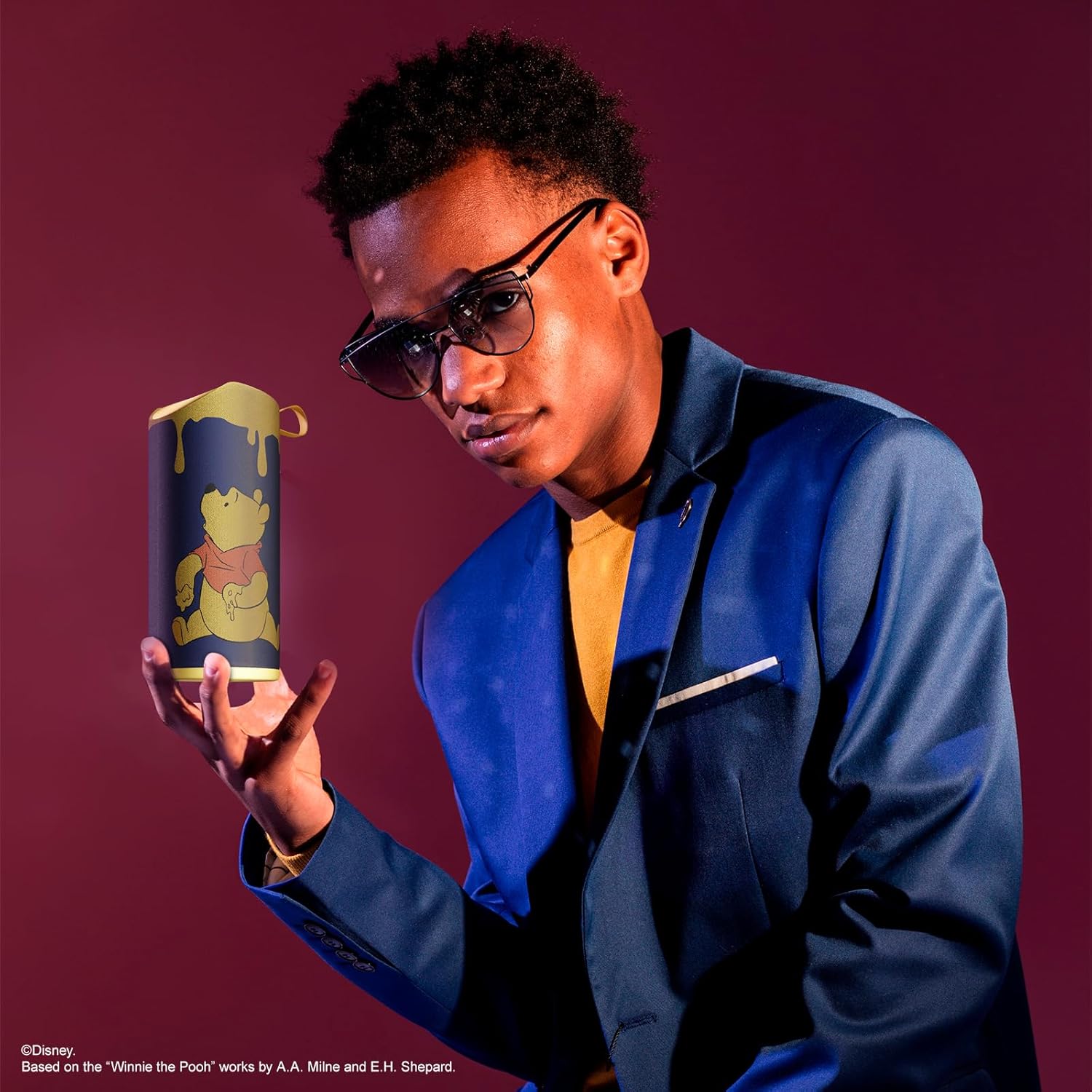
Image: The speaker with visual indicators showing its height of 6.3 inches and width of 2.9 inches.
| Njirimara | Nkọwa |
|---|---|
| Nọmba nlereanya | SS-KH7C-FS4O |
| Teknụzụ Njikọta | Bluetooth |
| Oke nkwurịta okwu ikuku | Ruo 30 ụkwụ (mita 10) |
| Ụdị Ọkà Okwu | Ụlọ elu |
| Ike Nwepu kacha elu | 20 Watt |
| Ọnọdụ mmepụta ọdịyo | Mono |
| Ike batrị | 800 ndeamp Oge awa |
| Oge Nchaji | Ihe dị ka awa 2 |
| Oge egwuregwu | Up to 3 Hours (depending on volume and usage) |
| Ọkwa Nguzogide mmiri | IPX4 (ihe na-egbochi mmiri) |
| Akụkụ ngwaahịa | 3"D x 3"W x 6"H (7.62 cm D x 7.62 cm W x 15.24 cm H) |
| Ibu Ibu | 8 ounces (226.8 grams) |
| Ngwa gụnyere | Bluetooth Speaker, USB Charging Cable, Backup AUX Cable, Owners Manual |
| Atụmatụ pụrụ iche | Built-in Microphone, LED Indicator Lights, Portable, SD Card Slot, USB Port, FM Radio |
9. Akwụkwọ ikike na nkwado
9.1 Ozi akwụkwọ ikike
This iJoy Disney Winnie The Pooh Wireless Bluetooth Speaker comes with a 90-day manufacturer's warranty from the date of purchase. This warranty covers manufacturing defects and workmanship under normal use. It does not cover damage caused by misuse, accidents, unauthorized modifications, or normal wear and tear.
9.2 Nkwado ndị ahịa
For technical assistance, warranty claims, or further inquiries, please contact iJoy customer support through their official website or the retailer where the product was purchased. Please have your model number (SS-KH7C-FS4O) and proof of purchase ready.