
1. Okwu mmalite
Thank you for choosing the Zeblaze Crystal 3 Smartwatch. This manual provides essential information for setting up, operating, maintaining, and troubleshooting your device. Please read it carefully to ensure proper use and optimal performance.
2. Ngwaahịa gafereview
The Zeblaze Crystal 3 is a versatile smartwatch designed for fitness tracking and daily use. It features a vibrant HD color display and high-precision sensors to monitor various health metrics.
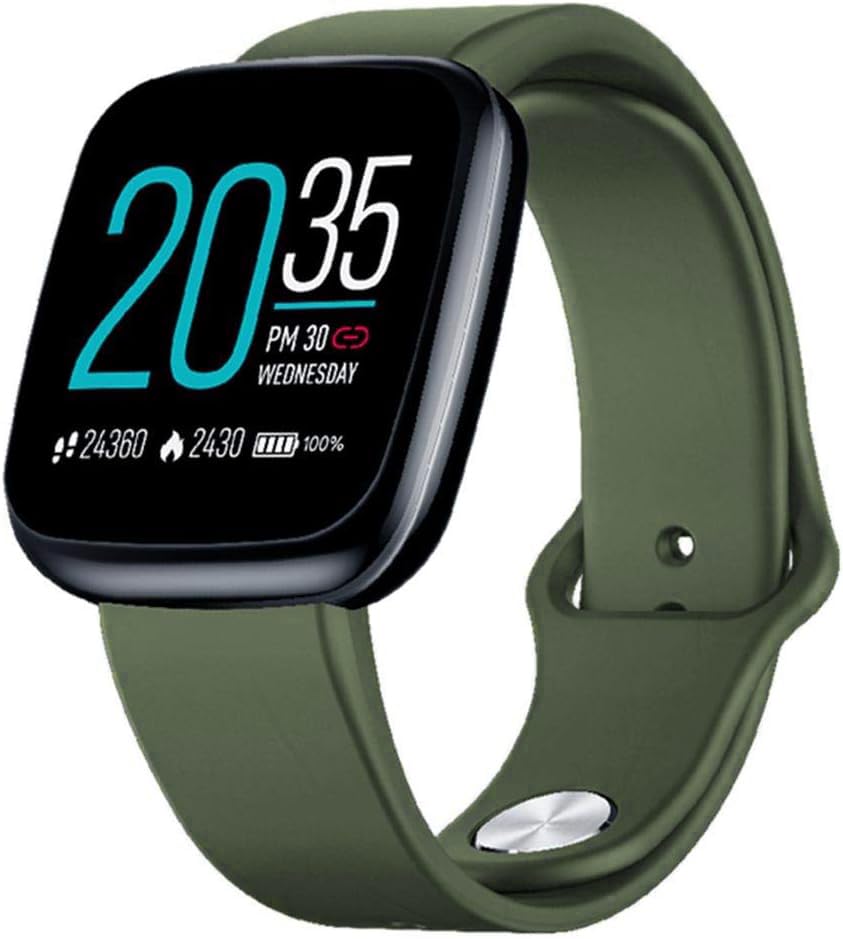
Image: Zeblaze Crystal 3 Smartwatch, showing the main display and green strap.
Akụkụ ndị bụ isi:
- 1.3-inch HD Color Screen: A vibrant IPS display with 240x240 pixel resolution for clear visuals.
- Ihe mmetụta dị elu nke ọma: Equipped with a heart rate sensor, proximity sensor, and accelerometer for accurate data collection.
- IP67 Mgbochi mmiri: Designed to withstand daily water exposure, such as splashes and rain.
- Ogologo ndụ batrị: Up to 7 days of use on a single 2-hour charge, thanks to its 200 mAh battery.
- Ndepụta mmemme: Monitors steps, distance, calories burned, and supports various sports modes.
- Nleba anya ahụike: Includes heart rate and sleep tracking.
- Ndakọrịta na ama: Works with Android 4.4 or newer and iOS 8.0 or newer devices.
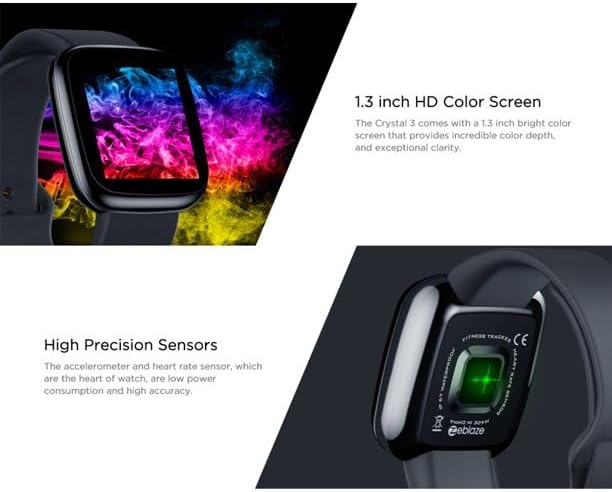
Image: Close-up of the 1.3-inch HD color screen and the high-precision heart rate sensor on the back of the watch.
3. Nhazi
3.1 Ịchaji elekere smart
Before first use, fully charge your Zeblaze Crystal 3. Connect the charging cable to the watch's charging port and a USB power source (e.g., computer USB port or a 5V/1A USB adapter). A full charge typically takes about 2 hours.
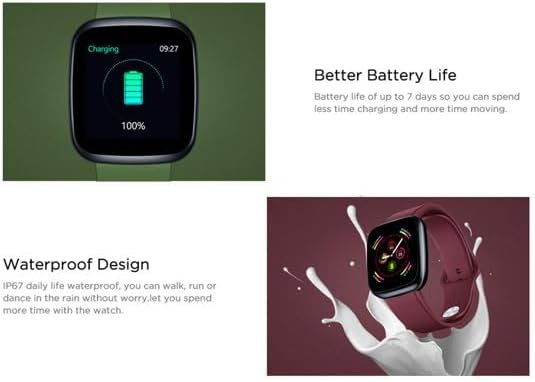
Image: Illustration showing how to connect the smartwatch to a USB port for charging.
3.2 Ngwa nwụnye na ijikọ
- Budata ngwa: Chọọ maka the official Zeblaze companion app on your smartphone's app store (Google Play Store for Android or Apple App Store for iOS).
- Mebe akaụntụ: Mepee ngwa ahụ ma soro ntuziaka na ihuenyo ka ịmepụta akaụntụ ma ọ bụ banye.
- Jikọọ ngwaọrụ: Ensure Bluetooth is enabled on your smartphone. In the app, navigate to the device pairing section and select "Zeblaze Crystal 3" from the list of available devices. Confirm the pairing request on both your phone and the smartwatch.
- Profile Melite: Complete your personal profile within the app to ensure accurate tracking of health and fitness data.
4. Ntuziaka ọrụ
4.1 Nsoro ụzọ
- Ihuenyo Teta: Welie aka gị elu ma ọ bụ pịa bọtịnụ dị n'akụkụ iji teta ihuenyo ahụ.
- Sịchaa elu/ala: Nweta ọkwa ma ọ bụ ntọala ngwa ngwa.
- Sụgharịa akaekpe/aka nri: Navigate through different functions and widgets (e.g., heart rate, activity data, weather).
- Kpatụ: Họrọ otu ihe ma ọ bụ kwado ihe omume.
- Ogologo Pịa: On the main watch face, long press to change watch faces.
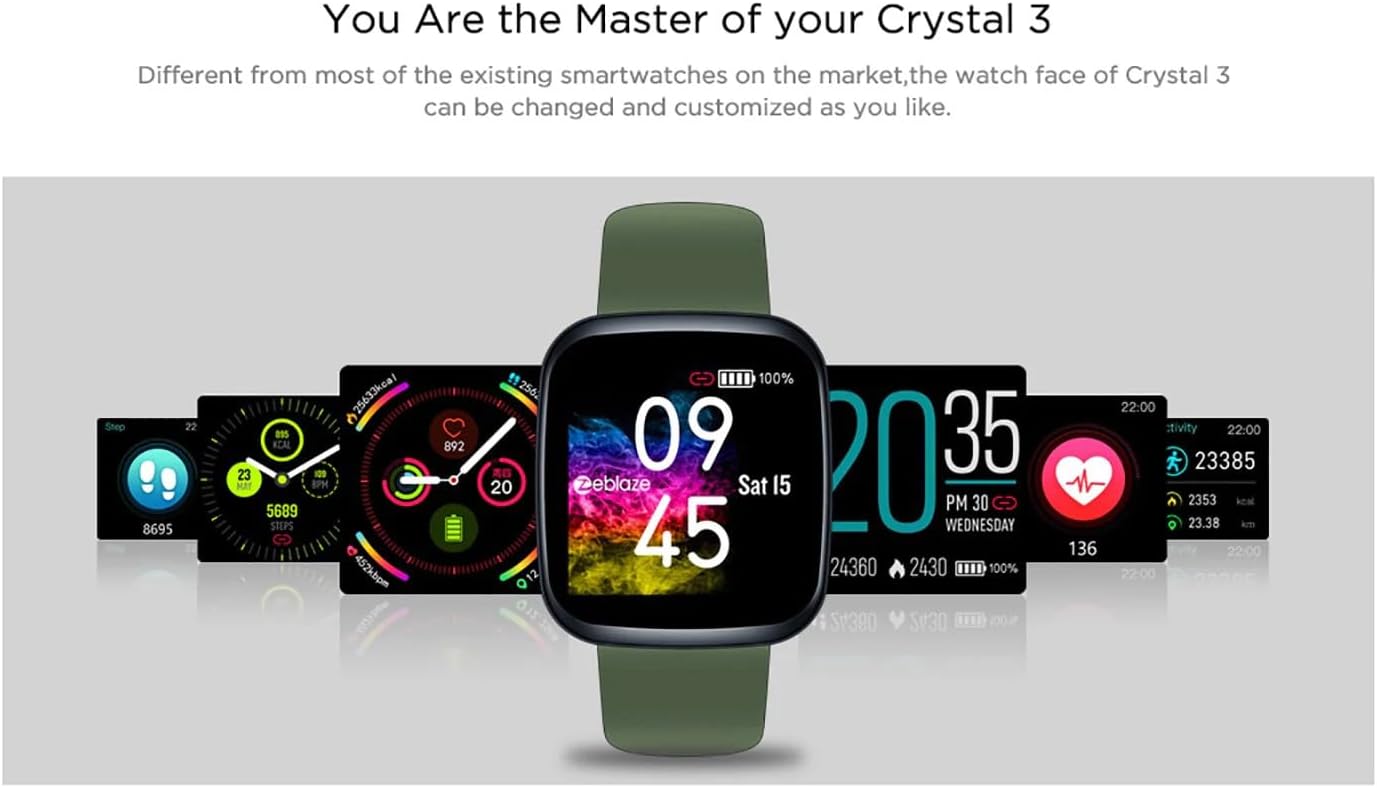
Image: The Zeblaze Crystal 3 displaying different customizable watch faces and data screens.
4.2 Ndepụta ihe omume
The smartwatch automatically tracks your daily steps, distance, and calories burned. You can view this data directly on the watch or in more detail within the companion app.
4.3 Nleba anya ọnụego obi
The built-in heart rate sensor continuously monitors your heart rate. Ensure the watch is worn snugly on your wrist for accurate readings. View your current and historical heart rate data in the app.
4.4 Nyochaa ụra
Wear the smartwatch to bed to track your sleep patterns. The device records sleep duration and quality, which can be reviewed in the app to help you understand and improve your sleep habits.
5. Nlekọta
5.1 Na-ehicha ngwaọrụ
Regularly clean your smartwatch and strap to prevent skin irritation and maintain functionality. Use a soft, damp cloth to wipe the screen and strap. Avoid using harsh chemicals or abrasive materials.
5.2 Mmiri Na-eguzogide Mmiri (IP67)
The Zeblaze Crystal 3 is IP67 water-resistant, meaning it is protected against dust and can withstand immersion in water up to 1 meter for up to 30 minutes. It is suitable for daily use, such as washing hands, rain, or light splashes. It is not recommended for swimming, showering with hot water, or diving.

Image: Illustration highlighting the waterproof design of the Zeblaze Crystal 3 Smartwatch.
5.3 Nlekọta batrị
- Zere oke okpomọkụ, nke nwere ike imebi ndụ batrị.
- Ekwela ka ngwaọrụ ahụ gbapụ kpamkpam ruo ogologo oge.
- Jiri naanị eriri nchaji enyere ma ọ bụ ihe dabara adabara.
6. Nchọpụta nsogbu
6.1 Ngwaọrụ anaghị agbanwu
- Gbaa mbọ hụ na chajịrị ngwaọrụ ahụ nke ọma. Jikọọ ya na chaja opekata mpe nkeji iri atọ.
- Try pressing and holding the side button for 10-15 seconds to force a restart.
6.2 Enweghị ike ijikọ na ekwentị mkpanaaka
- Make sure Bluetooth is enabled on your phone and the smartwatch is within range.
- Malitegharịa ekwentị gị na smartwatch.
- Lelee ma emelitere ngwa ahụ ka ọ bụrụ ụdị kachasị ọhụrụ.
- Forget the device from your phone's Bluetooth settings and try pairing again through the app.
6.3 Inaccurate Heart Rate/Activity Data
- Gbaa mbọ hụ na etinyere elekere nke ọma na nkwojiaka gị, ọ bụghị nke siri ike ma ọ bụ nke tọgbọrọ chakoo.
- Hichaa ihe mmetụta dị n'azụ elekere.
- Update the smartwatch firmware via the companion app if an update is available.
7. Nkọwapụta
| Njirimara | Nkọwa |
|---|---|
| Ụdị | Zeblaze |
| Aha Nlereanya | Crystal 3 |
| Ngosipụta | Ihuenyo Agba IPS nke 1.3-inch |
| Mkpebi | 240 * 240 pikselụ |
| Ihe mmetụta | Heart Rate Sensor, Proximity Sensor, Accelerometer |
| Mmiri Nguzogide | IP67 |
| Ike batrị | 200 mAh |
| Oge Nchaji | Ihe ruru. awa 2 |
| Ndụ batrị | Ruo ụbọchị 7 |
| Ndakọrịta | Android 4.4+ / iOS 8.0+ |
| Akụkụ | 4.05 x 3.55 x 1.2 cm (1.59 x 1.39 x 0.47 inch) |
| Ibu | 27 grams (0.95 ounces) |
| Njikọta | Bluetooth (for app pairing), USB (for charging) |
| Atụmatụ pụrụ iche | Activity Tracker, Heart Rate Monitor, Sleep Monitor |
8. Akwụkwọ ikike na nkwado
For warranty information and customer support, please refer to the documentation included with your purchase or visit the official Zeblaze website. If you encounter any issues not covered in this manual, please contact Zeblaze customer service for assistance.