
1. Okwu mmalite
The PNI PMR R70 PRO is a portable PMR446 radio designed for reliable communication. This device operates on the 446 MHz frequency band, offering 16 channels and 99 PC programmable channels. It features 50 CTCSS tones and 166 DCS tones for enhanced privacy and interference reduction. With an IP67 rating, the radio is protected against dust and water immersion, making it suitable for various environments. No license is required for operation in most European Union countries.
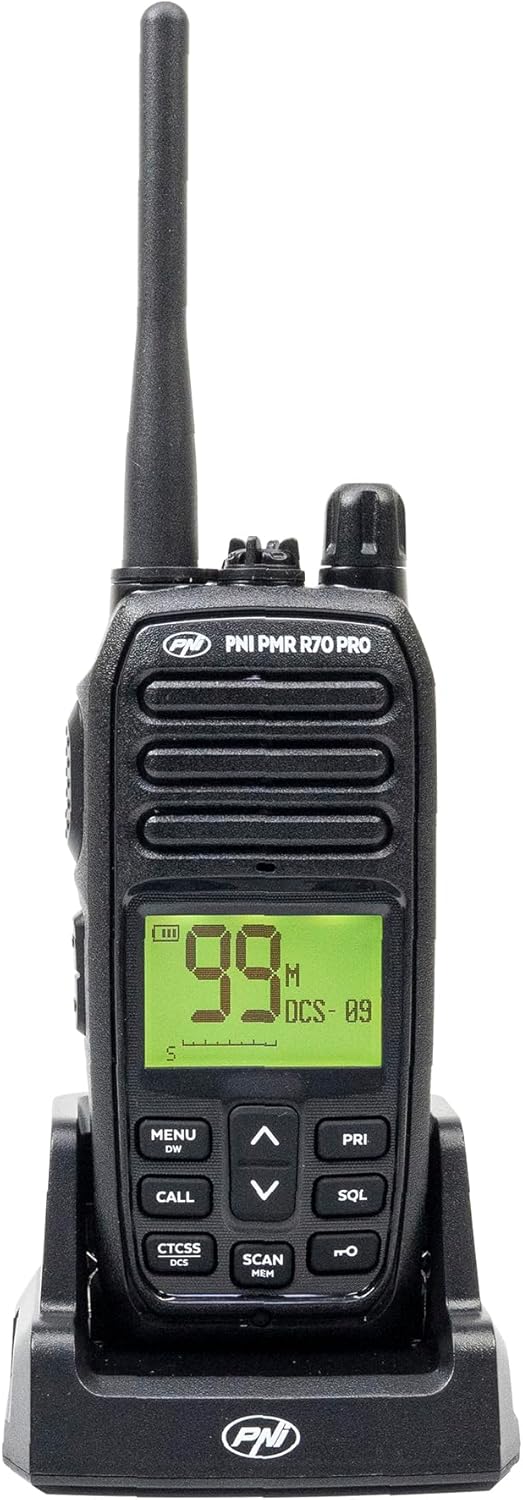
Foto 1.1: N'ihu view of the PNI PMR R70 PRO portable radio, showing the display and control buttons.
2. Ihe ngwugwu
Nyochaa na etinyere ihe niile edepụtara n'okpuru na ngwugwu gị:
- PNI PMR R70 PRO Radio Unit
- Antenna
- Batrị 1800mAh
- Desktọpụ chaja
- Mpempe eriri eriri
- Ntuziaka onye ọrụ
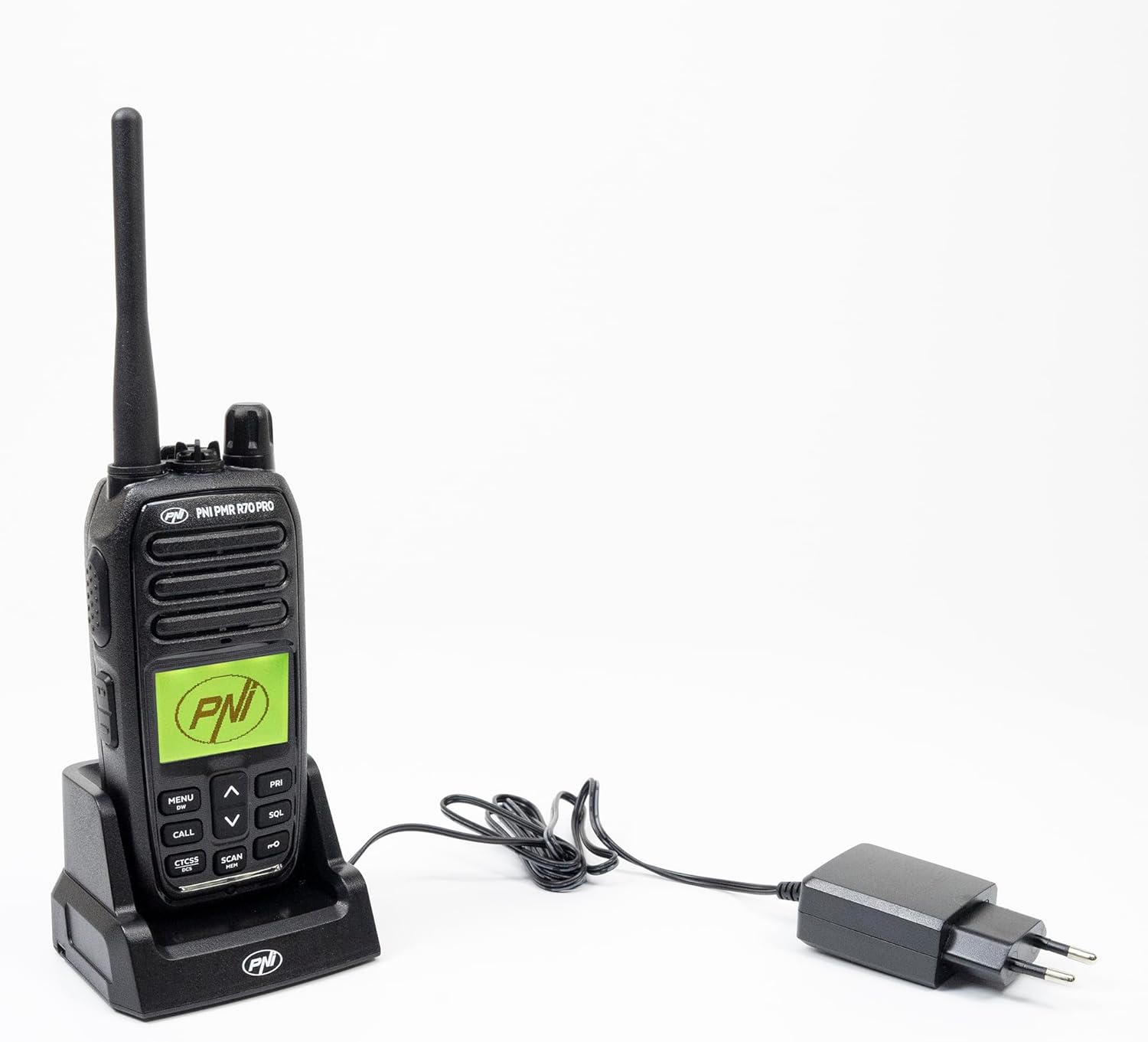
Image 2.1: All components included in the PNI PMR R70 PRO package: radio, antenna, battery, desktop charger, and belt clip.
3. Nhazi
3.1 Ntinye batrị
- Gbaa mbọ hụ na agbanyụrụ redio.
- Chọta mkpuchi nchekwa batrị n'azụ redio.
- Unscrew the retaining screw and carefully remove the cover.
- Insert the 1800 mAh battery into the compartment, ensuring the contacts align correctly.
- Dochie mkpuchi nke batrị batrị ma jiri nkedo chekwaa ya.

Foto 3.1: N'azụ view of the PNI PMR R70 PRO radio with the battery compartment open, showing the battery and its connection.
3.2 Ịchaji batrị
- Jikọọ chaja desktọpụ ahụ na ebe a na-enye ọkụ eletrik.
- Place the radio unit into the charging cradle. Ensure the charging contacts on the radio align with those on the charger.
- Ọkụ ihe ngosi chaja dị na chaja ga-enwu, ọ na-acha ọbara ọbara maka chaja na akwụkwọ ndụ akwụkwọ ndụ maka chaja zuru oke.
- Ịchaji zuru oke na-ewe ọtụtụ awa. Ejila batrị ahụ chaji karịa.
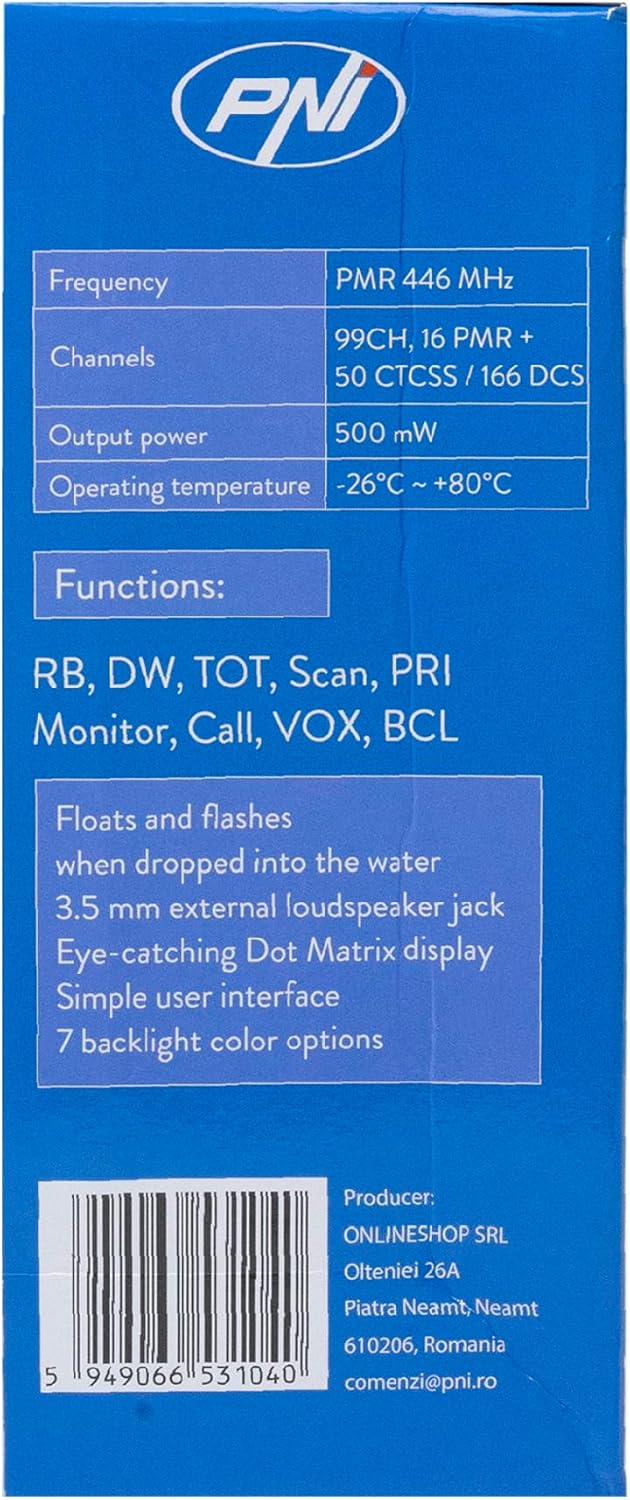
Image 3.2: The PNI PMR R70 PRO radio placed in its desktop charging cradle, connected to a power adapter.
4. Ntuziaka ọrụ
4.1 Gbanyụọ ma ọ bụ gbanyụọ
Iji mee ka redio gbanye, tụgharịa igodo ike/olu n'akụkụ elekere ruo mgbe ị nụrụ ọpịpị. Iji gbanyụọ, tụgharịa ntụ ọka ahụ n'aka elekere ruo mgbe ọ pịrị.
4.2 Mgbanwe olu
Tụgharịa mkpịsị ugodi ike/olu n'akụkụ elekere ka iwelie olu na akuku elekere ka ibelata ya.
4.3 Nhọrọ ọwa
Jiri UP (^) na ala (v) arrow buttons on the front panel to select one of the 16 available channels. The selected channel number will be displayed on the screen.
4.4 Nyefee na ịnata
- Iji bufee: Press and hold the Push-To-Talk (PTT) button located on the side of the radio. Speak clearly into the microphone. Release the PTT button to stop transmitting.
- Ịnata: Gbaa mbọ hụ na emetụghị bọtịnụ PTT. Redio ga-enweta akara na-akpaghị aka na ọwa ahọpụtara.
Atụmatụ 4.5 Pụrụ Iche
- Ụda CTCSS/DCS: The radio supports 50 CTCSS (Continuous Tone-Coded Squelch System) and 166 DCS (Digitally Coded Squelch) tones. These tones help filter out unwanted conversations on the same channel. Refer to the full user guide for programming instructions.
- Ọrụ nyocha: Activate the scan function to monitor all active channels. The radio will stop on an active channel until the transmission ends.
- Dual Watch (DW): This feature allows the radio to monitor two channels simultaneously.
- Roger Beep: An audible tone emitted when the PTT button is released, signaling the end of your transmission.
- Mkpọchi ahụ igodo: Na-egbochi mgbanwe mberede na ntọala.
- PC Programmable Channels: The radio supports 99 PC programmable channels. This requires a specific programming cable (PNI - PSR70) and software.

Image 4.1: The PNI PMR R70 PRO radio connected to a laptop via a programming cable for channel and feature customization.
5. Nlekọta
5.1 Nhicha
Jiri nwayọ hichaa redio, damp Ákwà. Ejila kemịkalụ siri ike ma ọ bụ ihe nhicha na-emebi emebi. Hụ na redio kpọrọ nkụ tupu ejiri ya ma ọ bụ chaja ya.
5.2 Mmiri Na-eguzogide Mmiri (IP67)
The PNI PMR R70 PRO is rated IP67, meaning it is fully protected against dust ingress and can withstand immersion in water up to 1 meter for 30 minutes. While robust, avoid unnecessary exposure to water and ensure all covers (e.g., battery cover, accessory port cover) are securely closed before exposing the radio to water.

Image 5.1: The PNI PMR R70 PRO radio with water droplets, illustrating its IP67 water resistance feature.
6. Nchọpụta nsogbu
If you encounter issues with your PNI PMR R70 PRO radio, consider the following common troubleshooting steps:
- Enweghị ike: Gbaa mbọ hụ na etinyere batrị nke ọma yana chajịkwa ya nke ọma. Lelee agbanwuru ọkụ/mkpọ ụda.
- Enweghị ike izipu ma ọ bụ nata: Verify that you are on the correct channel. Check if the PTT button is functioning. Ensure the antenna is securely attached.
- Ogo ọdịyo adịghị mma: Adjust the volume. Ensure the microphone and speaker are not obstructed. Move to an area with fewer obstructions for better signal.
- Ogologo nso: Obstacles like buildings and terrain can significantly reduce range. Operate in open areas for maximum range. Ensure the battery is fully charged.
- Igwe igodo anaghị aza: Check if the keypad lock feature is activated. Deactivate it if necessary.
For persistent issues, consult the comprehensive user guide or contact customer support.
7. Nkọwapụta
| Njirimara | Nkọwapụta |
|---|---|
| Ụdị | PNI |
| Nọmba nlereanya | PNI-R70-PRO |
| Oke ugboro ugboro | 446.00625 ~ 446.19375 MHz |
| Ọnụọgụ nke ọwa | 16 (PMR), 99 PC Programmable |
| Ike mmepụta | 0.5 W |
| Ụda CTCSS | 50 |
| DCS Tones | 166 |
| Ogo nchekwa mba ụwa | IP67 (Dustproof, Submersible up to 1m for 30 min) |
| Batrị | 1800 mAh (included) |
| Nkezi Ndụ batrị | awa 18 |
| Voltage | 7.4 volts (DC) |
| Oke kacha | Up to 10 Kilometers (open space) |
| Okpomọkụ na-arụ ọrụ | -26°C ~ +80°C |
| Akụkụ ngwaahịa (D x W x H) | 6P x 13l x 4H sentimita |
| Ibu Ibu | 225 grams |
| Atụmatụ pụrụ iche | Digital Display, Rechargeable, Roger Beep, Submersible, Keypad Lock |
8. Akwụkwọ ikike na nkwado
8.1 Ozi akwụkwọ ikike
The PNI PMR R70 PRO radio comes with a 2-afọ akwụkwọ ikike site na ụbọchị ịzụrụ. Akwụkwọ ikike a na-ekpuchi ntụpọ nrụpụta n'okpuru ojiji nkịtị. Biko dowe ihe akaebe nke ịzụrụ ihe maka akwụkwọ ikike.
8.2 Nkwado ndị ahịa
For technical assistance, troubleshooting, or warranty service, please contact your retailer or the manufacturer's customer support. Refer to the contact information provided in your purchase documentation.