
NOPAARD 52-YJ306
NOPAARD 52 Inch Smart Ceiling Fan User Manual
Model: 52-YJ306
Okwu mmalite
Thank you for choosing the NOPAARD 52 Inch Smart Ceiling Fan. This manual provides detailed instructions for the safe installation, operation, and maintenance of your new ceiling fan. Please read this manual thoroughly before installation and keep it for future reference.
This smart ceiling fan features a quiet DC reversible motor, 5 plywood blades with dual-finish (matte black and walnut), a 3CCT dimmable LED light, and multiple control options including remote, Tuya APP, Alexa, and Google Assistant voice control.
Ozi nchekwa dị mkpa
Na-agbaso usoro nchekwa nchekwa mgbe niile mgbe ị na-etinye ma na-arụ ọrụ ngwa a iji belata ihe egwu ọkụ, ujo eletrik na mmerụ ahụ nkeonwe.
- Gụọ ntuziaka niile tupu ịmalite nrụnye.
- Ensure the electrical supply is disconnected at the circuit breaker before installation or servicing.
- Waya niile ga-adịrịrị na koodu eletriki nke obodo na nke mpaghara.
- The fan must be mounted to a ceiling joist or support capable of withstanding a minimum of 35 lbs (15.9 kg).
- Do not operate the fan with damaged wiring or if the motor is making unusual noises.
- Keep hands, feet, and other objects away from the rotating fan blades.
Ihe ngwugwu
Nyochaa na akụrụngwa niile dị tupu ịmalite nrụnye.
- Ulo ụlọ Fan moto
- 5 Plywood Blades (Dual-finish: Matte Black / Walnut)
- Ikanam Light Kit
- Njikwa anya na Wall Mount
- 2 Down-rods (6-inch and 10-inch)
- Arịọnụ mgbodo na Hardware
- Akwụkwọ ntuziaka

Ntọala na nwụnye
Professional installation is recommended. Ensure power is off at the circuit breaker before proceeding.
1. Ịwụnye ihe nkwado ahụ
Secure the mounting bracket to a ceiling joist or a suitable electrical junction box rated for fan support. Use the provided hardware.
2. Assembling the Down-rod and Fan Motor
Choose either the 6-inch or 10-inch down-rod based on your ceiling height and desired fan clearance. Feed the electrical wires through the down-rod and attach it securely to the fan motor housing.

3. Wiring the Fan
Connect the fan's electrical wires to your household wiring according to the wiring diagram provided in the separate wiring guide (if applicable) or standard electrical practices. Ensure all connections are secure and insulated.
4. Attaching the Blades
Attach the 5 plywood blades to the fan motor. The blades are dual-finish, allowing you to choose between matte black and walnut to match your decor. Ensure all screws are tightened securely.

5. Installing the LED Light Kit
Connect the LED light kit to the fan motor's designated light wires and secure it to the fan housing.
Ntuziaka ọrụ
Your NOPAARD smart ceiling fan offers multiple control methods.
Ụzọ njikwa
- Njikwa anya: Use the included remote to control fan speed, light settings, and fan direction.
- Tuya APP Control: Download the Tuya Smart app to control the fan from your smartphone or tablet. Follow the app's instructions for pairing.
- Njikwa olu: Integrate with Alexa or Google Assistant devices for voice commands. Enable the NOPAARD skill/action in your smart home app.
- Njikwa mgbidi: The fan can also be operated via a standard wall switch (on/off for fan and light together).
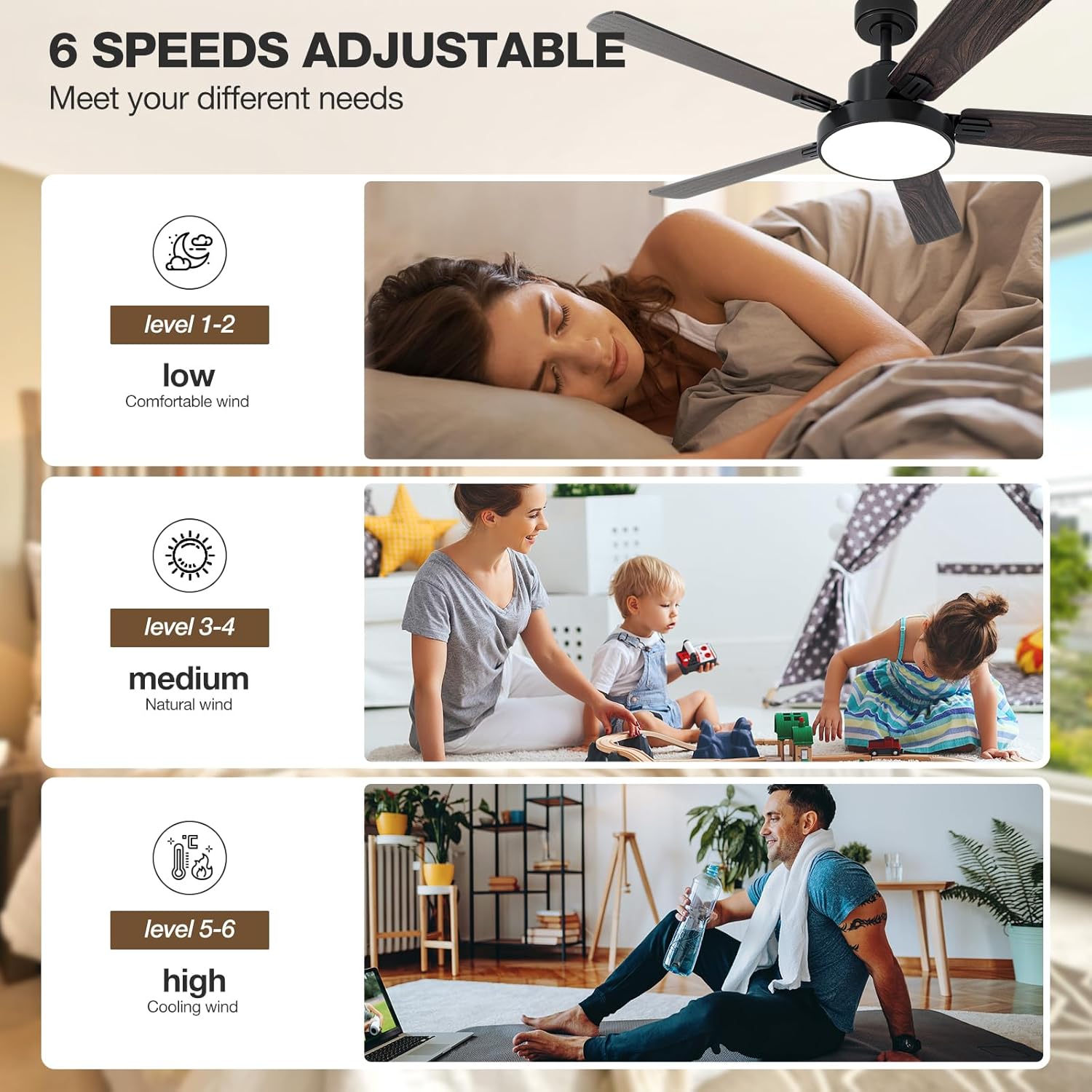
Ndozi ọsọ ndị fan
The fan features 6 variable speeds to adjust airflow according to your preference. Speeds 1-2 provide a low, comfortable breeze, speeds 3-4 offer a medium, natural wind, and speeds 5-6 deliver high, cooling airflow.

Njikwa na Mbelata Ọkụ
The integrated LED light offers 3 color temperatures (3000K warm yellow, 4000K bright daylight, 6000K cool white) and is dimmable from 10% to 100% (0-2000 lumens). Use the remote or app to cycle through color temperatures and adjust brightness.

Ọrụ Moto A Na-agbanwe Agbanwe
The DC reversible motor allows the fan to operate in two directions. In summer, the fan rotates counter-clockwise to create a cooling downdraft. In winter, it rotates clockwise to circulate warm air trapped near the ceiling, helping to reduce heating costs.

Nlekọta
Regular maintenance ensures optimal performance and extends the life of your ceiling fan.
- Nhicha: Jiri nwayọ hichaa agụba fan na ụlọ moto, damp akwa . Ejila ihe nchacha abrasive ma ọ bụ ihe mgbaze.
- Ike Agụba: Check blade screws annually to ensure they are tight. Loose blades can cause wobbling and noise.
- Ngwa ọkụ: The LED light source is designed for long life and typically does not require replacement.
- moto: The DC motor is sealed and requires no lubrication.
Always disconnect power to the fan at the circuit breaker before performing any cleaning or maintenance.
Nchọpụta nsogbu
If you experience issues with your NOPAARD ceiling fan, refer to the following common problems and solutions.
| Nsogbu | Ihe nwere ike ime | Ngwọta |
|---|---|---|
| Onye ofufe anaghị ebido | Enweghị ike maka onye ofufe; Njikọ waya rụrụ arụ; Batrị njikwa anya dị ala ma ọ bụ ejikọtaghị ya. | Lelee ihe nkesa sekit; Chọpụta na njikọ waya niile echekwara; Dochie batrị dịpụrụ adịpụ ma ọ bụ megharịa oghere anya. |
| Fans na-ama jijiji | Kposara agụba tọgbọrọ chakoo; Mpekere na-enweghị nha nha; Ihe nkwado mgbago rụrụ arụ. | Tighten all blade screws; Ensure blades are balanced (use balancing kit if needed); Secure mounting bracket. |
| Ìhè anaghị arụ ọrụ | Loose wire connection to light kit; Light kit failure. | Check light kit wiring; Contact customer support if light kit is faulty. |
| Njikwa anya anaghị aza | Batrị dị ala; Ime obodo anaghị ejikọ; Ndakpọchi anya. | Replace battery; Re-pair remote with fan (refer to pairing instructions); Reduce interference sources. |
| Onye ofufe na-eme mkpọtụ | Skru ndị gbagọrọ agbagọ; Nsogbu injin; Agụba ndị na-akụ ihe mgbochi. | Check all screws; Ensure no obstructions; Contact customer support if motor noise persists. |
| Enweghị ike ijikọ na Wi-Fi/App | Incorrect Wi-Fi password; Router too far; 5GHz Wi-Fi network (fan requires 2.4GHz). | Verify Wi-Fi password; Move router closer or use Wi-Fi extender; Ensure router is broadcasting 2.4GHz. |
Nkọwapụta
| Njirimara | Nkọwa |
|---|---|
| Aha Nlereanya | 52-YJ306 |
| Ụdị | NOPAARD |
| Nha | 52 inch |
| Agba | Black & Walnut (Dual-finish blades) |
| Ụdị moto | Quiet DC Reversible Motor |
| Ọnụọgụ agụba | 5 |
| Ihe agụba | Plywood |
| Ụdị ọkụ | Igwe ọkụ agbakwunyere |
| Okpomọkụ agba agba | 3000K (Warm Yellow), 4000K (Bright Daylight), 6000K (Cool White) |
| Light Dimming Range | 10%-100% (0-2000 Lumens) |
| Ọsọ ndị fan | 6 Ọsọ dị iche iche |
| Ike ikuku | 12688 Cubic Feet kwa nkeji |
| Ọkwa mkpọtụ | 40 dB |
| Ụzọ njikwa | Remote, Tuya APP, Voice (Alexa, Google Assistant) |
| Down-rod Lengths | 6 inch, 10 inch |
| Nhọrọ nkwụnye | Flat Ceiling, Sloped Ceiling (up to 20°) |
| Ojiji ime ime/n'èzí | Indoor, Covered Outdoor (Damp-pụtara) |
| Asambodo | ETL edepụtara |
Akwụkwọ ikike na nkwado
NOPAARD offers a comprehensive warranty for your peace of mind.
- Ntụkwasị obi ịdị mma: 24 months quality assurance from the date of purchase.
- DC Motor Warranty: 10-year warranty for the DC motor.
For product installation assistance, troubleshooting, or quality-related concerns, please contact NOPAARD customer service. Refer to your purchase documentation for contact details or visit the official NOPAARD websaịtị.
Note: This warranty does not cover damage caused by improper installation, misuse, or natural disasters.
Ask a question about this manual
Ask about setup, troubleshooting, compatibility, parts, safety, or missing instructions. Manuals+ will review the question and use this page’s manual context to help answer it.