
1. Ntuziaka nchekwa dị mkpa
Please read these instructions carefully before using your Morphy Richards Desira Coral Dry Iron and retain them for future reference. Incorrect use can lead to hazards.
- Gbaa mbọ hụ na voltage on the rating label corresponds to your mains voltage.
- Do not immerse the iron, cord, or plug in water or any other liquid.
- Do not leave the iron unattended while it is switched on or connected to the mains supply.
- Debe ígwè ahụ ka ụmụaka na ndị nwere obere ikike anụ ahụ, mmetụta uche, ma ọ bụ uche ghara iru ya aka.
- The soleplate of the iron becomes very hot during use. Avoid direct contact with the hot soleplate.
- Always unplug the iron from the power outlet before cleaning, filling, or when not in use.
- Do not operate the iron with a damaged cord or plug, or if the iron has been dropped or damaged. Contact authorized service personnel for repair.
- Tinye ígwè ahụ n'elu ebe kwụsiri ike, okpomọkụ na-eguzogide mgbe ị na-ezu ike.
- Ejila ígwè ahụ mee ihe ndị ọzọ karịa iji ya eme ihe.
2. Ngwaahịa gafereview
The Morphy Richards Desira Coral Dry Iron is designed for efficient and smooth ironing of various fabric types. It features a non-stick soleplate and a precise temperature control dial.
Akụkụ ndị bụ isi:
- PTFE Non-stick Coated Soleplate for smooth gliding.
- 1000 Watts power for quick heating.
- Cotton Braided Cord for durability.
- 360-degree Swivel Cord for flexible movement.
- Adjustable Thermostat Control for different fabric types.
- Kọmpat na sleek imewe.
Ngwa:
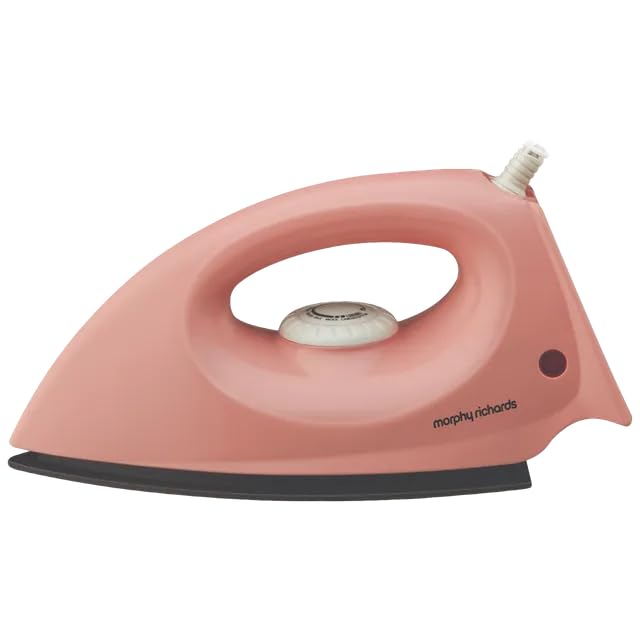
Ọgụgụ 1: N'ozuzu view of the Morphy Richards Desira Coral Dry Iron.
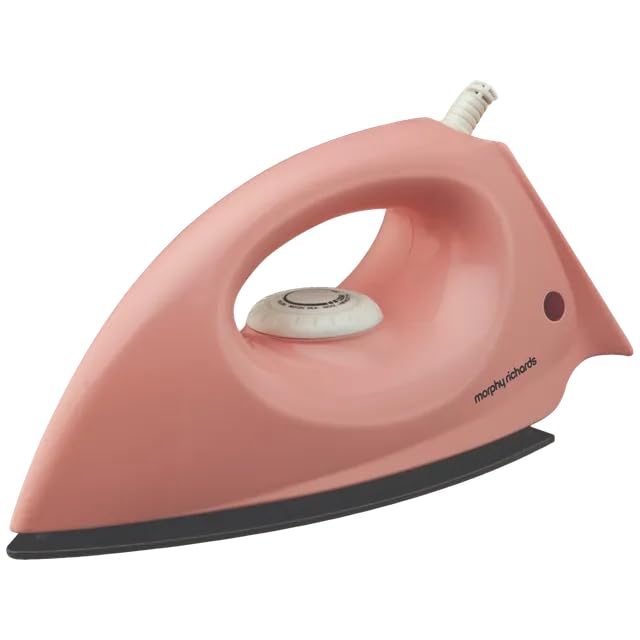
Ọgụgụ 2: Akụkụ profile of the dry iron, highlighting its ergonomic handle.
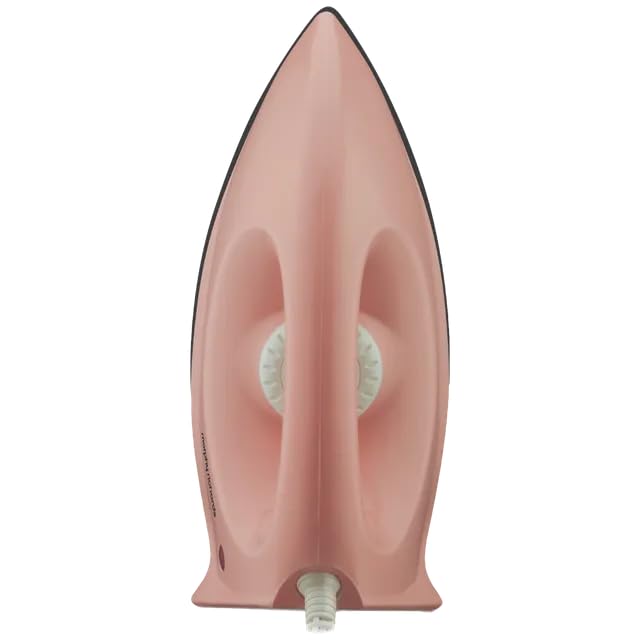
Foto 3: Top view of the iron, displaying the temperature control dial.
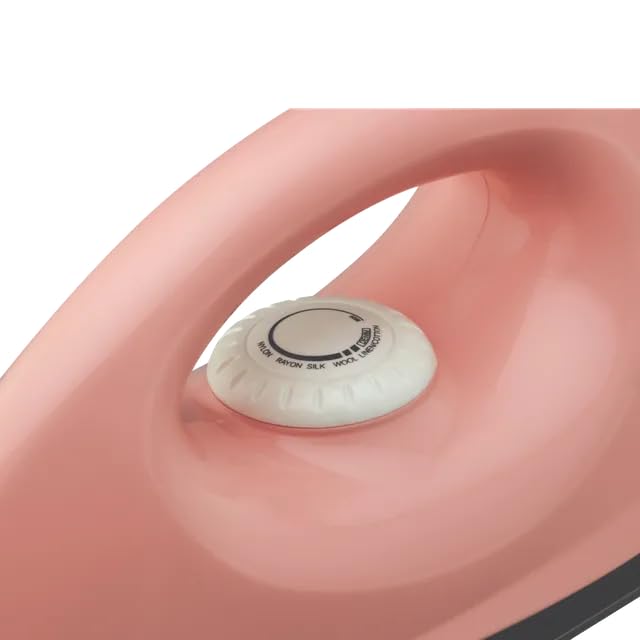
Ọgụgụ 4: Zuru ezu view of the temperature control dial with fabric settings.
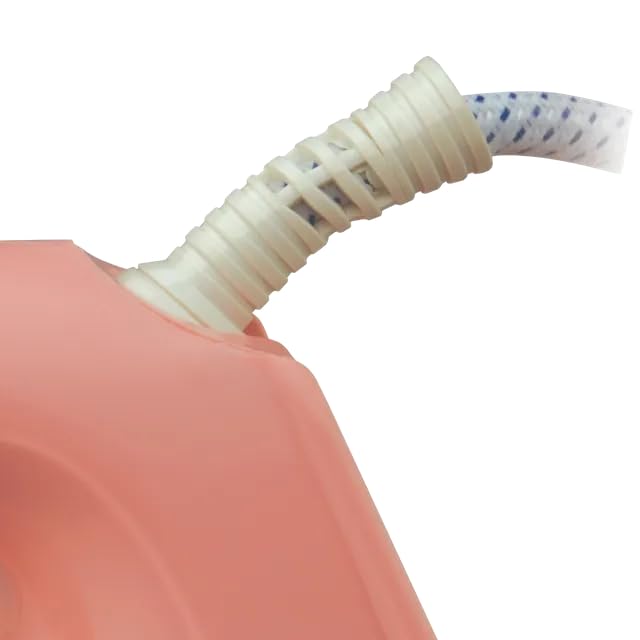
Figure 5: Close-up of the flexible cord guard at the base of the handle.
3. Nhazi
Iwepu:
Carefully remove the iron from its packaging. Retain the packaging for storage or future transport. Check for any visible damage. If any damage is observed, do not use the iron and contact customer support.
Tupu ojiji mbụ:
- Jiri mgbasa ozi hichaa soleplateamp ákwà iji wepụ ihe fọdụrụ n'ime mmepụta.
- It is normal for a slight odor or smoke to be emitted during the first few minutes of use. This is due to the burning off of manufacturing oils and will dissipate quickly.
- Ensure the iron is placed on a stable, heat-resistant surface.
4. Ntuziaka ọrụ
Ntọala okpomọkụ:
- Sort garments according to their fabric composition (e.g., cotton, silk, synthetic).
- Plug the iron into a suitable mains power outlet.
- Turn the temperature control dial to the desired setting based on the fabric type. Start with lower temperatures for delicate fabrics and increase for heavier ones.
- The indicator light will illuminate, indicating the iron is heating. It will turn off once the set temperature is reached.
Ironing Garments:
- Once the indicator light turns off, the iron is ready for use.
- Iron the garment with smooth, even strokes.
- For best results, iron garments inside out to prevent shine on certain fabrics.
- Always place the iron on its heel rest when not actively ironing.
- After use, turn the temperature dial to the 'Min' position, unplug the iron, and allow it to cool completely before storing.
5. Nlekọta na nlekọta
Na-ehicha Soeplate:
Iji hichaa soleplate ahụ, hụ na ewepụla ígwè ahụ ma jụọ oyi kpamkpam. Jiri mgbasa ozi hichaa soleplate ahụamp cloth and a mild, non-abrasive cleaner if necessary. Do not use harsh scouring pads or metallic cleaners as these can damage the non-stick coating.
Na-ehicha ahụ:
Jiri nwayọ hichaa mpụta igwe ahụ, damp akwa . Ejila ihe nchacha abrasive ma ọ bụ ihe mgbaze.
Nchekwa:
Once the iron has completely cooled down, wrap the cord neatly around the cord winder (if applicable) or secure it with a tie. Store the iron upright on its heel rest in a dry, safe place, away from moisture and direct sunlight.
6. Nchọpụta nsogbu
| Nsogbu | Ihe nwere ike ime | Ngwọta |
|---|---|---|
| Ígwè anaghị ekpo ọkụ. | Etinyeghị ya nke ọma. Power outlet faulty. Temperature dial set to 'Min'. | Gbaa mbọ hụ na etinyere plọg zuru oke. Jiri ngwa ọzọ nwalee ọpụpụ. Turn dial to a fabric setting. |
| Indicator light does not illuminate. | Iron not connected to power. Temperature dial set to 'Min'. Iron has reached set temperature. | Lelee njikọ ike. Adjust temperature dial. This is normal; the light turns off when ready. |
| Ígwè na-arapara na ákwà. | Soeplate ruru unyi. Temperature too high for fabric. | Hichaa soleplate dị ka ntuziaka mmezi. Belata ntọala okpomọkụ. |
| Slight odor/smoke on first use. | Ihe fọdụrụ n'ichepụta na-ere ọkụ. | This is normal and will stop after a few minutes of use. Ensure good ventilation. |
7. Nkọwapụta
| Njirimara | Nkọwa |
|---|---|
| Ụdị | Morphy Richards |
| Aha Nlereanya | DESIRA CORAL |
| Nọmba nlereanya | 500074 |
| Ụdị | Akọrọ Iron |
| Wattage | 1000 Watt |
| Ihe Soeplate | PTFE Non-stick Coated |
| Ụdị eriri | Cotton Braided, 360-degree Swivel |
| Agba | Pink |
| Akụkụ ngwaahịa (L x W) | 28L x 11.7W centimita |
| Ngwa gụnyere | Iron, User Manual, Warranty Card |
8. Akwụkwọ ikike na nkwado
Akwụkwọ ikike:
This Morphy Richards Desira Coral Dry Iron comes with a 2-afọ akwụkwọ ikike on the product from the date of purchase. Please retain your purchase receipt and warranty card for any warranty claims. The warranty covers manufacturing defects under normal household use.
Nkwado ndị ahịa:
For any queries, service requests, or technical assistance, please refer to the contact information provided on your warranty card or visit the official Morphy Richards websaịtị maka nkọwa ọrụ ndị ahịa.