
FIFINE K688W
FIFINE AmpliTank K688W Dynamic USB/XLR Microphone User Manual
Model: K688W | Brand: FIFINE
1. Okwu mmalite
Daalụ maka ịzụrụasing the FIFINE AmpliTank K688W Dynamic USB/XLR Microphone. This microphone is designed for high-quality audio capture in various applications, including gaming, streaming, podcasting, and professional recording. Please read this manual carefully to ensure proper setup and operation.

Image: The FIFINE AmpliTank K688W microphone demonstrating its sound capture capabilities with a visual representation of sound waves.
2. Ihe ngwugwu
Nyochaa na etinyere ihe niile edepụtara n'okpuru na ngwugwu gị:
- FIFINE AmpliTank K688W Microphone Body
- USB-C to USB-A Cable (2.5m)
- 3/8" to 5/8" Screw Adapter
- Akwụkwọ ntuziaka onye ọrụ (Japanese)
Note: A microphone stand and XLR cable are not included and must be purchased separately.

Image: The FIFINE AmpliTank K688W microphone and its included accessories: USB cable and screw adapter, alongside the user guide.
3. Ngwaahịa gafereview (Components and Controls)
Familiarize yourself with the microphone's components and controls:

Foto: N'azụ view nke FIFINE AmpliTank K688W microphone, highlighting the XLR output terminal and USB connection port.
- XLR Output Terminal: For connecting to audio interfaces, mixers, or other professional audio equipment.
- USB Connection Port (USB Type-C): For direct connection to computers or game consoles.
- Jack ekweisi 3.5mm: For real-time audio monitoring.
- Microphone Volume Control (Gain Knob): Adjusts the microphone's input sensitivity. (USB mode only)
- Headphone Jack Volume Control: Adjusts the monitoring volume through the 3.5mm headphone jack. (USB mode only)
- Bọtịnụ ogbi nwere ihe ngosi LED: Toggles microphone mute. LED indicates mute status. (USB mode only)
4. Nhazi
4.1 USB njikọ
For direct connection to a computer (Windows/Mac OS) or game console (PS4/PS5):
- Connect the USB-C end of the provided USB cable to the microphone's USB port.
- Connect the USB-A end of the cable to an available USB port on your computer or game console.
- The device will automatically recognize the microphone.
- Select "FIFINE K688W" as your input and output device in your system's sound settings or application settings.

Image: The FIFINE AmpliTank K688W microphone connected to a laptop via its USB-C port, illustrating plug-and-play functionality.
4.2 XLR Connection
For connecting to professional audio equipment (audio interfaces, mixers):
- Connect a standard XLR cable (not included) to the XLR output terminal on the microphone.
- Jikọọ nsọtụ nke ọzọ nke eriri XLR na ntinye XLR na njikọ ọdịyo gị ma ọ bụ igwekota.
- Ensure your audio interface or mixer is properly configured to receive input from the connected XLR channel.
- Adjust gain levels on your audio interface/mixer as needed.

Foto: nkọwa zuru ezu view nke FIFINE AmpliTank K688W's connectivity panel, showing both USB and XLR ports for versatile audio setups.
5. Ntuziaka ọrụ
5.1 Gain Control (USB Mode Only)
The gain knob on the microphone allows you to adjust the input sensitivity. Rotate the knob clockwise to increase gain and counter-clockwise to decrease it. Adjust this to achieve an optimal recording level without clipping or distortion.
5.2 Mute Function (USB Mode Only)
Press the touch-sensitive mute button on top of the microphone to instantly mute or unmute the audio input. The LED indicator will change color to show the microphone's status (e.g., green for active, red for muted).
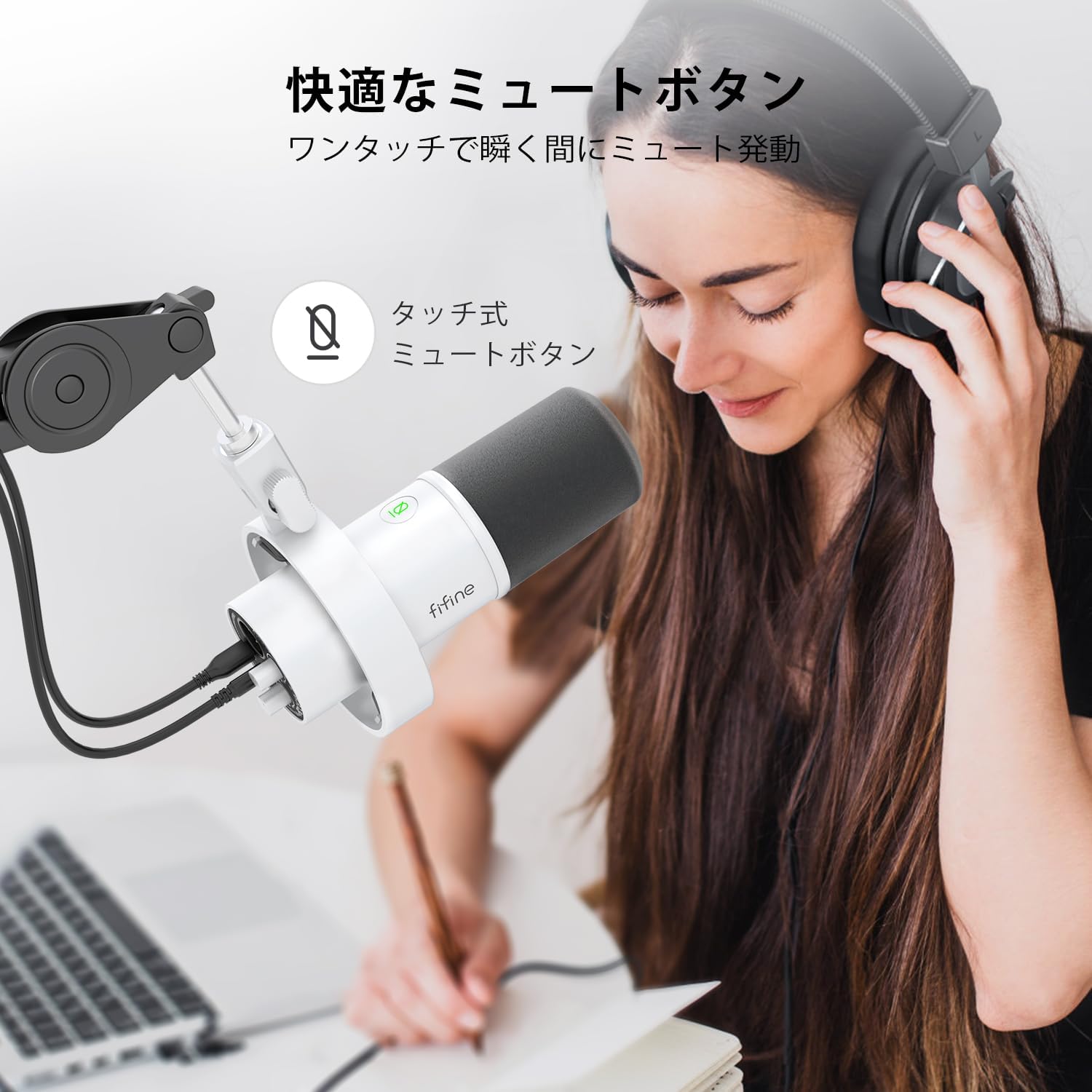
Image: A user interacting with the touch-sensitive mute button on the FIFINE AmpliTank K688W microphone, demonstrating its ease of use.
5.3 Headphone Monitoring (USB Mode Only)
Connect your headphones to the 3.5mm headphone jack on the microphone to monitor your audio in real-time with zero latency. Use the dedicated headphone volume knob to adjust the monitoring level to your preference.
6. Nlekọta
- Debe igwe okwu ahụ ọcha site na iji akwa dị nro na nke kpọrọ nkụ hichapụ ya.
- Zere ikpughe igwe okwu na oke okpomọkụ, iru mmiri, ma ọ bụ ìhè anyanwụ kpọmkwem.
- Chekwaa igwe okwu n'ime ihe nchekwa mgbe anaghị eji ya iji gbochie uzuzu na mmebi.
- Do not attempt to disassemble the microphone, as this will void the warranty.

Image: The FIFINE AmpliTank K688W microphone mounted on a boom arm, showcasing its integrated metal body design suitable for various recording environments.
7. Nchọpụta nsogbu
| Nsogbu | Ihe nwere ike ime | Ngwọta |
|---|---|---|
| Enweghị mmepụta ụda (USB) |
|
|
| No sound output (XLR) |
|
|
| Olu agbagọ |
|
|
| Oke mkpọtụ n'azụ |
|
|
8. Nkọwapụta
| Njirimara | Nkọwa |
|---|---|
| Nlereanya | K688W |
| Ụdị | FIFINE |
| Ụdị igwe okwu | Dị ike |
| Ụkpụrụ Polar | Unidirectional (Cardioid) |
| Njikọta | USB (Type-C), XLR |
| Nzaghachi ugboro ugboro | 70Hz - 15 kHz |
| Oke mgbama-na- mkpọtụ (S/N) | 75 dB |
| Ụdị Ike | Eriri eletriki (ejiri eriri USB) |
| Ngwa dakọtara | PC (Windows/Mac OS), Game Consoles (PS4/PS5), Audio Mixers, Audio Interfaces, Smartphones (with adapter, not included) |
| Atụmatụ pụrụ iche | Volume Control, Mute Function, Headphone Monitoring |
| Agba | Ọcha |
| Akụrụngwa | Plastic, metal |
| UPC | 850052511821 |
9. Akwụkwọ ikike na nkwado
9.1 Ozi akwụkwọ ikike
Ngwaahịa a na-abịa na a Akwụkwọ ikike onye nrụpụta afọ 1 from the date of purchase. The warranty covers defects in materials and workmanship under normal use.
Akwụkwọ ikike anaghị ekpuchi:
- Mmebi nke sitere na iji ihe eme ihe n'ụzọ na-ezighị ezi, mmegbu, ihe mberede, ma ọ bụ nleghara anya.
- Mmebi sitere na nrụzi ma ọ bụ mgbanwe na-akwadoghị.
- Nkịtị iyi na akwa.
9.2 Nkwado ndị ahịa
If you encounter any issues with your FIFINE AmpliTank K688W microphone, such as packaging damage, color discrepancies, or product defects, please contact FIFINE Japan customer support immediately. Provide your purchase details and a description of the issue for prompt assistance.
For further support, please visit the official FIFINE websaịtị.

Image: Information regarding FIFINE's customer support process, including steps to contact them via Amazon and their operating hours.
Ask a question about this manual
Ask about setup, troubleshooting, compatibility, parts, safety, or missing instructions. Manuals+ will review the question and use this page’s manual context to help answer it.