
1. Okwu mmalite
The BOOX Note Air3 is a 10.3-inch monochrome ePaper tablet designed for an enhanced reading and note-taking experience. It features a high-resolution E-ink display, a flexible Android 12 operating system, and a suite of tools to support creative and productive tasks. This device aims to provide a paper-like feel while offering the versatility of a modern tablet.
The 227 PPI HD screen resolution ensures clear and sharp visuals for all content, with exceptional contrast. The device is equipped with a G-Sensor for automatic screen rotation and supports Wi-Fi connectivity.
The BOOX Note Air3 comes with one BOOX Pen Plus stylus and a USB cable. No other accessories are included.
2. Nhazi
2.1 Nchaji izizi
Before first use, fully charge your BOOX Note Air3 using the provided USB cable and a compatible power adapter. The charging indicator will show the charging status.
2.2 Gbanyụọ/ gbanyụọ
- Iji gbanye: Pịa ma jide bọtịnụ ike dị n'akụkụ ngwaọrụ ahụ ruo mgbe akara ngosi BOOX pụtara.
- Iji gbanyụọ: Press and hold the power button, then select 'Power Off' from the options that appear on the screen.
- Ka Malitegharịa ekwentị: Press and hold the power button, then select 'Restart' from the options.
2.3 Jikọọ na Wi-Fi
- Gaa na Ntọala site na isi menu.
- Họrọ Netwọk & Ịntanetị.
- Tụgharịa Wi-Fi to 'On'.
- Họrọ netwọk Wi-Fi nke ịchọrọ na listi ahụ.
- Tinye paswọọdụ ma ọ bụrụ kpaliri wee pịa Jikọọ.
2.4 Stylus (BOOX Pen Plus) Usage
The BOOX Pen Plus stylus is included for precise input. It does not require pairing or charging. Simply use it directly on the screen for writing, drawing, and navigation. The stylus offers pressure sensitivity for varied line thickness.
2.5 Ntọala akaụntụ
For cloud synchronization and access to additional features, you may set up a BOOX account. This typically involves registering through the device's settings or a dedicated BOOX application.
3. Ntuziaka ọrụ
3.1 Nsoro ụzọ
The Note Air3 features a responsive touchscreen. Use finger gestures for navigation:
- Kpatụ: Select items, open applications.
- Mịpụta: Scroll through pages, lists, or content.
- Tuo-na-mbugharị: Adjust text or image size in supported applications.
3.2 Note-Taking Features
The Note Air3 excels in note-taking with its dedicated Notes application. The BOOX Pen Plus allows for a natural writing experience.

Image: The Note Air3 displaying its note-taking interface, including options for layers, canvas, shapes, lasso, fill, sync, and various insert tools like images, attachments, and links.
Atụmatụ gụnyere:
- N'ígwé: Organize complex notes with multiple layers.
- Kanvas: Adjust canvas size and background templates.
- Shapes & Lasso: Draw perfect shapes and select/move content easily.
- Jupụta: Fill enclosed areas with color (monochrome shading).
- Mmekọrịta: Synchronize your notes with BOOX Cloud or other cloud services.
- Insert Options: Embed images, attachments, links to notes, files, ma ọ bụ websites, and timestamps into your notes.

Image: A user writing a list of 'DATE IDEAS' on the BOOX Note Air3, demonstrating the natural handwriting experience with the stylus.
3.3 Atụmatụ Ọgụgụ
The Note Air3 supports various document formats for reading, including PDF and EPUB. The E-ink display minimizes eye strain.

Image: The Note Air3 showing a document open with a toolbar at the bottom, offering options like Undo, Text-to-Speech (TTS), Auto Page-Turn, Preview, Format, Contrast, and Split View.
Available reading tools:
- Text-to-Speech (TTS): Have the device read text aloud.
- Auto Page-Turn: Automatically advance pages at a set interval.
- Usoro: Adjust font size, line spacing, and margins.
- Ntughari: Optimize display contrast for different content types.
- Kewaa View: View two documents or applications side-by-side for multitasking.

Image: The BOOX Note Air3 in split-screen mode, displaying a web page on the left and a document with handwritten annotations on the right, illustrating multitasking capabilities.
3.4 File Nlekọta
Jikwaa gị files efficiently on the Note Air3:
- Nchekwa mpaghara: Nweta files stored directly on the device's 64 GB internal memory.
- BOOX Drop: Use the BOOX Drop feature to easily transfer files between your Note Air3 and other devices like laptops or smartphones.
- Nchekwa igwe ojii: Utilize the 10 GB of free cloud storage provided by BOOX for backup and synchronization.

Image: The BOOX Note Air3 positioned next to a laptop displaying the 'BOOX Drop' interface, showing files being transferred between the tablet and the computer.
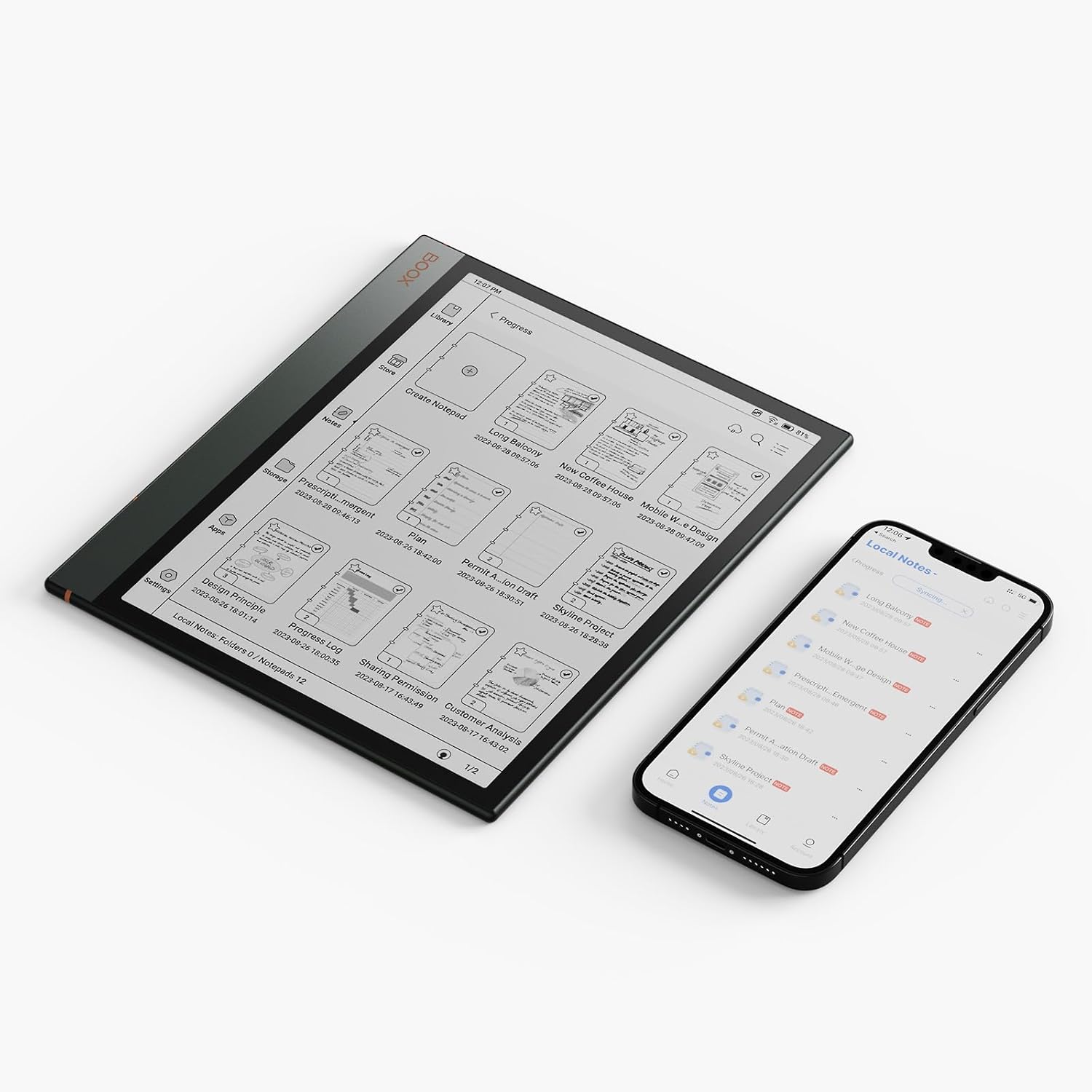
Image: The BOOX Note Air3 displaying a list of notes, positioned next to a smartphone showing a similar list, indicating synchronization capabilities between devices.
3.5 Android 12 Sistemụ arụmọrụ
The Note Air3 runs on Android 12, allowing you to install compatible third-party applications from the app store. This expands the functionality beyond reading and note-taking.
4. Nlekọta
4.1 Na-ehicha ihuenyo ahụ
To clean the ePaper screen, use a soft, lint-free cloth. For stubborn smudges, slightly dampen the cloth with water or a screen-cleaning solution specifically designed for electronic displays. Avoid harsh chemicals or abrasive materials.
4.2 Nlekọta batrị
The Note Air3 is equipped with a 3700 mAh Lithium Polymer battery, offering approximately 2 weeks of battery life under typical usage. To prolong battery lifespan:
- Zere oke okpomọkụ.
- Ekwela ka ngwaọrụ ahụ gbapụ kpamkpam ruo ogologo oge.
- Charge the device regularly, but avoid overcharging.
4.3 Mmelite ngwanrọ
BOOX provides at least 3 years of firmware updates for each product. Regularly check for and install software updates to ensure optimal performance, security, and access to new features. Updates can typically be found in the device's settings under 'System Update'.
4.4 Njikwa nchekwa
The device has 64 GB of internal storage. Periodically review ma hichapụ adịghị mkpa files to free up space. Utilize the 10 GB of BOOX cloud storage for important documents and backups.
5. Nchọpụta nsogbu
5.1 Ngwaọrụ anaghị aza
If the device becomes unresponsive, try a forced restart by pressing and holding the power button for approximately 10-15 seconds until the device powers off and then restarts.
5.2 Okwu Njikọ Wi-Fi
- Ensure Wi-Fi is enabled in settings.
- Nyochaa na paswọọdụ Wi-Fi ziri ezi.
- Malitegharịa ekwentị Wi-Fi gị.
- Try connecting to a different Wi-Fi network to rule out network-specific issues.
5.3 Stylus Not Working
The BOOX Pen Plus does not require charging or pairing. If it is not responding, ensure the nib is properly seated. If issues persist, contact customer support.
5.4 Screen Display Issues
E-ink screens may occasionally show ghosting or residual images. A full screen refresh (often triggered automatically or manually via settings) can resolve this. If the screen is damaged, contact customer support.
6. Nkọwapụta
| Njirimara | Nkọwa |
|---|---|
| Aha Nlereanya | Note Air3 |
| Akụkụ | 22.6 x 19.3 x 0.6 cm |
| Ibu | 430 g |
| Nha ihuenyo | 10.3 sentimita asatọ |
| Ụdị ngosi | Electronic Ink (E-ink) |
| Mkpebi ihuenyo kacha | 1872 x 1404 Pixels (227 PPI) |
| Sistemụ nrụọrụ | Android 12 |
| Nchekwa nke ime | 64 GB |
| RAM | 4 GB |
| Nhazi | Qualcomm Snapdragon 888, 2.4 GHz |
| Ụdị batrị | Lithium polymer |
| Ike batrị | 3700 mAh |
| Nkezi Ndụ batrị | Izu 2 |
| Njikọta | Wi-Fi (802.11ac), Bluetooth 5, USB-C |
| Sensọ | G-ihe mmetụta |
| Ngwa gụnyere | BOOX Pen Plus, USB Cable |
7. Akwụkwọ ikike Ozi
All BOOX tablets, including the Note Air3, come with an official 2-year customer service warranty. This warranty covers manufacturing defects and ensures support for issues arising from normal use.
8. Nkwado
For any problems or inquiries regarding your BOOX Note Air3 tablet, please visit the official BOOX Help Center. You can submit a support request there for assistance. BOOX is committed to providing timely responses, typically within 24 hours.
For further information and resources, you may visit the BOOX Brand Store.