
1. Okwu mmalite
This manual provides essential information for the safe and effective use of the Teyleten Robot LM2596S LM2596 Buck Converter module. This device is a DC-DC step-down voltage regulator designed to convert a higher input voltage to a lower, adjustable output voltage. Please read these instructions carefully before installation and operation to ensure proper functionality and to prevent damage to the module or connected components.
2. Ngwaahịa gafereview
The LM2596S module is a highly efficient step-down (buck) switching regulator capable of driving a 3A load with excellent line and load regulation. It features a built-in fixed frequency oscillator (65 kHz) and a wide input voltage range, making it suitable for various electronic projects and power supply applications.
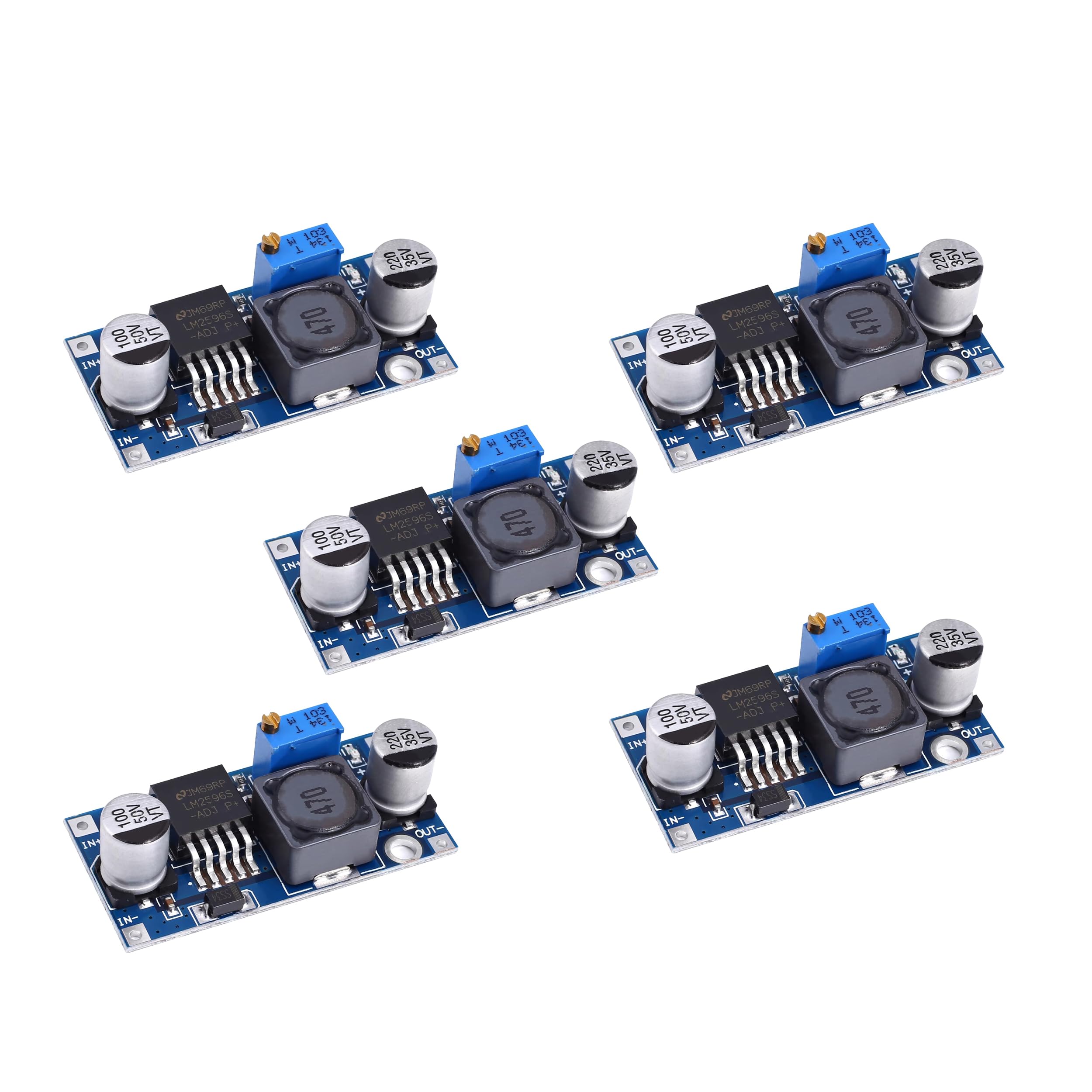
Foto 2.1: Top view of the LM2596S Buck Converter module. This image displays the main components including the LM2596S integrated circuit, the large inductor, electrolytic capacitors, and the blue multi-turn potentiometer used for voltage mmezi.

Ọgụgụ 2.2: N'akuku view of the LM2596S Buck Converter module. This perspective clearly shows the input terminals labeled 'IN+' and 'IN-' on one side, and the output terminals 'OUT+' and 'OUT-' on the opposite side, facilitating connection identification.
3. Nkọwapụta
| Njirimara | Nkọwapụta |
|---|---|
| Ntinye Voltage Oke | DC 3.2V ruo 40V |
| Mmepụta Voltage Oke | DC 1.25V to 35V (Adjustable) |
| Mmepụta ugbu a | 3A (Kachasị) |
| Ntugharị arụmọrụ | Up to 92% (Maximum) |
| Ugboro ngbanwe | 65 kHz |
| Mpụta Ripple | <30mV |
| Okpomọkụ na-arụ ọrụ | -45 ℃ ka +85 ℃ |
| Ụdị modul | Non-isolated step-down module (BUCK) |
Mara: Ntinye voltage must be at least 1.5V higher than the desired output voltage for proper regulation. This module is a step-down converter and cannot boost voltage.
4. Nhazi
- Chọpụta ọnụ ụzọ: Locate the input terminals (IN+ for positive, IN- for negative) and output terminals (OUT+ for positive, OUT- for negative) on the module.
- Jikọọ ike ntinye: Connect your DC power source to the IN+ and IN- terminals. Ensure correct polarity. The input voltage must be within the specified range of 3.2V to 40V DC.
- Ibu Njikọ: Connect your load device to the OUT+ and OUT- terminals. Ensure correct polarity.
- Hazie mmepụta Voltage:
- Before connecting a sensitive load, it is highly recommended to adjust the output voltagmbụ e.
- Connect a voltmeter to the OUT+ and OUT- terminals.
- Apply input power.
- Using a small screwdriver, carefully turn the multi-turn potentiometer (the blue component with a screw) clockwise to increase the output voltage ma ọ bụ n'akụkụ aka ekpe iji belata ya.
- Hazie ruo mgbe olu mmepụta achọrọtage is displayed on the voltmeter.
- Nyochaa ọrụ: Ozugbo mmepụta voltage is set, you can connect your load and verify its proper operation.
5. Ntuziaka ọrụ
- Voltage mmezi: Mmepụta voltage is continuously adjustable within its specified range (1.25V to 35V). Always adjust the voltage with a voltmeter connected to the output before connecting your final load.
- Oke ugbu a: The module can supply up to 3A of output current. Do not exceed this limit to prevent damage to the module. For continuous operation at higher currents, consider adding a heatsink to the LM2596S chip.
- Ntinye Voltage chọrọ: Always ensure the input voltage is at least 1.5V higher than your desired output voltage. Maka example, if you need 5V output, the input must be at least 6.5V.
- Polarity: Double-check all connections for correct polarity (IN+, IN-, OUT+, OUT-) before applying power. Incorrect polarity can damage the module and connected devices.
6. Nlekọta
- Nhicha: Keep the module clean and free from dust and debris. Use a soft, dry brush or compressed air for cleaning. Do not use liquids.
- Ọnọdụ gburugburu: Operate the module within its specified operating temperature range (-45℃ to +85℃). Avoid exposure to excessive moisture, extreme temperatures, or corrosive environments.
- Nyocha: Periodically inspect the module for any signs of physical damage, loose connections, or discoloration of components, which may indicate overheating.
7. Nchọpụta nsogbu
- Enweghị mmepụta Voltage:
- Check if input power is applied and within the specified range.
- Verify input and output wiring for correct polarity and secure connections.
- Gbaa mbọ hụ na ntinye voltage is sufficiently higher than the desired output voltage (at least 1.5V difference).
- Turn the potentiometer multiple turns in both directions to ensure it's not at an extreme setting.
- Mmepụta Voltage is Unstable or Incorrect:
- Re-adjust the potentiometer slowly while monitoring with a voltmeter.
- Check if the load current exceeds the maximum 3A rating. Reduce the load if necessary.
- Ensure the input power supply is stable and can provide sufficient current.
- Ịkpọ oke ọkụ na modulu:
- Reduce the output current or the difference between input and output voltage.
- Consider adding a heatsink to the LM2596S chip, especially for continuous operation at higher currents or larger voltage tufuo.
8. Ozi nchekwa
- Always disconnect power before making any connections or adjustments to the module.
- Ensure proper insulation to prevent short circuits.
- Do not touch the module components when power is applied, as some parts may become hot.
- This module is intended for use by individuals with appropriate knowledge of electronics and electrical safety.
- Agafela oke ntinye voltage or output current ratings.
9. Akwụkwọ ikike na nkwado
For warranty information, technical support, or inquiries regarding the Teyleten Robot LM2596S Buck Converter module, please contact the manufacturer directly. You can find more information and contact details by visiting the official Teyleten Robot Store.