
1. Okwu mmalite
The ChunHee SL15-2 Solar Motion Sensor Alarm is an outdoor security device designed to deter unwanted animals and intruders from various outdoor areas. It features a 360° motion detection system, a loud 129dB siren with multiple sound options, including a recording function, and an activated strobe light. The device is powered by solar energy with an option for USB charging, offering flexible placement and continuous operation.

2. Ihe ngwugwu
Biko chọpụta na ihe niile dị na ngwugwu gị:
- 2 x ChunHee Solar Motion Sensor Alarm units
- 2 x Njikwa anya
- 2 x eriri USB chaja
- Screws and Bolts for installation
- Akwụkwọ ntuziaka (akwụkwọ a)
3. Akụrụngwa Ngwaahịa
- 360° Motion Detection: Equipped with three motion detection sensors, providing comprehensive coverage within a range of 16-26 feet.
- Loud Siren & Strobe Light: Features a 129dB siren and activated strobe light to effectively deter intruders and animals.
- Nhọrọ ụda ọtụtụ: Includes 13 default sounds such as dog barking and gunshot sounds.
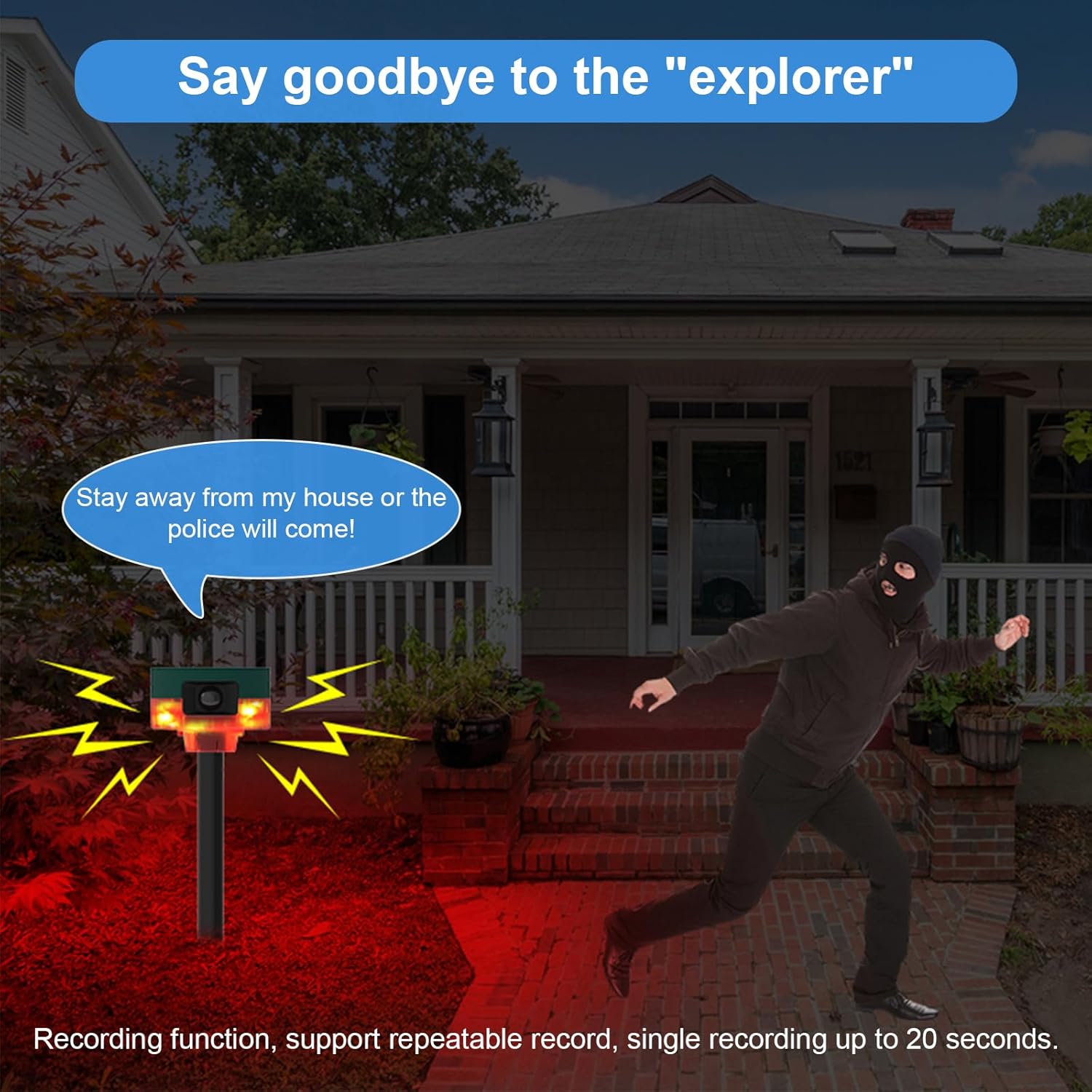
- Ọrụ ndekọ: Supports recording custom sounds up to 20 seconds in length.
- Nnyenye ike na-agbanwe agbanwe: Utilizes a solar panel for charging and includes a USB charging option for convenience.
- Nhazi na-adịgide adịgide: IP65 waterproof rating ensures functionality in various weather conditions.
4. Ngwa ngwaahịa
Familiarize yourself with the main components of your alarm unit:

- Ogwe anyanwụ: Located on top, charges the internal battery using sunlight.
- Ihe mmetụta ngagharị: Three sensors provide 360° detection.
- Strobe LED: Flashes upon motion detection.
- Ọdụ ụgbọ mmiri DC chaja: For USB cable charging.
- Ọkà okwu: Emits alarm sounds.
- Knob Switch: Controls power and settings.
- Igwe okwu: For recording custom sounds.
- Ground Insertion Pole: For ground installation.
- Rotating Bracket: For wall mounting and angle adjustment.
- Njikwa anya: Maka ọrụ dị mma.
5. Nwụnye
The ChunHee Solar Motion Sensor Alarm offers two primary installation methods:

5.1. Ground Insertion
- Attach the alarm unit to the provided support pole.
- Insert the pole firmly into the ground in your desired location.
- Ensure the pole is stable and upright to prevent tipping.
5.2. Mgbidi Mgbidi
- Secure the rotating bracket to a wall or fence using the provided screws and bolts.
- Attach the alarm unit to the rotating bracket.
- Adjust the angle of the alarm unit to optimize motion detection coverage.
6. Ike inye
The alarm unit can be powered and charged via two methods:

6.1. Solar Powered
The integrated solar panel on top of the unit charges the internal battery during daylight hours. For optimal performance, ensure the solar panel is exposed to direct sunlight for several hours daily.
6.2. Nchaji USB
For initial charging or during periods of low sunlight, use the provided USB cable to charge the unit via the DC charging port. Connect the USB cable to a standard USB power adapter (not included) or a computer USB port.
7. Ọrụ
The ChunHee Solar Motion Sensor Alarm features three work modes and a customizable sound system.
7.1. Work Modes
Refer to the remote control or the knob switch on the unit to select the desired work mode. Specific details for each mode are typically outlined in the quick start guide included with the product.
7.2. Nhọrọ ụda
The alarm comes with 13 default sounds. Use the remote control or short press the designated button on the unit (as indicated in the components diagram) to cycle through the available sounds.
7.3. Ọrụ ndekọ
To record a custom sound (up to 20 seconds):
- Long press the recording button (refer to the components diagram for location).
- Kwuo nke ọma n'ime igwe okwu.
- Release the button to stop recording. The recorded sound will now be part of the sound options.
7.4. Ime njikwa ojiji
The remote control allows for convenient activation, deactivation, mode switching, and sound selection from a distance. Ensure the remote control has a clear line of sight to the alarm unit for optimal functionality.
7.5. Ngwa ndapụta

8. Nlekọta
- Nhicha: Periodically wipe the solar panel and motion sensors with a soft, damp cloth to ensure they remain free of dirt and debris, which can affect performance.
- Nlekọta batrị: For prolonged periods of storage, ensure the unit is fully charged. Recharge every few months to maintain battery health.
- Nkwanye: Re-evaluate the placement periodically to ensure optimal sunlight exposure for the solar panel and effective motion detection coverage.
9. Nchọpụta nsogbu
- Alarm not activating upon motion detection:
- Ensure the unit is powered on and in an active work mode. Check for obstructions blocking the motion sensors. Verify the detection range is appropriate for the area.
- Unit not charging:
- Ensure the solar panel is clean and receiving direct sunlight. If using USB charging, verify the cable and power adapter are functioning correctly.
- Sound is too low or not playing:
- Check the volume settings. Ensure the speaker is not obstructed. If a custom recording is used, re-record to ensure clarity.
- Njikwa anya anaghị arụ ọrụ:
- Check the remote control's battery. Ensure there are no obstructions between the remote and the alarm unit.
10. Nkọwapụta
| Ụdị | ChunHee |
| Nọmba nlereanya | SL15-2 |
| Isi Iyi Ike | Ike anyanwụ |
| Ibu Ibu | 0.81 kilogram |
| Oke nchọpụta ngagharị | 16-26 ụkwụ |
| Akụkụ Nchọpụta Motion | 360° |
| Ụdị nkwụnye | Wall Mount, Ground Insertion |
| Mpụta ụda | Ruo 129dB |
| Ngosi nke enweghị mmiri | IP65 |
11. Akwụkwọ ikike na nkwado
For any questions, suggestions, or support needs regarding your ChunHee Solar Motion Sensor Alarm, please contact our customer service. We aim to respond to all inquiries within 24 hours.
Biko dowe akwụkwọ ikike ịzụrụ ihe ọ bụla.