
1. Ngwaahịa gafereview
The Creator C420 is a specialized OBD2 diagnostic scanner designed for BMW and Mini vehicles. It provides comprehensive system diagnostics and advanced service reset functions, in addition to standard OBD2 capabilities for all OBD2 compliant vehicles. This manual provides instructions for its proper setup, operation, and maintenance.
2. Ihe ngwugwu
Nyochaa na etinyere ihe niile edepụtara n'okpuru na ngwugwu gị:
- 1 x Creator C420 BMW Code Reader
- 1 x Akpa na-ebu
- 1 x Kaadị Reader
- 1 x eriri USB
- 1 x Akwụkwọ ntuziaka onye ọrụ (akwụkwọ a)
3. Ntọala na Njikọ
Follow these steps to connect the C420 scanner to your vehicle:
- Chọta ọdụ ụgbọ mmiri OBD-II: Ọdụ ụgbọ mmiri OBD-II na-adịkarị n'okpuru dashboard dị n'akụkụ onye ọkwọ ụgbọala nke ụgbọala ahụ. Lee akwụkwọ ntuziaka onye nwe ụgbọala gị ma ọ bụrụ na ịnweghị ike ịchọta ya.
- Jikọọ ihe nyocha ahụ: Plug the C420's OBD-II connector firmly into the vehicle's OBD-II port.
- Ike Na: The scanner will power on automatically once connected to the vehicle's OBD-II port, drawing power directly from the vehicle. Ensure the vehicle's ignition is in the 'ON' position (engine off or running, depending on the diagnostic task).
- Adapter for Older Models: For BMW and Mini vehicles manufactured between 1997-2004, a 20-pin adapter (not included) may be required to connect the C420 scanner.

Image: The Creator C420 scanner with its OBD-II connector, ready for connection to a vehicle.
4. Ntuziaka ọrụ
The C420 features a 2.4" TFT 240K true color LCD display and a silicone keypad for navigation. The menu layout is designed for ease of use.
4.1. Ihe mkpuchi ụgbọ ala
The Creator C420 is compatible with most BMW and Mini models from 2001 and newer. Specific series covered include:
- Usoro 1: E81, E82, E87, E88, F20, F21
- Usoro 2: F22, F23, F45, F46, F87
- Usoro 3: E46, E90, E91, E92, E93, F30, F31, F34, F35, F80
- Usoro 4: F32, F33, F36, F82, F83
- Usoro 5: E39, E60, E61, F07(GT), F10, F11, F18
- Usoro 6: E63, E64, F06, F12, F13
- Usoro 7: E38, E65, E66, E68, F01, F02, F03, F04, G11, G12
- I Series: I01, I12
- Usoro X: X1: E84/F48/F49, X3: E83/F25, X4: F26, X5: E53/E70/F15/F85, X6: E71/E72/F16/F86
- Usoro Z: Z3: E36, Z4: E85/E86/E89
- MINI: R50, R52, R53, R55, R56, R57, R58, R59, R60, R61, F54, F55, F56, F57

Image: Detailed list of BMW and Mini series and chassis codes supported by the C420 scanner.
4.2. Nchọpụta Sistemụ zuru oke
The C420 supports diagnostic functions for all major vehicle systems, allowing you to read and clear trouble codes. Systems include, but are not limited to:
- Engine (ENG)
- Sistemụ mgbachi mkpọchi (ABS)
- Supplemental Restraint System (SRS / Airbag)
- Sensọ steering Angle (SAS)
- breeki na-adọba ụgbọala (EPB)
- Sistemu njikwa batrị (BMS)
- Modul njikwa nnyefe (TCM)
- Sistemụ Nlebaanya Nrụgide Taya (TPMS)
- Immobilizer System (IMMO)
- Air Conditioning / HVAC
- Module njikwa ahụ (BCM)
- Sistemụ mmanụ

Image: Visual representation of the full system diagnostic capabilities of the C420 scanner.
4.3. Advanced Reset Features
The C420 offers several advanced service reset functions specifically for BMW and Mini vehicles:
- CBS Reset: Condition Based Service reset.
- Ndebanye aha Batrị: Registers a new battery to the vehicle's system.
- Ntọghari mmanụ: Na-emegharị ọkụ ọrụ mmanụ mgbe agbanwechara mmanụ.
- ABS Reset: Resets the Anti-lock Braking System.
- Tọgharia SRS: Resets the Supplemental Restraint System (Airbag).
- Tọgharịa SAS: Na-emegharị ihe mmetụta akụkụ steering.
- Tọgharia EPB: Na-emegharị brek eletrọniki a na-adọba ụgbọala.
- DPF Service: Diesel Particulate Filter service functions.
- Throttle Body Alignment: Performs throttle body adaptation.
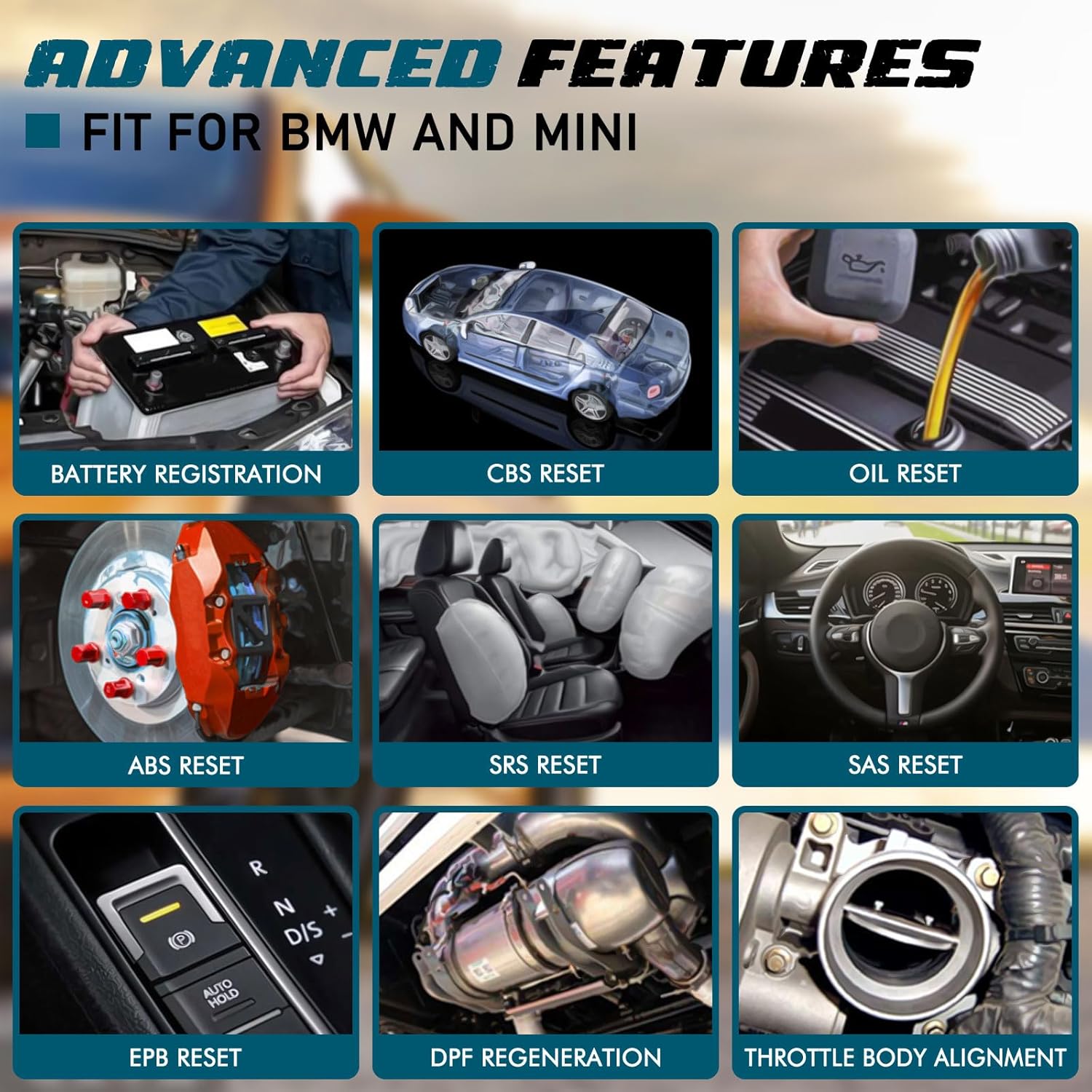
Foto: Examples of advanced features available on the C420, including battery registration, CBS reset, and oil reset.
Battery Registration Specifics:
The battery registration function does not support vehicles manufactured before 2004, nor does it support the following E chassis models: 3_Series E46, 5_Series E39, 7_Series E38, X3_E83, X5_E53, Z3_E36, Z4_E85/E86, MINI_R50/R51/R52/R53. For these specific models, direct battery replacement is sufficient as registration is not required. The battery registration function is intended for batteries of the same type and capacity as the original.

Image: Step-by-step screen prompts for performing battery registration using the C420 scanner.
4.4. Universal OBD2 Functions
In addition to BMW/Mini specific functions, the C420 also serves as a universal OBD2 code reader for all OBD2 compliant vehicles, supporting functions such as:
- Turn-Off Malfunction Indicator Light (MIL)
- Ọnọdụ Njikere I/M
- Nnwale batrị
- Live Data Streams
- Vehicle Information (VIN, CID, CVN)
- Nlele Nyocha On-Board
- Data Frame kwụsịrị
- Nyocha DTC
- Nnwale Sensọ O2

Image: The C420 display showing various universal OBD2 functions and icons for supported languages.
5. Nlekọta
5.1. Mmelite ngwanrọ
The Creator C420 supports lifetime free software upgrades. New parameters, functions, and the latest vehicle data are regularly updated. To update the software:
- Visit the official Creator website to download the update tool and latest software package.
- Connect the C420 scanner to your computer using the provided USB cable.
- Follow the instructions provided with the update tool to install the new software.
5.2. Device Care
- Debe ngwaọrụ ahụ dị ọcha ma kpọọ nkụ.
- Store the device in its rugged drop-proof carrying case when not in use to prevent damage.
- Zere ikpughe ngwaọrụ ahụ na oke okpomọkụ ma ọ bụ anwụ kpọmkwem ruo ogologo oge.
6. Nchọpụta nsogbu
- Ngwaọrụ anaghị agbanye: Ensure the scanner is securely connected to the vehicle's OBD-II port and the vehicle's ignition is in the 'ON' position. Check the vehicle's fuse for the OBD-II port if the issue persists.
- Limited information displayed: If using on a non-BMW/Mini vehicle, the scanner will only provide universal OBD2 functions. For BMW/Mini, ensure the correct vehicle model is selected if prompted.
- Navigation difficulties: The menu system requires selection of vehicle model and series for specific functions. Use the 'OK' button to confirm selections and the 'ESC' button to go back.
- Update issues: Ensure a stable internet connection during software updates. If the update fails, try a different USB port or computer.
7. Nkọwapụta
| Njirimara | Nkọwapụta |
|---|---|
| Ụdị | Onye Okike |
| Nọmba nlereanya | Creator C420 for BMW |
| Isi Iyi Ike | OBD-II Interface |
| Sistemụ nrụọrụ | SCM |
| Nha ihuenyo | 2.4 sentimita asatọ |
| Mkpebi obodo | 240K |
| Ọnụọgụ nke ihe | 1 |
8. Akwụkwọ ikike na nkwado
8.1. Akwụkwọ ikike
The Creator C420 comes with a 12-month manufacturer's warranty from the date of purchase. Please retain your proof of purchase for warranty claims.
8.2. Nkwado nka na ụzụ
Creator offers lifetime free software upgrades and dedicated technical support. For assistance with product operation, troubleshooting, or software updates, please refer to the contact information provided on the official Creator website or in the product packaging. Technical support is available to assist with any inquiries.