
Okwu mmalite
Thank you for choosing CLEYVER Earbuds Pro. This user manual provides essential information for the proper setup, operation, maintenance, and troubleshooting of your new wireless headphones. Please read this manual thoroughly before using the product to ensure optimal performance and longevity.
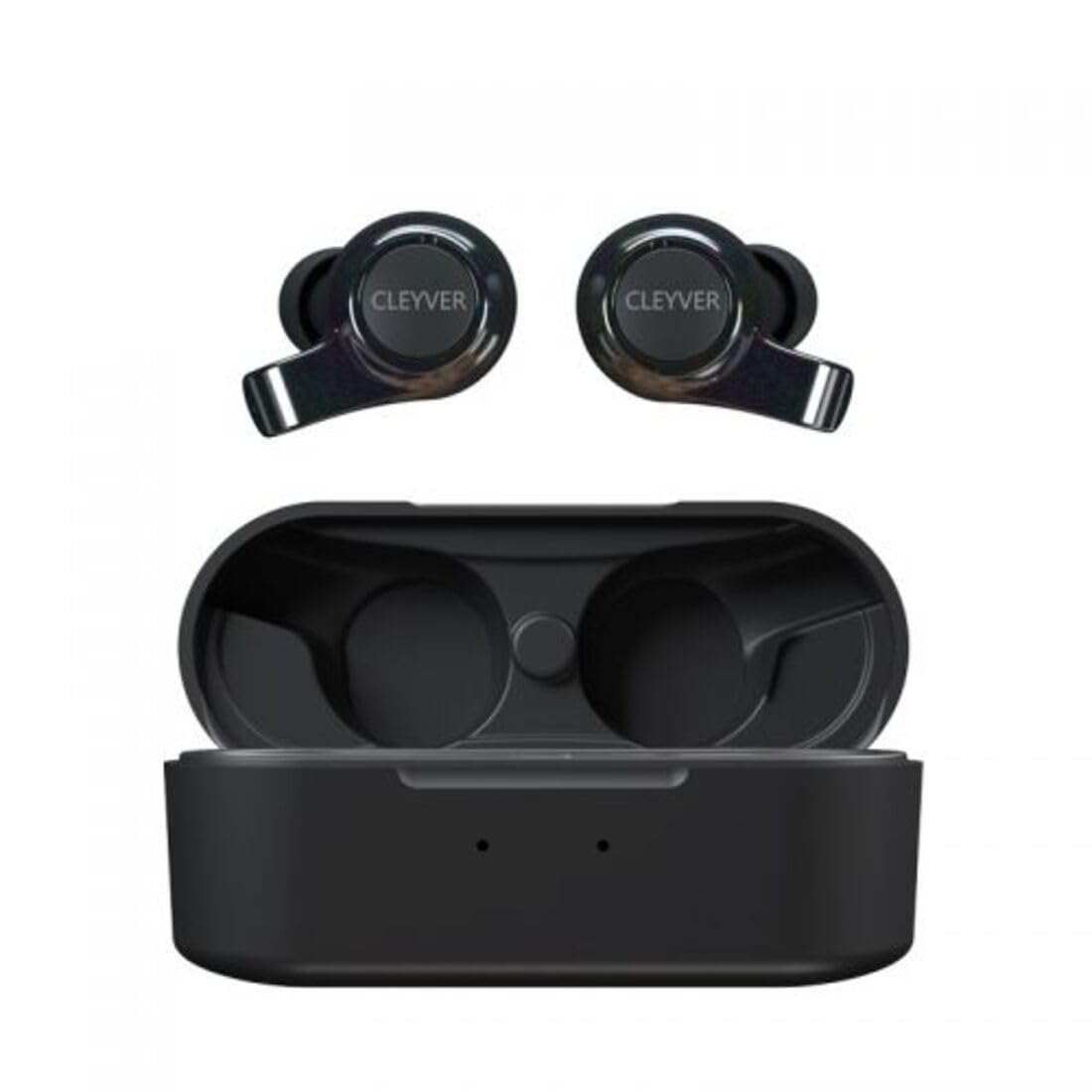
Image: The CLEYVER Earbuds Pro displayed with the CLEYVER brand logo.
Ihe ngwugwu
Gbaa mbọ hụ na ihe niile dị na ngwugwu gị:
- CLEYVER Earbuds Pro (Left and Right)
- Akpa nchaji ikuku
- USB-C eriri USB
- Eartips (obere, ọkara, nnukwu nha)
- Akwụkwọ ntuziaka (akwụkwọ a)

Image: The CLEYVER Earbuds Pro and their accompanying charging case.
Ngwaahịa gafereview
The CLEYVER Earbuds Pro are designed for a superior audio experience with advanced features. Each earbud is equipped with a dual microphone system for clear calls and Environmental Noise Cancellation (ENC) technology. The earbuds feature a hybrid Touch & Push-button control system for easy management of calls and media playback.
The compact charging case provides extended battery life and supports both wired (USB-C) and wireless charging.

Image: The CLEYVER Earbuds Pro securely placed within their charging case.
Melite
1. Ịchaji ihe ntị na akpa
Tupu ojiji nke mbụ, chajie nke ọma ekwe ntị na akpa nchaji.
- Wired Nchaji: Jikọọ eriri USB-C enyere na ọdụ ụgbọ mmiri dị na akpa ahụ yana na isi iyi ọkụ.
- Nchaji ikuku: Tinye akpa nchaji na mpe mpe akwa ịchaji ikuku dakọtara.
The charging case has a 500 mAh battery, providing up to 40 hours of listening time or 7 hours of talk time. A quick 10-minute charge can provide up to 2 hours of autonomy.

Image: Visual representation highlighting the 40 hours of playtime for the CLEYVER Earbuds Pro.
2. Ijikọ na ngwaọrụ gị
- Mepee mkpuchi nke akpa chaja. Ekwe ntị ndị a ga-abanye na ọnọdụ njikọta na akpaghị aka.
- Na ngwaọrụ gị (smartphone, mbadamba, wdg), gbanye Bluetooth.
- Chọọ maka available Bluetooth devices and select "CLEYVER Earbuds Pro" from the list.
- Ozugbo ejikọtara ya, ụda nkwenye ga-akpọ, ekweisi ga-adịkwa njikere maka ojiji.
The earbuds feature instant pairing when the case lid is opened, simplifying the connection process.

Image: A smartphone screen displaying the CLEYVER Earbuds Pro as a connected Bluetooth device, illustrating the simple setup process.
3. Yiri ekwe ntị
Choose the eartip size (S, M, L) that provides the most comfortable and secure fit for optimal sound quality and noise isolation. Gently insert the earbuds into your ears and twist slightly to secure them.

Image: A person demonstrating how to properly insert a CLEYVER Earbud Pro into their ear.
Na-arụ ọrụ Earbuds
Touch & Push-Button Controls
The CLEYVER Earbuds Pro feature a hybrid control system combining touch gestures with a physical push-button for precise command execution. Specific functions for playback, call management, and mode switching are detailed in the quick start guide included in the package.
Ụdị ụda
- Mkpuchi mkpọtụ gburugburu (ENC): This technology actively reduces ambient noise, providing clearer audio during calls and an immersive listening experience.
- Ụdị nghọta: Allows you to hear your surroundings without removing the earbuds. You can choose between full or partial noise isolation to stay aware of your environment.

Image: A person wearing CLEYVER Earbuds Pro, with an overlay indicating 'Transparency Mode' and a phone screen showing options for different sound modes.
Ụdị egwuregwu
Activate Gaming Mode for reduced audio latency, ensuring synchronized sound with on-screen action during gaming sessions.

Image: The CLEYVER Earbuds Pro positioned beside a smartphone screen showing a dynamic racing game, illustrating the 'Gaming Mode' feature.
Ọrụ oku
Benefit from HD audio and a dual microphone system per earbud, designed to deliver crystal-clear voice quality during calls while minimizing background noise.
Mono or Stereo Use
The earbuds can be used individually (mono mode) or together (stereo mode) according to your preference and situation.
Nlekọta
Nhicha
Na-ehicha ntị ntị gị na ihe mkpuchi chaja gị mgbe niile iji hụ na arụmọrụ na ịdị ọcha kacha mma.
- Use a soft, dry, lint-free cloth to wipe the earbuds and case.
- For eartips, remove them from the earbuds and clean with a damp ákwà, wee kpoo ya nke ọma tupu ị tinyeghachi ya.
- Zere iji ihe ndị na-emebi ihe, ihe mgbaze, ma ọ bụ kemịkal siri ike.
Nchekwa
Mgbe ejighị ya, chekwaa ntị ntị n'ime akpa nchaji ha iji chebe ha pụọ na uzuzu, mmebi, na idowe ya ebubo.
Mmiri Nguzogide
The CLEYVER Earbuds Pro are IPX5 certified, meaning they are protected against low-pressure water jets from any direction. This makes them suitable for workouts and light rain, but they are not designed for submersion in water.
Nchọpụta nsogbu
If you encounter issues with your CLEYVER Earbuds Pro, refer to the following common solutions:
| Nsogbu | Ngwọta enwere ike |
|---|---|
| Igwe ntị anaghị ejikọta ọnụ | Ensure earbuds are charged. Turn off and on your device's Bluetooth. Place earbuds back in case, close, then reopen to re-enter pairing mode. |
| Enweghị ụda sitere na otu ntị ntị | Check battery level of both earbuds. Re-pair the earbuds with your device. Ensure both earbuds are properly seated in the charging case for connection. |
| Nchaji anaghị akwụ ụgwọ | Verify the USB-C cable is securely connected to both the case and power source. If using wireless charging, ensure the case is correctly positioned on the charging pad. |
| Ogo ụda adịghị mma | Ensure earbuds are clean and eartips are correctly sized and sealed in your ear. Move closer to your connected device to avoid interference. |
Nkọwapụta
| Njirimara | Nkọwa |
|---|---|
| Ụdị | Cleyver |
| Aha Nlereanya | ODEWPRO |
| Agba | Nwa |
| Ụdị Ihe | N'ime ntị |
| Teknụzụ Njikọta | Ikuku (Bluetooth 5.2) |
| Oke Bluetooth | Ruo mita 30 |
| Igwe okwu | 2 per earbud (with ENC Technology) |
| Njikwa mkpọtụ | Environmental Noise Cancellation (ENC), Transparency Mode |
| Mmiri Nguzogide | IPX5 Standard (splash resistant) |
| Oge egwu ntị | Ruo awa 40 (ya na akpa chaja) |
| Earbud Talk Time | Ruo awa iri abụọ |
| Oge Njikere | Ruo awa iri abụọ |
| Ịchaji batrị akpa | 500 mAh |
| Ụdị Nchaji | USB-C (wired) or Wireless Charging |
| Ngwa gụnyere | User Manual, USB-C Cable, Wireless Charging Case, Eartips |
Akwụkwọ ikike na nkwado
Ozi akwụkwọ ikike
The CLEYVER Earbuds Pro come with a 2-afọ akwụkwọ ikike from the date of purchase. This warranty covers manufacturing defects and ensures your product functions as intended under normal use. Please retain your proof of purchase for warranty claims.
Nkwado ndị ahịa
For further assistance, technical support, or warranty inquiries, please visit the official Cleyver website or contact their customer service through the details provided on your purchase receipt or packaging.