
Okwu mmalite
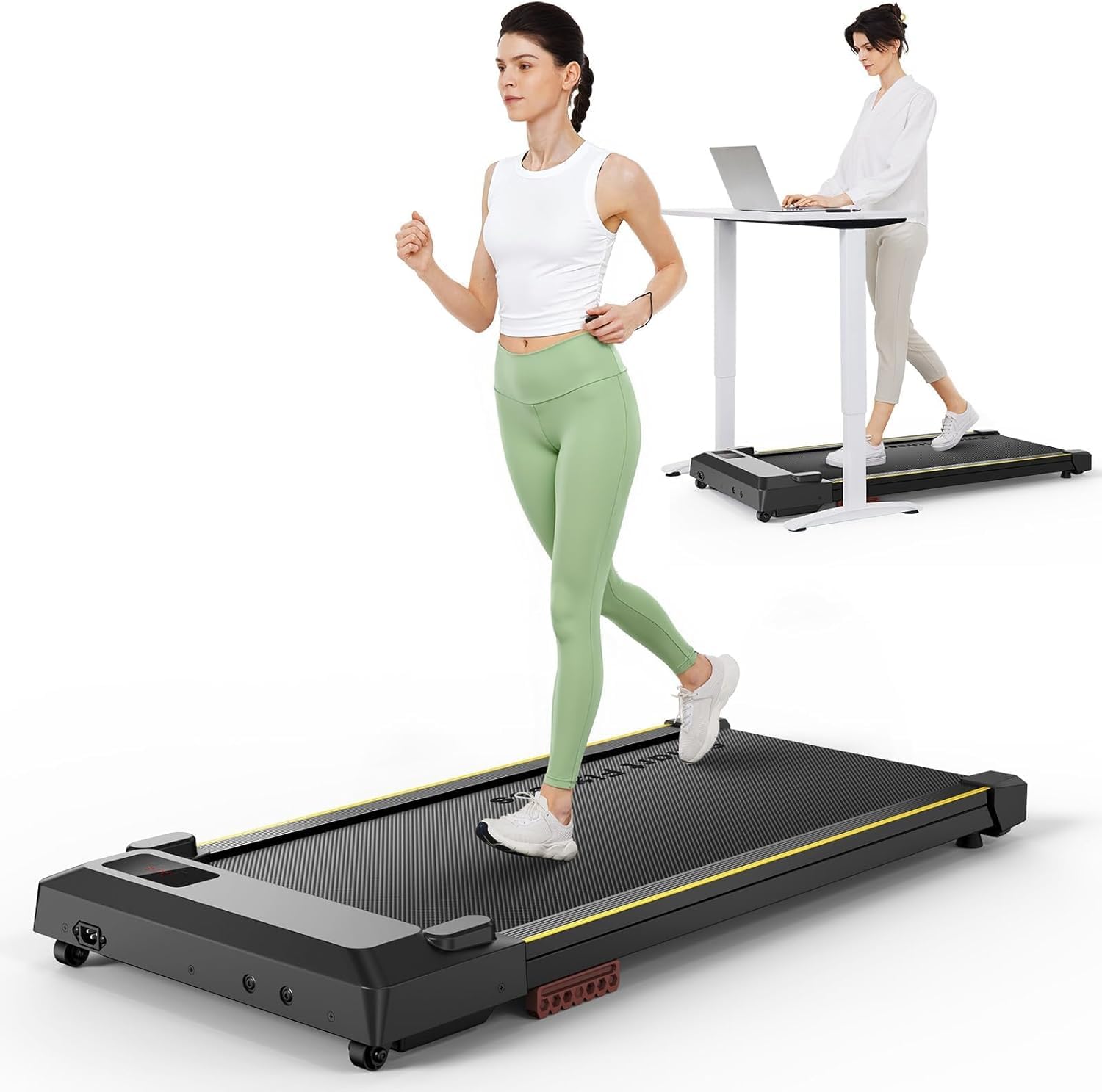
The UREVO URTM026 Walking Pad with Incline is a versatile and portable fitness device designed for both home and office use. Featuring a powerful 2.5 HP motor, LED display, and remote control, it offers a convenient way to incorporate walking, jogging, or light running into your daily routine. Its compact design and built-in wheels ensure easy storage and mobility.
Ntuziaka nchekwa
- Always read the user manual completely before operating the treadmill.
- Gbaa mbọ hụ na etinyere igwe igwe ahụ n'elu larịị ma kwụsie ike.
- Debe ụmụaka na anụ ụlọ n'ebe a na-azọ ụkwụ n'ebe a na-arụ ọrụ.
- Yiri akpụkpọ ụkwụ egwuregwu kwesịrị ekwesị.
- Do not stand directly on the moving walking belt.
- Disconnect power when not in use or during maintenance.
- Maximum weight recommendation: 265 lbs.
Ihe ngwugwu
- UREVO URTM026 Walking Pad with Incline
- Njikwa anya
- Akwụkwọ ntuziaka onye ọrụ
- Ụdọ ọkụ
Melite
The UREVO URTM026 Walking Pad comes with an installation-free design, ready to use right out of the box.
- Unpack the walking pad from its packaging.
- Debe ihe e ji eje ije n'elu ebe dị larịị ma kwụsie ike.
- Connect the power cord to the treadmill and then to a power outlet.
- Ensure the safety key (if applicable, refer to the full user manual) is in place.
Nkọwa onyonyo: A person unboxing the UREVO walking pad, showing it being lifted from its packaging.
Ntuziaka ọrụ
Ịgbanyụ/ Gbanyụọ
- Plug in the treadmill. The LED display will show "0000".
- Press the power button on the remote control or the main unit to turn it on.
- The treadmill will initiate a 3-second countdown before starting at the lowest speed (0.6 MPH).
Ndozi ọsọ ọsọ
Use the '+' button on the remote control to increase speed and the '-' button to decrease speed. The speed range is 0.6-4 MPH.
Ụdị ngosi
The LED display cycles through various metrics including time, calories, steps, speed, and distance. Press the 'M' (Mode) button on the remote to manually switch between display modes or let it cycle automatically.
Ọrụ kwụsịtụrụ
Press the play/pause button on the remote control to pause the treadmill. The belt will gradually slow down and stop, and the display will show "PAU". Press the button again to resume.
Mechie Ọrụ
The remote control includes a mute button to silence operational beeps.
Nkọwa onyonyo: A person demonstrating the remote control functions, showing buttons for speed adjustment, mode selection, and mute.
Atụmatụ igodo
Double Shock Absorption
- 15" x 40.2" large running surface.
- 5 layers of anti-slip belt.
- 8 silicone shock absorbers and 2 soft rubber pads for reduced joint impact.
Moto dị jụụ dị ike
- 2.5 HP motor for smooth operation.
- Quiet design suitable for home and office environments.
2-na-1 imewe
Functions as both a walking pad for light exercise and an under-desk treadmill.
Mbugharị & Nchekwa
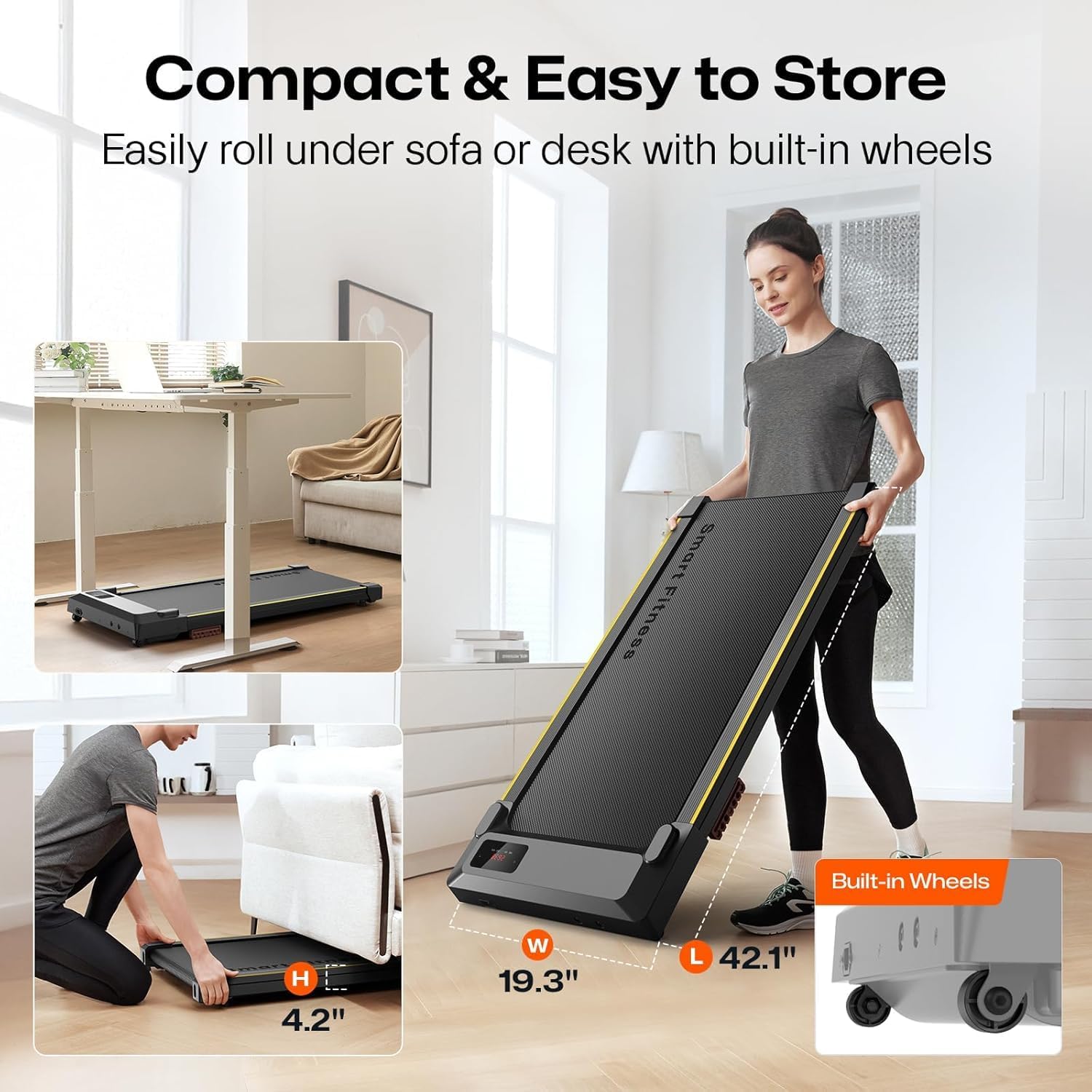
- Lightweight design with two front wheels for easy movement.
- Compact for storage under beds or sofas.
Nkọwa onyonyo: An image illustrating the compact design of the UREVO walking pad, showing it being rolled under a sofa with its built-in wheels.

Nkọwa onyonyo: A close-up image highlighting the shock-absorbing soft cushion mechanism on the UREVO walking pad, designed to increase rebound and protect knees.

Nlekọta
- mmanu mmanu: Regularly lubricate the running belt as per the instructions in the full user manual to ensure smooth operation and prevent wear.
- Nkwanye eriri: If the running belt shifts to one side, adjust it using the provided tool to prevent friction and damage. Refer to the full user manual for detailed adjustment steps.
- Nhicha: Debe igwe na-azọ ụkwụ ka ọ dị ọcha na enweghị uzuzu na irighiri ihe.
Nchọpụta nsogbu
- Okwu njikwa anya: If the remote control is unresponsive, check the battery (CR2032 type). Ensure it is properly paired with the treadmill. The remote has magnets for convenient storage on the treadmill to prevent loss.
- Belt Slippage/Noise: This may indicate a need for belt lubrication or alignment. Follow the maintenance instructions.
- Ụda na-adịghị ahụkebe: Investigate any unusual sounds. If a cracking sound occurs, especially under normal use, contact customer support.
Nkọwapụta
| Njirimara | Nkọwa |
|---|---|
| Ụdị | UREVO |
| Nọmba nlereanya | URTM026 |
| Akụkụ ngwaahịa | 42.1"D x 19.3"W x 4.4"H |
| Ibu Ibu | 42.3 pound |
| Ọsọ kacha | 4 kilomita kwa elekere |
| Ọsọ kacha nta | 0.6 kilomita kwa elekere |
| Ike inyinya kachasi | 2.5 Ike inyinya |
| Nkwanye ịdị arọ kacha | 265 pound |
| Na-agba ọsọ n'elu | 15" x 40.2" |
| Ngosipụta | LED (Time, Calories, Steps, Speed, Distance) |
| Njirimara Pụrụ Iche | Compact Design, Portable |
| Mgbakọ chọrọ | Mba |
Akwụkwọ ikike na nkwado
This UREVO Walking Pad comes with a 12-month warranty. For any questions or support, please refer to the contact information provided in the full user manual or visit the official UREVO websaịtị.