
1. Okwu mmalite
The Generac GB2000 Portable Power Station provides clean, emission-free power for various applications. This manual outlines the proper setup, operation, and maintenance procedures to ensure safe and efficient use of your device. Whether for home backup, camping, or outdoor activities, the GB2000 offers reliable energy.
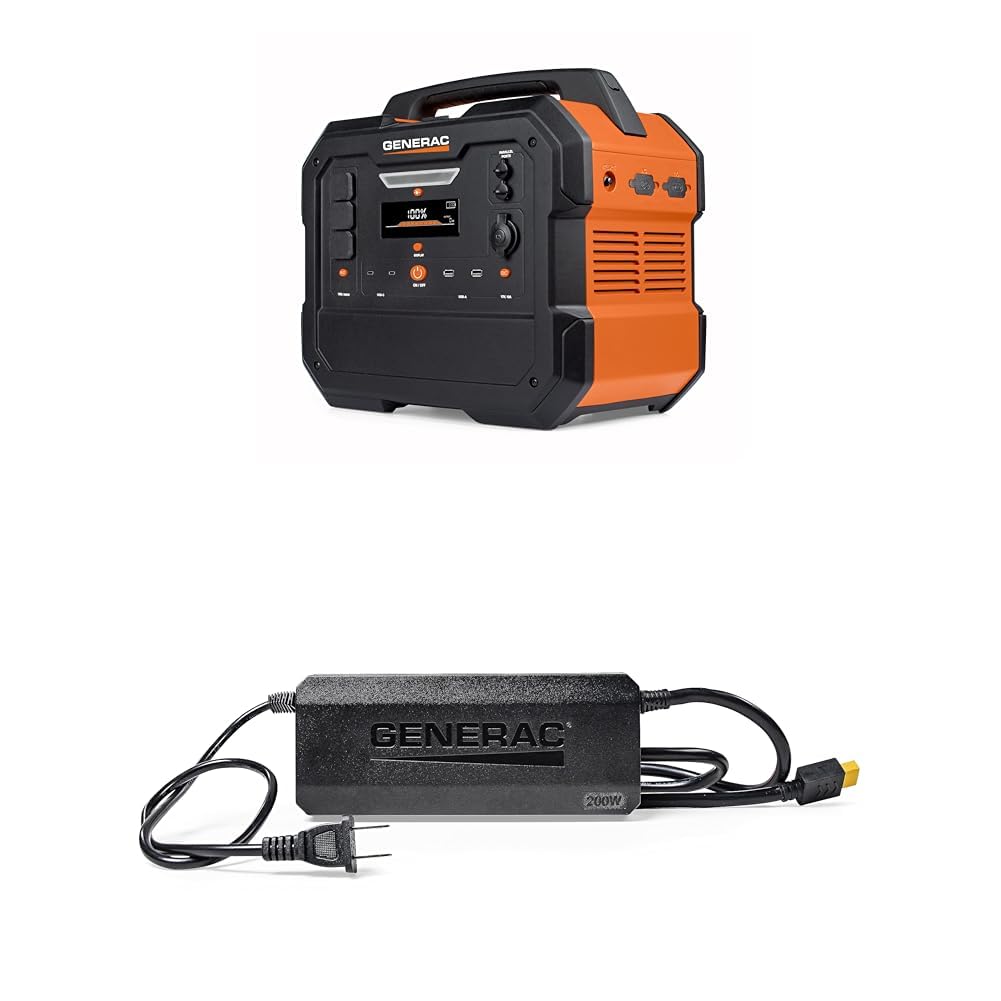
Image 1: Generac GB2000 Portable Power Station, a compact and durable unit with a handle for easy transport.
2. Ozi nchekwa
ỊDỌ AKA NA NTỊ: Gụọ ịdọ aka ná ntị na ntuziaka nchekwa niile tupu ị rụọ ọrụ ngwaahịa a. Ọ bụrụ na ị gbasoghị ịdọ aka ná ntị na ntuziaka ndị a, ọ nwere ike ibute mgbawa eletriki, ọkụ, na/ma ọ bụ mmerụ ahụ dị njọ.
- Ime ụlọ/n'èzí: This power station is designed for both indoor and outdoor use. Ensure adequate ventilation when operating indoors.
- Zere mmiri mmiri: Do not expose the power station to rain or wet conditions.
- Njikọ kwesịrị ekwesị: Ensure all connections are secure and correctly inserted to prevent electrical hazards.
- Nchekwa ibu ibu: Do not exceed the rated output of the power station. Overloading can cause damage to the unit and connected devices.
- Ụmụaka na anụ ụlọ: Keep the power station out of reach of children and pets.
- Nchekwa: Store the unit in a cool, dry place away from direct sunlight and flammable materials.
3. Ihe ngwugwu
Chọpụta na etinyere ihe niile na ngwugwu gị:
- Generac GB2000 Portable Power Station
- Generac 8031 Charge Enhancer 200W Charger
- Ịchaji eriri
- Akwụkwọ ntuziaka (akwụkwọ a)
4. Njirimara ngwaahịa na akụrụngwa
The Generac GB2000 is equipped with a variety of ports and features for versatile power delivery:
- Multi-Color Display: Provides real-time information on battery status, input/output wattage, na oge ọrụ fọdụrụ.
- AC Receptacles (NEMA 1-15R): Standard household outlets for powering various appliances.
- USB-C Output Receptacles: For fast charging compatible USB-C devices.
- USB-A Output Receptacles: Standard USB ports for charging smaller electronic devices.
- 12V Car Port: For powering 12V DC devices or charging the power station from a vehicle.
- ọdụ ụgbọ mmiri ndị yiri ya: Allows connection of two GB2000 units for increased power output (Parallel Kit sold separately).
- Mpempe chaja ikuku: Built-in 15W wireless charging for compatible devices.
- LED ON/OFF Button & Diffused LED Light: Provides illumination for various situations.
- AC Output ON/OFF Button: Controls the AC power output.
- Bọtịnụ Mpụpụ/ Gbanyụọ DC: Controls the DC power output.
- Display On/Off Button: Toggles the display screen.
- Main ON/OFF Button: Powers the entire unit on or off.

Foto 2: Zuru ezu view of the Generac GB2000 control panel, highlighting various input/output ports and control buttons.
5. Nhazi
- Ịkwapu: Carefully remove the Generac GB2000 and all accessories from the packaging.
- Ebube mbụ: Before first use, fully charge the power station using the provided charging cable and a standard wall outlet. The display will indicate charging progress.
- Mara onwe gị: Review the control panel and port locations as detailed in Section 4.
6. Ntuziaka ọrụ
- Gbanyụọ/ Gbanyụọ: Pịa ma jide Main ON/OFF Button to power the unit on or off. The multi-color display will activate.
- Activate AC Output: Pịa Mbupu AC bọtịnụ ngbanwu/ Gbanyụọ to enable the AC receptacles. The indicator light will illuminate.
- Activate DC Output: Pịa Bọtịnụ Mpụpụ/ Gbanyụọ DC to enable the DC ports (USB, 12V Car Port). The indicator light will illuminate.
- Jikọọ Ngwaọrụ: Plug your devices into the appropriate AC or DC ports. Monitor the display for real-time output wattage.
- Nchaji ikuku: Place your compatible device on the built-in 15W wireless charging pad located on top of the unit.
- Ọkụ LED: Pịa Bọtịnụ ngbanwu/ Gbanyụọ ọkụ to activate the diffused LED light. Press again to cycle through brightness settings or activate SOS mode.
- Ọrụ Nlekota: For increased power, connect two Generac GB2000 units using a Parallel Kit (sold separately) via the Parallel Ports. Refer to the Parallel Kit manual for detailed instructions.
7. Recharging Options
The Generac GB2000 offers flexible recharging methods:
- Mwepu mgbidi: Use the provided charging cable to connect to a standard AC wall outlet.
- Mpaghara Anyanwụ: Connect compatible solar panels (sold separately) to the designated input ports for eco-friendly recharging.
- chaja ụgbọ ala: Use a car charger (sold separately) to recharge the power station from your vehicle's 12V outlet.
- Charge Enhancer: Utilize the Generac 8031 Charge Enhancer 200W Charger to recharge your GB Power Station up to 25% faster.
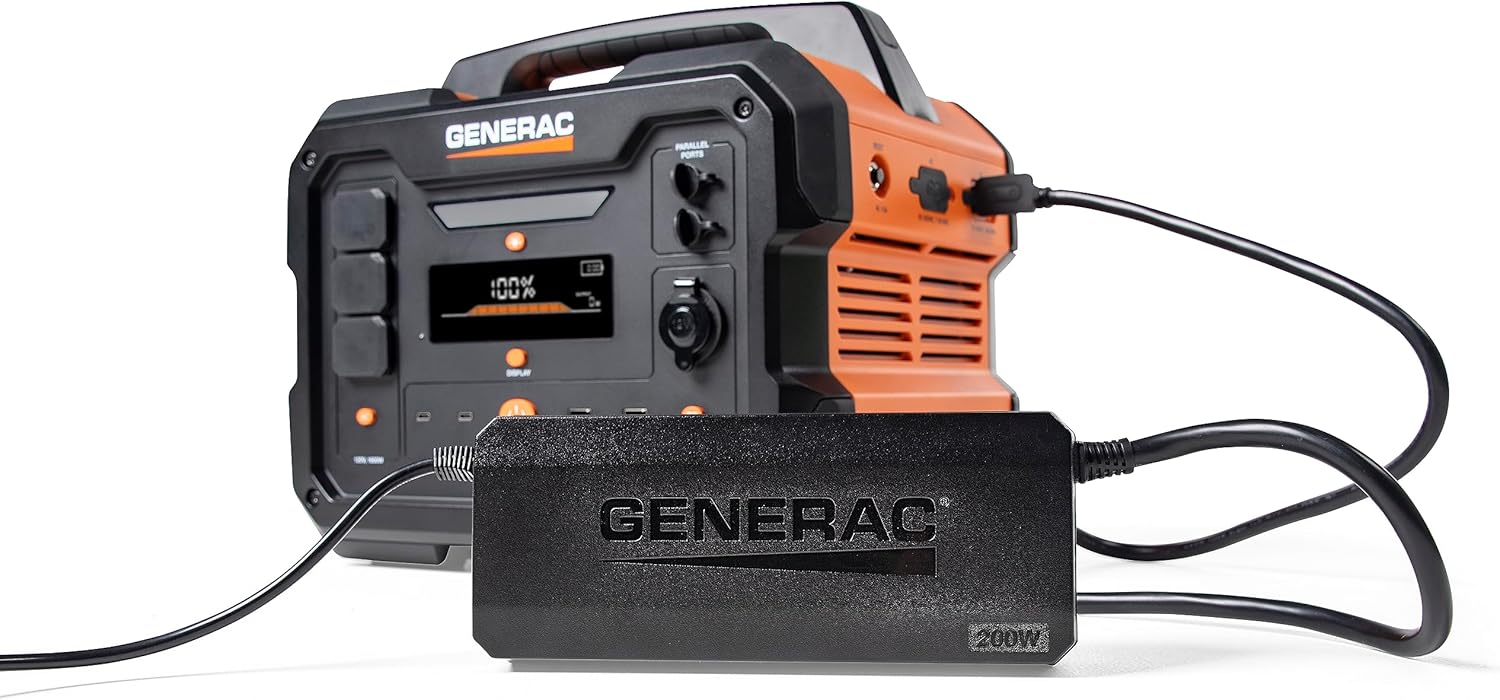
Image 3: Generac GB2000 connected to the Generac 8031 Charge Enhancer for optimized charging speed.

Image 4: Optional accessories for the Generac GB2000, including a Parallel Kit, Charge Enhancer, and Solar Panel.
8. Nlekọta
- Nhicha: Wipe the exterior of the power station with a soft, dry cloth. Do not use abrasive cleaners or solvents.
- Nchekwa: If storing for extended periods, ensure the battery is charged to at least 50% and recharge every 3-6 months to maintain battery health. Store in a cool, dry environment.
- Nyocha: Periodically inspect the unit and cables for any signs of damage. Do not operate if damaged.
9. Nchọpụta nsogbu
- Unit anaghị agbanye: Hụ na batrị ahụ chajịela. Ọ bụrụ na ọ bụghị, jikọọ na isi iyi ike.
- Enweghị Mbupụ sitere na Ọdụ Ụgbọ Mmiri: Verify that the AC/DC output buttons are pressed and their indicator lights are on. Check device connections.
- Ngosipụta oke ibu: If the overload alarm activates, disconnect some devices to reduce the load. The unit may automatically reset or require a manual restart.
- Okwu ịchaji: Ensure the charging cable is securely connected and the power source is active. Check the display for charging status.
10. Nkọwapụta
| Njirimara | Nkọwapụta |
|---|---|
| Ụdị | Generac |
| Aha Nlereanya | GB2000 |
| Wattage | 2106 watts (Starting), 2000 watts (Output) |
| Isi Iyi Ike | Solar Powered (compatible) |
| Njirimara Pụrụ Iche | Lightweight, Portable, Wireless Charging |
| Ngwa gụnyere | Charging Cable, Generac 8031 Charge Enhancer 200W Charger |
| Mkpokọta ọdụ ọkụ | 6 (AC, USB-A, USB-C, 12V DC) |

Image 5: Estimated runtimes for common devices with the Generac GB2000 Portable Power Station.
11. Akwụkwọ ikike na nkwado
For warranty information, technical support, or service inquiries, please refer to the warranty card included in your product packaging or visit the official Generac websaịtị. Debe nnata nzụta gị ka ihe akaebe nke ịzụrụ.