
SeKi 17437
SeKi Network Cable Tester (Model 17437) - Instruction Manual
For RJ11, RJ12, and RJ45 Network and ISDN Cables
1. Okwu mmalite
The SeKi Network Cable Tester (Model 17437) is a versatile and reliable tool designed for verifying the integrity of network and ISDN cable connections. It supports universal compatibility with RJ11, RJ12, and RJ45 network connections, making it an essential device for IT technicians, system administrators, and DIY enthusiasts. This tester is particularly suitable for LAN network cables including CAT5, CAT6, and CAT7 standards.
The device consists of two units: a Master unit and a Remote unit. Both units feature integrated LED indicators for 8 individual wires plus a ground (G) indicator, providing clear visual feedback during testing. These test LEDs allow you to monitor the cable's wiring and quickly detect potential errors such as open circuits, short circuits, miswires, and cross-overs.
2. Ntuziaka nchekwa
- Gụọ ntuziaka niile tupu ị rụọ ọrụ ngwaọrụ.
- Ewepụla ngwaọrụ ahụ na mmiri ma ọ bụ oke okpomọkụ.
- Use only a 9V battery of the specified type. Ensure correct polarity during installation.
- Wepụ batrị ahụ ma ọ bụrụ na a gaghị eji ngwaọrụ ahụ ruo ogologo oge iji gbochie mmiri ịpụ apụ.
- Anwala imeghe ma ọ bụ rụkwaa ngwaọrụ n'onwe gị. Kpọtụrụ ndị ọrụ ruru eru ọrụ niile.
- Debe ngwaọrụ ahụ ka ụmụaka ghara iru ya.
3. Ngwa ngwaahịa
The SeKi Network Cable Tester comprises two main parts:
- Master Unit: The larger unit with the power switch and multiple ports.
- Nkeji dị anya: The smaller, detachable unit used for testing the far end of a cable.
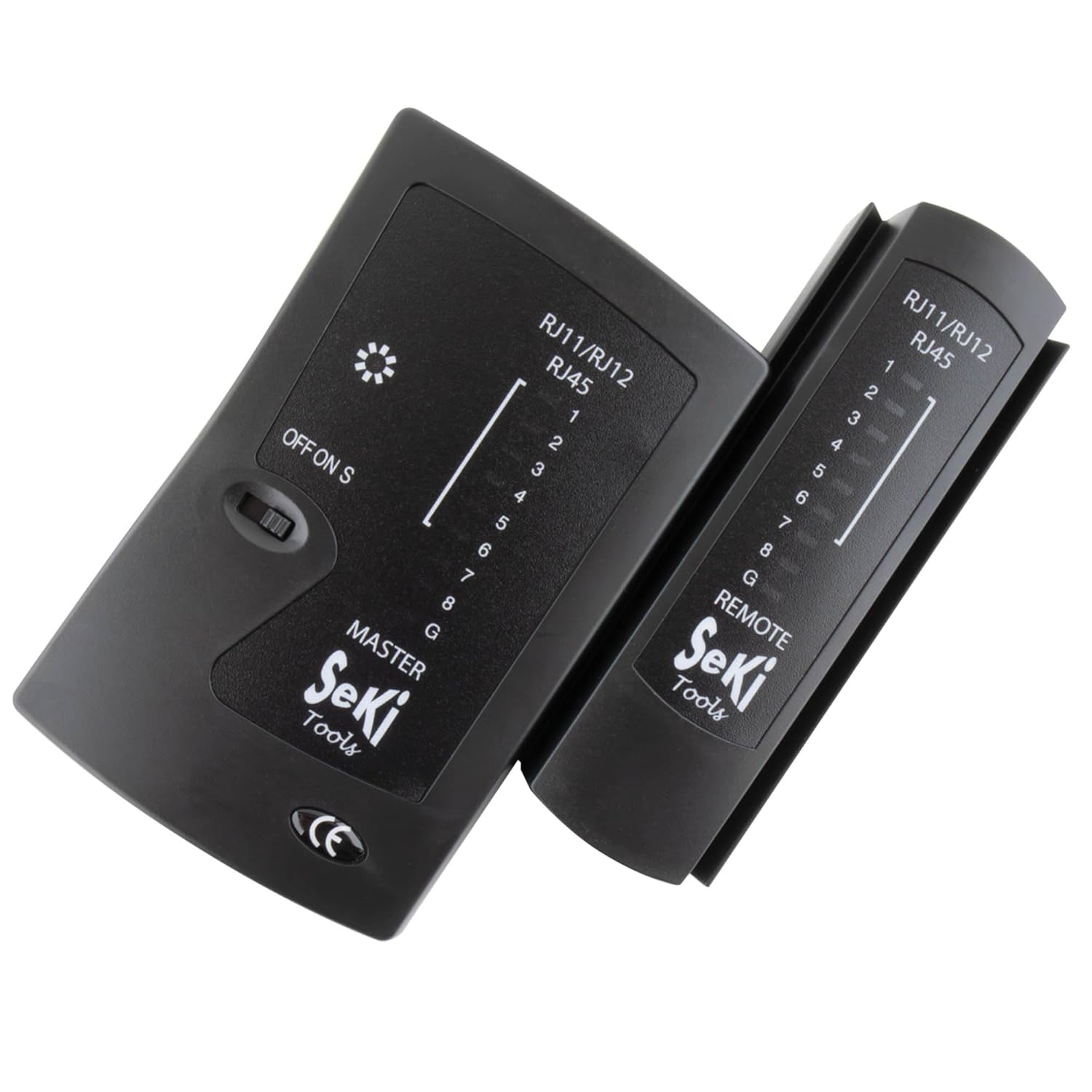
Image 1: The SeKi Network Cable Tester, showing both the Master and Remote units.
Master Unit Features:
- RJ11/RJ12/RJ45 Ports: For connecting various cable types.
- OFF/ON/S Switch: Power switch with two testing speeds (ON for normal, S for slow).
- LED Indicators (1-8, G): Display the status of each wire and ground connection.
Remote Unit Features:
- RJ11/RJ12/RJ45 Port: For connecting the remote end of the cable.
- LED Indicators (1-8, G): Mirror the Master unit's indicators for continuity.

Image 2: The Master and Remote units of the SeKi Network Cable Tester, shown separated.
4. Nhazi
4.1 Ntinye batrị
- Locate the battery compartment on the back of the Master unit.
- Mepee mkpuchi batrị.
- Insert a 9V battery (not included), ensuring correct polarity (+/-).
- Mechie mkpuchi batrị nke ọma.
4.2 Connecting Cables for Testing
Before testing, ensure the cable is disconnected from all active network devices.
- For testing a patch cable (short cable): Connect one end of the cable to the appropriate port (RJ11, RJ12, or RJ45) on the Master unit and the other end to the corresponding port on the Remote unit.
- For testing an installed cable (e.g., wall jack to patch panel): Connect one end of the cable (or wall jack) to the Master unit and the other end (e.g., patch panel port) to the Remote unit.

Foto 3: nso nso view of the SeKi Network Cable Tester's RJ11, RJ12, and RJ45 ports.
5. Ntuziaka ọrụ
5.1 Powering On and Test Modes
Once the cable is connected, slide the OFF/ON/S switch on the Master unit to your desired test mode:
- NA: This is the normal test speed. The LEDs will light up sequentially from 1 to 8, then G (Ground), indicating the continuity of each wire.
- S (Slow): This mode provides a slower test speed, allowing for more detailed observation of the LED sequence, which can be helpful for identifying subtle issues.
5.2 Interpreting LED Indicators
Observe the LED indicators on both the Master and Remote units. The LEDs on the Remote unit should mirror the sequence of the Master unit's LEDs.
- Correct Wiring (Pass): The LEDs on both units will light up in a sequential order (1-2-3-4-5-6-7-8-G). This indicates that all wires have proper continuity and are correctly mapped.
- Open Circuit / Broken Wire: If an LED on either unit fails to light up in the sequence, it indicates an open circuit or a broken wire for that specific pin.
- Circuit dị mkpirikpi: If two or more LEDs light up simultaneously or out of sequence, it indicates a short circuit between those wires.
- Miswire / Cross-over: If the sequence of LEDs on the Remote unit does not match the Master unit (e.g., Master shows 1-2-3, Remote shows 1-3-2), it indicates a miswire or cross-over.
- Ground (G) Indicator: The 'G' LED indicates the continuity of the ground wire.

Image 4: The SeKi Network Cable Tester in operation, connected to a blue network cable.
5.3 Testing Different Cable Types
- RJ45 Cables (8P8C): Used for LAN connections (Ethernet). The tester will check all 8 pins and the ground.
- RJ12 Cables (6P6C): Often used for telephone systems. The tester will check pins 1-6 and ground.
- RJ11 Cables (6P4C): Commonly used for telephone lines. The tester will check pins 1-4 and ground.
Always ensure you connect the cable to the correct port on both the Master and Remote units.
6. Nlekọta
- Nhicha: Jiri ákwà dị nro ma kpọọ nkụ hichaa ngwaọrụ ahụ. Ejila ihe nhicha mmiri ma ọ bụ ihe mgbaze.
- Nchekwa: Debe ihe nnwale ahụ n'ebe dị jụụ ma kpọọ nkụ, ebe anwụ na-anaghị anwụ kpọmkwem na oke okpomọkụ dị oke njọ.
- Batrị: If the device will not be used for an extended period, remove the 9V battery to prevent potential leakage and damage to the unit.
7. Nchọpụta nsogbu
- No LEDs light up:
- Check if the 9V battery is correctly installed and has sufficient charge. Replace if necessary.
- Ensure the power switch is in the 'ON' or 'S' position.
- Incorrect LED sequence or missing lights:
- Verify that the cable connectors are properly crimped and seated firmly in the tester's ports.
- Inspect the cable for visible damage (cuts, kinks).
- If testing an installed cable, check the wall jacks or patch panel connections.
- Intermittent test results:
- Ensure stable connections between the cable and the tester units.
- Check the battery charge. Low battery can cause inconsistent readings.
8. Nkọwapụta
| Nọmba nlereanya | 17437 |
| Akụkụ (L x W x H) | 10.5 x 9.5 x 2.7 cm |
| Ibu | 131 grams |
| Njikọ ndị akwadoro | RJ11 (6P4C), RJ12 (6P6C), RJ45 (8P8C) |
| Isi Iyi Ike | Batrị 1 x 9V (anaghị etinye ya) |
| Ụdị eriri USB akwadoro | LAN (CAT5, CAT6, CAT7), ISDN |
| Agba | Nwa |
| Asambodo | CE, REACH, RoHS |
9. Akwụkwọ ikike na nkwado
This product is designed for durability and reliability. Spare parts availability is typically 2 years from the date of purchase.
For technical support, warranty claims, or further assistance, please contact your retailer or the point of purchase. Ensure you have your proof of purchase and the product model number (17437) available when contacting support.
Ask a question about this manual
Ask about setup, troubleshooting, compatibility, parts, safety, or missing instructions. Manuals+ will review the question and use this page’s manual context to help answer it.