
Okwu mmalite
This manual provides comprehensive instructions for the setup, operation, and maintenance of your Surfans F22 Portable HiFi MP3 Player. Please read this manual thoroughly before using the device to ensure proper functionality and to maximize your listening experience.
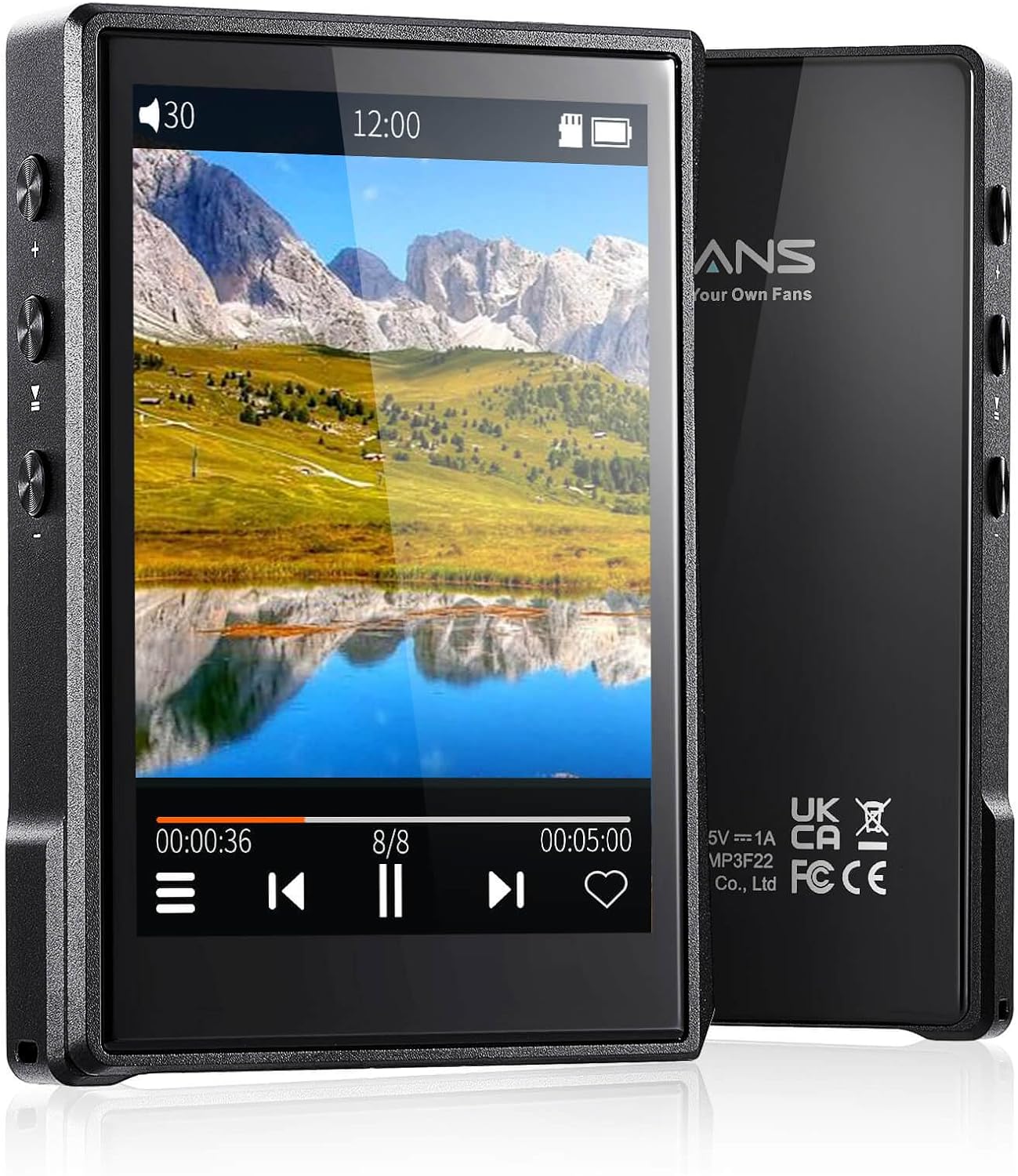
Foto: ihu na azụ view of the Surfans F22 Portable HiFi MP3 Player, showcasing its 2.8-inch touchscreen and sleek design.
Ihe ngwugwu
Chọpụta na ihe niile dị na ngwugwu:
- Surfans F22 HiFi Music Player
- Akwụkwọ ntuziaka (akwụkwọ a)
- USB-C USB
- Kaadị ebe nchekwa 32GB (arụnyere ya ma ọ bụ tinye ya iche)
Ngwaọrụ agwụlaview
Familiarize yourself with the physical components of your F22 player.

Image: Diagram illustrating the various ports and buttons on the Surfans F22 MP3 Player, including the power button, volume controls, headphone jack, and USB-C port.
- 2.8-inch IPS TFT Full Touchscreen: Main interface for navigation and control.
- Bọtịnụ ike: Gbanyụọ/ gbanyụọ ngwaọrụ ma kpochie/mepee ihuenyo ahụ.
- Bọtịnụ olu: Na-emezi ọkwa mmepụta ọdịyo.
- Jack ekweisi (3.5mm): Connect wired headphones.
- Ọdụ USB-C: Maka ịchaji na ịnyefe data.
- Oghere kaadị Micro SD: For expandable storage up to 1TB.
Melite
1. Ịchaji ngwaọrụ
Before first use, fully charge the F22 player. Connect the provided USB-C cable to the device's USB-C port and the other end to a USB power adapter (not included) or a computer's USB port. The charging indicator will show progress. A full charge typically takes approximately 2 hours and provides up to 10 hours of playback.
2. Ịtinye kaadị Micro SD
The F22 comes with a 32GB memory card. For additional storage, you can insert a Micro SD card (up to 1TB) into the designated slot. Ensure the card is inserted correctly until it clicks into place.

Image: A Surfans F22 MP3 Player shown with a Micro SD card being inserted into its slot, illustrating the expandable storage capability.
3. Ịnyefe Egwu Files
Connect the F22 player to your computer using the USB-C cable. The device will appear as a removable storage drive. Drag and drop your music files (FLAC, WMA, WAV, DSF, DSD, MP3, etc.) into the appropriate folders on the player's internal storage or the Micro SD card.

Image: A Surfans F22 MP3 Player displaying music playback, with a person wearing headphones in the background, symbolizing the high-fidelity audio experience.
Ntuziaka ọrụ
1. Power On/Off and Screen Lock
- Iji gbanye ọkụ, pịa ma jide bọtịnụ Ike ruo mgbe ihuenyo ahụ ga-enwu.
- To power off, press and hold the Power button, then select "Power Off" on the screen.
- To lock/unlock the screen, briefly press the Power button.
2. Na-agagharị na Interface
The F22 features a 2.8-inch touchscreen for navigation. Swipe left/right or up/down to browse menus and lists. Tap icons to select options or open applications.
3. Nghaghachi egwu
- From the main menu, select "Music" to access your library.
- Browse by Artist, Album, Song, Genre, or Folder.
- Tap a song to begin playback.
- During playback, use the on-screen controls for play/pause, skip track, and volume adjustment. Physical volume buttons also control volume.

Image: The Surfans F22 MP3 Player screen showing options for music playback modes: List play, Single play, List loop, and Random, indicating flexible listening options.
4. Njikọ Bluetooth
The F22 supports Bluetooth 4.2 for wireless audio output.
- Go to "Settings" and select "Bluetooth".
- Turn Bluetooth on. The player will scan for available devices.
- Select your desired Bluetooth headphones or speaker from the list to pair.
- Once paired, audio will stream wirelessly to the connected device.

Image: A visual representation of the Surfans F22 MP3 Player's Bluetooth 4.2 capabilities, showing connections to Bluetooth headphones, a Bluetooth speaker, and a car stereo system.
5. E-Book Functionality
The F22 also supports E-book reading.
- Transfer compatible E-book files na ngwaọrụ.
- From the main menu, select "E-book".
- Browse and select a book to open and read.
Nlekọta
- Nhicha: Jiri akwa dị nro dị nro hichaa ngwaọrụ ahụ. Zere ndị na-ehicha mmiri mmiri ma ọ bụ ihe abrasive.
- Nchekwa: Debe onye ọkpụkpọ ahụ n'ebe dị jụụ ma kpọọ nkụ, ebe anwụ na-anaghị anwụ kpọmkwem na oke okpomọkụ dị oke njọ.
- Nlekọta batrị: Ka ịgbatị ndụ batrị ogologo, zere ịchaji batrị ugboro ugboro. Na-anya ngwaọrụ mgbe niile, ọbụlagodi na ọ naghị eji ya ogologo oge.
- Mmelite ngwanrọ: Lelee onye nrụpụta website periodically for firmware updates to ensure optimal performance and new features.
Nchọpụta nsogbu
| Nsogbu | Ihe nwere ike ime | Ngwọta |
|---|---|---|
| Ngwaọrụ anaghị agbanwu ọkụ. | Batrị dị ala. | Chajịa ngwaọrụ maka opekata mpe nkeji iri atọ. |
| Enweghị ụda. | Volume too low; headphones not connected properly; incorrect audio output. | Increase volume; ensure headphones are fully plugged in; check Bluetooth connection if using wireless. |
| Enweghị ike ịnyefe files. | USB cable issue; device not recognized by computer. | Try a different USB port or cable; ensure the device is in data transfer mode if prompted. |
| Njikọ Bluetooth adịghị akwụsi ike. | Interference; device too far from player. | Reduce distance between devices; avoid obstacles; try re-pairing. |
| A naghị anabata ihuenyo ahụ. | Nsogbu ngwanrọ nwa oge. | Perform a soft reset by holding the Power button until the device restarts. |
Nkọwapụta
| Njirimara | Nkọwa |
|---|---|
| Nlereanya | Surfans F22 Hi Res Music Player |
| Nhazi | RK3308G 64-bit Quad-core ARM Cortex-A35 |
| Ngosipụta | 2.8-inch IPS TFT Full Touchscreen (240*320 resolution) |
| Akwadoro usoro ọdịyo | FLAC, WMA, WAV, DSF, DSD (Native DSD 128/256), PCM (up to 384kHz/32bit), DFF, DTS, APE, OGG, M4A, AIFF, AAC, MP3, Apple Lossless |
| Bluetooth | Ụdị 4.2 |
| Nchekwa nke ime | 32GB (included) |
| Nchekwa enwere ike ịgbasa | Micro SD card up to 1TB |
| Batrị | 1500mAh Lithium Polymer |
| Ndụ batrị | Egwuru egwu ruo awa anọ |
| Oge Nchaji | Approximately 2 hours (fast charge) |
| Akụkụ | 4.72 x 3.15 x 1.77 sentimita asatọ |
| Ibu | 7.4 ounces |
| Njikọta | USB-C |
| Atụmatụ pụrụ iche | Equalizer, Hi-Res Audio, E-book function |
Akwụkwọ ikike na nkwado
The Surfans F22 Portable HiFi MP3 Player comes with a one-year return and exchange guarantee from the date of purchase. This warranty covers manufacturing defects under normal use.
For technical support, warranty claims, or further assistance, please contact Surfans customer service through their official website or the retailer where the product was purchased. Please have your purchase receipt and product model number (F22) available when contacting support.
Onye nrụpụta: Surfans
Websaịtị: Surfans Official Store