
Okwu mmalite
Thank you for choosing the Coby Pro Fitness True Wireless Earbuds. These earbuds are designed to provide a high-quality audio experience with features tailored for an active lifestyle. They offer a secure fit, sweat resistance, noise isolation, HD audio, and seamless connectivity with Bluetooth 5.3. This manual will guide you through the setup, operation, and maintenance of your new earbuds.
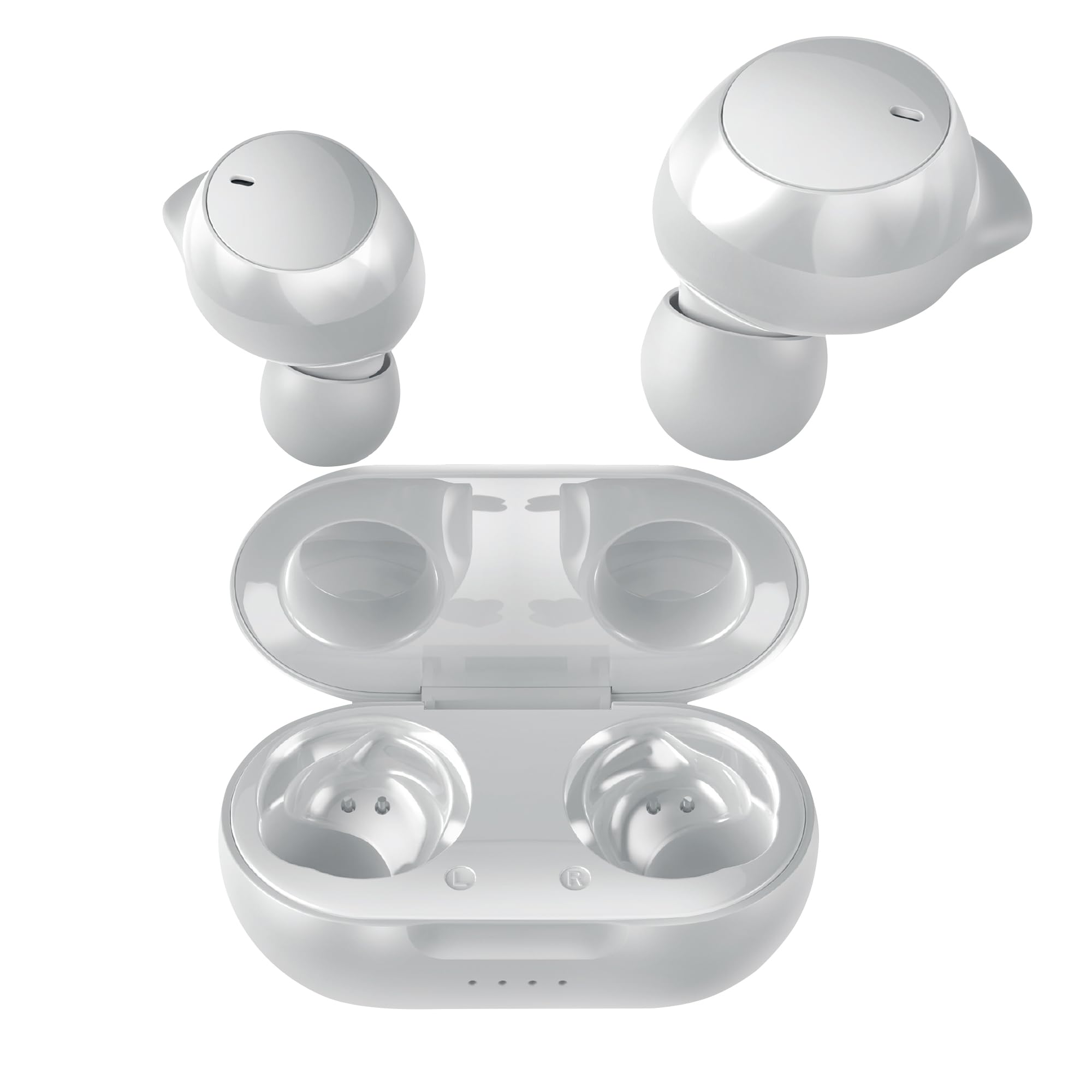
Image: Coby Pro Fitness True Wireless Earbuds and their charging case.
Melite
Ihe ngwugwu
- Coby Pro Fitness True Wireless Earbuds (Left and Right)
- Nchaji case
- Igwe nchaji USB
- Ọtụtụ nha ndụmọdụ ndụmọdụ ntị silicone
- Akwụkwọ ntuziaka onye ọrụ
Ịchaji ihe ntị na akpa
- Tinye ekwe ntị n'ime akpa chaja, hụ na ha nọ n'ọnọdụ kwesịrị ekwesị n'oghere ha.
- Connect the USB charging cable to the charging port on the case and plug the other end into a USB power source (e.g., wall adapter, computer USB port).
- The indicator lights on the charging case will illuminate to show charging status. A full charge typically takes approximately 1-2 hours for the earbuds and 2-3 hours for the case.
- Once fully charged, the indicator lights will change or turn off. Disconnect the charging cable.
Mmakọ izizi
Follow these steps to pair your earbuds with your device for the first time:
- Ensure the earbuds are charged. Open the charging case. The earbuds will automatically enter pairing mode, indicated by a flashing LED light on one or both earbuds.
- Na ekwentị gị, mbadamba, ma ọ bụ ngwaọrụ ọzọ nwere Bluetooth, gaa na ntọala Bluetooth.
- Chọọ maka available devices. You should see "Coby CETW553" or a similar name appear in the list.
- Select "Coby CETW553" to connect. Once connected, you will hear an audio prompt, and the earbud LED lights will stop flashing.

Image: Illustration of earbuds automatically pairing with a smartphone.
Yi akwa ntị
For optimal sound quality and a secure fit, choose the correct size ear tips and insert the earbuds properly:
- Experiment with the different sizes of silicone ear tips provided to find the pair that creates a comfortable and snug seal in your ear canal. A good seal is crucial for noise isolation and bass response.
- Gently insert each earbud into your ear, twisting slightly until it feels secure and comfortable. The earbuds are ergonomically designed to stay in place during physical activity.

Image: A woman demonstrating the snug and secure fit of the ear tips.
Na-arụ ọrụ Earbuds
Gbanyụọ/ Gbanyụọ
- Ike Na: Mepee igbe chaja, ekweisi ga-agbanyekwa na akpaghị aka. Ma ọ bụghị ya, pịa ma jide mpaghara njikwa mmetụ aka na ekweisi abụọ ahụ maka sekọnd atọ.
- Gbanyụọ: Tinyeghachi ekweisi n'ime akpa chaja ma mechie mkpuchi ahụ. Ha ga-agbanyụ na akpaghị aka. Ma ọ bụghị ya, pịa ma jide mpaghara njikwa mmetụ aka na ekweisi abụọ ahụ maka sekọnd ise.
Egwu Egwu
- Gwuo/kwụsịtụ: Pịa mpaghara njikwa mmetụ aka na ntị ntị abụọ ahụ otu ugboro.
- Track na-esote: Pịa mpaghara njikwa mmetụ aka ugboro abụọ na ntị aka nri.
- Gara aga Track: Pịa mpaghara njikwa mmetụ aka dị na ntị aka ekpe ugboro abụọ.
- Olu elu: Triple-tap the touch control area on the right earbud.
- Olu ala: Triple-tap the touch control area on the left earbud.
Njikwa Oku
- Azịza/Kwụsị Oku: Pịa mpaghara njikwa mmetụ aka na ntị ntị abụọ ahụ otu ugboro.
- Jụ oku: Pịa ma jide mpaghara njikwa mmetụ na ntị ntị maka sekọnd 2.
Onye enyemaka olu
The earbuds are compatible with Siri and Google Assistant. To activate your device's voice assistant:
- Mee ka onye enyemaka olu rụọ ọrụ: Pịa ma jide mpaghara njikwa mmetụ aka na ntị abụọ ahụ maka sekọnd abụọ (mgbe ọ naghị akpọ oku).

Image: Earbuds shown with compatibility logos for Siri and Google Assistant.
Nlekọta
Nhicha
- Regularly clean the earbuds and charging case to ensure optimal performance and hygiene.
- Use a soft, dry, lint-free cloth to wipe the exterior surfaces of the earbuds and case.
- For ear tips, remove them from the earbuds and wash with mild soap and water. Rinse thoroughly and allow them to dry completely before reattaching.
- Gently remove any earwax or debris from the earbud mesh using a clean, dry cotton swab or a small, soft brush. Avoid using sharp objects.
Nchekwa
- When not in use, always store the earbuds in their charging case to protect them from damage and keep them charged.
- Store the charging case and earbuds in a cool, dry place, away from extreme temperatures, humidity, and direct sunlight.
Nchọpụta nsogbu
| Okwu | Ngwọta |
|---|---|
| Igwe ntị anaghị ejikọta ya na ngwaọrụ |
|
| Naanị otu ntị ntị na-arụ ọrụ |
|
| Enweghị ụda ma ọ bụ olu dị ala |
|
| Nchaji anaghị akwụ ụgwọ |
|
Nkọwapụta
| Njirimara | Nkọwa |
|---|---|
| Nọmba nlereanya | COBY-CETW553 |
| Teknụzụ Njikọta | Ikuku (Bluetooth) |
| Ụdị Bluetooth | 5.3 |
| Ntinye ntị | Na Ntị |
| Njikwa mkpọtụ | Mwepu ụda |
| Ọkwa Nguzogide mmiri | Mmiri anaghị agbaze (Ọsụsọ) |
| Battery Average Life (Earbuds) | 5 Hours (per charge) |
| Oke ugboro ugboro | 20 Hz - 20,000 Hz |
| Ụdị ọkwọ ụgbọ ala ọdịyo | Ọkwọ ụgbọala dị ike |
| Usoro njikwa | Voice, Touch |
| Ngwa dakọtara | Smartphones, Tablets, Smart Speakers, Laptops, Desktops |
| Ihe onwunwe | Silikọn (ntị ntị) |
| Ibu Ibu | 1.4 ounces |
Ozi akwụkwọ ikike
The Coby Pro Fitness True Wireless Earbuds (Model CETW553) come with a Akwụkwọ ikike nke onye nrụpụta ụbọchị 90. This warranty covers defects in materials and workmanship under normal use. Please retain your proof of purchase for warranty claims. For specific terms and conditions, or to initiate a warranty claim, please refer to the official Coby websaịtị ma ọ bụ kpọtụrụ nkwado ndị ahịa.
Nkwado
If you encounter any issues not covered in this manual or require further assistance, please visit the official Coby website for FAQs, support resources, and contact information. You can typically find support details on the product page or in the 'Support' section of the Coby brand websaịtị.