
1. Okwu mmalite
Daalụ maka ịzụrụasing the Blaupunkt Rock & Roll PS150 Wireless Bluetooth Outdoor Party Speaker. This manual provides essential information for the safe and efficient operation of your device. Please read it thoroughly before use and retain it for future reference.
2. Ozi nchekwa
- Ewepụla ọkà okwu na oke okpomọkụ, ìhè anyanwụ kpọmkwem, ma ọ bụ oke iru mmiri.
- Zere idobe ma ọ bụ idobe ọkà okwu na mmetụta siri ike.
- Do not attempt to disassemble or modify the speaker. Repairs should only be performed by qualified service personnel.
- Keep the speaker away from water and other liquids to prevent electric shock or damage.
- Hụ na ikuku na-abata nke ọma mgbe ị na-arụ ọrụ na ọkà okwu.
3. Kedu ihe dị na Igbe ahụ
- Blaupunkt Rock & Roll PS150 Party Speaker
- Igwe okwu karaoke
- Ịchaji eriri
- Akwụkwọ ntuziaka onye ọrụ
4. Ngwaahịa gafereview
The Blaupunkt Rock & Roll PS150 is a portable outdoor party speaker designed for robust audio performance and ease of transport. It features a powerful 100W output, X-Bass enhancement, and multiple connectivity options.

Foto 1: N'ihu view of the Blaupunkt Rock & Roll PS150 Party Speaker.
5. Njikwa na Njikọ
The control panel on top of the speaker provides access to all functions.

Ọgụgụ 2: Zuru ezu view nke panel njikwa nke ọkà okwu.
- Bọtịnụ ike: Press to turn the speaker ON/OFF.
- Isi mmalite: Select input source (Bluetooth, AUX, USB).
- X-Bass Button: Activate or deactivate the X-Bass sound enhancement.
- Bọtịnụ menu: Access various settings.
- Track Select Buttons (< / >): Navigate between tracks.
- Bọtịnụ TWS: Malite njikọta True Wireless Stereo.
- Ọkpụkpọ olu: Gbanwee olu ukwu.
- Bọtịnụ nwere nọmba (1-6): For direct track selection or preset functions.
- AUX n'ọdụ ụgbọ mmiri: Jikọọ ngwaọrụ ọdịyo mpụga site na eriri ọdịyo 3.5mm.
- Ọdụ ụgbọ mmiri USB: For USB playback and charging (5V, 2000mAh).
6. Ntọala na Nchaji
6.1 Nchaji izizi
Before first use, fully charge the speaker. Connect the charging cable to the speaker's charging port and a suitable power adapter. The charging indicator will illuminate. A full charge ensures optimal battery life for the 4500mAh battery.
6.2 Gbanyụọ/ gbanyụọ
Pịa ma jide bọtịnụ Ike dị na panel njikwa iji gbanye ma ọ bụ gbanyụọ ọkà okwu.
7. Ọrụ
7.1 Njikọ Bluetooth
- Turn on the speaker. The Bluetooth indicator will flash, indicating it's in pairing mode.
- Mee ka Bluetooth rụọ ọrụ na ekwentị gị ma ọ bụ mbadamba gị wee chọọ ngwaọrụ dị.
- Select "Blaupunkt PS150" from the list.
- Once paired, the Bluetooth indicator will stop flashing and remain solid.
7.2 AUX-N'ụdị
Connect an external audio device (e.g., MP3 player) to the AUX IN port using a 3.5mm audio cable. Press the Source button to select AUX mode.
7.3 USB playback
Jiri ọdịyo tinye draịva USB files into the USB port. The speaker will automatically switch to USB mode and begin playback. Use the track select buttons to navigate.
7.4 Ọrụ Karaoke
Connect the provided karaoke microphone to the designated microphone input. Adjust the microphone volume as needed. The speaker is ready for karaoke performances.

Figure 3: Using the karaoke function with the PS150 speaker.
7.5 X-Bass Feature
Press the X-Bass button to enhance the bass output for a deeper, more impactful sound experience.

Figure 4: Visual representation of the X-Bass feature.
8. Portability and Design
The PS150 is designed for portability with integrated wheels and a retractable handle, making it easy to transport to any location.
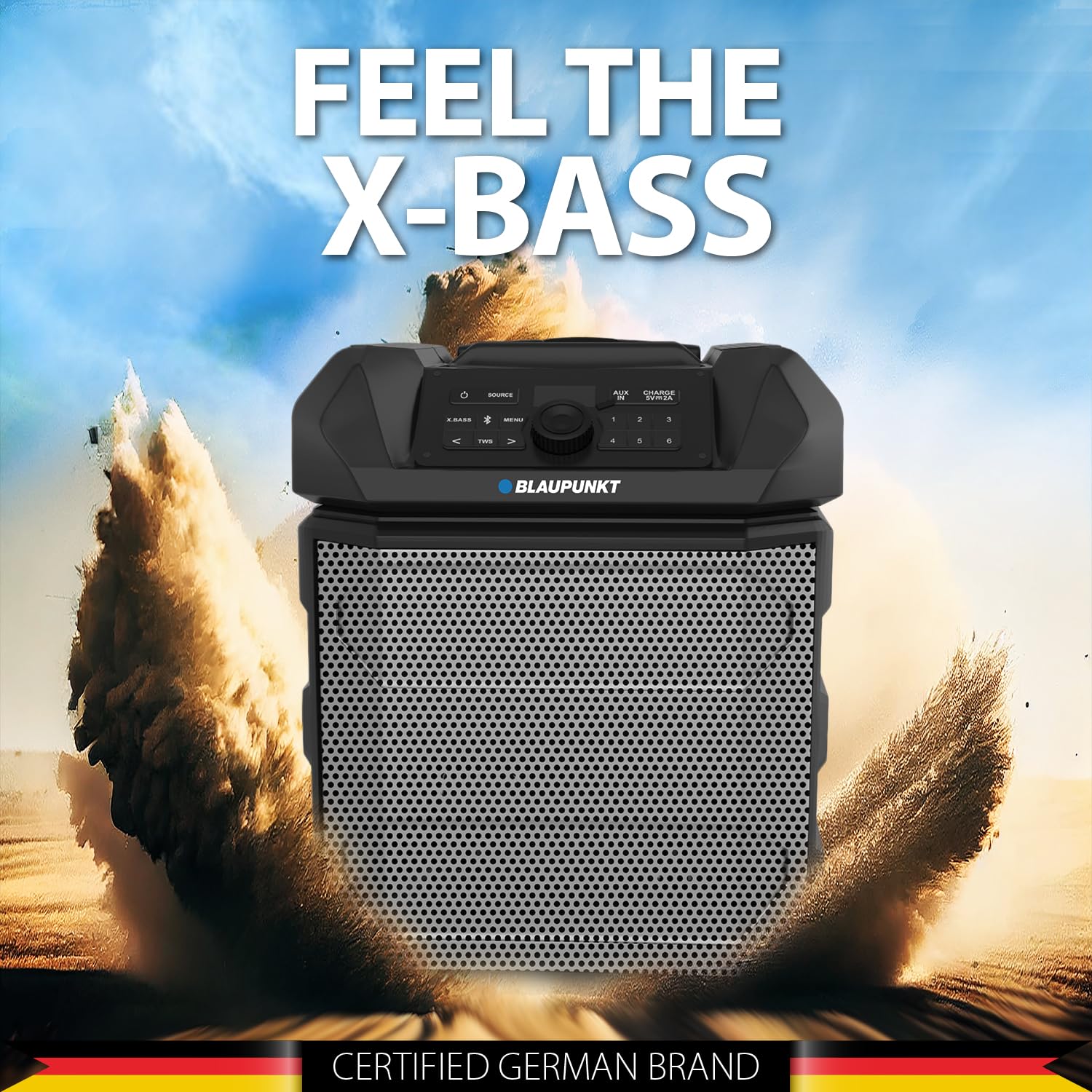
Figure 5: The PS150 speaker being transported with its wheels and handle.
9. Nkọwapụta
| Njirimara | Nkọwapụta |
|---|---|
| Ụdị | BLAUPUNKT |
| Nọmba nlereanya | PS150 BK |
| Mpụta Wattage | 100 Watt |
| Teknụzụ Njikọta | Bluetooth |
| Ngwa dakọtara | Smartphone, Mbadamba ụrọ |
| Isi Iyi Ike | Akwanyere batrị |
| Ike batrị | 4500mAh |
| Ntinye ọdịyo | Enyemaka |
| USB mmepụta | 5V, 2000mAh |
| Akụkụ ihe (L x W x H) | 43 x 31.5 x 52.5 centimita |
| Ibu Ibu | 7500 grams |
| Ihe mkpuchi | Acrylonitrile Butadiene Styrene (ABS) |
10. Nlekọta
- Jiri akwa dị nro hichaa ọkà okwu. Ejila ihe nchacha abrasive ma ọ bụ ihe mgbaze.
- Chekwaa ọkà okwu n'ebe dị jụụ, kpọrọ nkụ mgbe ọ naghị eji ya.
- Zere ka anwụ na-acha kpọmkwem ma ọ bụ okpomọkụ dị oke elu ghara ịpụta ìhè ruo ogologo oge.
11. Nchọpụta nsogbu
11.1 Enweghị ike
- Gbaa mbọ hụ na chajịrị ọkà okwu.
- Lelee ma eriri ọkụ eletrik ahụ ejikọtara nke ọma.
- Pịa ma jide bọtịnụ ike ahụ ruo sekọnd ole na ole iji hụ na ọ bụghị naanị ịpị obere oge.
11.2 Enweghị ụda
- Increase the volume on both the speaker and the connected device.
- Ensure the correct input source (Bluetooth, AUX, USB) is selected.
- If using Bluetooth, ensure the device is properly paired.
- Ọ bụrụ na ị na-eji AUX, lelee njikọ eriri ahụ.
Njikọ Bluetooth 11.3
- Ensure the connected device is within the Bluetooth range (typically 10 meters).
- Avoid obstacles between the speaker and the device that may interfere with the signal.
- Gbalịa iwepụ ma megharịa ngwaọrụ ahụ ọzọ.
12. Akwụkwọ ikike na nkwado
The Blaupunkt Rock & Roll PS150 comes with a 1-year warranty from the date of purchase. For warranty claims, technical support, or any other inquiries, please contact:
- Onye nrụpụta: Envent Worldwide Pvt Ltd
- Customer Care WhatsApp Support: 8860022600
- NJ email: wecare@blaupunktaudio.in