
OLUMAT OL-0825
OLUMAT Smart Door Lock with Handle Instruction Manual
Model: OL-0825
1. Okwu mmalite
Thank you for choosing the OLUMAT Smart Door Lock with Handle. This advanced keyless entry system offers multiple convenient and secure unlocking methods, including fingerprint, passcode, Fob, smartphone app, and traditional keys. With the included WiFi gateway, you can manage your lock remotely and integrate it with voice control platforms like Alexa and Google Assistant. This manual provides detailed instructions for installation, operation, maintenance, and troubleshooting to ensure optimal performance and security for your home or office.
2. Ozi nchekwa
- Gụọ ntuziaka niile nke ọma tupu echichi na iji.
- Do not attempt to disassemble or repair the lock yourself. Refer to qualified personnel for service.
- Keep the lock away from direct water exposure and extreme temperatures.
- Ensure all components are securely fastened during installation to prevent malfunction.
- Regularly check battery levels and replace them as needed to avoid lockouts.
- Protect your passcodes and fingerprints from unauthorized access.
3. Ihe ngwugwu
Nyochaa na agụnyere ihe niile ndị a na ngwugwu gị:
- OLUMAT Smart Door Lock (Front and Rear Panels)
- Ahụ mkpọchi Mortise
- Tie efere na igbe iku
- Ịkwanye skru na ngwaike
- 2 x igodo igwe
- 2 x Fobs igodo
- Ọnụ ụzọ WiFi
- Akwụkwọ ntuziaka (akwụkwọ a)

Image: Complete package contents of the OLUMAT Smart Door Lock.
4. Ngwaahịa gafereview
The OLUMAT Smart Door Lock is designed for ease of use and robust security. It features a sleek design with an integrated keypad and fingerprint sensor on the exterior handle, and a secure interior handle. The system communicates wirelessly with the included WiFi gateway for remote functionality.

Foto: Ofeview of the multiple unlocking methods available with the smart lock.
5. Ntọala na nwụnye
5.1. Tupu echichi
Gbaa mbọ hụ na ọnụ ụzọ gị dabara nkọwa ndị a:
- Ọkpụrụkpụ ọnụ ụzọ: 1.30" - 1.97" (33mm - 50mm)
- Dayameta oghere olulu: 2.13" (54mm)
- Ndaghachi azụ Bore Hole: 2.36" (60mm) ma ọ bụ 2.76" (70mm)
Note: This lock may interfere with storm doors due to its size. If you have an existing deadbolt lock, please install the OLUMAT lock above it.

Image: Door dimension requirements for installation.
5.2. Nzọụkwụ Nwụnye
- Remove your existing door hardware.
- Install the mortise lock body into the door edge.
- Attach the exterior handle assembly, ensuring the spindle passes through the mortise.
- Jikọọ eriri site na mgbakọ dị n'èzí na mgbakọ n'ime ime.
- Secure the interior handle assembly to the door using the provided screws.
- Install the strike plate and strike box on the door frame.
- Insert 4 AAA batteries (not included) into the interior battery compartment.
- Test the lock's functionality with the mechanical key.

Image: Proper placement of the smart lock above an existing deadbolt.
5.3. Video Installation Guide
Video: Official installation guide for the Olumat Smart Door Lock, demonstrating the setup process.
6. Ntuziaka ọrụ
6.1. Ụzọ mmeghe
- Mkpọghe mkpịsị aka: Place your registered finger on the sensor. The lock will unlock within 0.3 seconds.
- Passcode Unlock: Enter your registered passcode on the sensitive touchscreen keypad. You can use an anti-peeping passcode by adding random digits before or after your actual code.
- Mkpọghe ngwa: Use the dedicated smartphone app to unlock the door remotely via the WiFi gateway.
- Fob Unlock: Present the registered Fob to the designated area on the lock.
- Mkpọghe igodo: Use the mechanical key as a traditional backup method.
Image: Visual representation of various unlocking methods.
6.2. App Integration and Remote Control
The OLUMAT Smart Lock integrates with a smartphone app for comprehensive control and management. The included WiFi gateway enables remote access and voice control capabilities.
- Mkpọchi/Mkpọchi n'ime ime obodo: Use the app to lock or unlock your door from anywhere.
- Njikwa onye ọrụ: Add, modify, or delete fingerprints, passcodes, and Fobs for various users (e.g., family, guests, service providers).
- One-Time Passcodes: Generate temporary passcodes for visitors, which expire after a single use or a set time.
- Ndekọ nnweta: View akụkọ ihe mere eme nke onye banyere na mgbe ọ banyere.
- Njikwa olu: Connect your lock to Amazon Alexa or Google Assistant for hands-free operation. (Requires WiFi Gateway).
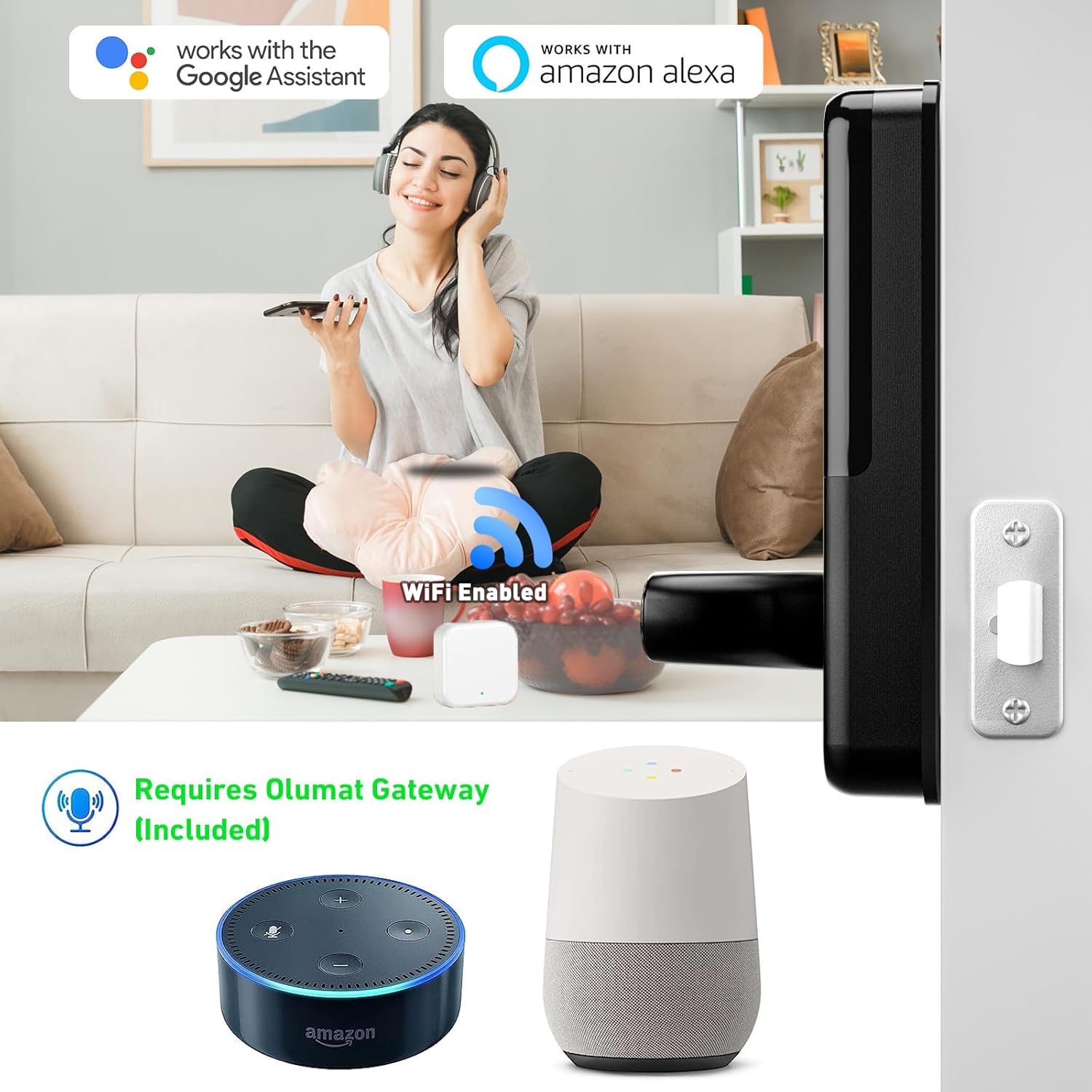
Image: Smart lock compatibility with Amazon Alexa and Google Assistant via WiFi gateway.

Image: Digital interface for managing lock settings and users.

Foto: Example of generating and using a one-time passcode for temporary access.
6.3. Enhanced Safety Features
- Mkpọchi akpaaka: The lock can be set to automatically lock after a specified period.
- Mgbochi mgbochi izu ohi: Five consecutive incorrect password entries will trigger an alarm, enhancing security.
7. Nlekọta
- Nhicha: Wipe the lock surface with a soft, dry cloth. Avoid abrasive cleaners or solvents.
- Ngbanwe batrị: When the battery low warning appears, replace all four AAA batteries promptly. Do not mix old and new batteries.
- mmanu mmanu: Do not lubricate the lock cylinder or internal mechanisms with oil-based lubricants.
8. Nchọpụta nsogbu
| Okwu | Ihe nwere ike ime | Ngwọta |
|---|---|---|
| Mkpọchi anaghị aza. | Batrị nwụrụ anwụ. | Replace all four AAA batteries. |
| Achọpụtaghị akara mkpịsị aka. | Mkpịsị aka ruru unyi/mmiri mmiri, ihe mmetụta ruru unyi, akara mkpịsị aka edeghị aha. | Clean finger and sensor. Re-register fingerprint if necessary. |
| Passcode not working. | Incorrect code, anti-peeping feature misunderstood. | Ensure correct passcode entry. Understand anti-peeping passcode usage. |
| Remote unlock not working. | WiFi gateway disconnected, internet issue, app not connected. | Check WiFi gateway connection and internet. Reconnect app to lock. |
| Alarm triggered frequently. | Repeated incorrect entries. | Ensure users know correct access methods. |
9. Nkọwapụta
| Njirimara | Nkọwa |
|---|---|
| Ụdị | OLUMAT |
| Nọmba nlereanya | OL-0825 |
| Ụdị mkpọchi | Ahụigodo |
| Atụmatụ pụrụ iche | Fingerprint, Keyless |
| Ihe onwunwe | Zinc |
| Akụkụ (L x W x H) | 7.1 x 2.8 x 1.2 sentimita asatọ |
| Ibu Ibu | 4.29 pound |
| Protocol Njikọta | Wi-Fi |
| Ụdị njikwa | Amazon Alexa, onye enyemaka Google |
| Isi Iyi Ike | Batrị (anaghị etinye ya) |
| Eji akwadoro | Home, Office, Store, Rental Houses |
10. Akwụkwọ ikike na nkwado
The OLUMAT Smart Door Lock comes with a 1-year warranty from the date of purchase. This warranty covers manufacturing defects and ensures the product functions as intended under normal use.
For any questions, technical support, or warranty claims, please contact OLUMAT customer service. Your feedback and inquiries are important to us.
Ozi mkpọtụrụ:
Please refer to the contact details provided on the product packaging or the official OLUMAT websaịtị maka ozi nkwado kachasị ọhụrụ.
Ask a question about this manual
Ask about setup, troubleshooting, compatibility, parts, safety, or missing instructions. Manuals+ will review the question and use this page’s manual context to help answer it.