
BUVAYE YX1819
BUVAYE YX1819 Portable Air Compressor User Manual
Ụdị: YX1819
Okwu mmalite
This manual provides essential instructions for the safe and efficient operation, maintenance, and troubleshooting of your BUVAYE YX1819 Portable Air Compressor. Please read this manual thoroughly before using the device and retain it for future reference.
Ozi nchekwa
Ịdọ aka ná ntị nchekwa dị mkpa:
- Do not leave the inflator unattended during operation.
- Debe ebe ụmụaka na-apụghị iru.
- Zere ikpughe ruo ogologo oge na ìhè anyanwụ ma ọ bụ mmiri ozuzo.
- Ensure the air hose is securely connected before inflation.
- Do not over-inflate items; always refer to the manufacturer's recommended pressure.
- The device may become warm during extended use. Allow it to cool down before storing.
- Jiri naanị ihe ndị enyere na eriri chaja.
Ihe ngwugwu
Chọpụta na ihe niile dị na ngwugwu:
- Air inflator (BUVAYE YX1819) x 1
- Long Air hose x 1
- Presta to Schrader adapter x 1
- Ball Needle adapter x 1
- Short Tapered Nozzle x 1
- Long Tapered Nozzle x 1
- USB nchaji eriri x 1
- DC 12V cable x 1
- Nchekwa akpa x 1
- Akwụkwọ ntuziaka onye ọrụ x 1

Ngwaahịa gafereview
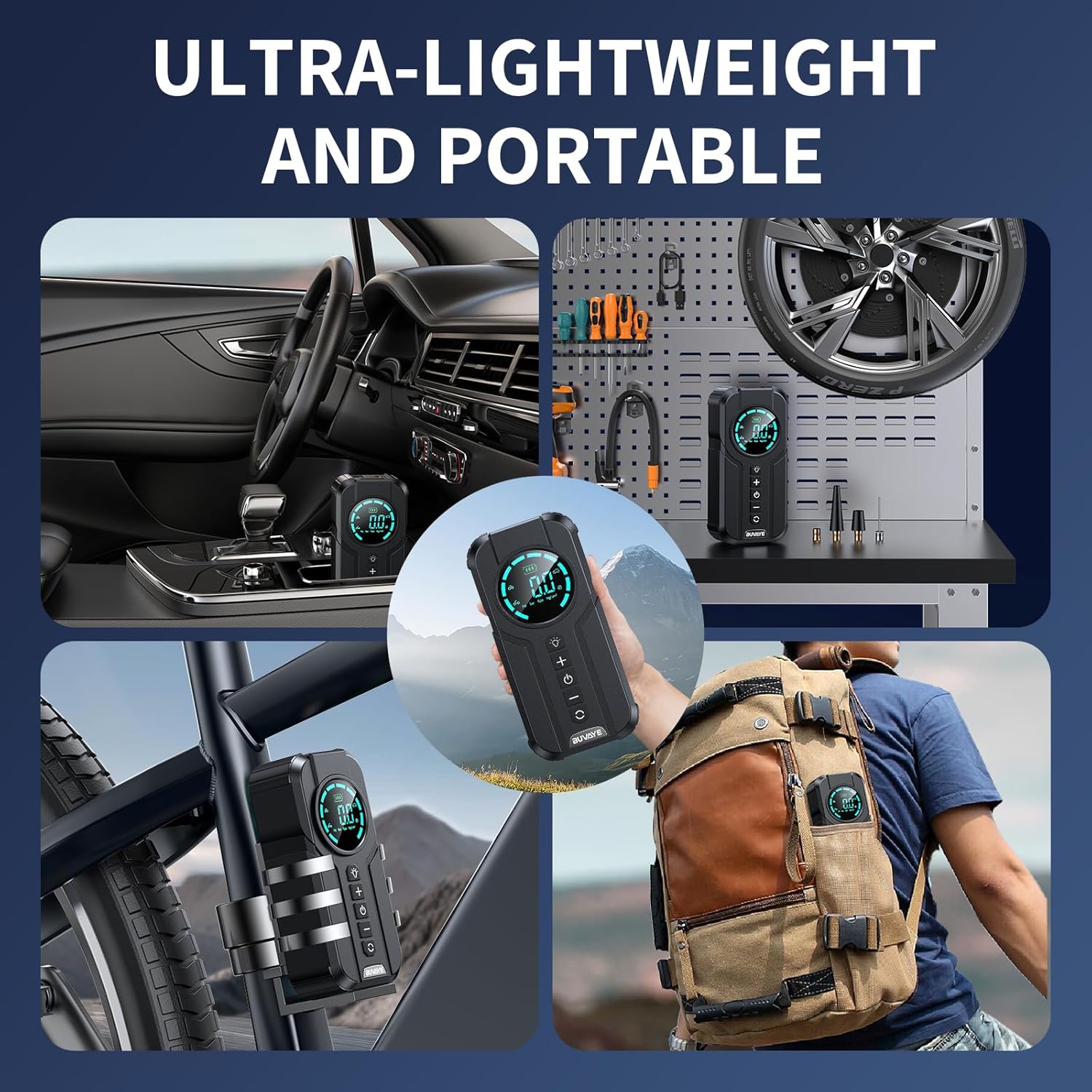
The BUVAYE YX1819 is a portable air compressor designed for inflating various items such as car tires, motorcycle tires, bicycle tires, and sports balls. It features a digital pressure gauge, multiple inflation modes, and an automatic shut-off function.

njirimara akụrụngwa:
- Ngosipụta Digital: Shows current pressure, target pressure, battery level, and selected mode.
- Ọkụ LED: Provides illumination for dark environments.
- "+" bọtịnụ: Increases target pressure.
- "-" bọtịnụ: Decreases target pressure.
- Bọtịnụ ike: Turns the device on/off and starts/stops inflation.
- Bọtịnụ ụkpụrụ: Cycles through preset inflation modes (Car, Motorbike, Bicycle, Ball) and pressure units (PSI, KPA, BAR, KG/CM²).
- Air Hose Connection Port: Where the inflation hose connects.
- Ntinye USB-C: Maka ịchaji ngwaọrụ.
- Mmepụta USB-A: For using the device as a power bank.
Melite
1. Nchaji izizi:
Before first use, fully charge the air compressor. Connect the provided USB charging cable to the USB-C input port on the device and to a suitable USB power adapter (not included). The battery indicator on the display will show charging status.
2. Connecting the Air Hose:
Screw the long air hose securely onto the air hose connection port of the inflator. Ensure it is tightened to prevent air leakage.
Ntuziaka ọrụ
1. Ịgbanwu/ Gbanyụọ:
Press and hold the Power button for 3 seconds to turn the device on. The digital display will illuminate. To turn off, press and hold the Power button again for 3 seconds.
2. Selecting Pressure Units:
After powering on, short press the Mode button to cycle through available pressure units: PSI, KPA, BAR, KG/CM².
3. Choosing Inflation Modes:
Short press the Mode button repeatedly to select one of the four preset inflation modes:
- Ụdị ụgbọ ala: Default pressure suitable for most car tires.
- Motorbike Mode: Default pressure for motorcycle tires.
- Ụdị igwe kwụ otu ebe: Default pressure for bicycle tires.
- Ụdị bọọlụ: Default pressure for sports balls.
The selected mode icon will be displayed on the screen.

4. Setting Custom Pressure:
After selecting a mode, or if you prefer a custom pressure, use the "+" and "-" buttons to adjust the target pressure value. The display will show the target pressure blinking. Once set, the value will stop blinking.
5. Starting Inflation:
Remove the valve cap from the item to be inflated. Connect the air hose nozzle securely to the valve stem. If necessary, use the appropriate adapter (Presta, ball needle, tapered nozzle). Press the Power button to begin inflation. The display will show the real-time pressure increasing.

6. Mkpuchi akpaaka:
The inflator will automatically stop once the preset target pressure is reached. This prevents over-inflation.
7. Iji ọkụ ọkụ:
Short press the LED Light button to cycle through the light modes:
- Ụdị na-egbuke egbuke: For general illumination.
- Ụdị SOS: Flashing light for emergency signaling.
- Ụdị ọkụ: Strobe light for warning or visibility.
Press and hold the LED Light button to turn it off.
8. Iji dị ka Power Bank:
The device can serve as an emergency power source. Connect your digital device (e.g., smartphone) to the USB-A output port using a compatible USB cable. The inflator's internal battery will charge your device.

Nlekọta
- Nhicha: Jiri nwayọ hichaa ngwaọrụ ahụ, damp akwa . Ejila kemịkalụ siri ike ma ọ bụ ihe mkpocha abrasive.
- Nchekwa: Store the air compressor and its accessories in the provided storage bag in a cool, dry place, away from direct sunlight and extreme temperatures.
- Nlekọta batrị: For optimal battery life, charge the device fully every 3-6 months if not in regular use.
Nchọpụta nsogbu
| Nsogbu | Ihe nwere ike ime | Ngwọta |
|---|---|---|
| Ngwaọrụ anaghị agbanwu. | Batrị dị ala ma ọ bụ enweghị ụgwọ. | Chajie ngwaọrụ ahụ site na iji eriri USB-C. |
| Inflation is slow or not working. | Air hose not securely connected; incorrect adapter; item valve blocked. | Ensure hose is tightly screwed. Check adapter compatibility. Clear any obstructions in the valve. |
| Device stops before reaching target pressure. | Batrị dị ala. | Fanye ngwaọrụ ahụ. |
| Ọgụgụ nrụgide na-ezighi ezi. | Hose connection loose. | Ensure the hose is tightly connected to both the inflator and the valve stem. |
Nkọwapụta
| Njirimara | Nkọwa |
|---|---|
| Ụdị | BUVAYE |
| Aha Nlereanya | YX1819 |
| Nrụgide arụ ọrụ kacha | 150 PSI |
| Ike ikuku | 38 lita kwa nkeji |
| Isi Iyi Ike | Batrị nwere ike (batrị Lithium Ion atọ dị na ya) |
| Voltage | 12 volts |
| Ọkwa mkpọtụ | 60 dB |
| Atụmatụ pụrụ iche | Automatic Shut-Off, Memory Function, Portable Cordless, Pressure Gauge, Quick Inflation |
| Ibu Ibu | 1.9 pound |
| Akụkụ ngwugwu | 9.29 x 6.81 x 3.31 sentimita asatọ |
Akwụkwọ ikike na nkwado
BUVAYE offers a 1-year product quality maintenance period. For any product quality issues or inquiries, please contact BUVAYE customer service. They are available to assist you within 24 hours.
For support, please refer to the contact information provided with your purchase or visit the official BUVAYE websaịtị.
Ask a question about this manual
Ask about setup, troubleshooting, compatibility, parts, safety, or missing instructions. Manuals+ will review the question and use this page’s manual context to help answer it.