
TEYES CC3 2K
TEYES CC3 2K Car Radio Multimedia System User Manual
Model: CC3 2K
Okwu mmalite
This manual provides comprehensive instructions for the installation, operation, and maintenance of your TEYES CC3 2K Car Radio Multimedia Video Player Navigation Stereo GPS Headunit. Please read this manual thoroughly before using the device to ensure proper functionality and safety.
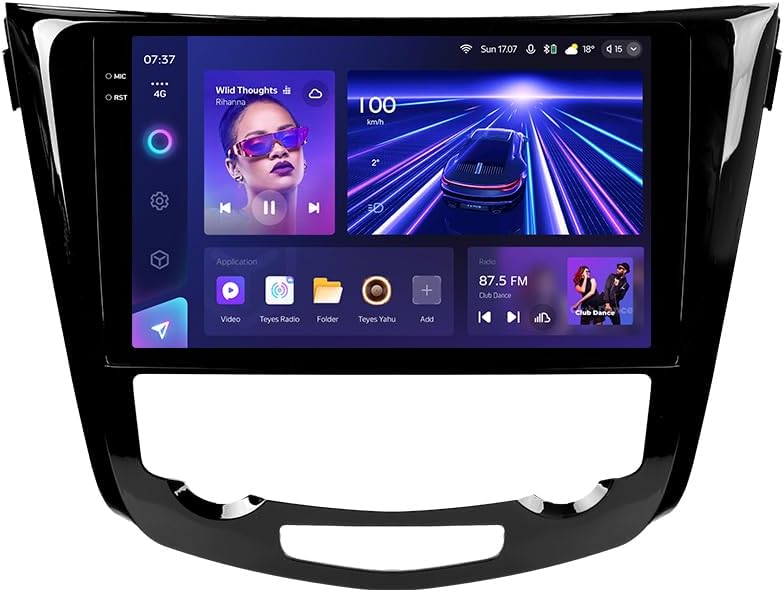
Foto: N'ihu view of the TEYES CC3 2K Car Radio Multimedia System, showcasing nnukwu ngosipụta ya na imewe mara mma ya.
Ihe ngwugwu
Nyochaa na etinyere ihe niile edepụtara n'okpuru na ngwugwu gị. Ọ bụrụ na ihe ọ bụla na-efu ma ọ bụ mebie, biko kpọtụrụ nkwado ndị ahịa.
- 1x TEYES CC3 2K Head Unit
- 1x OEM Panel (Frame)
- 1 x eriri ọkụ
- 1 x eriri USB
- 1 x Antenna GPS
- 1 x AUX USB
- 1x 4G WiFi Antenna
- 1x AHD 1080p Rear Camera
- 1x E-book (Digital Manual)
- 1x Wiring Diagram
- 1x akwa nhicha
Ntọala na nwụnye
Professional installation is recommended for this device. Ensure the vehicle's battery is disconnected before beginning installation.
Ndakọrịta
This unit is designed for Nissan X-Trail 3 (T32) 2013-2022 and Qashqai 2 (J11) models. Please verify your vehicle's compatibility before installation.
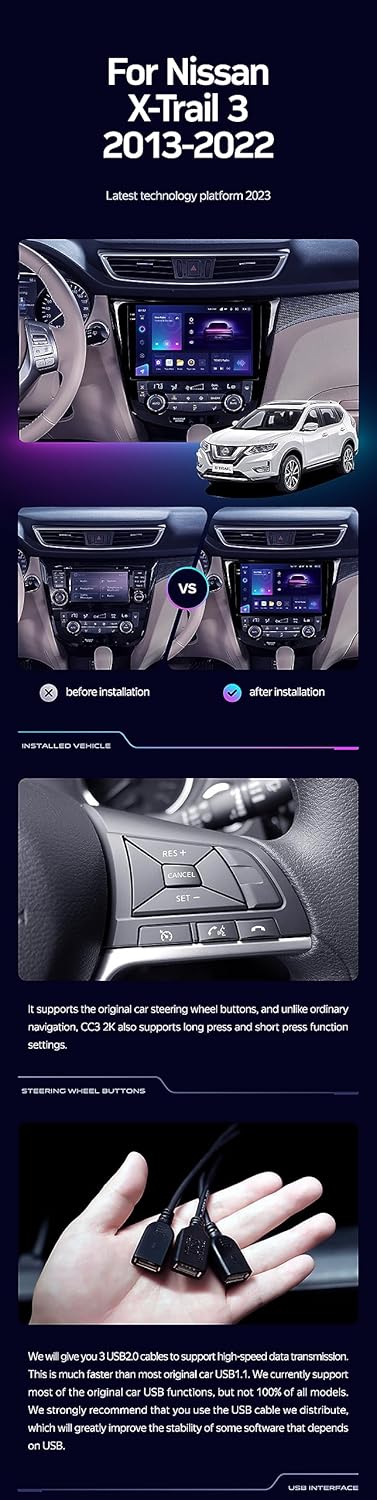
Image: A side-by-side comparison showing a car's dashboard before and after the installation of the TEYES CC3 2K unit, highlighting the integrated look.
Nzọụkwụ Nwụnye (Izugbe)
- Kwupu batrị: Tupu ịmalite, gbanyụọ njedebe adịghị mma nke batrị ụgbọala gị iji gbochie obere ọkụ eletrik.
- Remove Old Head Unit: Carefully remove the existing car radio and trim panels. Refer to your vehicle's service manual for specific instructions.
- Jikọọ eriri waya: Connect the provided power cable, USB cable, GPS antenna, AUX cable, and 4G WiFi antenna to the TEYES CC3 2K head unit. Ensure all connections are secure.
- Wụnye Igwefoto Azụ: If installing the AHD 1080p rear camera, route its cable to the desired mounting location (typically near the license plate) and connect it to the head unit.
- Mount Head Unit: Secure the TEYES CC3 2K head unit into the dashboard using the provided OEM panel (frame) and mounting hardware.
- Jikọọ batrị: Once all connections are made and the unit is securely mounted, reconnect the vehicle's battery.
- Ọrụ nnwale: Turn on the vehicle and test all functions of the new head unit, including audio, navigation, camera, and connectivity.
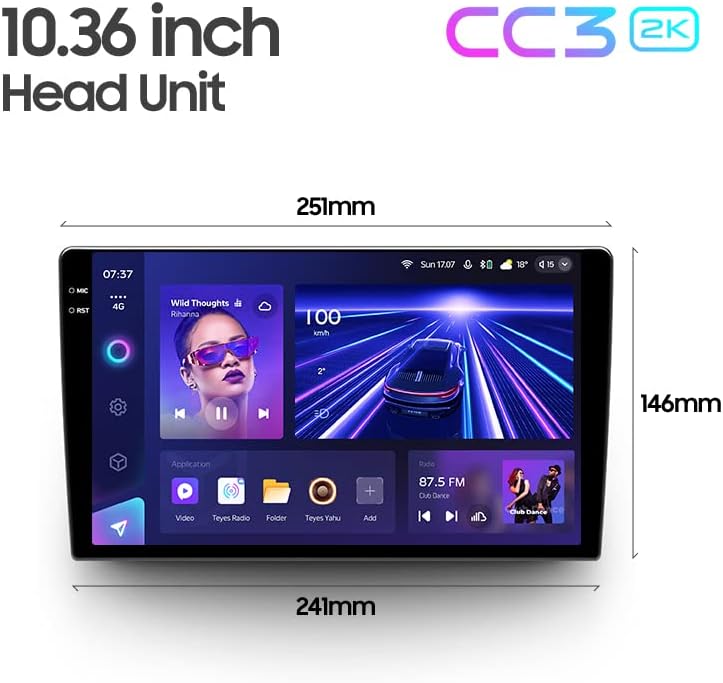
Image: The OEM panel (frame) included with the TEYES CC3 2K, designed for seamless integration into compatible vehicle dashboards.
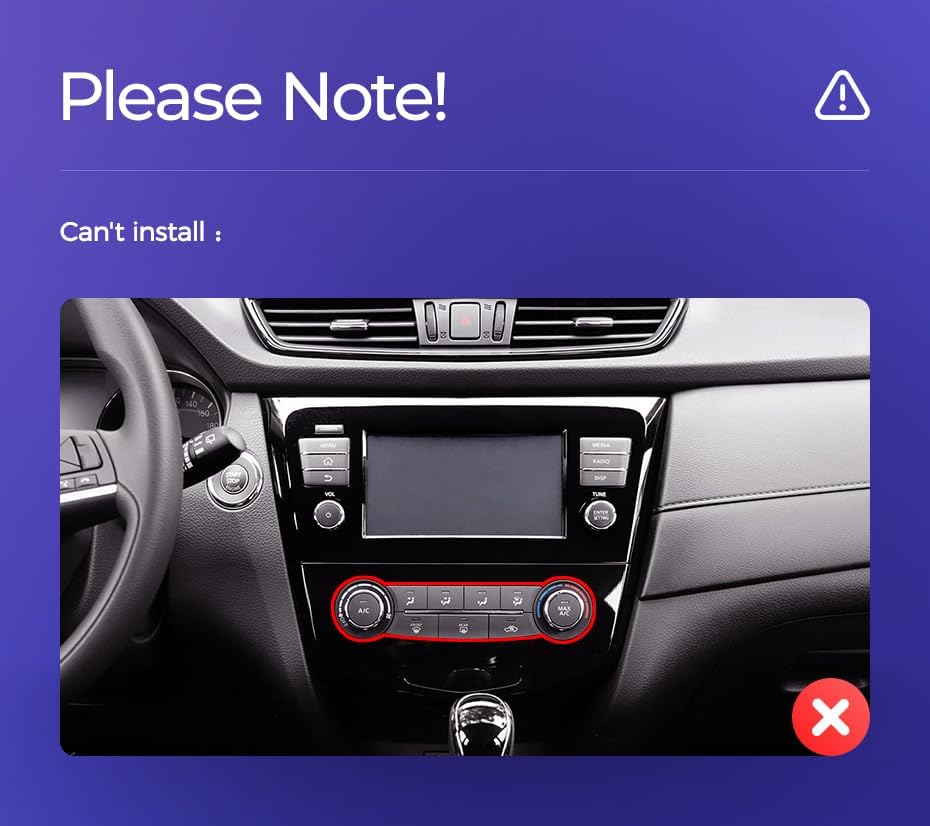
Image: Technical drawing showing the dimensions of the TEYES CC3 2K head unit, including its 10.36-inch screen size.
Ederede nwụnye dị mkpa
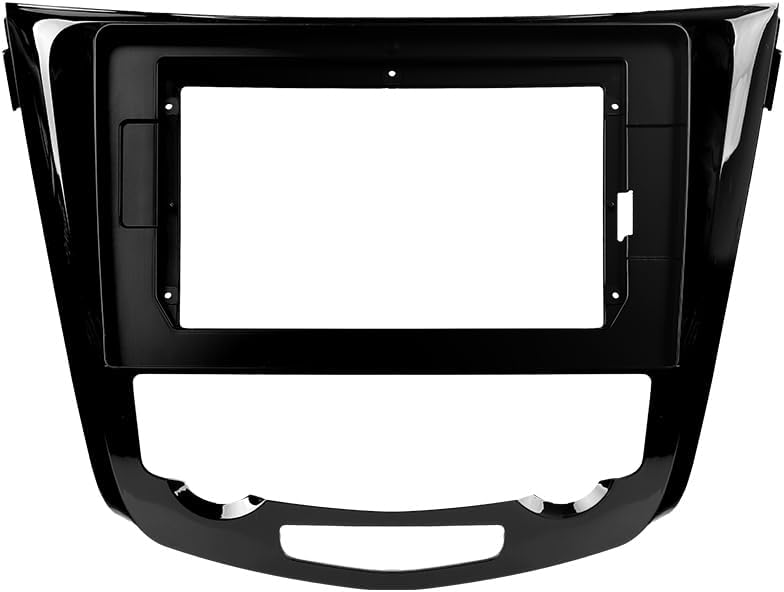
Image: Three USB output cables provided with the TEYES CC3 2K for data transfer and connectivity.
The unit provides multiple USB outputs for data transfer. While designed for broad compatibility, some original car USB functions may not be fully supported across all vehicle models. An included USB adapter cable can be used to ensure compatibility where needed.
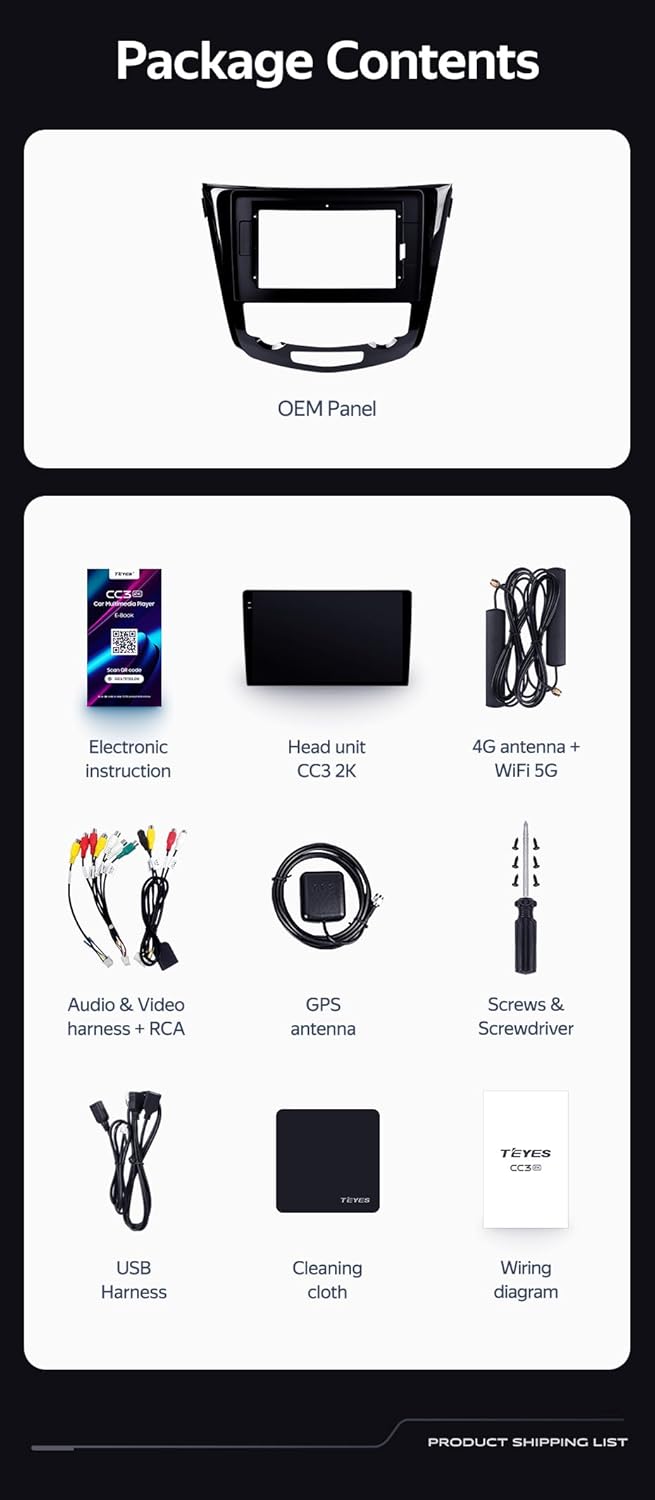
Image: A close-up of a car's steering wheel with controls, indicating support for steering wheel button integration with the TEYES CC3 2K.
The unit supports original car steering wheel buttons. Basic functions like volume and track control are supported. Advanced functions may require additional configuration or may not be fully compatible with all vehicle models.
Ntuziaka ọrụ
Ngosipụta na Interface
The TEYES CC3 2K features a 10.36-inch 2K In-cell display, offering vivid colors and accurate touch response. The Android 10 operating system provides a user-friendly interface.
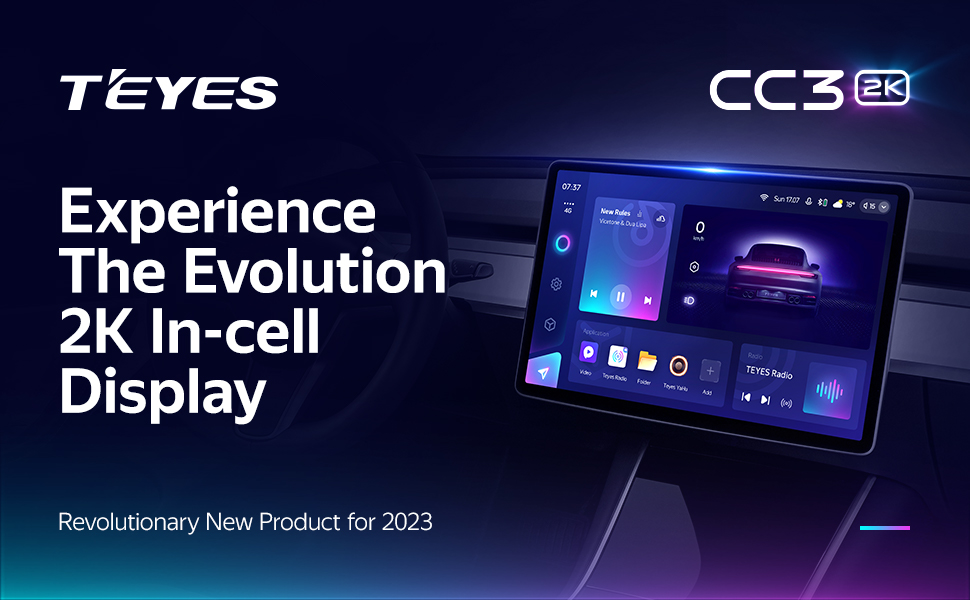
Image: A promotional image highlighting the TEYES CC3 2K's 2K In-cell display, showing a vibrant user interface.
Njikọta
- Bluetooth: Connect your smartphone via the upgraded Qualcomm QCC3031QFN Bluetooth module for hands-free calling and audio streaming.
- Wi-Fi/4G Internet: The unit supports 4G internet connectivity (SIM card not included) and Wi-Fi for online navigation, app downloads, and streaming.
- USB: Use the USB ports for media playback, data transfer, and connecting external devices.
Navigation na Multimedia
- GPS: Built-in GPS with North America map type support for accurate navigation.
- CarPlay & Android Auto: Enjoy seamless integration with your smartphone via built-in wireless Apple CarPlay and Android Auto.
- Redio: Access local radio stations with the premium local radio feature.
- Ụdị ihuenyo kewara: Utilize the freestyle combination split screen mode to run two applications simultaneously, such as navigation and media playback.

Image: The TEYES CC3 2K display showing split-screen functionality, with navigation on one side and video playback on the other.

Image: The TEYES CC3 2K display showing the premium local radio interface with various station icons.
Njirimara ọdịyo
The unit is equipped with dual DSP (ADAU1701 + ROHM32107) for enhanced audio processing, offering optical and coaxial digital audio output.
- 27-Segment EQ: Fine-tune your audio experience with the comprehensive 27-segment equalizer.
- Sound Filtering: Advanced sound filtering options are available to optimize audio output.

Image: The TEYES CC3 2K display showing the DSP audio settings interface, indicating dual DSP processors.
Image: The TEYES CC3 2K display showing the 27-segment equalizer interface for detailed audio customization.

Image: The TEYES CC3 2K display showing audio output settings, indicating support for optical and coaxial digital audio output.
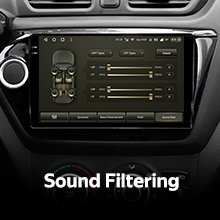
Image: The TEYES CC3 2K display showing sound filtering options, allowing users to refine audio quality.
Camera and Recording
The unit supports real-time viewing of the vehicle's rear view and video recording with the included AHD 1080p rear camera.

Image: The TEYES CC3 2K display showing the real-time feed from the rear view camera, with recording options.
Nlekọta
- Nchacha ihuenyo: Use the provided cleaning cloth or a soft, lint-free cloth to gently wipe the screen. Avoid abrasive cleaners or solvents.
- Mmelite ngwanrọ: Periodically check for software updates from TEYES to ensure optimal performance and access to new features.
- Ọnọdụ gburugburu: Zere ikpughe akụkụ ahụ na oke okpomọkụ, ìhè anyanwụ kpọmkwem maka ogologo oge, ma ọ bụ oke mmiri mmiri.
Nchọpụta nsogbu
If you encounter issues with your TEYES CC3 2K, refer to the following common problems and solutions:
| Nsogbu | Ihe nwere ike ime | Ngwọta |
|---|---|---|
| Unit anaghị agbanye ọkụ. | Njikọ ike rụrụ arụ, fuse fụọ, nsogbu batrị ụgbọ ala. | Check power cable connections. Inspect vehicle fuses. Ensure vehicle battery is charged. |
| Enweghị mmepụta ọdịyo. | Volume too low, incorrect audio source selected, speaker wiring issue. | Mee ka olu dịkwuo elu. Họrọ ebe ọdịyo kwesịrị ekwesị. Lelee njikọ igwe okwu. |
| Mgbama GPS furu efu ma ọ bụ ezighi ezi. | GPS antenna obstructed or improperly installed. | Gbaa mbọ hụ na antenna GPS nwere doro anya view nke eluigwe ma jikọọ ya nke ọma. |
| Ihuenyo mmetụ anaghị anabata. | Ntụpọ ngwanrọ nwa oge, nnyonye anya ihe nchekwa ihuenyo. | Restart the unit. Remove any screen protectors to test. |
| Nsogbu njikọ Bluetooth. | Device not in pairing mode, interference, outdated firmware. | Ensure device is in pairing mode. Move closer to the unit. Check for firmware updates. |

Image: An icon representing Frequently Asked Questions, indicating further support resources.
Nkọwapụta
| Njirimara | Nkọwa |
|---|---|
| Nọmba nlereanya | CC3 2K |
| Sistemụ nrụọrụ | Android 10 |
| Nhazi | 8 Cores 2.0GHz |
| RAM | 6GB |
| ROM | 128GB |
| Ngosipụta nha | 10.36 sentimita asatọ |
| Ụdị ngosi | 2K In-cell Display |
| Njikọta | Bluetooth (QCC3031QFN Qualcomm), USB, Wi-Fi, Hotspot, 4G Internet |
| Ọnọdụ mmepụta ọdịyo | Stereo |
| DSP | 2*DSP ADAU1701 + ROHM32107 |
| Mmepụta ọdịyo | Optical and Coaxial Digital Audio Output |
| Nsoro ụzọ | Built-in GPS, North America Map Type |
| Atụmatụ pụrụ iche | Touchscreen, Bluetooth, Wireless CarPlay, Android Auto, RDS, Real-time Rear View, Video Recording, TEYES Vision & TEYES Yahu software. |
| Servicedị Ọrụ hicgbọ | Ụgbọ ala |
Akwụkwọ ikike na nkwado
The TEYES CC3 2K comes with a 1-afọ akwụkwọ ikike site na ụbọchị ịzụrụ. Akwụkwọ ikike a na-ekpuchi ntụpọ nrụpụta na adịghị arụ ọrụ n'okpuru ojiji nkịtị.
For technical support, troubleshooting assistance, or warranty claims, please contact TEYES customer service through the official TEYES store on Amazon or their official websaịtị.
Gaa leta TEYES Store on Amazon maka ozi ndị ọzọ na akụrụngwa nkwado.
Ask a question about this manual
Ask about setup, troubleshooting, compatibility, parts, safety, or missing instructions. Manuals+ will review the question and use this page’s manual context to help answer it.