
1. Okwu mmalite
Thank you for choosing the Urageuxy UC-WS0800 Wireless Digital Thermometer Weather Station. This device provides comprehensive environmental monitoring, displaying indoor and outdoor temperature and humidity, weather forecasts, moon phases, and barometric pressure. It is designed for easy setup and reliable performance, helping you stay informed about your surroundings.
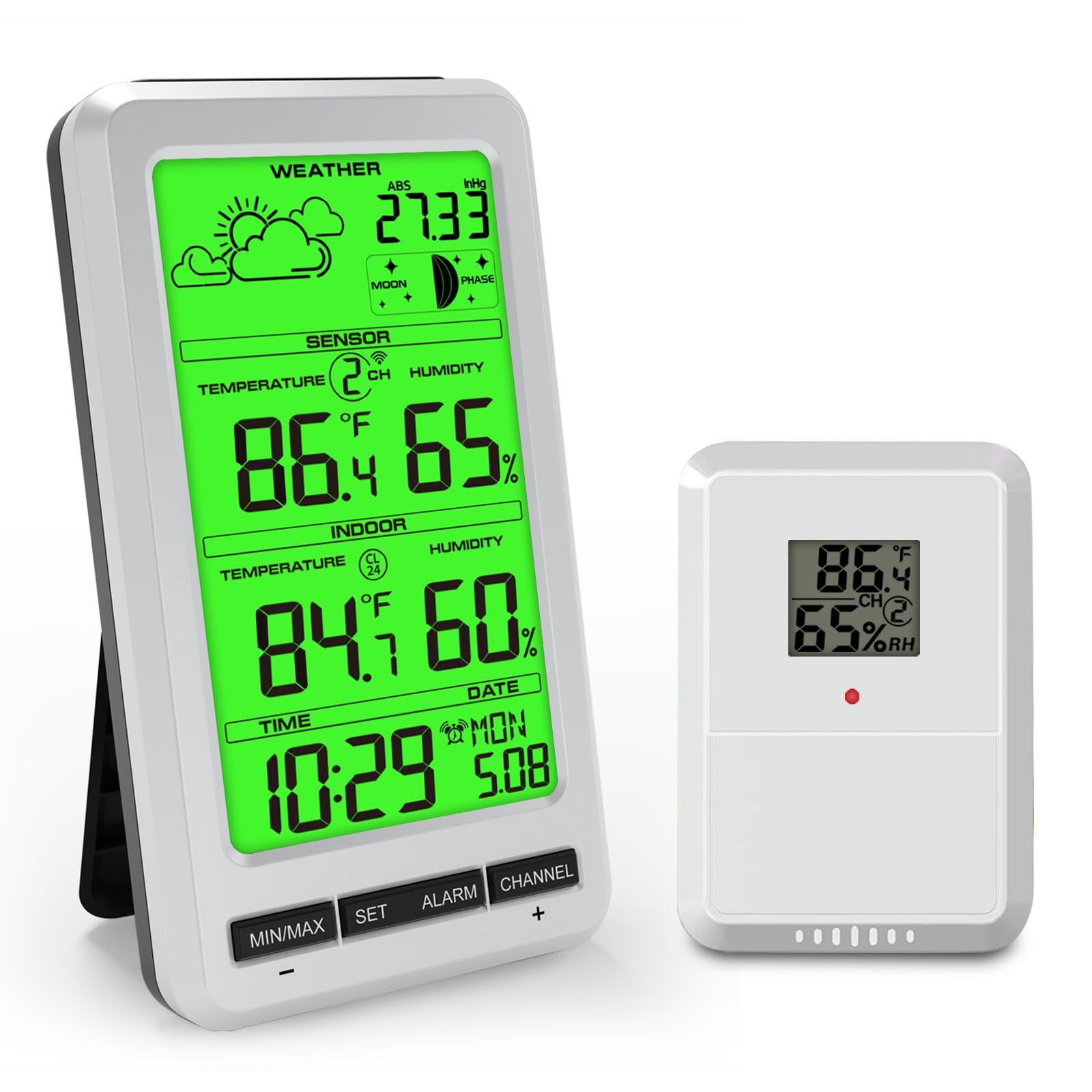
The main display unit of the Urageuxy UC-WS0800 Weather Station, illustrating its various functions including indoor/outdoor temperature and humidity, weather forecast, and moon phase.
2. Ihe ngwugwu
- Ngalaba ngosi isi
- Wireless Remote Sensor (1 included)
- Akwụkwọ ntuziaka onye ọrụ
3. Atụmatụ igodo
- Multifunctional Weather Station: Displays indoor/outdoor temperature and humidity, max/min records, 24-48 hour weather forecast, barometric pressure, moon phase, time, and date.
- Oke nnyefe agbatịkwuru: Wireless transmission up to 100 meters (300 feet) in open areas.
- Multi-Sensor Support: Supports up to 8 remote temperature sensors (1 sensor included; additional sensors sold separately).
- Ihe ndekọ kacha/Nkeji: Automatically records maximum and minimum temperature and humidity levels over the past 24 hours.
- Ìhè azụ nwere ike imezi: Green backlight for clear readability day or night.
- Ọrụ mkpu: Includes time alarm, indoor/outdoor temperature alarm, indoor/outdoor humidity alarm, and absolute pressure alarm.
- Nkwanye mgbanwe: Features an integrated stand for desktop use and a hanging hole for wall mounting.

Nfefeview of the Urageuxy Weather Station's display, detailing each functional icon and reading.
4. Nhazi
4.1 Powering the Main Unit
- Mepee mkpuchi nke batrị dị n'azụ nke isi ngwaọrụ ahụ.
- Insert 4 AAA batteries (not included) according to the polarity markings (+/-).
- Mechie mkpuchi oghere batrị.
- Alternatively, connect a 5V power adapter (not included) to the DC port for continuous backlight operation.
4.2 Powering the Remote Sensor
- Open the battery compartment cover on the back of the remote sensor.
- Tinye batrị AA anọ (anaghị etinye ya) dịka akara polarity (+/-) si dị.
- Mechie mkpuchi oghere batrị.

Illustration of the main unit's power options, including the battery compartment for 4 AAA batteries and the 5V power adapter connection.
4.3 Ntinye ihe mmetụta
Place the remote sensor in a sheltered outdoor location, away from direct sunlight and rain, to ensure accurate temperature and humidity readings. Ensure it is within the 100-meter transmission range of the main unit.
4.4 Nhazi Isi nke Ngalaba ahụ
The main unit can be placed on a desktop using its integrated stand or mounted on a wall using the hanging hole on its back.
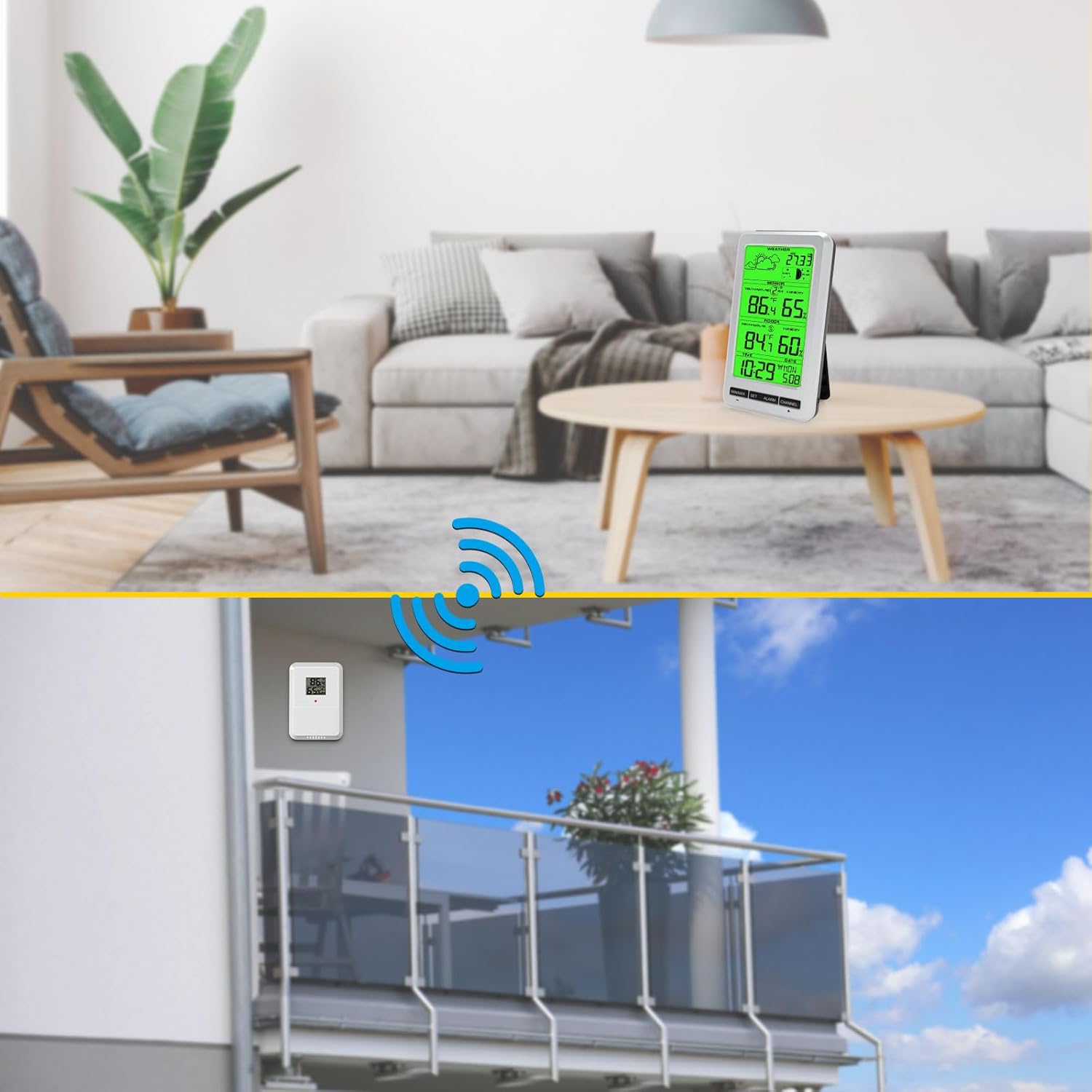
Visual representation of the two placement options for the main unit (desktop and wall-mounted) and the recommended outdoor placement for the remote sensor.
4.5 Mmekọrịta Mmalite
After inserting batteries into both the main unit and the remote sensor, the main unit will automatically search for the sensor signal. This may take a few minutes. Once connected, the outdoor temperature and humidity will appear on the display.
5. Ntuziaka ọrụ
5.1 Ngosipụta karịrịview
The main display shows:
- Weather Forecast icons
- Barometric Pressure (ABS)
- Usoro ọnwa
- Outdoor Temperature and Humidity (SENSOR)
- Indoor Temperature and Humidity (INDOOR)
- Oge na ụbọchị
5.2 Ịtọ oge na ụbọchị
Pịa ma jide SET button to enter time and date setting mode. Use the MIN / MAX na CHANNEL buttons to adjust values, and SET iji kwado ma gaa na ntọala na-esote.
Nhọrọ nke nkeji okpomọkụ 5.3 (°C/°F)
Pịa nkenke MIN / MAX button to switch between Celsius (°C) and Fahrenheit (°F) temperature units.
Ndekọ Nkeji/Max 5.4
Pịa MIN / MAX bọtịnụ ugboro ugboro ka view the maximum and minimum recorded temperature and humidity values for both indoor and outdoor sensors. To clear the records, press and hold the MIN / MAX pịa bọtịnụ viewna ha.
5.5 Ọrụ mkpu
Pịa Mkpu button to activate or deactivate the time alarm. Press and hold the Mkpu button to set the alarm time and other alarm thresholds (temperature, humidity, pressure). Use MIN / MAX na CHANNEL imeghari ụkpụrụ.
5.6 Channel Selection (Multiple Sensors)
If you have multiple remote sensors, press the CHANNEL button to cycle through the different sensor channels (CH1, CH2, etc.). The main unit can monitor up to 8 sensors.

The Urageuxy Weather Station's capability to track temperature and humidity from up to 8 remote sensors, indicated by channel numbers.
Njikwa ọkụ azụ 5.7
When powered by batteries, the backlight will illuminate briefly when any button is pressed. When powered by a 5V adapter, the backlight can remain continuously on and its brightness may be adjustable (refer to specific button functions if available).
6. Nlekọta
6.1 Nhicha
Jiri ihe dị nro, d hichaa ihe ngosi na elu nke ngwaọrụ ahụ.amp cloth. Do not use abrasive cleaners or solvents, as these may damage the display or casing.
6.2 nnọchi batrị
Replace batteries in both the main unit and remote sensor when the low battery indicator appears on the display. Ensure correct polarity when inserting new batteries.
6.3 Nchekwa
If the device will not be used for an extended period, remove all batteries to prevent leakage and store the unit in a cool, dry place.
7. Nchọpụta nsogbu
- No outdoor reading or incorrect outdoor humidity: Ensure the remote sensor batteries are fresh and correctly inserted. Verify the sensor is within range and not obstructed by thick walls or metal objects. If outdoor humidity is not displayed, try changing the sensor channel or re-pairing the sensor.
- Ngosipụta bụ oghere: Check if the batteries in the main unit are depleted or inserted incorrectly. If using a power adapter, ensure it is properly connected.
- Ọgụgụ na-ezighi ezi: Ensure both the main unit and remote sensor are placed away from direct heat sources, cold drafts, or high humidity areas (e.g., direct rain for the sensor). Allow time for readings to stabilize after initial setup or relocation.
- Bọtịnụ anaghị aza: Remove and reinsert batteries to reset the unit.
8. Nkọwapụta
| Njirimara | Nkọwa |
|---|---|
| Ụdị | Urageuxy |
| Nọmba nlereanya | UC-WS0800 |
| Isi Iyi Ike (Isi ngalaba) | 4 x AAA Batteries (not included) or 5V Power Adapter (not included) |
| Power Source (Remote Sensor) | Batrị 2 x AA (anaghị etinye ya) |
| Atụmatụ pụrụ iche | Alarm, Adjustable Brightness, Clock, Wireless, Large Screen |
| Eji akwadoro | Home, Office, Garden, Restaurant, Library |
| Ihe onwunwe | Ọkụ azụ akwụkwọ ndụ akwụkwọ ndụ (ụdị ngosipụta) |
| UPC | 763864252236 |

Detailed dimensions of the main display unit and the remote sensor.
9. Akwụkwọ ikike na nkwado
For warranty information or technical support, please refer to the documentation provided with your purchase or contact the manufacturer directly through their official webỌwa saịtị ma ọ bụ ọrụ ndị ahịa. Debe risit ịzụrụ ihe gị dị ka ihe akaebe nke ịzụrụ ihe.