
TEYES CC3 2K
TEYES CC3 2K Car Radio Multimedia System
Akwụkwọ ntuziaka onye ọrụ
1. Okwu mmalite
The TEYES CC3 2K is an advanced car radio multimedia system designed to enhance your driving experience with cutting-edge technology. Featuring a high-resolution 2K in-cell display, Android 10 operating system, and comprehensive navigation capabilities, this head unit integrates seamlessly into compatible vehicles, offering superior audio-visual performance and smart connectivity. This manual provides detailed instructions for installation, operation, maintenance, and troubleshooting.

Figure 1.1: TEYES CC3 2K Head Unit Interface
2. Ihe ngwugwu
Nyochaa na etinyere ihe niile edepụtara n'okpuru na ngwugwu gị. Ọ bụrụ na ihe ọ bụla na-efu ma ọ bụ mebie, biko kpọtụrụ nkwado ndị ahịa.

Figure 2.1: TEYES CC3 2K Package Contents
- 1x TEYES CC3 2K Head Unit
- 1 x eriri ọkụ
- 1 x eriri USB
- 1 x Antenna GPS
- 1 x AUX USB
- 1x 4G WiFi Antenna
- 1x E-book (Digital Manual)
- 1x Frame (OEM Panel)
- 1x AHD 1080p Rear Camera
- 1x Audio & Video Harness + RCA
- 1x Screws & Screwdriver
- 1x akwa nhicha
- 1x Wiring Diagram
3. Atụmatụ igodo
The TEYES CC3 2K system offers a range of advanced features for an enhanced in-car experience:
- Arụmọrụ dị elu: Equipped with RAM 6GB and ROM 128GB for smooth operation.
- Superior Display: CC3 2K In-cell Display with 157% Gamut Coverage for vivid and accurate colors.
- Advanced Touchscreen: 2K touch screen technology with integrated display and touchscreen.
- Njikọta enweghị nkebi: Built-in wireless CARPLAY and ANDROID AUTO.
- Powerful Hardware: 8 cores 2.0GHz processor, support for RDS, and 4G internet.
- Enhanced Bluetooth: Upgraded Bluetooth module with QCC3031QFN Qualcomm.
- Innovative Software: Includes TEYES Vision & TEYES Yahu 3D software.
- Customizable Interface: Multiple color styles available to suit user preference.
- Ọdịda adịchaghị: Dual DSP ADAU1701 + ROHM32107, with optical and coaxial digital audio output.
- Atụmatụ nchekwa: Ozugbo viewing of vehicle's rear view and support for video recording.
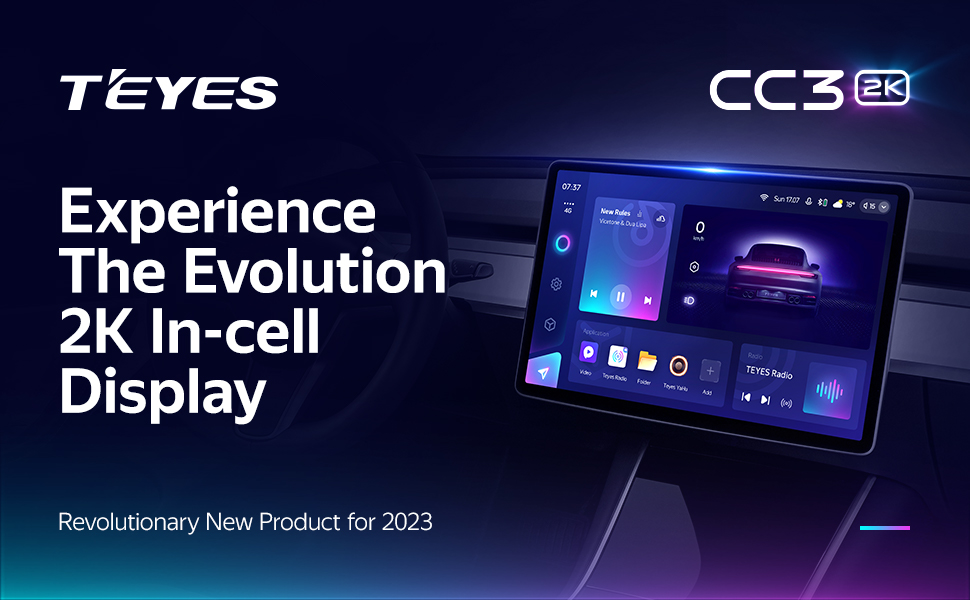
2K In-cell Display

Freestyle Combination Split Screen Mode

Real-time Rear View & Video Recording

Optical and Coaxial Digital Audio Output
4. Ntọala na nwụnye
4.1. Ndakọrịta
The TEYES CC3 2K head unit is specifically designed for Ferrari California models manufactured between 2008 and 2017. Ensure your vehicle falls within this range for proper fitment and functionality.

Ọgụgụ 4.1: Tupu na mgbe echichi
4.2. Wiring na njikọ
Refer to the included wiring diagram for detailed connection instructions. Key connections include the power cable, USB cables, GPS antenna, AUX cable, and 4G WiFi antenna. Professional installation is recommended.
- Ike Ike: Connect to the vehicle's power supply according to the wiring diagram.
- eriri USB: Utilize the multiple USB outputs for data transfer and connecting external devices.
- Antenna GPS: Mount in a location with clear sky view maka ezigbo nnabata mgbaama.
- 4G WiFi Antenna: Install for stable internet connectivity.
- Igwefoto azụ: Connect the AHD 1080p rear camera for parking assistance and recording.
- Njikwa wiil isi: The system supports original steering wheel controls. Refer to the wiring diagram for integration.
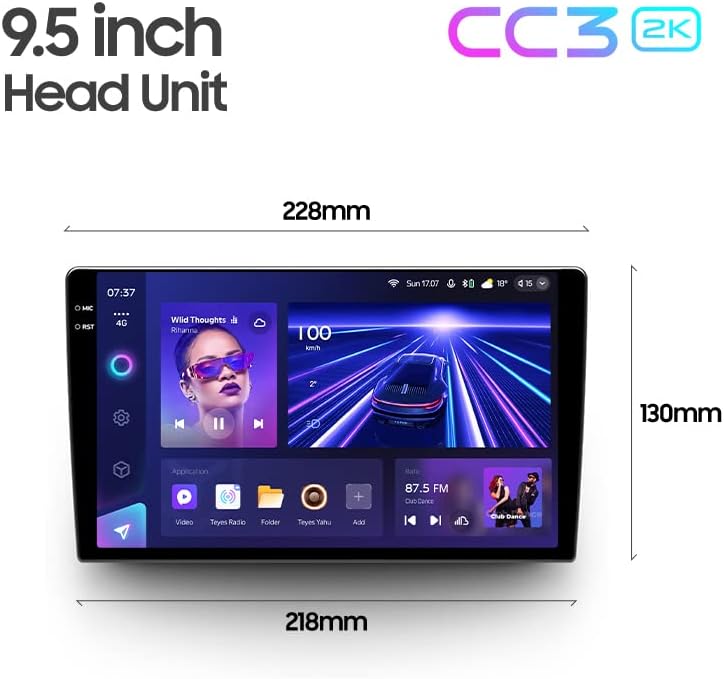
Figure 4.2: USB Output Cables

Figure 4.3: Steering Wheel Control Support
5. Ntuziaka ọrụ
5.1. Basic Ọrụ
The TEYES CC3 2K operates on Android 10, providing a familiar and intuitive user interface. Navigate through menus and applications using the responsive 2K touchscreen. Voice commands are also supported via the touchscreen interface.
5.2. Ntugharị
Utilize the built-in GPS for accurate navigation. The system supports North America map types. Access navigation applications directly from the main interface.
5.3. Mkpọghachi Multimedia
The system functions as a comprehensive multimedia player, supporting various audio and video formats. Enjoy premium local radio with RDS support. The audio output mode is stereo, providing a rich sound experience.

Figure 5.1: Premium Local Radio Interface
5.4. Njikọta
- Bluetooth: Connect your smartphone for hands-free calling and audio streaming via the upgraded QCC3031QFN Qualcomm Bluetooth module.
- Wi-Fi & Hotspot: Connect to Wi-Fi networks or use your phone's hotspot for internet access.
- Ikuku CarPlay na gam akporo Auto: Seamlessly integrate your smartphone for navigation, music, and messaging.
5.5. Ntọala ọdịyo
Fine-tune your audio experience with the dual DSP (ADAU1701 + ROHM32107) and a 27-segment equalizer. The system also features optical and coaxial digital audio output for high-fidelity sound.

Figure 5.2: Dual DSP Audio Processing
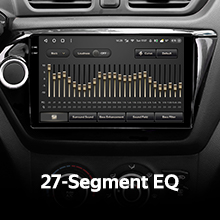
Figure 5.3: 27-Segment Equalizer
5.6. N'azụ View Camera and Recording
The included AHD 1080p rear camera provides real-time viewing of your vehicle's rear surroundings, aiding in parking and maneuvering. The system also supports video recording from the camera.
6. Nlekọta
To ensure the longevity and optimal performance of your TEYES CC3 2K system, follow these maintenance guidelines:
- Nhicha: Use the provided cleaning cloth or a soft, lint-free cloth to gently wipe the screen and unit. Avoid abrasive cleaners or solvents.
- Mmelite ngwanrọ: Periodically check for software updates from TEYES to ensure you have the latest features and bug fixes.
- Ọnọdụ gburugburu: Zere ikpughe akụkụ ahụ na oke okpomọkụ, ìhè anyanwụ kpọmkwem maka ogologo oge, ma ọ bụ oke mmiri mmiri.
7. Nchọpụta nsogbu
If you encounter issues with your TEYES CC3 2K system, refer to the following common problems and solutions:
| Nsogbu | Ihe nwere ike ime | Ngwọta |
|---|---|---|
| Unit anaghị agbanye ọkụ | Loose power connection, blown fuse | Check power cable connections; inspect vehicle's fuse box. |
| Enweghị mmepụta ụda | Volume too low, incorrect audio settings, loose speaker wires | Increase volume; check audio output settings; verify speaker connections. |
| GPS signal lost/inaccurate | GPS antenna obstructed or improperly installed | Ensure GPS antenna has clear sky view; re-seat antenna connection. |
| Ihuenyo mmetụ anaghị anabata | Software glitch, temporary freeze | Restart the unit (refer to manual for specific restart procedure); if persistent, contact support. |
| Nsogbu njikọ Bluetooth | Device not discoverable, interference | Ensure Bluetooth is enabled on both devices; try re-pairing; minimize interference. |
For issues not listed here, or if solutions do not resolve the problem, please contact TEYES customer support.
8. Nka na ụzụ nkọwa
| Njirimara | Nkọwapụta |
|---|---|
| Nọmba nlereanya | CC3 2K |
| Sistemụ nrụọrụ | Android 10 |
| Ngosipụta nha | 9.5 sentimita asatọ |
| Ngosipụta teknụzụ | 2K In-cell Touch Screen |
| RAM | 6GB |
| ROM | 128GB |
| Nhazi | 8 Cores 2.0GHz |
| Modul Bluetooth | QCC3031QFN Qualcomm |
| DSP | 2*DSP ADAU1701 + ROHM32107 |
| Mmepụta ọdịyo | Stereo, Optical and Coaxial Digital Audio Output |
| Njikọta | Bluetooth, USB, WIFI, Hotspot, 4G Internet |
| Nsoro ụzọ | GPS, North America Map Type |
| Atụmatụ pụrụ iche | Wireless CarPlay, Android Auto, Steering Wheel Control, Rear View Camera Support, Video Recording |
| Ụdị nkwụnye | Ugwu Panel |
| Onye nrụpụta | Shenzhen TEYES High tech Co., Ltd. |
| Ụbọchị mbụ dị | Ọgọst 2, 2023 |
9. Akwụkwọ ikike Ozi
The TEYES CC3 2K Car Radio Multimedia System comes with a 1-afọ akwụkwọ ikike from the date of purchase. This warranty covers manufacturing defects and malfunctions under normal use. Please retain your proof of purchase for warranty claims. For detailed warranty terms and conditions, refer to the official TEYES websaịtị ma ọ bụ kpọtụrụ nkwado ndị ahịa.
10. Nkwado ndị ahịa
For further assistance, technical support, or inquiries regarding your TEYES CC3 2K system, please visit the official TEYES store or contact their customer service team:
TEYES Official Store: https://www.amazon.com/stores/TEYES/page/1420A196-4C01-48FA-BED8-462791F44D56
Please have your product model number (CC3 2K) and purchase details ready when contacting support.
Ask a question about this manual
Ask about setup, troubleshooting, compatibility, parts, safety, or missing instructions. Manuals+ will review the question and use this page’s manual context to help answer it.