
1. Okwu mmalite
Thank you for choosing the BINNUNE BG02 Gaming Headset. This manual provides detailed instructions for setting up, operating, and maintaining your headset to ensure optimal performance and longevity. Please read this manual thoroughly before using the product.
2. Ngwaahịa gafereview na akụrụngwa
The BINNUNE BG02 is a wired gaming headset designed for immersive audio and clear communication across multiple platforms. It features a comfortable over-ear design and a flexible microphone.

Foto 2.1: N'ihu view of the BINNUNE BG02 Gaming Headset with its attached microphone.
Ọdịnaya ngwugwu:
- BINNUNE BG02 Gaming Headset with attached 3.5mm audio cable
- PC Splitter Cable (3.5mm Y-splitter for separate audio/mic jacks)
- Ntuziaka mmalite ngwa ngwa

Figure 2.2: Contents included in the BINNUNE BG02 Gaming Headset package, showing the headset, cables, and documentation.
Akụkụ ndị bụ isi:
- 50mm Titanium Drivers: For rich, full-range sound.
- Unidirectional Boom Mic: Bendable microphone designed for clear voice capture and noise suppression.
- In-line Audio Controls: Convenient access to volume adjustment and microphone mute switch.
- Ndakọrịta Cross-platform: Works with PS5, PS4, PS4 Pro, Nintendo Switch, PC, and mobile devices with a 3.5mm jack.

Ọgụgụ 2.3: Zuru ezu view of the 50mm titanium-coated drivers, engineered for enhanced audio clarity and immersive sound.
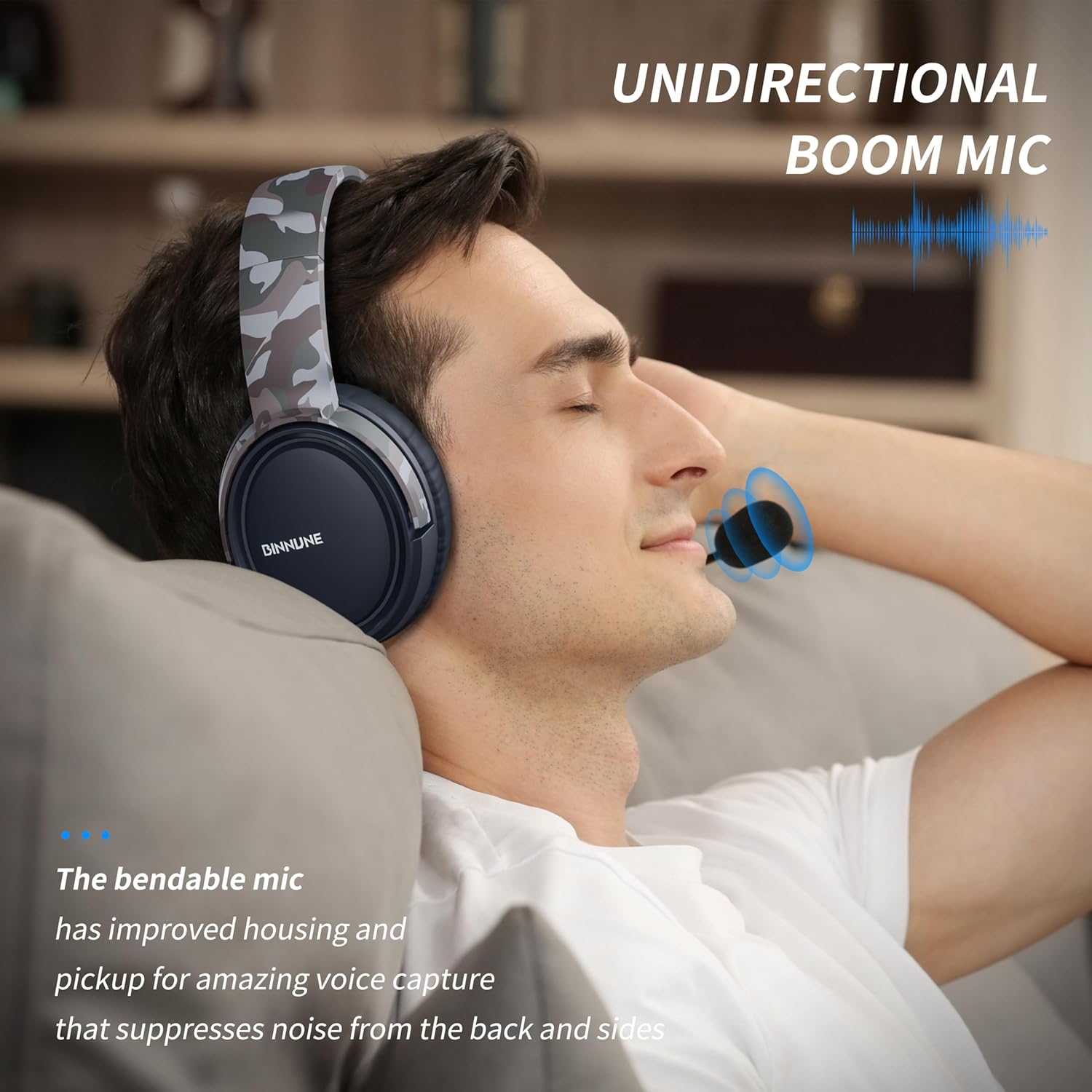
Figure 2.4: A user demonstrating the flexible unidirectional boom microphone, designed to capture voice clearly while minimizing background noise.
3. Nhazi
The BINNUNE BG02 headset connects via a standard 3.5mm audio jack. Follow the instructions below for your specific device.
3.1 Connecting to PlayStation 5 / PlayStation 4 / Nintendo Switch / Mobile Devices:
- Locate the 3.5mm audio jack on your controller (PS5/PS4), console (Nintendo Switch), or mobile device.
- Insert the 3.5mm plug of the headset cable firmly into the audio jack.
- Adjust audio settings on your device if necessary to ensure the headset is selected as the input/output device.

Figure 3.1: The BINNUNE BG02 Headset positioned with a PlayStation 5 console and controller, illustrating its intended use for gaming.
3.2 Connecting to PC:
For PCs with separate audio and microphone jacks, use the included PC splitter cable.
- Connect the 3.5mm plug of the headset to the female end of the PC splitter cable.
- Insert the green plug of the splitter cable into your PC's audio output (headphone) jack.
- Insert the pink plug of the splitter cable into your PC's microphone input jack.
- Ensure your PC's sound settings are configured to use the headset for both playback and recording.
4. Ntuziaka ọrụ
The BINNUNE BG02 headset features convenient in-line controls for quick adjustments during use.

Ọgụgụ 4.1: Zuru ezu view of the in-line audio controls, featuring a volume slider and a microphone mute button for easy access.
4.1 Njikwa olu:
- Locate the volume slider on the in-line control unit.
- Slide the control up to increase volume and down to decrease volume.
4.2 mechie igwe okwu:
- Locate the microphone mute switch on the in-line control unit.
- Flip the switch to mute the microphone (typically indicated by a red line or icon).
- Flip the switch again to unmute the microphone.
4.3 Microphone Positioning:
- The boom microphone is flexible. Adjust its position to be close to your mouth for optimal voice clarity.
- Gbaa mbọ hụ na egbochighị igwe okwu.
5. Ndakọrịta
The BINNUNE BG02 Gaming Headset is designed for broad compatibility with various gaming consoles and devices that support a 3.5mm audio connection.
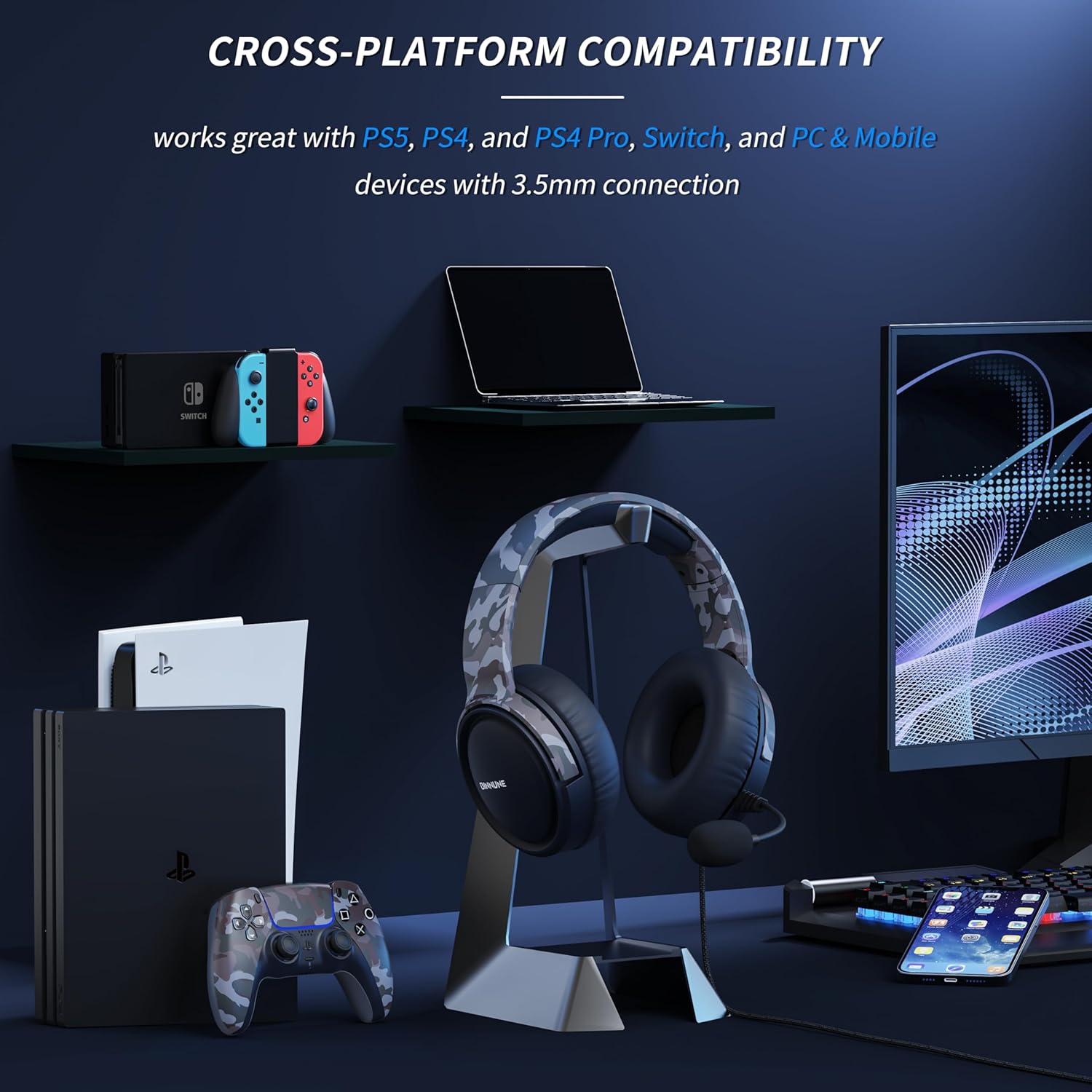
Figure 5.1: The BINNUNE BG02 Headset displayed with various compatible devices including PlayStation 5, PlayStation 4, Nintendo Switch, PC, and mobile phones.
Platform akwadoro:
- PlayStation 5 (PS5)
- PlayStation 4 (PS4)
- PlayStation 4 Pro (PS4 Pro)
- Nintendo Switch
- PC (with included splitter cable for separate audio/mic jacks)
- Mobile Devices (with 3.5mm audio jack)
6. Nlekọta
Proper care and maintenance will extend the life of your BINNUNE BG02 Gaming Headset.
- Nhicha: Jiri akwa dị nro ma kpọọ nkụ hichapụ ihe ntị ntị na eriri isi. Maka unyi isi ike, ntakịrị damp Enwere ike iji ákwà mee ihe, mana hụ na mmiri adịghị abanye n'ime grill ma ọ bụ igwe okwu.
- Nchekwa: Store the headset in a cool, dry place away from direct sunlight and extreme temperatures. Avoid tangling the cable.
- Nlekọta USB: Do not pull on the cable to disconnect the headset. Always grasp the plug. Avoid sharp bends or kinks in the cable.
- Nlekọta igwe okwu: Handle the flexible boom microphone gently. Avoid excessive bending or twisting.
7. Nchọpụta nsogbu
If you encounter issues with your BINNUNE BG02 Gaming Headset, refer to the following common solutions:
| Nsogbu | Ihe nwere ike ime | Ngwọta |
|---|---|---|
| Enweghị ọdịyo sitere na ekweisi |
|
|
| Igwe okwu anaghị arụ ọrụ |
|
|
| Mgbanwe ụda ma ọ bụ kwụ ọtọ |
|
|
8. Nkọwapụta
| Njirimara | Nkọwa |
|---|---|
| Nọmba nlereanya | BG02 |
| Njikọta | Waya (Jak 3.5mm) |
| Nha ọkwọ ụgbọ ala | 50mm Titanium ọkwọ ụgbọ ala |
| Ụdị igwe okwu | Unidirectional Boom Mic |
| Njikwa | In-line Volume Slider, Mic Mute Switch |
| Ụdị Ihe | Ntị karịrị (Over-Auricular) |
| Ihe onwunwe | Plastic |
| Ibu | Ihe dị ka 9 ounces |
| Akwadoro ojiji | Gaming, Video Conferencing |
9. Akwụkwọ ikike na nkwado
BINNUNE products are designed for reliability and performance. For any questions, technical support, or warranty inquiries, please contact BINNUNE customer service through the retailer's platform or the official BINNUNE websaịtị. Biko dowe ihe akaebe nke ịzụrụ ihe maka akwụkwọ ikike.
Maka ozi nkwado kachasị ọhụrụ, biko gaa na: www.binnune.com (Rịba ama: Nke a bụ ebe nchekwa URL as no specific support link was provided in the product data.)