
Ngwaahịa gafereview
The Kratos SW15 Smart Watch is a versatile wearable device designed for both men and women, offering a blend of style and functionality. It features Bluetooth calling, a vibrant 1.85-inch HD display, and comprehensive health monitoring capabilities. This manual provides essential information for setting up, operating, and maintaining your device.

Image: Kratos SW15 Smart Watch, showcasing its sleek design and green strap.
Kedu ihe dị na Igbe ahụ
Upon unboxing your Kratos SW15 Smart Watch, you will find the following components:
- Kratos SW15 Smart Watch
- Igwe Oji Magnetik
- Akwụkwọ ntuziaka onye ọrụ
Video: An unboxing video demonstrating the contents of the Kratos SW15 Smart Watch package, including the watch and its accessories.
Ntuziaka nhazi
1. Nchaji mbụ
Before first use, fully charge your Kratos SW15 Smart Watch. Connect the magnetic charging cable to the charging points on the back of the watch and plug the USB end into a power source. A full charge typically takes approximately 2 hours.
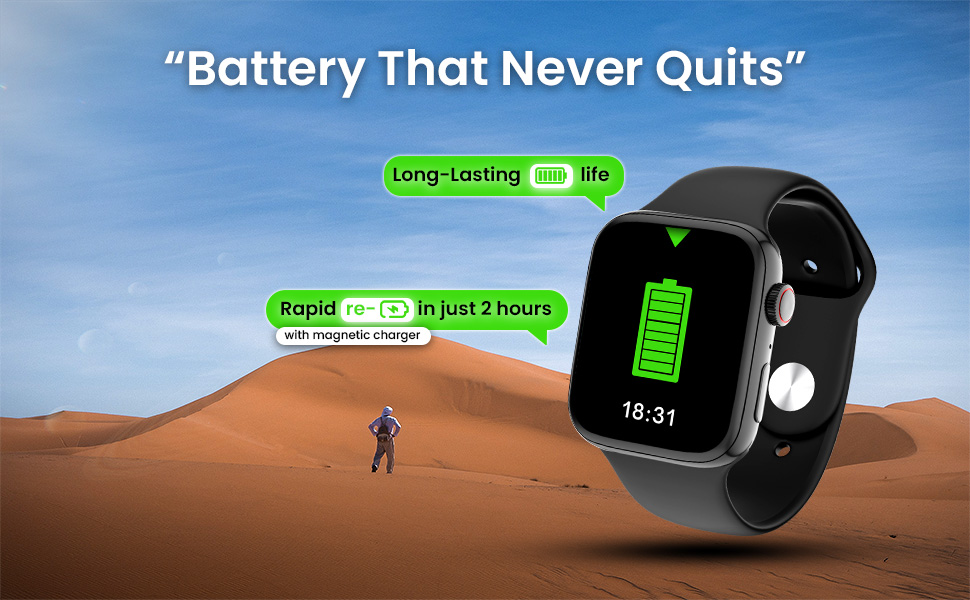
Image: The Kratos SW15 Smart Watch connected to its magnetic charger, illustrating the charging process.
2. Nbudata ngwa na ijikọ
- Scan the QR code provided in the product packaging or on the product page to download the companion app (HryFine). The app is compatible with both iOS and Android devices.
- Wụnye ngwa na ama gị.
- Mepee ngwa ahụ ma soro ntuziaka na ihuenyo ka ịmepụta akaụntụ ma ọ bụ banye.
- Kwado Bluetooth na ekwentị gị.
- Within the app, search for your Kratos SW15 Smart Watch and select it to initiate the pairing process.
- Kwado arịrịọ njikọta ahụ na ekwentị gị na elekere smart.
Download the HryFine app from the Ụlọ ahịa Google Play.
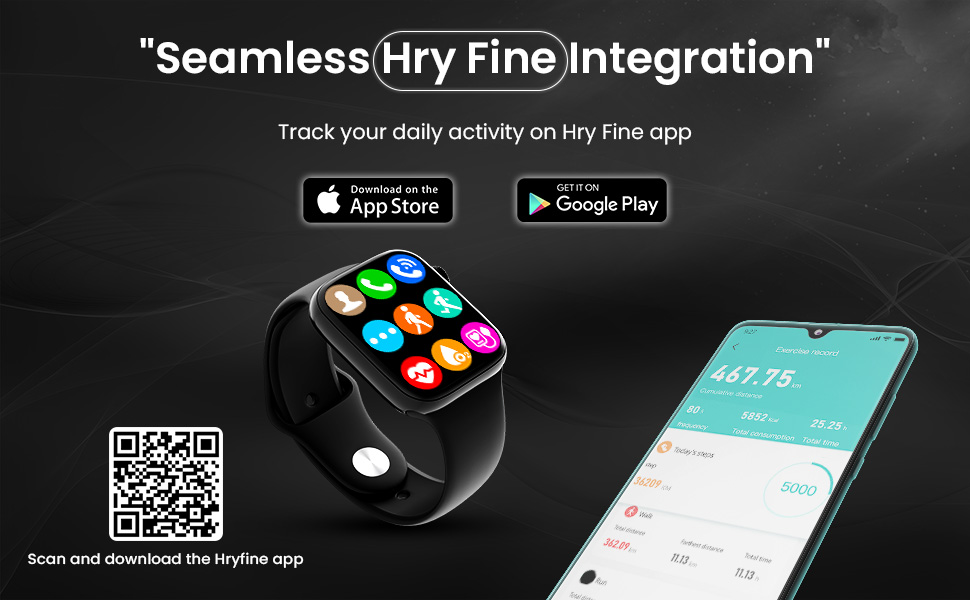
Image: The Kratos SW15 Smart Watch displaying its interface alongside a smartphone showing the HryFine app, illustrating seamless integration.
Ntuziaka ọrụ
Ngosipụta na igodo
The Kratos SW15 features a 1.85-inch HD IPS display with 550 nits brightness for clear visibility. Navigate through menus and features using the touchscreen and the digital rotating crown.

Image: The Kratos SW15 Smart Watch highlighting its 1.85-inch HD IPS large display.

Image: The Kratos SW15 Smart Watch showcasing its digital rotating crown for changing watch faces and navigating menus.
Atụmatụ igodo
- Oku Bluetooth: Make and receive calls directly from your wrist.
- Njikwa egwu: Manage playback of music on your connected smartphone.
- Onye enyemaka olu AI: Access your phone's voice assistant for hands-free commands.
- Lelee ihu: Choose from over 200 customizable watch faces to match your style.
- Split Screen Display: Access frequently used functions quickly.
- Smart Calculator: Perform basic calculations on your watch.
- Ozi ihu igwe: Nweta mmelite ihu igwe ozugbo.
- Find My Watch/Phone: Locate your devices easily.
- Password Protected: Enhance security with a password lock.

Image: A visual representation of the Kratos SW15 Smart Watch's diverse features, including music control, weather, calculator, and find phone function.
Nlekọta ahụike
The Kratos SW15 Smart Watch provides comprehensive health tracking features to help you monitor your well-being:
- 24x7 Heart Rate Monitoring: Continuously track your heart rate.
- SpO2 Blood Oxygen Level Monitoring: Measure your blood oxygen saturation.
- Nyochaa Ọbara Ọbara: Keep an eye on your blood pressure levels.

Image: The Kratos SW15 Smart Watch displaying its health monitoring capabilities, including heart rate, blood pressure, and blood oxygen tracking.
Sports Modes and Water Resistance
Stay active and track your workouts with the Kratos SW15 Smart Watch:
- Ụdị egwuregwu 25+ Choose from a variety of sports modes to accurately track your activities and optimize your workouts.
- IP67 Mmiri Na-eguzogide: The watch is resistant to water and dust, making it suitable for daily activities and light water exposure. Avoid prolonged submersion or hot water.

Image: The Kratos SW15 Smart Watch showcasing its 25+ sports modes for daily activity tracking.
Ozi batrị
The Kratos SW15 Smart Watch is equipped with a 220 mAh battery, providing up to 2 days of usage on a single charge. Rapid charging allows the device to fully charge in approximately 2 hours using the magnetic charger.
Nlekọta
To ensure the longevity and optimal performance of your Kratos SW15 Smart Watch, follow these maintenance guidelines:
- Nhicha: Na-ehicha ihuenyo elekere mgbe niile ma jiri ákwà dị nro ma kpọrọ nkụ kpuchie ya. Maka unyi siri ike, jiri obere damp ákwà na nkụ nke ọma.
- Zere Chemicals: Do not use harsh chemicals, cleaning solvents, or strong detergents, as they may damage the watch's finish or internal components.
- Nchekwa: Mgbe a naghị eji ya ruo ogologo oge, debe elekere ahụ n'ebe dị jụụ ma kpọọ nkụ, ebe anwụ na-anaghị apụta kpọmkwem.
- Mkpughe mmiri: While IP67 water resistant, avoid exposing the watch to high-pressure water, hot water, or steam. Dry the watch thoroughly if it gets wet.
Nchọpụta nsogbu
If you encounter any issues with your Kratos SW15 Smart Watch, try the following basic troubleshooting steps:
- Lelee anaghị agbanye: Gbaa mbọ hụ na chajịrị elekere ahụ nke ọma. Jikọọ ya na chaja opekata mpe nkeji iri atọ.
- Enweghị ike ijikọ na ekwentị: Make sure Bluetooth is enabled on your phone and the watch. Restart both devices and try pairing again. Ensure the HryFine app is installed and running.
- Data ahụike ezighi ezi: Gbaa mbọ hụ na etinyere elekere nke ọma na nkwojiaka gị, ọ bụghị nke siri ike ma ọ bụ nke tọgbọrọ chakoo. Hichaa ihe mmetụta dị n'azụ elekere.
- Ndụ obere batrị: Reduce screen brightness, disable unnecessary notifications, and limit continuous heart rate monitoring if not required.
- Ihuenyo mmetụ anaghị anabata: Malitegharịa elekere ahụ. Ọ bụrụ na nsogbu ahụ anọgide, hụ na ihuenyo ahụ dị ọcha ma kpọọ nkụ.
Maka enyemaka ọzọ, biko kpọtụrụ ndị ọrụ nkwado ndị ahịa.
Nkọwapụta
| Njirimara | Nkọwa |
|---|---|
| Ụdị | Kratos |
| Nọmba nlereanya | KR SW 15 |
| Ngosipụta nha | 1.85 sentimita asatọ |
| Ụdị ngosi | HD IPS |
| Njikọta | Bluetooth |
| Sistemụ nrụọrụ | Android |
| Ike batrị | 220 mAh |
| Nkezi Ndụ batrị | Ụbọchị 2 |
| Mmiri Nguzogide | IP67 |
| Ibu Ibu | 64 g |
| Akụkụ (LxWxH) | 32 x 69 x 184 Millimeters |
| Atụmatụ pụrụ iche | Activity Tracker, Blood Pressure Monitor, Heart Rate Monitor, Multisport Tracker, Phone Call |
Akwụkwọ ikike na nkwado
The Kratos SW15 Smart Watch comes with a 1-year brand warranty. To avail the warranty, please register your purchase on the official Kratos websaịtị (gokratos.com) within 10 days of purchase. Alternatively, you may contact customer support for assistance.
Kọntaktị Nkwado ndị ahịa:
- Ekwentị: 81482 73270
- Email: help@gokratos.com