
Okwu mmalite
This manual provides comprehensive instructions for the safe and effective use of your Mafiti Kids Camera X2. Please read this manual thoroughly before operating the device and retain it for future reference. This digital camera is designed for children aged 3-8 years, featuring 26MP photo resolution, 1080P video recording, and various creative modes.
Ihe ngwugwu
Nyochaa na etinyere ihe niile edepụtara n'okpuru na ngwugwu gị:
- Mafiti Kids Camera X2 (Blue)
- Igwe nchaji USB
- 32GB Micro SD kaadị
- Lanyard
- Akwụkwọ ntuziaka (akwụkwọ a)

Image: The Mafiti Kids Camera X2 in blue, shown with the included USB cable, 32GB SD card, and lanyard.
Igwefoto gafereview
Familiarize yourself with the camera's components and controls.

Foto: ihu na azụ views of the Mafiti Kids Camera X2, illustrating its compact size (80mm width, 65mm height, 50mm depth) and button layout.
N'ihu View:
- Isi Lens: Maka ịse foto na vidiyo.
- Igwe okwu: Records audio during video capture.
N'azụ View:
- Ngosipụta ihuenyo: 2.0-inch LCD for viewtinye foto, vidiyo, na nhọrọ menu.
- Selfie Lens: Located above the screen for self-portraits.
- Bọtịnụ ike: Gbanyụọ/ gbanyụọ igwefoto.
- Bọtịnụ mkpuchi: Na-ese foto ma ọ bụ na-amalite/na-akwụsị ndekọ vidiyo.
- Bọtịnụ igodo nsoroụzọ (elu/ala/ekpe/aka nri): Used for menu navigation and selecting options.
- bọtịnụ menu/Ụdị: Accesses camera settings and switches between modes.
- OK/Kwenye bọtịnụ: Na-akwado nhọrọ.
Side/Bottom View:
- Micro USB Port: Maka ịchaji na ịnyefe data.
- Oghere kaadị Micro SD: For inserting the memory card.
- Lanyard oghere: Maka ijikọ lanyard dị na ya.
Melite
1. Ịchaji igwefoto
- Connect the small end of the USB cable to the camera's Micro USB port.
- Jikọọ nnukwu njedebe nke eriri USB na nkwụnye ọkụ USB (anaghị etinye ya) ma ọ bụ ọdụ ụgbọ USB nke kọmputa.
- The charging indicator light will illuminate. A full charge typically takes approximately 1 hour.
- Once fully charged, the indicator light may change color or turn off. Disconnect the camera from the charging source.
The camera has a 500 mAh rechargeable battery, providing 2-3 hours of continuous use on a full charge.
2. Ịtinye kaadị Micro SD
- Chọta oghere kaadị Micro SD n'akụkụ igwefoto ahụ.
- Gently insert the included 32GB Micro SD card into the slot with the gold contacts facing the front of the camera, until it clicks into place.
- To remove the card, gently push it in until it clicks, then release, and it will spring out.
The 32GB card can store approximately 9000+ photos.
Ntuziaka ọrụ
Gbanyụọ/ Gbanyụọ
- Pịa ma jide bọtịnụ ike for a few seconds to turn the camera on or off.
Ịse foto
- Turn on the camera. It will typically default to photo mode.
- Frame your shot using the display screen.
- Pịa Bọtịnụ mkpuchi ka ịse foto.

Image: A child holding the Mafiti Kids Camera X2, demonstrating how to take a photo.
Na-edekọ vidiyo
- Gbanwuo igwefoto.
- Pịa Bọtịnụ ọnọdụ (if available, or navigate through menu) to switch to video recording mode.
- Frame your video using the display screen.
- Pịa Bọtịnụ mkpuchi to start recording. A timer will appear on the screen.
- Pịa Bọtịnụ mkpuchi ọzọ kwụsị ndekọ.

Image: A family recording a video with the Mafiti Kids Camera X2, illustrating the 1080P HD video recording capability.
Ọnọdụ Selfie
- The camera features a dedicated selfie lens. Press the designated button (refer to camera layout, often a specific navigation button or a mode switch) to activate the selfie lens.
- Position the camera to capture your selfie and press the Bọtịnụ mkpuchi.

Image: A child taking a selfie with the Mafiti Kids Camera X2, highlighting the selfie-supported feature.
Atụmatụ pụrụ iche
The camera includes various creative options:
- Timer Shoot: Set a delay before taking a photo.
- Burst Shot: Capture multiple photos in quick succession.
- Ihe nzacha: Apply 7 different filters to your photos.
- Photo Frames: Choose from 18 photo frames to add to your pictures.
- Foto enyo: Apply 6 mirror effects.
Access these features through the camera's menu system using the bọtịnụ NchNhr/Ụdị na Bọtịnụ igodo nsoroụzọ.
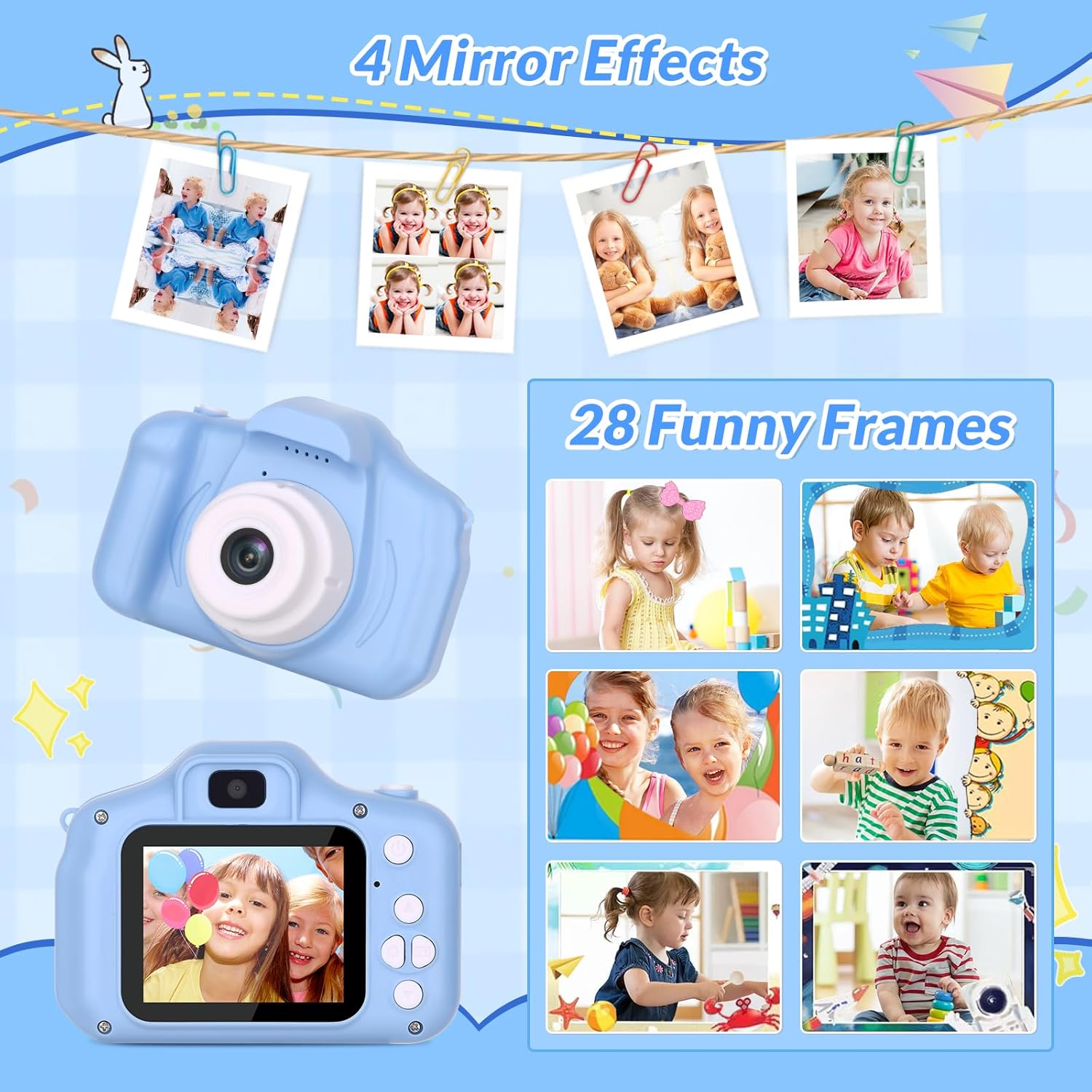
Image: A visual representation of the 4 mirror effects and 28 funny frames available on the Mafiti Kids Camera X2.
Games & MP3 Mode
The camera also features built-in games and an MP3 player function.
- Egwuregwu: Navigate to the games section via the menu to play pre-installed puzzle games.
- Ụdị MP3: Bulite egwu files to the camera via the included USB cable (see "Transferring Files" section). Select MP3 mode from the menu to play music.

Image: Children listening to music on the Mafiti Kids Camera X2, demonstrating the music player function.

Image: Children engaged in playing games on the Mafiti Kids Camera X2, showcasing the built-in game feature.
Na-ebufe Files
Photos and recorded videos can be transferred to a computer for viewing, editing, or backup.
- Gbaa mbọ hụ na agbanyere igwefoto.
- Connect the camera to a computer using the provided USB cable.
- The camera should appear as a removable disk drive on your computer.
- Open the drive to access the DCIM folder, which contains your photos and videos.
- Detuo ihe achọrọ files na kọmputa gị.
- Safely eject the removable disk from your computer before disconnecting the USB cable.
Mara: File transfer should be supervised by an adult.
Nlekọta
- Nhicha: Use a soft, dry cloth to clean the camera body and screen. Do not use liquid cleaners or abrasive materials.
- Nchekwa: Debe igwefoto ahụ n'ebe dị jụụ ma kpọọ nkụ, ebe anwụ na-anaghị apụta kpọmkwem na oke okpomọkụ.
- Nlekọta batrị: To prolong battery life, avoid fully discharging the battery frequently. Charge the camera regularly, even if not in use for extended periods.
- Nguzogide mmiri: Igwefoto a bụ ọ bụghị mmiri na-eguzogideZere ka mmiri ghara iru gị ala ma ọ bụ oke iru mmiri.
- Ogologo oge: The camera is made with non-toxic soft ABS plastic for comfort and safety. While designed for children, avoid dropping or subjecting it to strong impacts to prevent damage.
Nchọpụta nsogbu
| Nsogbu | Ngwọta enwere ike |
|---|---|
| Igwefoto anaghị agbanwu. | Ensure the battery is charged. Connect to a power source using the USB cable and allow it to charge for at least 15 minutes before attempting to power on again. |
| Cannot take photos/record videos. | Check if a Micro SD card is properly inserted. Ensure the card is not full. If the card is full, transfer files to a computer and delete them from the card, or replace the card. |
| Ọdịdị foto/vidiyo adịghị mma. | Ensure the lens is clean and free from smudges. Check lighting conditions; optimal lighting improves quality. |
| Igwefoto na-akpọnwụ ma ọ bụ na-anaghị anabata ozi. | Press and hold the Power Button for 10-15 seconds to force a shutdown. Restart the camera. If the issue persists, try removing and reinserting the Micro SD card. |
| Files cannot be transferred to computer. | Ensure the USB cable is securely connected to both the camera and the computer. Try a different USB port or cable. Verify the camera is powered on during transfer. |
| Accidentally deleted photos. | The camera has a "Delete All" option. Exercise caution when navigating menus. Unfortunately, deleted files are often unrecoverable without specialized software. Regularly back up photos to a computer. |
Nkọwapụta
| Njirimara | Nkọwa |
|---|---|
| Ụdị | Mafiti |
| Aha Nlereanya | X2 |
| Kachasị WebMkpebi onyonyo cam | 26 MP |
| Mkpebi ka dị irè | 48 MP (Interpolated) |
| Mkpebi vidiyo | 1080p |
| Gosipụta nha ihuenyo | 2 Inches (LCD) |
| Ike Nchekwa ebe nchekwa | 32 GB (Micro SD card included) |
| Ụdị batrị | Lithium Ion (500 mAh) |
| Nkezi Ndụ batrị | Awa 2-3 (ojiji na-aga n'ihu) |
| Teknụzụ Njikọta | USB |
| Akwadoro File Usoro | JPEG (Photos), MP4 (Video) |
| Ndozi onyonyo | Dijitalụ |
| Ọkwa Nguzogide mmiri | Ọ bụghị mmiri na-eguzogide |
| Ibu Ibu | 0.27 kilogram |
| Akụkụ (ihe dị ka.) | 80mm (W) x 65mm (H) x 50mm (D) Nkechi |
Akwụkwọ ikike na nkwado
The Mafiti Kids Camera X2 comes with a Akwụkwọ ikike nke onye nrụpụta afọ 2.
For technical support, warranty claims, or further assistance, please contact Mafiti customer service through the retailer where the product was purchased or visit the official Mafiti websaịtị.
Biko dowe ihe akaebe nke ịzụrụ ihe maka ebumnuche ikike.