
1. Okwu mmalite
This manual provides detailed instructions for the safe and effective operation of your Mcbazel Digital Illuminance Light Meter. This device is designed for accurate measurement of light intensity (illuminance) in various environments, including schools, hospitals, factories, airports, homes, and for professional applications like photography and plant growth monitoring. Please read this manual thoroughly before use and retain it for future reference.
2. Ozi nchekwa
- Ewepụla ngwaọrụ ahụ na oke okpomọkụ, iru mmiri, ma ọ bụ ìhè anyanwụ kpọmkwem.
- Avoid dropping or subjecting the meter to strong impacts.
- Keep the light sensor clean and free from obstructions for accurate readings.
- Agbalịla ịgbasa ma ọ bụ gbanwee ngwaọrụ ahụ, n'ihi na nke a ga-eme ka akwụkwọ ikike ahụ ghara ịdị irè ma nwee ike imebi ya.
- Replace batteries promptly when the low battery indicator appears to ensure continuous and accurate operation.
3. Ihe ngwugwu
Mgbe ị na-ewepụ ihe ndị a, biko hụ na ihe niile edepụtara n'okpuru dị ma dịkwa mma:
- 1x Mcbazel Digital Illuminance Light Meter
- Akwụkwọ ntuziaka 1x (akwụkwọ a)
Note: Batteries are not included and must be purchased separately. The device requires 3 x 1.5V AAA batteries.
4. Ngwaahịa gafereview na Atụmatụ
The Mcbazel Digital Illuminance Light Meter is a versatile tool designed for precise light intensity measurements. Key features include:
- Oke nha nha: Measures up to 200,000 LUX with high sensitivity for accurate and fast response.
- Oke izi ezi: Lighting accuracy of ±3%±10dgts (<10000LUX) and ±4%±10dgts (>10000LUX).
- Ihe eji eme enyi: Easy switching between LUX and FC units.
- LCD Display with Backlight: Ensures clear visibility of readings in various lighting conditions.
- Multifunctional: Measures current, maximum, and minimum brightness values.
- Ọrụ njide data: Freezes the current reading on the display for convenient recording.
- Ike dị irè: Features automatic shut-off and a low battery indicator.
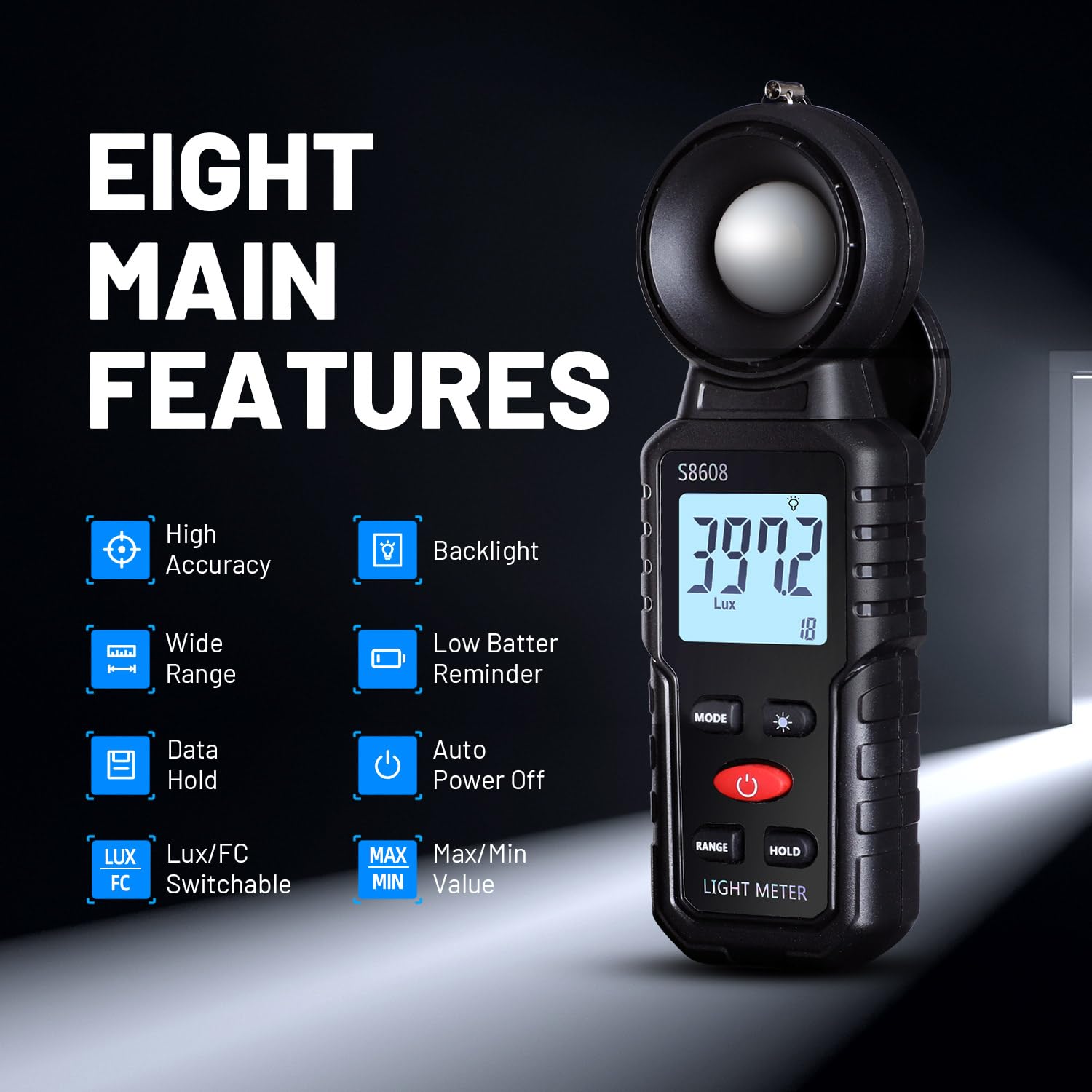
Foto 1: Ofeview of the Mcbazel Digital Illuminance Light Meter highlighting its eight main features.
5. Nhazi
5.1 Ntinye batrị
The Mcbazel Digital Illuminance Light Meter requires 3 x 1.5V AAA batteries (not included). To install or replace batteries:
- Chọta mkpuchi nke batrị n'azụ ngwaọrụ.
- Slide the cover open or unscrew it if applicable.
- Insert three 1.5V AAA batteries, ensuring correct polarity (+/-).
- Dochie mkpuchi nke batrị batrị nke ọma.

Image 2: The back of the light meter showing the battery compartment for 3x AAA batteries.
5.2 Sensor Protection Cover
Before use, remove the sensor protection cover from the top of the light meter. Remember to replace it after use to protect the sensitive illumination sensor.

Image 3: The light meter with its sensor protection cover open, revealing the white light sensor.
6. Ntuziaka ọrụ
6.1 Gbanyụọ ma ọ bụ gbanyụọ
Pịa bọtịnụ ike (red button) to turn the device on. The LCD display will illuminate. To turn off, press and hold the Power Button. The device also features an automatic shut-off function after 5 minutes of inactivity to conserve battery life.
6.2 Unit Selection (LUX/FC)
Pịa Bọtịnụ MODE to switch between Lux (illumination) and FC (foot-candle) units. The selected unit will be displayed on the screen.

Image 4: The light meter displaying measurements in both Lux and FC units, illustrating the unit switch function.
Ọrụ ọkụ azụ 6.3
Pịa Backlight Switch Button (light bulb icon) to turn the LCD backlight on or off. This improves readability in dark environments.

Image 5: The light meter's LCD display with the backlight turned off and on, demonstrating improved visibility.
6.4 Data Jide Ọrụ
Pịa Jide bọtịnụ to freeze the current reading on the display. Press it again to release the hold and resume live measurements. This is useful for recording stable readings.
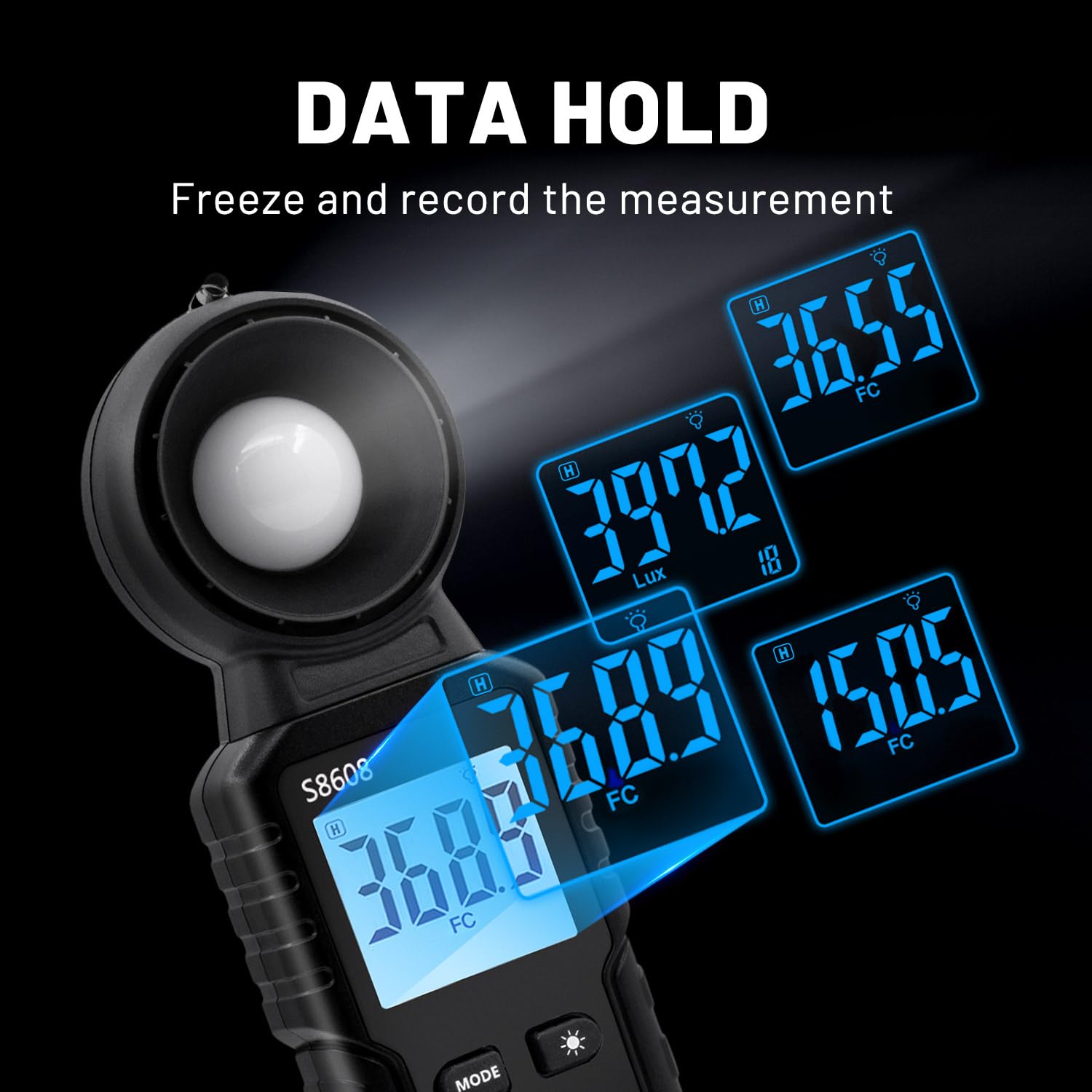
Image 6: The light meter displaying various held data values, illustrating the data hold feature.
6.5 MAX/MIN Measurement
Pịa Bọtịnụ MAX/MIN to cycle through current, maximum (MAX), and minimum (MIN) recorded values during a measurement session. This allows you to track fluctuations in light intensity.

Image 7: The light meter displaying readings in Minimum, Maximum, and Relative modes.
6.6 Nhọrọ oke
The device automatically selects the appropriate measurement range. However, if needed, you can manually adjust the range using the Bọtịnụ RANGE to optimize accuracy for specific light levels.
7. Nkọwapụta
| Njirimara | Nkọwapụta |
|---|---|
| Onye nrụpụta | Mcbazel |
| Nọmba nlereanya | MT-gf-020485 |
| Ibu Ibu | 110 g |
| Akụkụ ngwaahịa | 16.6 x 5.7 x 3.8 cm |
| Agba | Nwa |
| Ihe onwunwe | ABS |
| Izizi nha nha | ±3%±10dgts (<10000LUX), ±4%±10dgts (>10000LUX) |
| Oke nso | Ruo 200,000 LuX |
| Batrị achọrọ | 3 x 1.5V AAA (anaghị etinye ya) |
| Ngwa gụnyere | Digital Illuminance Light Meter, Instruction Manual |
8. Nlekọta
- Nhicha: Use a soft, dry cloth to clean the device. Do not use abrasive cleaners or solvents. Ensure the light sensor is free of dust and debris.
- Nchekwa: When not in use for extended periods, remove the batteries to prevent leakage and store the device in a cool, dry place with the sensor protection cover in place.
- Ngbanwe batrị: Replace batteries when the low battery indicator appears on the display. Refer to Section 5.1 for battery installation instructions.
9. Nchọpụta nsogbu
- Ngwaọrụ anaghị agbanye: Check if batteries are installed correctly and have sufficient charge. Replace batteries if necessary.
- Ọgụgụ na-ezighi ezi: Ensure the light sensor is clean and unobstructed. Verify that the correct measurement unit (LUX/FC) is selected. Avoid measuring light sources that are not ordinary light (e.g., LED lights, photographic lights, plant growth lights) as this meter is not designed for them.
- Ngosipụta ahụ adịghị mma: Activate the backlight function. Replace batteries if the display remains dim.
10. Videos ngwaahịa
S8608 Digital Light Meter by Soonkoda CA
Video 1: This video demonstrates the basic operation of the S8608 Digital Light Meter, including power on, unit switching, and data hold functions.
Dr.meter Light Meter by Hisgadget Canada
Video 2: A demonstration of the Dr.meter Light Meter, showing how to replace batteries and use various functions like unit selection and data hold.
Digital Light Meter by Milano2008
Vidiyo nke 3: Vidiyo a na-egosi etu esi agbanwe iheview of a digital light meter, demonstrating its features and ease of use in different settings.
Light Meter AP-881E by Aoputt
Video 4: A detailed look at the AP-881E Light Meter, covering its functions and how to obtain accurate light measurements.
DEWINNER Digital Light Meter by NIXING LTD
Video 5: This video showcases the DEWINNER Digital Light Meter, demonstrating its features and practical applications for light measurement.
11. Akwụkwọ ikike na nkwado
For warranty information or technical support, please refer to the contact details provided on the product packaging or visit the official Mcbazel websaịtị. Debe nnata nzụta gị dị ka ihe akaebe nke ịzụrụ ihe maka akwụkwọ ikike ọ bụla.