
Okwu mmalite
Thank you for choosing the Yunseity Portable Voice Amplifier. This device is designed to provide clear and stable sound amplification for various applications such as teaching, presentations, meetings, and outdoor activities. Please read this manual carefully before using the product to ensure proper operation and to maximize its lifespan.
Ngwaahịa gafereview
The Yunseity Portable Voice Amplifier is a compact and versatile device. Familiarize yourself with its components and controls.

Image: The voice amplifier unit shown with its accompanying headset microphone, waistband strap, and USB charging cable.
Isi Components:
- Olu Amplifier Unit: The main speaker and control unit.
- Igwe okwu ekweisi: For hands-free voice input.
- Waistband Strap: Maka ibugharị dị mfe.
- eriri USB: Maka ịchaji batrị dị n'ime.
Control Panel and Ports:

Image: A labeled diagram indicating the location and function of each button, knob, and port on the ampna -emegharị ihe.
- Jack igwe okwu 3.5mm: Connect the headset microphone here.
- Mpịakọta Mpịakọta: Tụgharịa ka ịhazie ihe ampolu ọkụ.
- Nchaji ọdụ ụgbọ mmiri: Connect the USB charging cable here.
- Bọtịnụ egwu gara aga: Press to go to the previous track (when playing media).
- Bọtịnụ Kwụsị/Kwụsị: Tap to play or pause media. Long press to turn the device on or off.
- Bọtịnụ egwu na-esote: Press to go to the next track. Long press to switch between single song loop and list loop.
- U Disk Interface: Tinye draịvụ USB flash maka egwugharị mgbasa ozi.
- Oghere kaadị ebe nchekwa: Insert a Memory Card (TF card) for media playback.
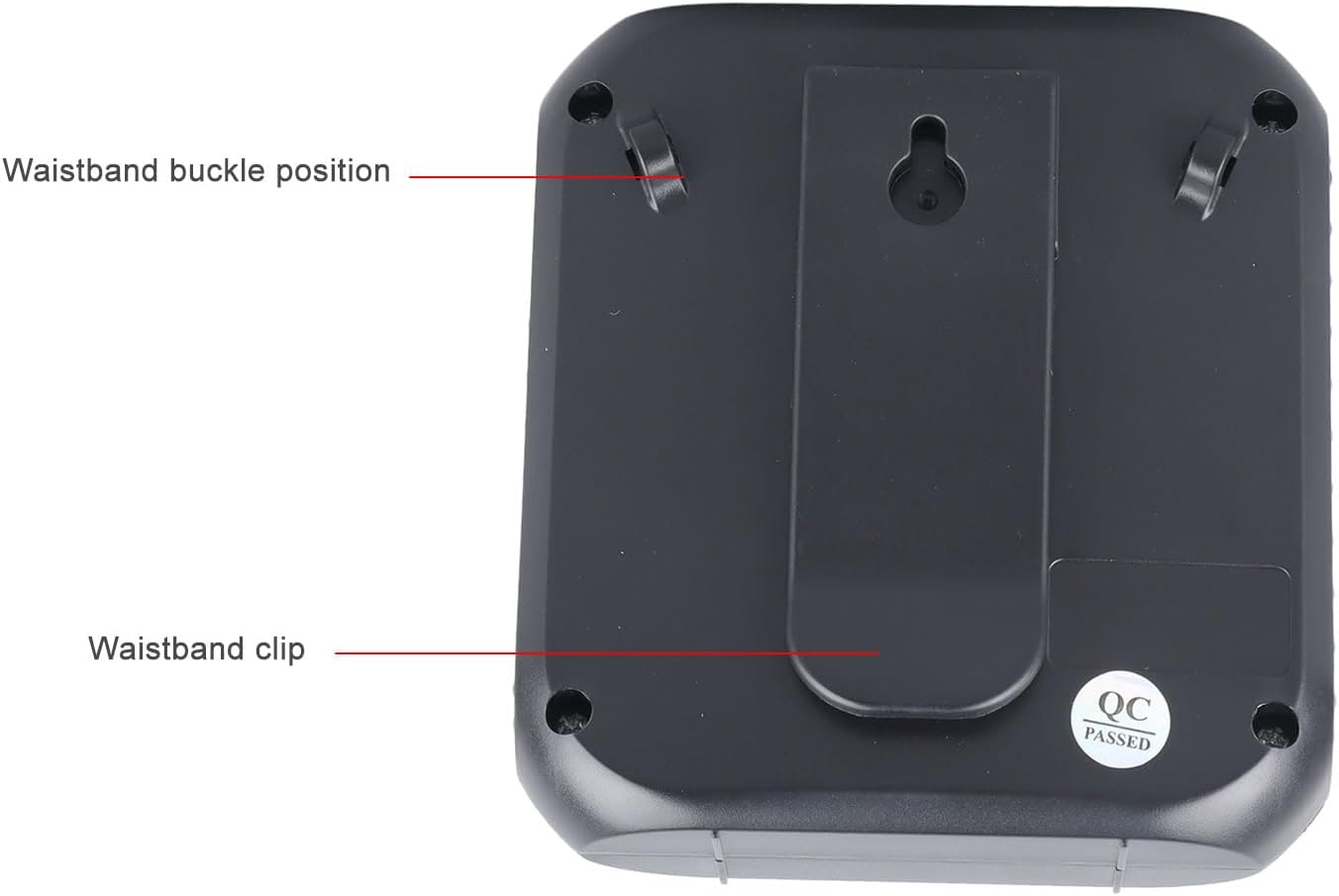
Image: The back of the amplifier, highlighting the attachment points for the waistband strap.
- Waistband Buckle Positions: Slots for attaching the waistband strap.
- Waistband Clip: For direct attachment to clothing or a belt.
Melite
- Ebube mbụ: Tupu i jiri ya na mbụ, chajị ya nke ọma amplifier. Connect the USB charging cable to the charging port on the amplifier and to a standard USB power adapter (not included) or computer USB port. The charging indicator will illuminate.
- Jikọọ igwe okwu: Insert the 3.5mm plug of the headset microphone into the microphone jack on the amplifier. Ensure it is securely connected.
- Wear Microphone: Position the headset microphone comfortably on your head, ensuring the microphone element is close to your mouth for optimal voice pickup.
- Tinye Ampntughari: Use the waistband strap by threading it through the buckle positions on the back of the amplifier, or use the integrated clip to attach the amplifier to your belt or clothing.
Ntuziaka ọrụ
- Gbanyụọ/ Gbanyụọ: Pịa ogologo Gwuo/kwụsịtụ bọtịnụ iji gbanye amplifier on or off. A voice prompt will indicate the power status.
- Gbanwee olu: Tugharia ihe Mpịakọta Akpata clockwise to increase volume and counter-clockwise to decrease volume. Start with a low volume and gradually increase to avoid feedback.
- Olu Ampnkwụsị: Once powered on and the microphone is connected, speak into the headset microphone. Your voice will be ampkwadoro site na ọkà okwu.
- Media Playback (U Disk/Memory Card):
- Insert a U disk into the U disk interface or a Memory Card (TF card) into the Memory Card slot.
- Nke amplifier will automatically detect and begin playing audio files.
- Jiri ihe Abụ gara aga na Abụ na-abịa bọtịnụ ka ịnyagharịa egwu.
- Kpatụ ya Gwuo/kwụsịtụ bọtịnụ ka kwụsịtụ ma ọ bụ maliteghachi ịkpọghachi.
- Pịa ogologo Abụ na-abịa button to cycle through playback modes (single song loop, list loop).
- Ntinye AUX: Connect an external audio source (e.g., smartphone, MP3 player) to the amplifier's AUX input port (if available, typically shared with microphone jack or a separate port) using an AUX cable (not included). The amplifier will play audio from the connected device.
Ịchaji
Nke amplifier features a built-in 2200mAh rechargeable battery, providing extended usage time.
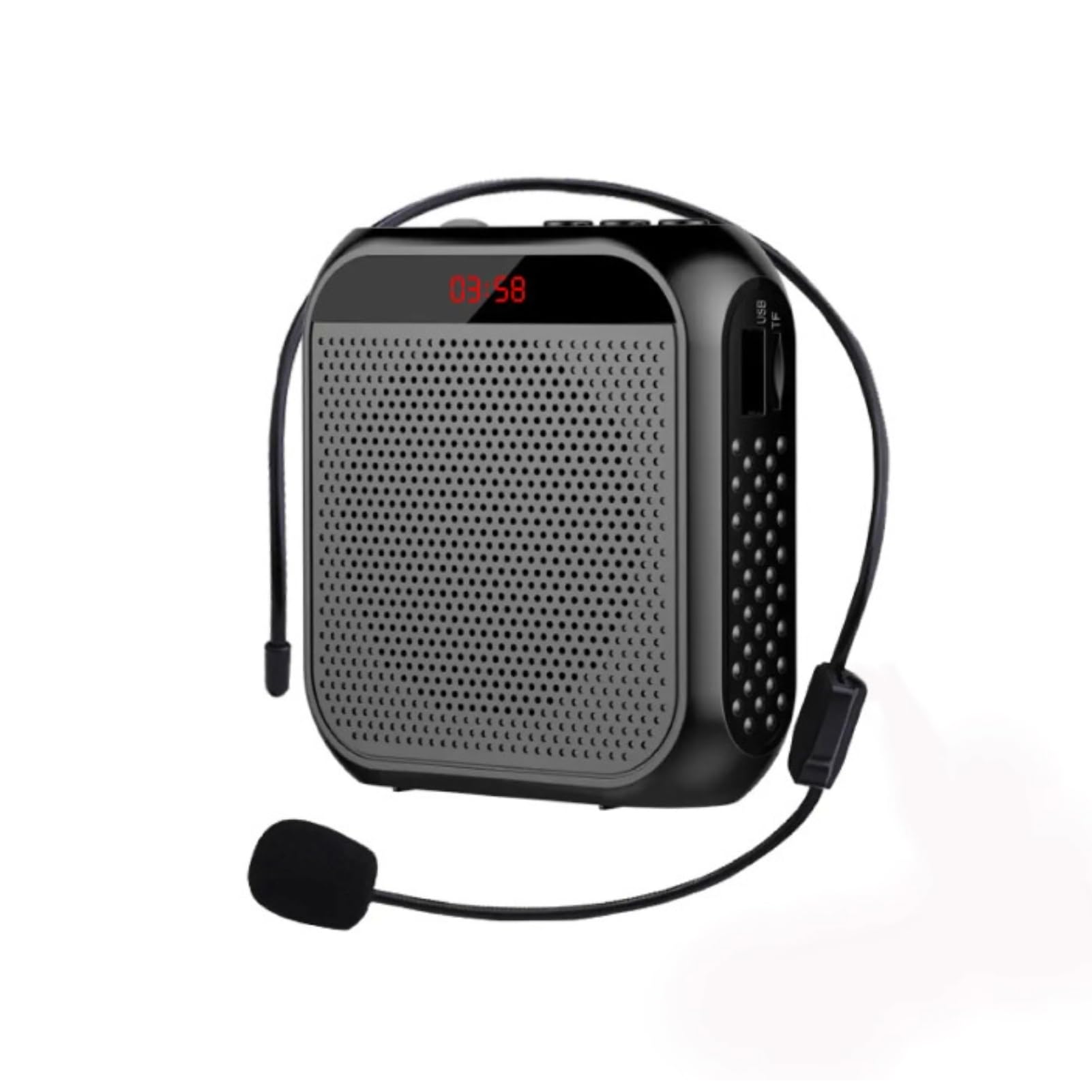
Image: Visual representation of the amplifier's long battery life and capacity.
- Jikọọ eriri chaja USB enyere na ya na amplifier's charging port and a USB power source.
- Ìhè nchaji ga-egosi ọkwa nchaji.
- A full charge can provide up to 10 days of playtime, depending on usage.
- When the battery is low, the device may emit an audible alert or the indicator light may change. Recharge promptly.
Ngwa otutu
This portable voice amplifier is suitable for a wide range of scenarios where clear and amplified voice is needed.
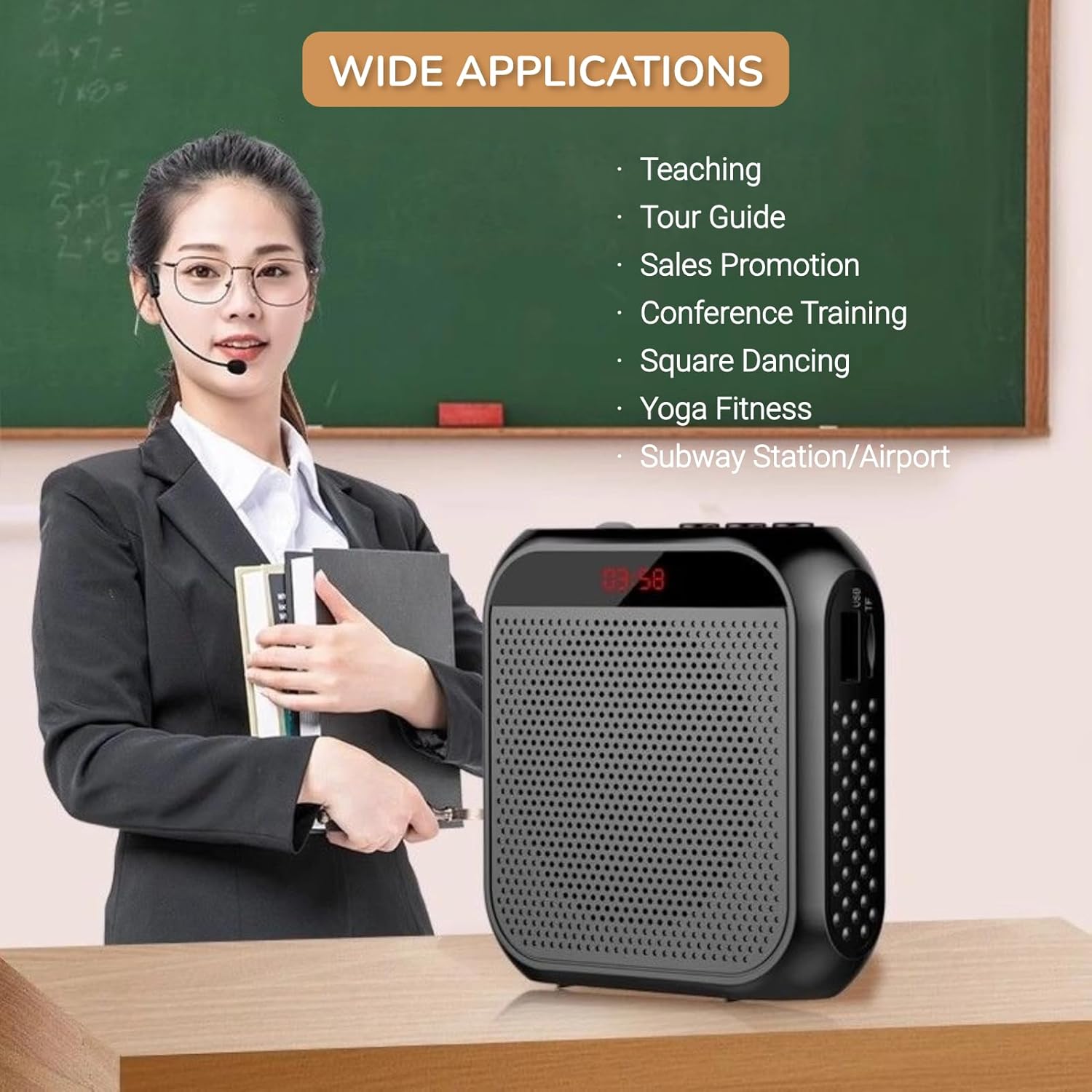
Image: A visual demonstrating various professional and recreational uses for the voice ampna -emegharị ihe.
- Nkuzi
- Tour Guiding
- Conference Training
- Ihe ngosi
- Okwu ọha
- Ihe omume n'èzí
Ụzọ iyi
Nke amplifier offers flexible wearing options for user comfort and convenience.

Foto: Examples nke otú amplifier can be worn using the waistband strap or clip.
- Waistband: Attach the provided strap to the buckle positions on the amplifier and wear it around your waist or over your shoulder.
- Mpempe eriri: Use the integrated clip on the back of the amplifier to secure it directly to your belt, pocket, or clothing.
Nkọwapụta
Key technical specifications of the Yunseity Portable Voice Ampna -emegharị ihe.

Image: Diagram showing the physical dimensions of the ampna -emegharị ihe.
| Njirimara | Nkọwapụta |
|---|---|
| Ụdị | Yunseity |
| Nọmba nlereanya | Yunseity07h6poqxat |
| Teknụzụ Njikọta | AUX |
| Agba | Nwa |
| Ngwa dakọtara | Igwe isi |
| Ụdị nkwụnye | Enwere ike ibugharị, tebụl |
| Isi Iyi Ike | Akwanyere batrị |
| Ụdị njikọ | Aux |
| Ọnụọgụ nke ọwa | 1 |
| Ntinye ọdịyo | USB, Memory Card, Auxiliary |
| Ihe mkpuchi | Plastic |
| Ike batrị | 2200mAh |
| Akụkụ (ihe dị ka.) | 8.4cm x 2.8cm x 9.2cm (3.30in x 1.10in x 3.62in) |
Nlekọta
- Nhicha: Hichapụ amplifier with a soft, dry cloth. Do not use harsh chemicals or abrasive cleaners.
- Nchekwa: Chekwaa ngwaọrụ ahụ n'ebe dị jụụ, kpọrọ nkụ na-adịghị na ìhè anyanwụ kpọmkwem na oke okpomọkụ.
- Nlekọta batrị: For optimal battery life, avoid fully discharging the battery frequently. Recharge the device regularly, even if not in use for extended periods.
- Jiri Nlekọta Aka: Zere idobe ngwaọrụ ma ọ bụ tinye ya na mmetụta siri ike.
Nchọpụta nsogbu
If you encounter issues with your voice amplifier, please refer to the following common problems and solutions:
| Nsogbu | Ihe nwere ike ime | Ngwọta |
|---|---|---|
| Enweghị ụda ma ọ bụ olu dị ala | Device is off; Volume is too low; Microphone not connected; Microphone faulty. | Long press Play/Pause to turn on; Rotate volume knob clockwise; Ensure microphone is fully plugged in; Test with another microphone if available. |
| Feedback/Whistling sound | Microphone too close to speaker; Volume too high; Microphone pointed at speaker. | Increase distance between microphone and amplifier; Reduce volume; Adjust microphone position away from the speaker. |
| Ngwaọrụ anaghị akwụ ụgwọ | Charging cable faulty; Power source faulty; Charging port damaged. | Try a different USB cable; Use a different USB power adapter/port; Contact customer support if port is damaged. |
| Media playback not working | U disk/Memory Card not inserted correctly; Incompatible file usoro; Emebiri files. | Reinsert U disk/Memory Card; Ensure files are in a supported format (e.g., MP3); Try different media files. |
Akwụkwọ ikike na nkwado
This Yunseity product comes with a standard manufacturer's warranty. Please refer to the packaging or the seller's terms for specific warranty details and duration.
For technical support, warranty claims, or any questions regarding your product, please contact the seller or Yunseity customer service through the platform where you purchased the item. Provide your model number (Yunseity07h6poqxat) and purchase details for faster assistance.