
Okwu mmalite
This manual provides detailed instructions for the setup, operation, maintenance, and troubleshooting of your Divoom Songbird Karaoke Bluetooth Speaker. Please read this manual thoroughly before using the product to ensure proper function and longevity.

Figure 1: The Divoom Songbird Karaoke Bluetooth Speaker system, including the main speaker unit, two wireless microphones, and their charging base.
Ihe ngwugwu
Tupu ịmalite na ntọala, biko hụ na ihe niile dị na ngwugwu ahụ:
- 1 x SongBird-HQ Speaker Unit
- 2 x Igwe okwu ikuku
- 1 x Microphone Charging Base
- Akwụkwọ ntuziaka onye ọrụ 1 x (akwụkwọ a)
- 1 x USB-C Nchaji USB
- 1 x Aux USB
- 1 x Giftbag (packaging)

Figure 2: All items included in the Divoom Songbird Karaoke Bluetooth Speaker package, showing the speaker, microphones, cables, and manual.
Melite
1. Ịchaji ngwaọrụ
The Divoom Songbird speaker and microphones are powered by internal Lithium Ion batteries. For optimal performance, fully charge all components before first use.
- Connect the provided USB-C cable to the charging port on the speaker unit and to a compatible USB power adapter (not included).
- Place the two microphones onto their charging base. Ensure they are seated correctly for charging.
- Charging indicators (LEDs) on the speaker and microphones will illuminate during charging and turn off or change color when fully charged.
2. Ike izizi
- To power on the speaker, locate the power button (refer to Figure 3 for control layout) and press and hold it until you hear an audible prompt or see an indicator light.
- To power on the microphones, slide the power switch on each microphone to the 'ON' position.

Figure 3: Top panel of the Divoom Songbird speaker, illustrating the various control knobs and buttons for operation.
Ntuziaka ọrụ
1. Njikọ Bluetooth
The Divoom Songbird speaker uses Bluetooth for wireless audio streaming.
- Ensure the speaker is powered on and in Bluetooth pairing mode (usually indicated by a blinking LED).
- On your mobile device or computer, navigate to the Bluetooth settings.
- Chọọ maka available devices and select "Divoom Songbird" from the list.
- Once connected, the speaker will provide an audible confirmation, and the LED indicator will become solid.
2. Auxiliary (AUX) Connection
For wired audio playback, use the provided 3.5mm Aux cable.
- Connect one end of the Aux cable to the 3.5mm Aux-in port on the speaker.
- Connect the other end to the headphone jack or audio output of your audio source (e.g., smartphone, MP3 player).
- The speaker will automatically switch to AUX mode or may require manual selection via a mode button.
3. Using the Microphones for Karaoke
The two wireless microphones are designed for karaoke functionality.
- Ensure both the speaker and microphones are powered on.
- The microphones should automatically pair with the speaker. If not, refer to the troubleshooting section.
- Adjust microphone volume and echo effects using the dedicated knobs on the speaker's top panel (refer to Figure 3).
- Sing into the microphone while playing music through the speaker via Bluetooth or AUX.

Figure 4: The two wireless microphones for the Divoom Songbird speaker, shown resting in their charging base.
Nlekọta
1. Nhicha
Iji nọgide na-enwe ọdịdị na ọrụ nke ọkà okwu gị:
- Jiri ákwà dị nro, kpọrọ nkụ, nke na-enweghị ihe e ji ehicha ihe hichaa elu mpụta ahụ.
- Do not use abrasive cleaners, alcohol, benzene, or other chemical solvents, as these may damage the finish.
- Zere ịbanye mmiri n'ime oghere ọ bụla.
2. Nchekwa
Mgbe a naghị eji ya ogologo oge:
- Store the speaker and microphones in a cool, dry place, away from direct sunlight and extreme temperatures.
- Ensure the batteries are partially charged (around 50%) before long-term storage to preserve battery health.
3. Nlekọta batrị
The device contains a built-in rechargeable Lithium Ion battery. To maximize battery lifespan:
- Zere ịchaji batrị ugboro ugboro.
- Avoid leaving the device plugged in constantly after it's fully charged.
- Charge the device at least once every three months if not in regular use.
Nchọpụta nsogbu
If you encounter issues with your Divoom Songbird speaker, refer to the following common problems and solutions:
| Nsogbu | Ihe nwere ike ime | Ngwọta |
|---|---|---|
| No power/Device won't turn on | Batrị agwụla. | Charge the speaker and microphones fully using the provided USB-C cable. |
| Enweghị ike ijikọ site na Bluetooth | Igwe okwu anọghị n'ụdị njikọta; ngwaọrụ Bluetooth agbanyụrụ; ọ dị oke anya site na igwe okwu. | Ensure speaker is in pairing mode. Turn Bluetooth off and on again on your device. Move closer to the speaker (within 10 meters). Forget the device on your phone and re-pair. |
| Enweghị ụda sitere na ọkà okwu | Volume is too low; incorrect input mode; audio source issue. | Increase volume on both the speaker and your audio source. Ensure the correct input mode (Bluetooth/AUX) is selected. Check if the audio source is playing correctly. |
| Igwe okwu anaghị arụ ọrụ | Microphones are off; not charged; not paired with speaker. | Ensure microphones are powered on and charged. Power cycle both the speaker and microphones. They should automatically pair. |
Nkọwapụta
Detailed technical specifications for the Divoom Songbird Karaoke Bluetooth Speaker:
- Nọmba nlereanya: 90100058218
- Akara: Divoom
- Akụkụ ngwaahịa: 28 x 10 x 25 cm
- Ibu ihe: 1.3 n'arọ
- Isi mmalite ike: Akwadoro batrị (1 batrị lithium ion gụnyere)
- Ike ụda: 50 Watt
- Igwe okwu: Dual Microphone 24bit
- Ndụ batrị: Ihe dị ka awa 8
- Teknụzụ Njikọta: Ihe enyemaka, Bluetooth
- Ụdị njikọ: 3.5mm ọkpụrụkpụ
- Atụmatụ pụrụ iche: Bluetooth, Portable
- Agba: Akwụkwọ ndụ akwụkwọ ndụ
- Eji akwadoro: For music players, Karaoke
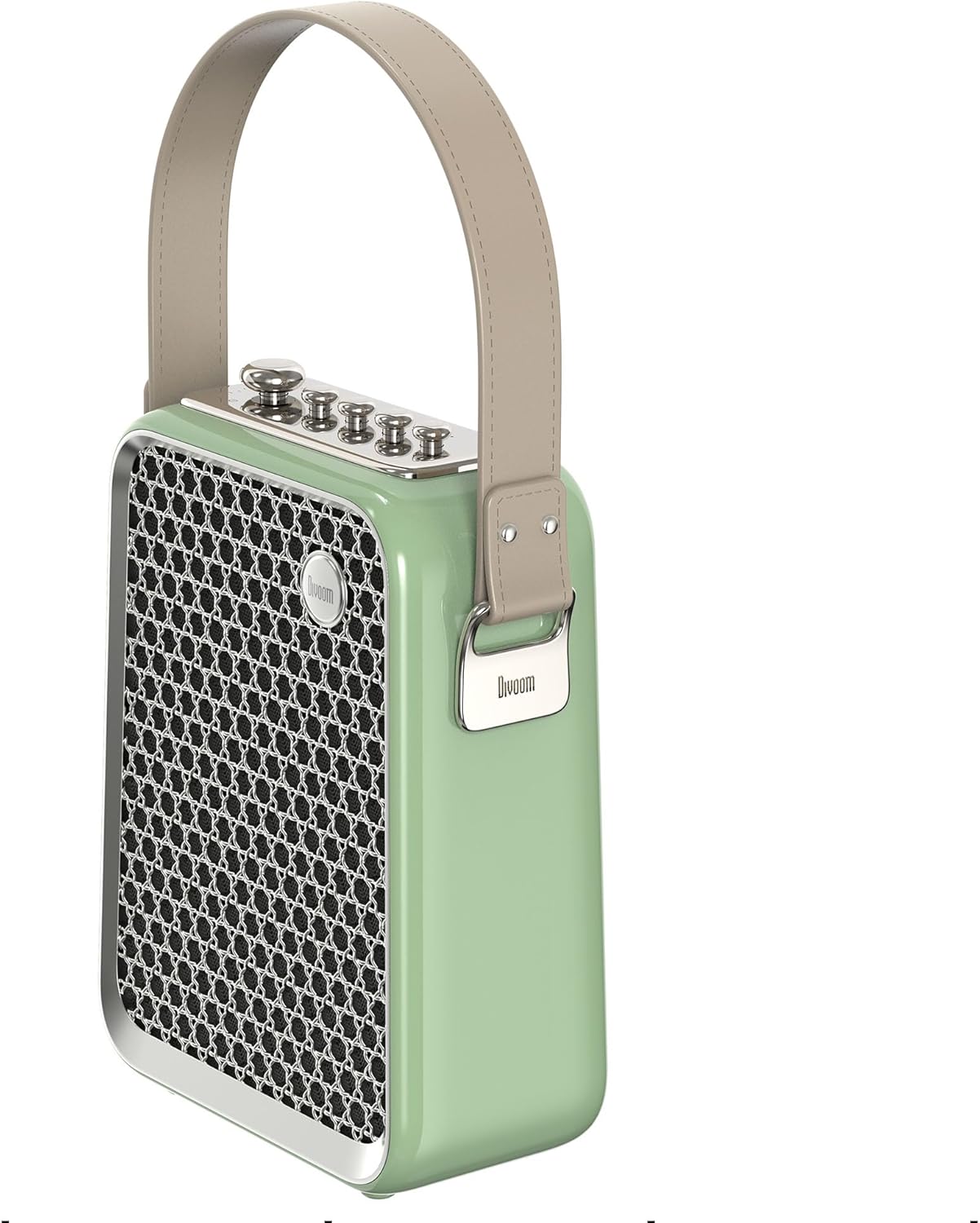
Ọgụgụ 5: Akụkụ profile of the Divoom Songbird speaker, highlighting its compact dimensions and integrated carrying handle.
Akwụkwọ ikike na nkwado
Ozi akwụkwọ ikike
This product may be eligible for extended warranty plans and accidental damage protection plans. Please refer to your purchase documentation or contact your retailer for specific warranty terms and conditions applicable to your region.
- 1 Year Extended Warranty Plan: Dị maka ịzụrụ.
- 1 Year Accidental Damage Protection Plan: Dị maka ịzụrụ.
- 2 Years Extended Warranty Plan: Dị maka ịzụrụ.
Nkwado ndị ahịa
For technical assistance, troubleshooting beyond this manual, or warranty claims, please contact Divoom customer support. Visit the official Divoom website for contact information or refer to the support details provided with your product packaging.
Ị nwekwara ike ịga na Divoom brand page on Amazon maka ozi ndị ọzọ.