
Okwu mmalite
Thank you for choosing the Coby Mini True Wireless Bluetooth Earbuds. These lightweight, in-ear headphones are designed for convenience and high-quality audio, perfect for work, travel, or daily use. This manual provides detailed instructions to help you get the most out of your new earbuds, ensuring optimal performance and longevity.

Image: Coby Mini True Wireless Bluetooth Earbuds in their charging case, with a US dime and quarter placed nearby to illustrate their compact size.
Kedu ihe dị na Igbe ahụ
Biko lelee ọdịnaya nke ngwugwu ahụ ka ị hụ na ihe niile dị:
- Coby Mini True Wireless Earbuds (Left and Right)
- Nchaji case
- Igwe nchaji USB
- S/M/L Ear Gels (pre-installed or in separate bag)
- Lanyard
- Akwụkwọ ntuziaka (akwụkwọ a)
Melite
1. Ịchaji ihe ntị na akpa
Before first use, fully charge both the earbuds and the charging case. The case provides additional charges for the earbuds on the go.
- Place the earbuds into the charging case, ensuring they are correctly seated in their respective L (Left) and R (Right) slots. The earbuds will begin charging automatically.
- Connect the provided USB charging cable to the charging port on the case and the other end to a USB power source (e.g., computer USB port, wall adapter).
- The indicator lights on the case and/or earbuds will show charging status. Refer to the specific light patterns in the troubleshooting section if issues arise.
- A full charge typically takes approximately 1-2 hours for the earbuds and 2-3 hours for the case.

Image: The Coby Mini Earbuds are shown inside their charging case, illustrating the charging process with glowing indicators.
2. Ijikọ na ngwaọrụ Bluetooth
Follow these steps to pair your earbuds with your smartphone, tablet, or other Bluetooth-enabled device:
- Gbaa mbọ hụ na a na-akwụ ụgwọ ekwe ntị ma tinye ya n'ihe nchaji.
- Open the charging case. The earbuds will automatically enter pairing mode, indicated by a flashing LED light on one or both earbuds.
- On your device, go to the Bluetooth settings and turn Bluetooth on.
- Chọọ maka available devices. You should see "Coby Mini Earbuds" or a similar name appear in the list.
- Select the earbuds from the list to connect. Once connected, the LED indicator on the earbuds will stop flashing or change to a solid light, and you may hear an audible confirmation.
- If pairing fails, turn off Bluetooth on your device, place the earbuds back in the case, close the lid, wait a few seconds, then reopen and try again.
3. Inweta Nchekwa na Nchekwa Dị Mma
The Coby Mini Earbuds are designed to be miniature and discreet, providing a comfortable fit for extended wear. Experiment with the included S/M/L ear gels to find the size that best seals your ear canal for optimal sound quality and secure placement.

Image: A Coby Mini Earbud is shown inserted into an ear, demonstrating its compact and discreet design with a measurement of 0.59 inches.
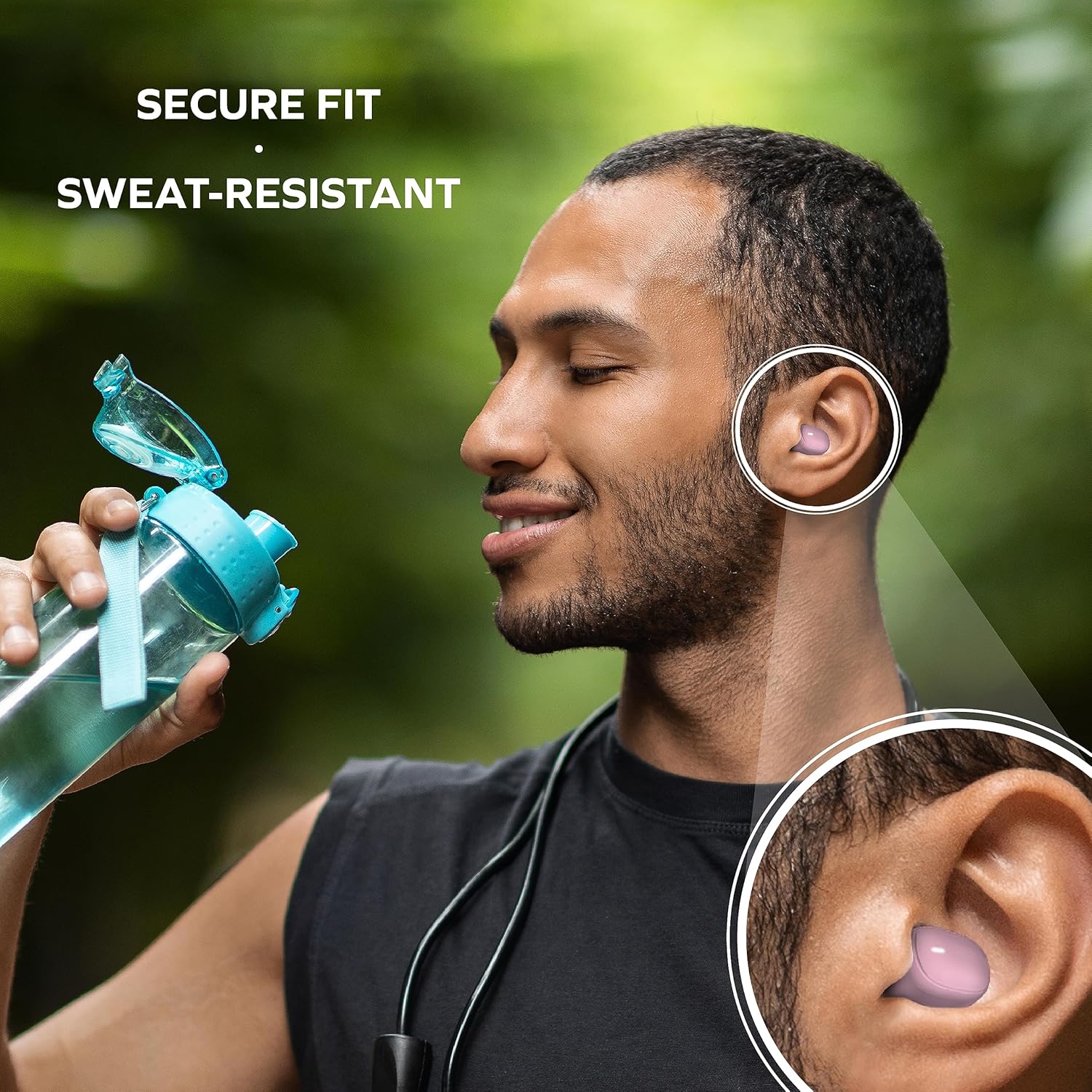
Image: A man is shown wearing the earbuds while exercising, emphasizing their secure fit and sweat-resistant design, suitable for active use.
Na-arụ ọrụ Earbuds
Njikwa mmetụ
The Coby Mini Earbuds feature intuitive touch controls on each earbud for easy management of your audio and calls without needing to interact with your smartphone.
| Omume | Njikwa |
|---|---|
| Kpọọ/kwụsịtụ egwu | Otu mgbata na ntị ntị |
| Track na-esote | Pịa bọtịnụ ntị aka nri ugboro abụọ |
| Egwu gara aga | Kpatụ ntị ugboro abụọ n'akụkụ aka ekpe |
| Zaa/Kwụsị Oku | Otu mgbata na ntị ntị |
| Jụ oku | Pịa ma jide otu ntị ntị maka sekọnd 2 |
| Mee ka onye enyemaka olu rụọ ọrụ | Pịa ugboro atọ na ntị ntị |
Ịkpọ oku na-enweghị aka
With the built-in microphone, you can make and receive calls directly through your earbuds. Use the touch controls as described above to manage your calls.
Ndakọrịta olu olu
The earbuds are compatible with popular voice assistants like Siri and Google Assistant. Simply triple tap an earbud to activate your device's voice assistant and issue commands.

Image: A user is shown with the earbuds while using a laptop, highlighting their compatibility with voice assistants like Siri and Google Assistant for hands-free control.
Nlekọta
Na-ehicha ihe ntị ntị gị
Ịsacha mgbe niile na-enyere aka ịnọgide na-enwe mma na ịdị ọcha:
- Jiri nwayọ hichaa ntị ntị na chaja na akwa dị nro, kpọrọ nkụ, enweghị akwa.
- For earwax or debris, use a dry cotton swab or a small, soft brush to carefully clean the ear tips and speaker mesh.
- Do not use abrasive cleaners, alcohol, or harsh chemicals. Avoid getting moisture into any openings.
Nchekwa
When not in use, always store the earbuds in their charging case to protect them from dust, damage, and to keep them charged for your next use. Store in a cool, dry place away from extreme temperatures.
Nchọpụta nsogbu
If you encounter issues with your Coby Mini Earbuds, please refer to the following common solutions:
- Ekwe ntị anaghị ejikọ/ejikọta:
- Gbaa mbọ hụ na akwụgoro ekwe ntị abụọ ahụ.
- Gbanyụọ Bluetooth na ngwaọrụ gị, wee gbanye ya ọzọ.
- Forget/delete the earbuds from your device's Bluetooth list and attempt to re-pair.
- Place earbuds back in the case, close the lid for 5 seconds, then reopen to reset pairing mode.
- Enweghị ụda ma ọ bụ ụda dị ala:
- Lelee ọkwa olu na ma ngwaọrụ gị yana ntị ntị.
- Ensure earbuds are properly seated in your ears and the correct ear gel size is used.
- Confirm the earbuds are connected to your device and not another nearby device.
- Okwu ịchaji:
- Gbaa mbọ hụ na ejikọrọ eriri chajị na echekwabara na ikpe ahụ yana isi iyi ike.
- Gbalịa ọdụ ụgbọ USB ma ọ bụ ihe nkwụnye ọkụ dị iche.
- Jiri ákwà owu kpọrọ nkụ hichaa kọntaktị chaja dị na ntị na n'ime akpa ahụ.
- Earbuds Disconnecting Frequently:
- Hụ na ngwaọrụ gị dị n'ime oke Bluetooth nke mita 10.
- Zere ihe mgbochi anụ ahụ n'etiti ntị ntị na ngwaọrụ gị.
- Wedata ndabichi sitere na ngwaọrụ ikuku ndị ọzọ.
Nkọwapụta
Detailed technical specifications for the Coby Mini True Wireless Bluetooth Earbuds:
| Njirimara | Nkọwa |
|---|---|
| Aha Nlereanya | Obere ntị |
| Nọmba Nlereanya ihe | CETW536BK |
| Teknụzụ Njikọta | Ikuku |
| Teknụzụ nzikọrịta ozi ikuku | Bluetooth |
| Ụdị Bluetooth | 5.3 |
| Oke Bluetooth | 10 mita |
| Ndụ batrị (Earbuds) | Up to 12 Hours of Total Playtime |
| Ikike batrị akpa | 300 ndeamp Oge awa |
| Ụdị njikwa | Njikwa aka |
| Ọkwa Nguzogide mmiri | Water Resistant (Sweat-Resistant) |
| Njikwa mkpọtụ | Nkagbu mkpọtụ nọ n'ọrụ |
| Ibu Ibu | 5.3 ounces |
| Akụkụ ngwaahịa (Ikpe) | 0.99 x 1.85 x 2.44 sentimita asatọ |
Ozi nchekwa
Please read and follow these safety guidelines to prevent damage to your earbuds and ensure your personal safety:
- Do not expose earbuds or case to extreme temperatures, direct sunlight, or high humidity.
- Avoid dropping, impacting, or disassembling the device. This can void the warranty and cause damage.
- Debe ya ebe ụmụaka na anụ ụlọ na-agaghị eru ya aka. Akụkụ ndị dị nta nwere ike ibute ihe egwu nke ịpịa ya n'ime afọ.
- Do not use the earbuds at excessively high volumes for prolonged periods, as this can cause hearing damage.
- Be aware of your surroundings when using earbuds, especially in traffic or other potentially hazardous situations.
Akwụkwọ ikike na nkwado
For warranty information and customer support, please refer to the documentation included with your purchase or visit the official Coby websaịtị. Debe ihe akaebe nke ịzụrụ ihe maka akwụkwọ ikike ọ bụla.
For further assistance, you may contact Coby customer service through their official channels. Details are typically available on the product packaging or the brand's websaịtị.