
AZATOM AZSPTLSBK1
Spitalfields 2 Portable DAB/DAB+ Digital FM Radio User Manual
Model: AZSPTLSBK1 | Brand: AZATOM
Okwu mmalite
Daalụ maka ịzụrụasing the AZATOM Spitalfields 2 Portable DAB/DAB+ Digital FM Radio. This manual provides essential information for setting up, operating, and maintaining your new radio. Please read this manual thoroughly before use to ensure proper functionality and to maximize your listening experience.
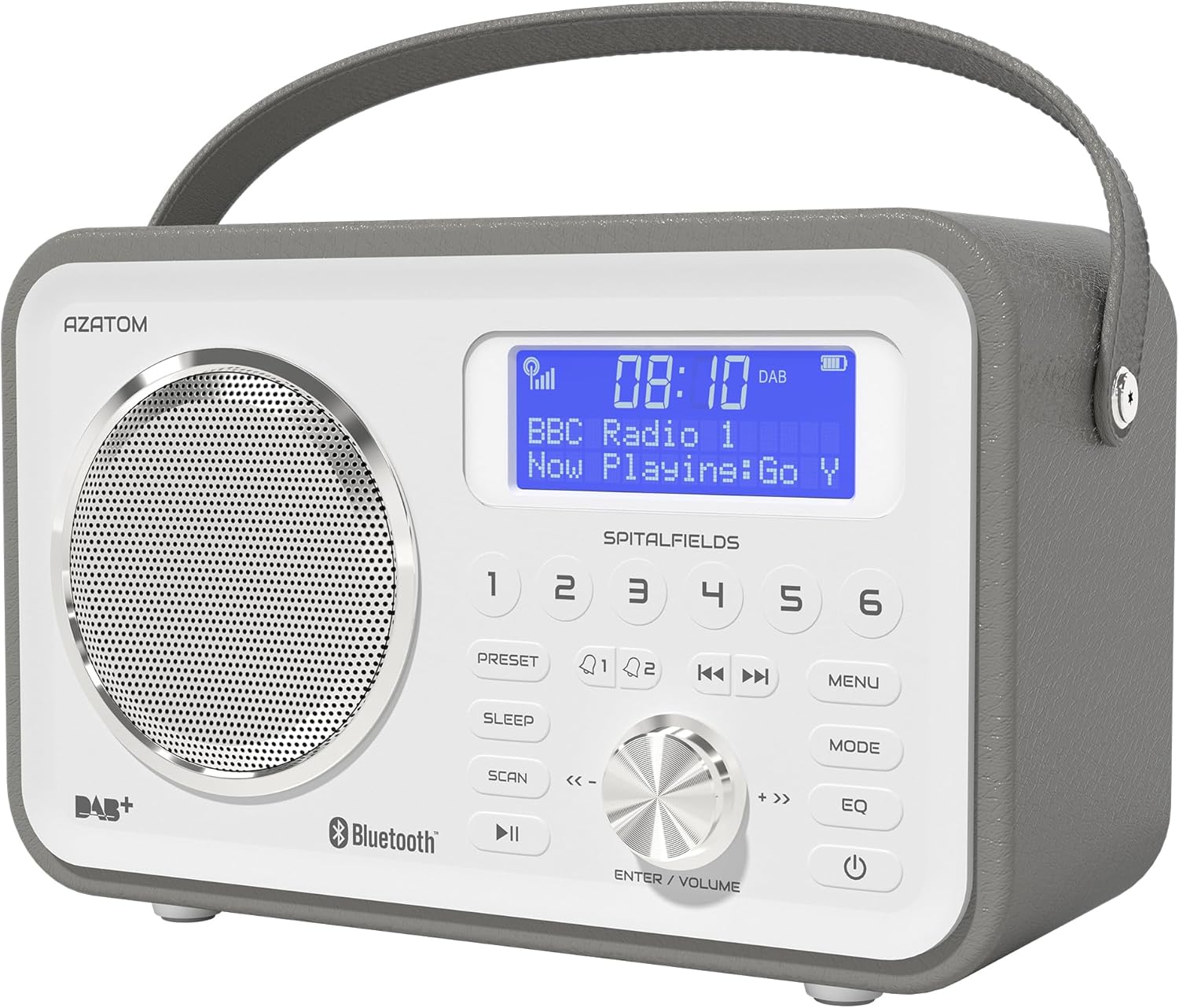
The AZATOM Spitalfields 2 radio features a classic retro design with a modern digital display and intuitive controls.
Ntuziaka nchekwa dị mkpa
Always follow these basic safety precautions when using your radio:
- Etinyela igwe ahụ n'ime mmiri ozuzo, mmiri ozuzo, ma ọ bụ oke okpomọkụ.
- Ewepụla ma ọ bụ gbanwee unit ahụ. Kpọtụrụ ndị ọrụ ruru eru ọrụ niile.
- Gbaa mbọ hụ na ikuku ikuku dị na gburugburu unit ahụ iji gbochie ikpo oke ọkụ.
- Jiri naanị ihe nkwụnye ọkụ ewepụtara na unit ahụ.
- Debe unit ahụ pụọ na mpaghara magnetik siri ike.
- Zere ige ntị nke ọma ruo ogologo oge iji gbochie mmebi ntị.
Atụmatụ igodo
- DAB/DAB+ and FM Radio: Enjoy a wide range of digital and analog radio stations.
- Njikọ Bluetooth 5.0: Wirelessly stream audio from your compatible devices.
- Ọrụ elekere mkpu: Set multiple alarms with snooze and sleep timer features.
- Batrị enwere ike ịchaji: Built-in battery for portable use.
- Ụlọ atọrọ atọ: Store your favorite DAB and FM stations for quick access.
- Njikwa anya: Conveniently operate the radio from a distance.
- Quality Stereo Sound: Enhanced audio experience with a built-in subwoofer.
DAB/DAB+/FM Radio

Experience crystal-clear digital radio with DAB/DAB+ or tune into traditional FM broadcasts.
Njikọ Bluetooth 5.0

Effortlessly stream music from your smartphone, tablet, or other Bluetooth-enabled devices.
Alarm Clock & Sleep Timer

Wake up to your favorite station or a buzzer with the integrated alarm clock, and drift off to sleep with the adjustable sleep timer.
Pre-set Stations

Quickly access your preferred radio stations by saving them to the dedicated preset buttons.
Batrị enwere ike ịchaji

The built-in rechargeable battery allows for convenient portable use, perfect for any room or on the go.
Premier Control with Remote
Control all functions of your radio from the comfort of your couch using the included remote control.
Ihe ngwugwu
Biko lelee na ihe niile dị:
- AZATOM Spitalfields 2 DAB/DAB+ Digital FM Radio
- Ihe nkwụnye ọkụ
- Njikwa anya
- Akwụkwọ ntuziaka (akwụkwọ a)
Ngwaahịa gafereview
Familiarize yourself with the controls and display of your Spitalfields 2 radio.
The front panel features a clear display, speaker, and various control buttons.
Njikwa Ogwe ihu
- Ngosipụta ihuenyo: Shows time, station information, and menu options.
- Bọtịnụ akwadoro (1-6): Store and recall your favorite stations.
- Bọtịnụ PRESET: Access preset memory.
- Bọtịnụ Ụra: Tọọ oge ihi ụra.
- Bọtịnụ SCAN: Automatically scan for stations.
- Bọtịnụ Kwụsị/ Kwụsị: Play/pause in Bluetooth mode.
- Bọtịnụ MENU: Nweta ntọala sistemụ.
- Bọtịnụ MODE: Gbanwee n'etiti ụdị DAB, FM na Bluetooth.
- EQ bọtịnụ: Gbanwee ntọala nha nhata.
- Bọtịnụ IKE: Gbanyụọ / gbanyụọ unit ahụ.
- ENTER/VOLUME Knob: Rotate to adjust volume or navigate menus; press to confirm selection.
- SKIP Buttons (<<, >>): Navigate tracks in Bluetooth mode or stations in radio mode.
Melite
Na-agbanye ike
- Extend the telescopic antenna fully for optimal reception.
- Connect the supplied power adapter to the DC IN port on the back of the radio and plug it into a wall outlet. The internal battery will begin charging.
- Pịa IKE bọtịnụ iji gbanye redio.
Initial Scan (DAB/FM)
Upon first power-on, the radio will automatically perform a full scan for DAB stations. This may take a few minutes. Once complete, the radio will tune to the first available station.
- To manually initiate a scan in DAB mode, press the Nyochaa bọtịnụ.
- Na ọnọdụ FM, pịa ma jide Nyochaa button to auto-scan for the next available station.
Ịtọ oge na ụbọchị
The time and date are usually automatically set via DAB signal. If not, or if you wish to adjust manually:
- Pịa MENU bọtịnụ.
- Tugharia ihe ENTER/VOLUME knob to navigate to 'System Settings' and press the knob to confirm.
- Navigate to 'Time/Date' and press to confirm.
- Select 'Set Time/Date' or 'Auto Update' as desired and follow the on-screen prompts.
Ntuziaka ọrụ
Radio Modes (DAB, FM)
Pịa MODE button to switch between DAB and FM radio modes.
Ọnọdụ DAB
- Tugharia ihe ENTER/VOLUME knob to browse available DAB stations. Press the knob to select a station.
- Pịa Nyochaa to perform a full scan for new stations.
Ọnọdụ FM
- Tugharia ihe ENTER/VOLUME knob to fine-tune the frequency.
- Pịa ma jide Nyochaa button to automatically tune to the next strong station.
Ọrụ Bluetooth
- Pịa MODE button until 'Bluetooth' is displayed. The radio will enter pairing mode.
- On your Bluetooth-enabled device (e.g., smartphone), search for 'Spitalfields 2' in the Bluetooth settings and select it to pair.
- Once paired, you can stream audio from your device to the radio. Use the KWURU/Kwụsịa na MAKA buttons on the radio or remote to control playback.
Ọrụ elekere mkpu
- Pịa MENU button and navigate to 'Alarms'.
- Select 'Alarm 1' or 'Alarm 2' to configure.
- Set the alarm time, duration, source (Buzzer, DAB, FM), and frequency (Daily, Once, Weekdays, Weekends).
- Ensure the alarm is set to 'On'.
- Mgbe oti mkpu na-ada, pịa IKE button to snooze, or press any other button to turn off the alarm.
Oge ihi ụra
The sleep timer allows the radio to turn off automatically after a set period.
- Pịa Ụra button repeatedly to cycle through sleep timer options (e.g., 15, 30, 45, 60, 90, 120 minutes, Off).
- The selected time will be displayed briefly.
Ntọala
Na-echekwa ihe atọrọ atọ
- Tune to the desired DAB or FM station.
- Press and hold one of the numbered PRESET buttons (1-6) until 'Preset Stored' appears on the display.
Icheta ihe atọrọ
- Briefly press the corresponding numbered PRESET button (1-6) to recall a stored station.
Audio Settings (EQ)
Hazie ụda ọkachamarafile ka mmasị gị.
- Pịa EQ button repeatedly to cycle through equalizer presets (e.g., Normal, Flat, Jazz, Rock, Classical, Pop, News, My EQ).
- If 'My EQ' is selected, you can customize bass and treble settings via the menu.
Iji Remote Control
The remote control provides full functionality of the radio from a distance. Ensure the remote has working batteries and is pointed towards the front of the radio.
- All buttons on the remote correspond to functions available on the radio's front panel.
- Use the numeric buttons (0-9) to directly enter preset numbers or navigate menus.
Nlekọta na nlekọta
- Nhicha: Jiri ákwà dị nro ma kpọọ nkụ hichaa redio ahụ. Ejila ihe nhicha ma ọ bụ ihe mgbaze.
- Nlekọta batrị: For optimal battery life, avoid fully discharging the battery frequently. If storing the radio for an extended period, charge it fully every few months.
- Antenna: Handle the telescopic antenna with care to prevent damage.
- Nchekwa: Chekwaa redio n'ebe dị jụụ, kpọrọ nkụ na-agaghị anwụ kpọmkwem na oke okpomọkụ.
Nchọpụta nsogbu
| Nsogbu | Ihe nwere ike ime | Ngwọta |
|---|---|---|
| Enweghị ike | Power adapter not connected; battery depleted. | Ensure power adapter is securely connected and plugged in. Charge the battery. |
| Enweghị ụda / Ọdịmma ụda adịghị mma | Volume too low; poor signal; incorrect mode. | Increase volume. Extend antenna fully. Re-scan for stations. Ensure correct mode (DAB/FM/Bluetooth). |
| DAB stations not found | Weak DAB signal; no full scan performed. | Ensure antenna is fully extended. Perform a full DAB scan. Try repositioning the radio. |
| Bluetooth anaghị ejikọta | Radio not in Bluetooth mode; device too far; previously paired. | Switch radio to Bluetooth mode. Ensure device is within range. Forget 'Spitalfields 2' on your device and try pairing again. |
| Njikwa anya anaghị arụ ọrụ | Batteries depleted; obstruction; not pointed correctly. | Replace remote control batteries. Ensure no obstruction between remote and radio. Point remote directly at the radio's front panel. |
Nkọwapụta
| Njirimara | Nkọwa |
|---|---|
| Ụdị | AZATOM |
| Nọmba nlereanya | AZSPTLSBK1 |
| Ibu | 750 grams |
| Ngwaọrụ Akụrụngwa | 3.5 mm Audio, Bluetooth, Headphones |
| Ike Mmepụta Ọkà Okwu Kachasị Elu | 30 Watt |
| UPC | 718157745964 |
Ozi akwụkwọ ikike
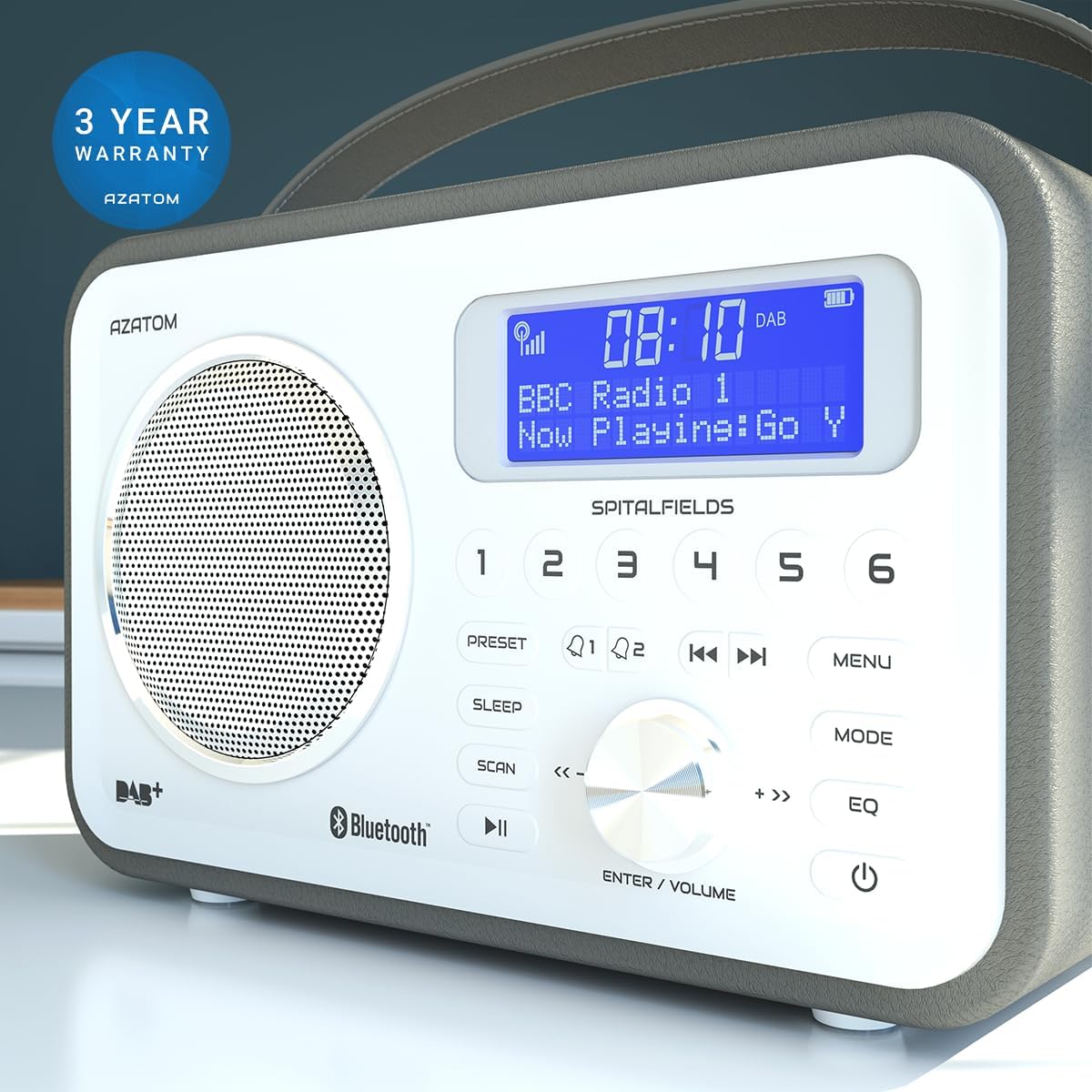
The AZATOM Spitalfields 2 radio comes with a Akwụkwọ ikike nke afọ 3 from the date of purchase. This warranty covers manufacturing defects and faulty workmanship under normal use. Please retain your proof of purchase for warranty claims.
The product is backed by a 3-year warranty, ensuring peace of mind.
The warranty does not cover damage caused by misuse, accident, unauthorized modification, or normal wear and tear. For full terms and conditions, please refer to the AZATOM official websaịtị ma ọ bụ kpọtụrụ nkwado ndị ahịa.
Nkwado ndị ahịa
If you encounter any issues not covered in this manual or require further assistance, please visit the official AZATOM websaịtị maka akụrụngwa nkwado, FAQs, na ozi kọntaktị.
Websaịtị: www.azatom.com
Please have your model number (AZSPTLSBK1) and purchase details ready when contacting support.
Ask a question about this manual
Ask about setup, troubleshooting, compatibility, parts, safety, or missing instructions. Manuals+ will review the question and use this page’s manual context to help answer it.