
Okwu mmalite
This manual provides instructions for the Srhythm NiceComfort 95 Hybrid Noise Cancelling Headphones. These wireless Bluetooth headphones feature advanced hybrid active noise cancellation, transparency mode, and high-definition sound for an immersive audio experience. Please read this manual thoroughly before using your headphones to ensure proper operation and care.
Kedu ihe dị na Igbe ahụ
Chọpụta na ihe niile dị na ngwugwu gị:
- Srhythm NC95 Headphone
- Okwu nchekwa
- -Dị-C Nchaji USB
- 3.5mm Audio USB
- Aircraft Adapter & 3.5mm to 6.35mm Adapter

An image displaying all included accessories: the NC95 headphones, a gift box, a travel case, a 1m Type-C charging cable, a 1.2m 3.5mm audio cable, a quick start guide, and a two-pin airplane adapter.
Ngwaahịa gafereview
The Srhythm NiceComfort 95 headphones are designed for comfort and superior audio performance.
Atụmatụ igodo
- Ịkagbu mkpọtụ ngwakọ na-arụ ọrụ: Blocks up to 95% of ambient noise in traffic, offices, and schools. Activate by pressing the button for 1.5 seconds.
- Ụdị nghọta: Stay aware of your surroundings by amplifying environmental sounds for safer walks, quick conversations, or hearing important announcements without removing your headphones.
- Sleek Metal Build & Intuitive Control: Features a multi-function knob for effortless control, polished metal finish, exquisite cutting metal glows, and a shaped headband for a refined exterior.
- Nhọrọ Njikọta Abụọ: Seamlessly connect via Bluetooth 6.0 for wireless freedom, or use the included 3.5mm audio cable for a zero-latency wired connection.
- Premium Auditory Experience: More efficient new Bluetooth 6.0 version. Ultra-inert cotton, skin-feeling replaceable ear-pads provide pressureless crystal clear sound.
- Long Battery Life & Fast Charging: Up to 65 hours of playtime on a single full charge. A quick 10-minute charge provides up to 3 hours of power.
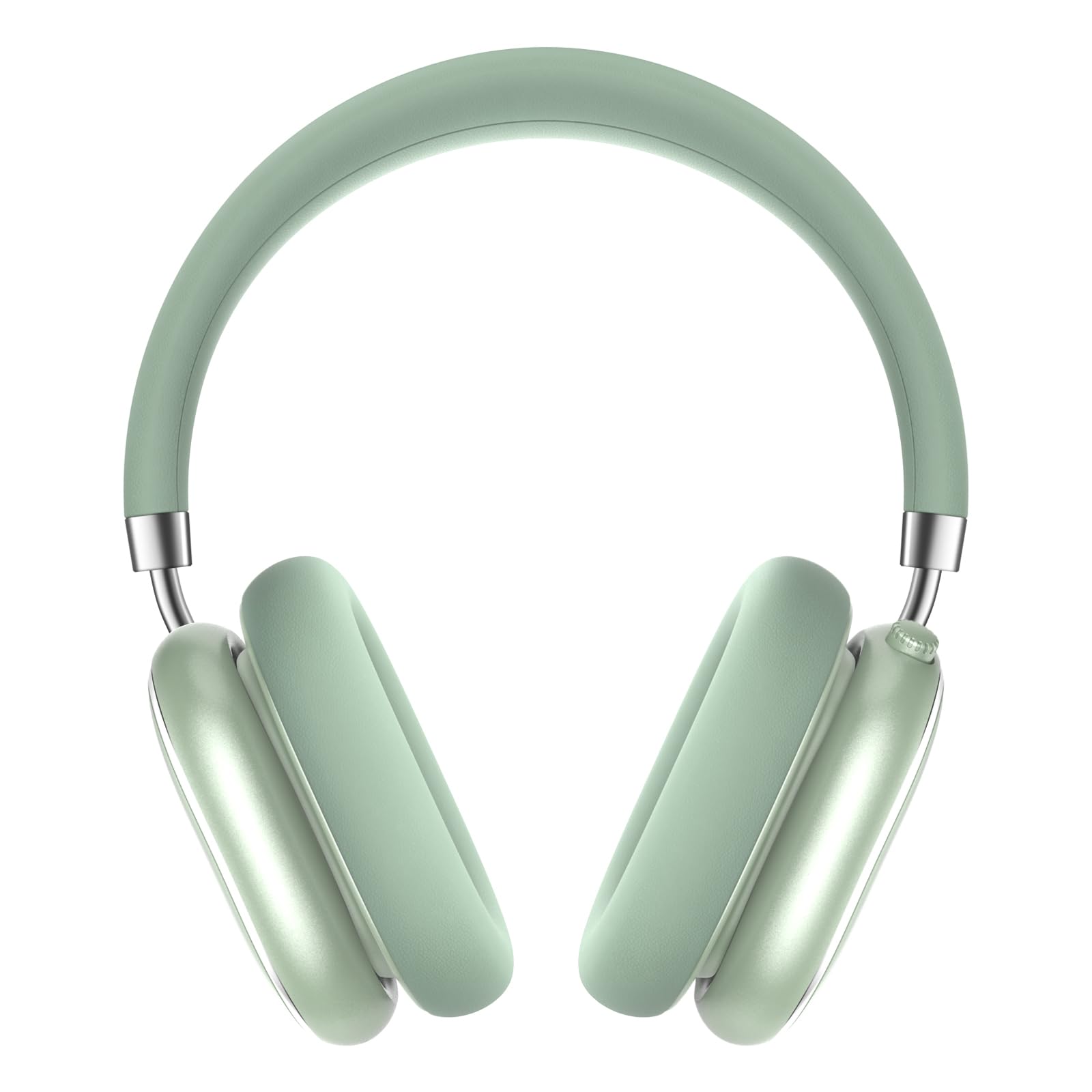
A pair of Srhythm NiceComfort 95 headphones, showcasing their sleek design and mint green color.

A man wearing the headphones, illustrating the hybrid active noise cancelling feature that blocks 95% of external noise.

A woman wearing the headphones in a public setting, demonstrating the transparency mode which amplifies ambient sounds.

A zuru ezu view of the headphone's intuitive controls, including the multi-function knob for volume and playback, and buttons for ANC/Bluetooth.

A man using the headphones while relaxing, highlighting the 100-hour ultra-long battery life and quick charge feature.

An internal diagram illustrating the more efficient new Bluetooth 6.0 version technology integrated into the headphones.
Melite
Ịchaji ekweisi
Tupu iji nke mbụ, chajịa ekweisi gị nke ọma.
- Connect the Type-C charging cable to the charging port on the headphone.
- Jikọọ nsọtụ nke ọzọ nke eriri na isi iyi ike USB (dịka ọmụmaatụ, kọmputa, ihe nkwụnye mgbidi).
- The LED indicator will show charging status. A full charge provides up to 65 hours of playtime. A 10-minute quick charge offers 3 hours of use.
Gbanyụọ/ Gbanyụọ
Iji gbanye, pịa ma jide bọtịnụ ike maka 1.5 sekọnd. Iji gbanyụọ, pịa ma jide bọtịnụ ike maka 10 sekọnd.
Njikọ Bluetooth
- Gbaa mbọ hụ na agbanyụrụ ekweisi.
- Press and hold the power button until the LED indicator flashes, indicating pairing mode.
- On your device (smartphone, tablet, laptop), enable Bluetooth and search for "Srhythm NC95".
- Select "Srhythm NC95" to connect. The LED indicator will show a solid light once connected.
Njikọ Ahịrị
For a wired connection, plug the 3.5mm audio cable into the headphone's audio jack and the other end into your audio device. This provides a zero-latency connection.
Ntuziaka ọrụ
Njikwa
The headphones feature a multi-function knob and a dedicated button for various controls:
- Mkpọchi ọtụtụ ọrụ:
- Twist up: Increase volume.
- Twist down: Decrease volume.
- Press once: Play/Pause music, Answer/End call.
- Press twice: Next track.
- Press three times: Previous track.
- Bọtịnụ Ụdị ANC/Nghọta:
- Press for 1.5 seconds: Toggle between Hybrid Active Noise Cancelling, Transparency Mode, and Normal Mode.
Ụdịdị
- Mkpọchi Mkpọtụ Ngwakọta (ANC): Reduces up to 95% of ambient noise, ideal for noisy environments.
- Ụdị nghọta: Allows you to hear your surroundings while listening to audio, enhancing safety and convenience.
- Ụdị nkịtị: Ngwudata ọdịyo nkịtị na-enweghị ihe mgbochi mkpọtụ ma ọ bụ njirimara nghọta.
Using the Aircraft Adapter
For in-flight entertainment, use the included aircraft adapter by plugging the 3.5mm audio cable into the adapter, then into the aircraft's audio port.

The Srhythm NiceComfort 95 headphones neatly packed in their protective travel case, alongside charging cables and adapters, ready for travel.
Nlekọta
To ensure the longevity and optimal performance of your Srhythm NiceComfort 95 headphones, follow these maintenance guidelines:
- Nhicha: Do not use corrosive cleaners or oils. Wipe the headphones with a soft, dry cloth.
- Nchekwa: Store the headphones in the provided protective case when not in use to prevent damage.
- Okpomọkụ: Avoid charging or operating in extreme temperatures (outside 0°C to 45°C / 32°F to 113°F).
- Mkpughe mmiri: Do not submerge the headphones in water. They are water-resistant, not waterproof.
- Gịnị: Use original or certified cables for charging and wired connections.
Nchọpụta nsogbu
Ọ bụrụ na ịnwee nsogbu na ekweisi gị, nwaa usoro ndị a:
- Enweghị ike: Gbaa mbọ hụ na chajịrị ekweisi nke ọma.
- Enweghị ụda: Check volume levels on both the headphones and your connected device. Ensure the audio cable is securely connected if using wired mode.
- Okwu njikọ Bluetooth: Ensure Bluetooth is enabled on your device and the headphones are in pairing mode. Try unpairing and re-pairing the device.
- Nkagbu mkpọtụ anaghị arụ ọrụ: Verify that ANC mode is activated.
- Ụda agbagọ: Check for interference from other devices or try moving closer to your audio source.
Nkọwapụta
| Njirimara | Nkọwapụta |
|---|---|
| Aha Nlereanya | Nkasi obi Nice 95 |
| Njikwa mkpọtụ | Hybrid Noise Cancellation, Transparency Mode |
| Teknụzụ Njikọta | Waya, Igwe na-enweghị eriri (Bluetooth 6.0) |
| Oke Bluetooth | 10 mita |
| Ndụ batrị | Awa 65 |
| Oge Nchaji | 10 minutes for 3 hours use |
| Nha ọkwọ ụgbọ ala ọdịyo | 40 millimeters |
| Ibu Ibu | 264 grams (9.3 ounces) |
| Jack ekweisi | 3.5mm ọkpụrụkpụ |
| Ọkwa Nguzogide mmiri | Mmiri na-eguzogide |
| Ihe onwunwe | Acrylonitrile Butadiene Styrene (ABS), Leather, Metal, Polycarbonate (PC), Stainless Steel |
Vidiyo ngwaahịa ngwaahịa
Vidiyo a na-enye nkọwa zuru ezuview of the Srhythm NiceComfort 95 Noise Cancelling Headphones, demonstrating their features and design.
Ozi nchekwa
Adhere to the following safety guidelines for proper use and to prevent damage:
- Do not charge or operate headphones in extreme temperatures: 0°C (32°F) - 45°C (113°F).
- Use only original or certified cables to charge.
- Ejila over-voltage chaja.
- Wepụ ụmụaka ka ị zere ihe egwu sitere na iji na-ekwesịghị ekwesị.
- Emikpula n'ime mmiri.
- Ejila ihe nhicha/mmanụ ọ bụla na-emebi emebi hichaa ekweisi.
Akwụkwọ ikike na nkwado
Each Srhythm product comes with an 18-month after-sales service and 7*24-hour online support. For detailed warranty information or to contact customer service, please refer to the official Srhythm websaịtị ma ọ bụ ozi kọntaktị enyere na nkwakọ ngwaahịa gị.