
Okwu mmalite
This manual provides comprehensive instructions for the Veho Kuzo Sports Smart Watch F1S. Please read this manual carefully before using your device to ensure proper operation and to maximize its features. Keep this manual for future reference.

Foto: N'ihu view of the Veho Kuzo Sports Smart Watch F1S, showcasing its round display and rugged design.
Ozi nchekwa
Always follow basic safety precautions when using this device to reduce the risk of injury, electric shock, fire, or damage to the product.
- Anwala ịkwasa ma ọ bụ gbanwee ngwaọrụ ahụ.
- Debe ngwaọrụ ahụ pụọ na oke okpomọkụ yana ìhè anyanwụ kpọmkwem.
- Zere ikpughe ngwaọrụ ahụ na mmetụta siri ike ma ọ bụ ọdịda.
- Gakwuru ọkachamara ahụike tupu ịmalite usoro mmega ahụ ọhụrụ ọ bụla, ọkachasị ma ọ bụrụ na ị nwere nsogbu ahụike dịbu.
- The device is water-resistant (IP68) but not waterproof for diving or high-pressure water activities.
Ihe ngwugwu
Hụ na ihe niile dị n'ime igbe ahụ:
- Veho Kuzo Sports Smart Watch F1S (Black)
- Magnetic Charging Cradle (USB-A)
- Akwụkwọ ntuziaka onye ọrụ ọtụtụ asụsụ
Melite
1. Ịchaji smart Watch
Before first use, fully charge your Veho Kuzo F1S Smart Watch.
- Connect the magnetic charging cradle to a USB-A power source (e.g., computer USB port, wall adapter).
- Align the magnetic pins of the cradle with the charging contacts on the back of the watch. The watch will snap into place and display a charging indicator.
- Charge for approximately 2 hours for a full charge. A full charge provides up to 15 days of typical use.

Image: Graphic illustrating the 15-day battery life of the Veho Kuzo F1S Smart Watch.
2. Installing the Companion App
To unlock all features and synchronize data, download the official companion app on your smartphone.
- The app is compatible with Apple iOS and Android devices.
- Chọọ maka "Kuzo" or "Veho Kuzo" in your device's app store.
- Install the app and follow the on-screen instructions to create an account.
3. Ijikọ na ekwentị mkpanaaka gị
After installing the app, pair your watch with your phone via Bluetooth.
- Gbaa mbọ hụ na agbanyere Bluetooth na ekwentị gị.
- Open the companion app and navigate to the device pairing section.
- Turn on your Veho Kuzo F1S Smart Watch.
- Select your watch from the list of available devices in the app.
- Kwenye arịrịọ maka njikọta na ma elekere gị na ama ama gị.

Image: A smartphone displaying the Veho Kuzo companion app, showing health and activity data.
Ntuziaka ọrụ
Nsoro ụzọ
The Veho Kuzo F1S features a 1.3-inch AMOLED touchscreen and physical buttons for navigation.
- Ihuenyo mmetụ aka: Mịgharịa elu, ala, aka ekpe, ma ọ bụ aka nri iji lelee menu na wijetị. Pịa iji họrọ ihe.
- Bọtịnụ akụkụ: Use the physical buttons on the side of the watch to return to the home screen, access sports modes, or other quick functions.
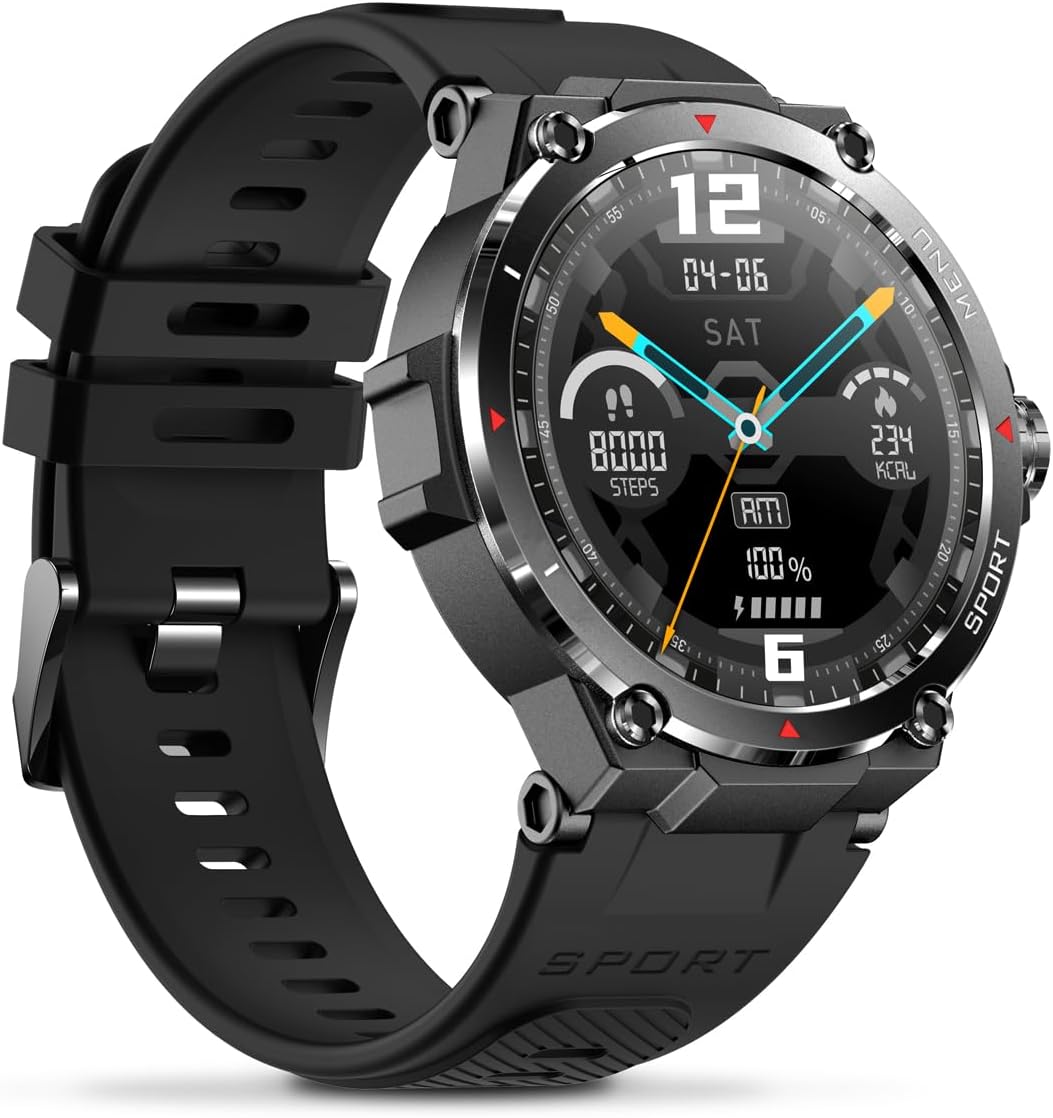
Foto: Akụkụ view of the Veho Kuzo F1S Smart Watch, highlighting the control buttons and rugged casing.
Nyocha ahụike na ahụike
The watch continuously monitors various health and fitness metrics.
- Ọnụọgụgụ obi: 24/7 heart rate monitoring. View data ozugbo na elekere ma ọ bụ usoro zuru ezu na ngwa ahụ.
- Oxygen ọbara: Measure your blood oxygen levels.
- Ihe nleba anya ihe omume: Tracks steps, calories burned, and distance covered. Supports walking, running, and cycling.
- Nyochaa ụra: Monitors daily, weekly, and monthly sleep patterns, detailing deep sleep, light sleep, and awake times.
- GPS: Built-in 3-mode GPS (GPS+Beidou+Glonass) and Assisted GPS (AGPS) for accurate outdoor performance tracking and live map positioning. Compatible with STRAVA.

Image: The Veho Kuzo F1S Smart Watch displaying heart rate monitoring data.
Atụmatụ Smart
- Amamọkwa: Receive push notifications from apps like WhatsApp, Twitter, Facebook, LinkedIn, Skype, YouTube, Messenger, and InstagRam ozugbo na elekere gị.
- Njikwa egwu: Control music playback (volume, skip tracks, play/pause) on your paired smartphone directly from the watch.
- Time Functions: Access alarm, timer, intermittent timer, stopwatch, and countdown functions.
- Chọta ekwentị: Use your watch to locate your paired smartphone.
- News/Weather App: Integrated news and weather application functionality.
- Ihu elekere nwere ike ịhazi ya: Choose from hundreds of different watch face designs through the companion app.
Nlekọta
Nhicha
To maintain the watch's appearance and functionality:
- Jiri nwayọ hichaa elekere na eriri mgbe niile, damp akwa .
- Zere iji kemịkalụ siri ike ma ọ bụ ihe nchacha.
- Gbaa mbọ hụ na kọntaktsị chajị dị ọcha na akpọnwụwo tupu chajịa.
Mgbochi mmiri (IP68)
The Veho Kuzo F1S Smart Watch has an IP68 rating, meaning it is water-resistant in fresh water up to a maximum depth of 1.5 meters for up to 30 minutes, and is protected from dust.
- Do not use the watch for diving, snorkeling, or high-speed water sports.
- Avoid exposing the watch to hot water, steam, or detergents.
- Kpoo elekere ahụ nke ọma mgbe mmiri batara ya.
Nlekọta batrị
- Chajie elekere ahụ mgbe niile iji hụ na batrị dị mma.
- Zere igbapu batrị kpamkpam ugboro ugboro.
- Store the watch in a cool, dry place if not used for extended periods.
Nchọpụta nsogbu
If you encounter issues with your Veho Kuzo F1S Smart Watch, refer to the following common solutions:
- Lelee anaghị agbanye: Ensure the watch is fully charged. Connect it to the charging cradle and check for the charging indicator.
- Enweghị ike ijikọ na ekwentị:
- Gbaa mbọ hụ na agbanyere Bluetooth na ekwentị gị na elekere.
- Gbaa mbọ hụ na elekere ahụ dị n'ime oke ekwentị gị.
- Malitegharịa ma elekere ahụ ma ekwentị gị.
- Gbalịa iwepụ ma jikọta ngwaọrụ ahụ ọzọ site na ngwa ahụ.
- Data ahụike ezighi ezi:
- Gbaa mbọ hụ na etinyere elekere nke ọma na nkwojiaka gị, mana ọ bụghị nke siri ike.
- Hichaa ihe mmetụta dị n'azụ elekere.
- Environmental factors and skin conditions can affect accuracy.
- Amamọkwa anaghị apụta:
- Check app notification settings on your phone and within the companion app.
- Ensure the watch is connected to your phone via Bluetooth.
For further assistance, please refer to the support section or contact customer service.
Nkọwapụta
| Aha Nlereanya | F1S |
| Nọmba nlereanya | VSW-001-F1S-B (164426) |
| Ngosipụta | 1.3" AMOLED Touchscreen |
| Mkpebi | 360 x 360 pikselụ |
| Chipset | Dialogue14695, PPGHX3690 |
| Ebe nchekwa | ROM 128MB + RAM 2MB |
| Bluetooth | v5.1 |
| Ike batrị | 300mAh Lithium-polymer |
| Oge ọrụ | Ruo ụbọchị 15 |
| Oge Njikere | Ruo ụbọchị 21 |
| Oge Nchaji | Ihe ruru. awa 2 |
| Ụdị Nchaji | USB-A to Magnetic Charging Cradle |
| Mmiri Nguzogide | IP68 (up to 1.5 meters for 30 minutes in fresh water) |
| Usoro GPS | 3-mode (GPS+Beidou+Glonass) |
| Akụkụ | 46 mm x 12.9 mm |
| Ibu | 51g |
| Ogologo eriri | 22mm |
| Ogologo eriri | 260mm |
| Ndakọrịta OS | Android, iOS |
| Asụsụ akwadoro | All major languages (replicates paired smartphone language) |
Akwụkwọ ikike na nkwado
The Veho Kuzo Sports Smart Watch F1S comes with a limited warranty. Please refer to the warranty card included in your package or visit the official Veho websaịtị maka nkọwa na usoro akwụkwọ ikike.
Nkwado ndị ahịa
For technical support, troubleshooting, or warranty claims, please contact Veho customer service through their official websaịtị ma ọ bụ ozi kọntaktị enyere na akwụkwọ ngwaahịa gị.
- Nkwado n'ịntanetị: www.veho-world.com/support (Ọpụample njikọ, ezigbo njikọ nwere ike ịdị iche)
- Email: support@veho-world.com (Exampemail, ozi email ahụ nwere ike ịdị iche)