
1. Okwu mmalite
The FOREO Bear 2 go is a compact, travel-friendly microcurrent facial toning device designed to smooth, firm, and lift the skin. This device utilizes advanced microcurrent technology and T-Sonic pulsations to target facial muscles, contributing to a more toned and contoured appearance.
It is clinically proven to improve lines and skin firmness within a week of consistent use. This manual provides essential information for the safe and effective operation, maintenance, and troubleshooting of your device.

Image: The FOREO Bear 2 go device, presented in its transparent retail packaging.
2. Kedu ihe dị na Igbe ahụ
Upon opening your FOREO Bear 2 go package, you should find the following items:
- FOREO Bear 2 go Device (Pistachio color)
- Ntuziaka mmalite ngwa ngwa
- Akwụkwọ ntuziaka General
- Igwe nchaji USB

Image: All components included in the FOREO Bear 2 go product box.
3. Setup and Unlocking Your Device
Before first use, you must download the FOREO For You mobile application to unlock and register your device. Follow these simple steps:
- Budata ngwa FOREO maka gị na ekwentị mkpanaaka gị.
- Banye na akaụntụ gị ma ọ bụ debanye aha maka nke ọhụrụ.
- Add your device (locate the "Add device" option at the top of your screen within the app).
- Choose the correct device series.
- Press and hold the Power button on your device to connect it to the mobile app via Bluetooth.
- Fill in the required purchase information.
Ngwaọrụ gị adịla njikere maka ojiji.
For app download and support, visit: FOREO App na FOREO Support.

Image: Detailed steps for initial device setup and unlocking via the mobile application.
4. Ntuziaka ọrụ
The FOREO Bear 2 go utilizes microcurrent technology and T-Sonic pulsations to provide a facial toning experience. For optimal results, always use the device with a conductive serum.
Teknụzụ isi:
- Advanced Microcurrent: Designed to strengthen and tighten facial muscles.
- Lifting Microcurrent: Aims to lift facial muscles for a more contoured appearance.
- T-Sonic ịhịa aka n'ahụ: Helps to smooth the appearance of fine lines and wrinkles.

Image: Visual representation of the three core technologies integrated into the device.
Usoro ojiji:
- Sachapụ: Ensure your face and neck are clean and dry.
- Apply Serum: Apply a thin layer of a conductive serum (e.g., FOREO Supercharged Serum 2.0 or a similar water-based conductive gel) to the areas you intend to treat. This is crucial for the microcurrent to work effectively and comfortably.
- Tinye ngwaọrụ: Turn on your FOREO Bear 2 go device.
- Ọgwụgwọ: Gently glide the device across your skin in upward and outward motions, following the contours of your face and neck. Refer to the FOREO For You app for guided routines and specific treatment areas.
- Ogologo oge: Follow the recommended treatment duration as guided by the app, typically a few minutes per session.
- Mgbe ejiri ya: Turn off the device and clean it.

Image: A user demonstrating the application of the FOREO Bear 2 go device on the face.
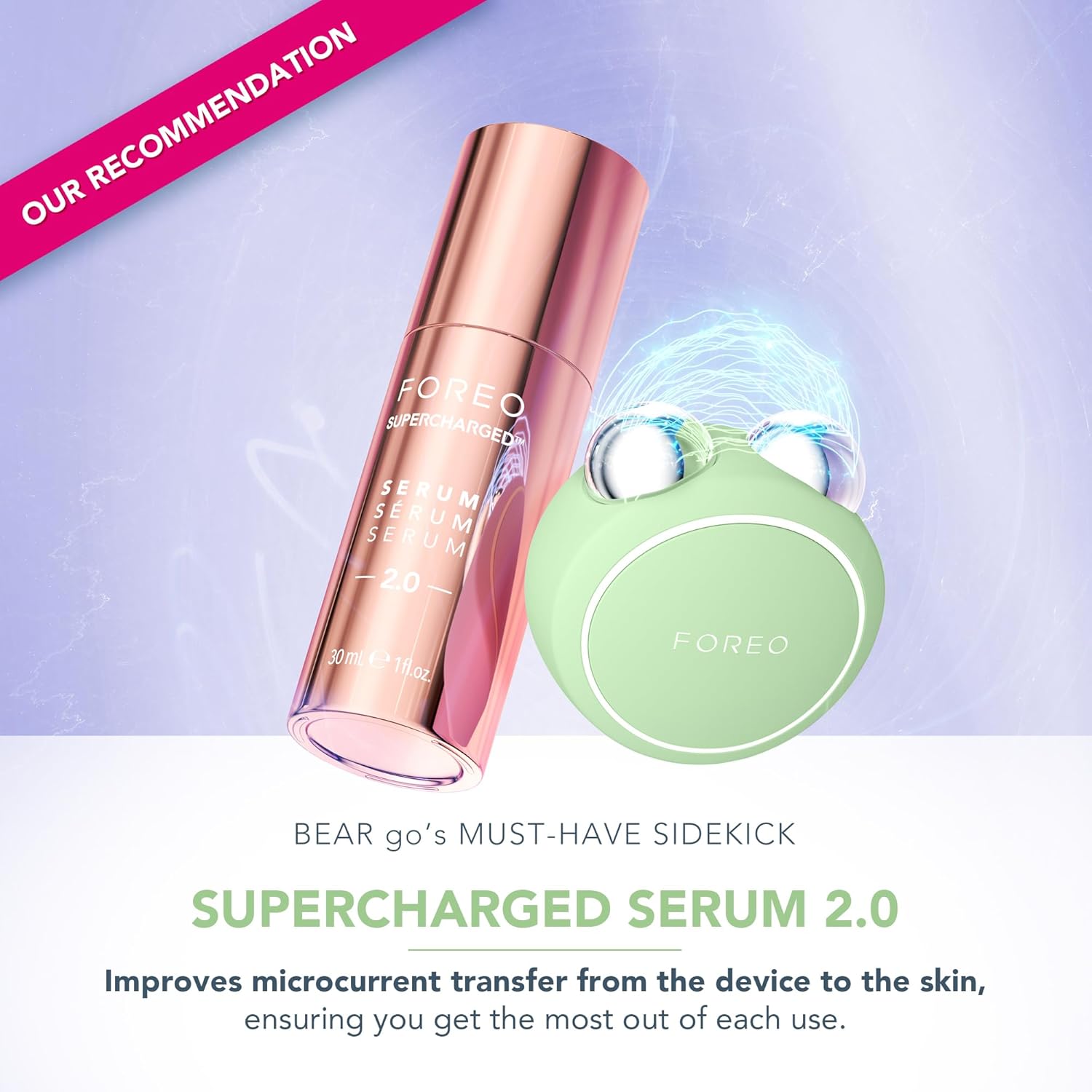
Image: The FOREO Bear 2 go device paired with the recommended Supercharged Serum 2.0 for optimal conductivity.

Image: Visual comparison of facial appearance before and after using the device, highlighting improvements in contour and reduction of puffiness.
5. Nlekọta
Proper maintenance ensures the longevity and hygiene of your FOREO Bear 2 go device.
- Nhicha: After each use, gently wipe the device, especially the microcurrent spheres, with a damp cloth and a mild, non-abrasive cleanser.
- ihicha: Pat dry with a soft, lint-free cloth.
- Nchekwa: Debe ngwaọrụ ahụ n'ebe dị ọcha ma kpọọ nkụ, ebe anwụ na-anaghị apụta kpọmkwem ma ọ bụ oke okpomọkụ.
- Zere kemịkalụ siri ike: Do not use alcohol, petrol, or acetone-based cleaning products, as these may damage the silicone material.
6. Nchọpụta nsogbu
If you experience issues with your FOREO Bear 2 go, refer to the following troubleshooting steps:
Device Not Activating (No response when pressing the center button):
- Batrị efu: The battery may be depleted. Recharge the device using the provided USB charging cable for up to 2 hours until fully charged. Then, attempt to restart the device by holding down the power button.
- Ngwaọrụ adịghị arụ ọrụ: If the device cannot be switched off and/or interface buttons do not respond, the microprocessor might be temporarily malfunctioning. Press and hold the power button to restart the device.
Device Not Syncing to FOREO App:
- Bluetooth: Ensure your device is fully charged and that Bluetooth is enabled on your mobile phone.
- Njikọ: Switch your phone's Bluetooth off and then on again to attempt reconnection.
- Malitegharịa ngwa: Close the FOREO app completely and then reopen it to restart the connection process.
- Tinyegharịa ngwa: Delete and reinstall the application. This can resolve issues if the app is outdated or corrupted.
- Restart Phone: After deleting and reinstalling the application, restart your mobile phone.
- Kpochapụ cache: Hichapụ kuki ekwentị gị na ebe nchekwa cache.
- Mmelite ngwanrọ: Gbaa mbọ hụ na emelitere sistemụ arụmọrụ mkpanaka gị ka ọ bụrụ ụdị kachasị ọhụrụ.
7. Nkọwapụta
| Ụdị | FOREO |
| Aha Nlereanya | agba 2 gaa |
| Nọmba Nlereanya ihe | F1849 |
| Agba | Pistachio |
| Ihe onwunwe | Plastic |
| Akụkụ ngwaahịa | 1.46 x 3.78 x 3.43 sentimita asatọ |
| Ibu Ibu | 2.12 ounces (0.06 Kilogram) |
| Batrị | achọrọ batrị AA 1 (gụnyere) |
| Onye nrụpụta | FOREO |
8. Akwụkwọ ikike na nkwado
For detailed warranty information, product registration, and further support, please refer to the General Manual included in your package or visit the official FOREO support websaịtị.
Nkwado gọọmentị Websaịtị: www.foreo.com/support
Ozi nchekwa: No specific warnings are required for this product beyond general electronic device safety. Always follow the instructions provided in this manual and the FOREO For You app.