
FOREO BEAR 2 go
FOREO BEAR 2 go Instruction Manual
Model: BEAR 2 go (F1825)
Akara: FOREO
Okwu mmalite
The FOREO BEAR 2 go is a travel-friendly microcurrent facial device designed to tone and firm the skin. This compact and lightweight device is clinically proven to improve the appearance of fine lines and skin firmness, offering a non-invasive solution for facial sculpting and anti-aging care.

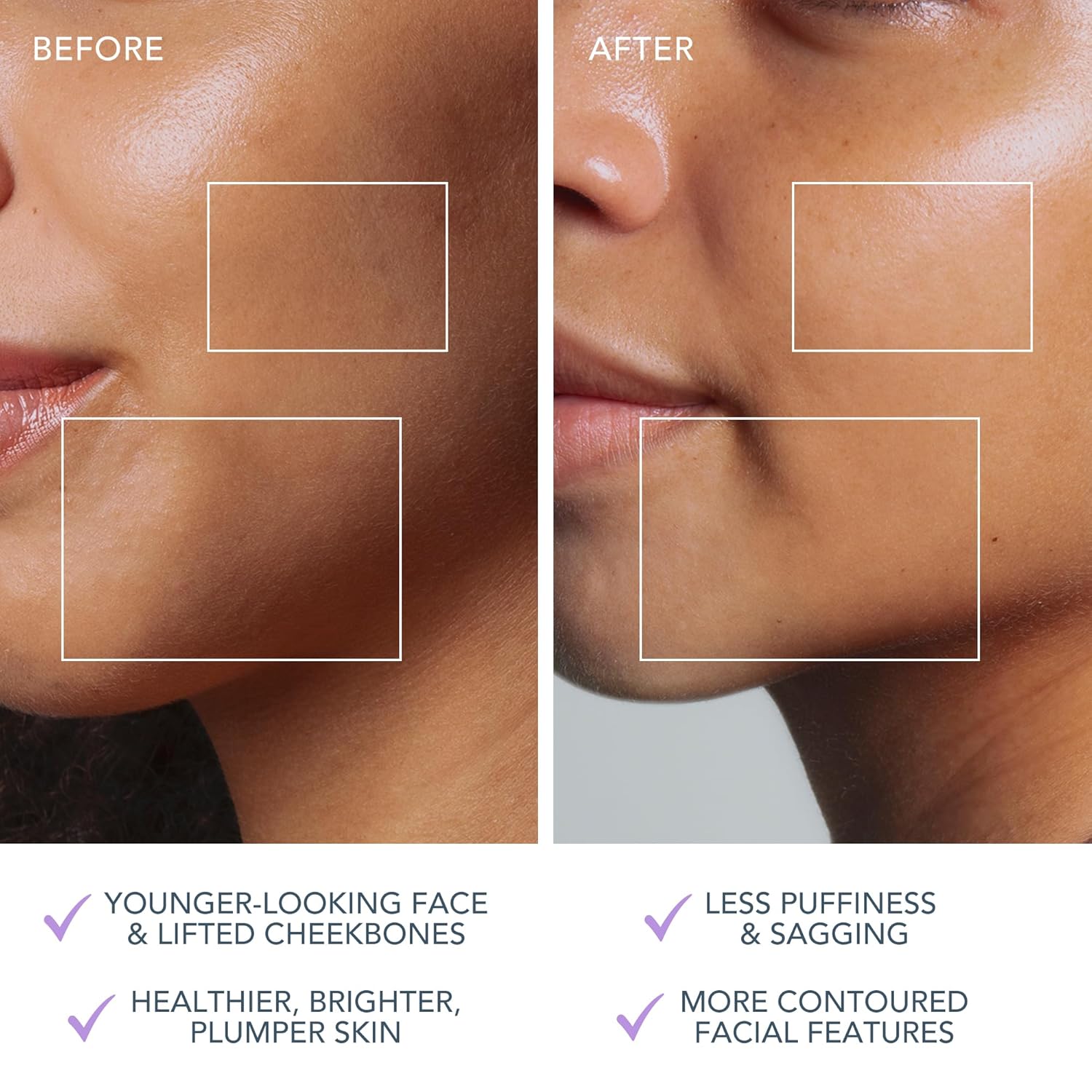
The FOREO BEAR 2 go device in use, highlighting its microcurrent toning capabilities for reducing wrinkles, puffiness, and sagging.

Key technologies of the device include Advanced Microcurrent for muscle strengthening, Lifting Microcurrent for contoured appearance, and T-Sonic Massage for smoothing fine lines.
Kedu ihe dị na Igbe ahụ?
Your FOREO BEAR 2 go package includes the following items:
- FOREO BEAR 2 go Device (Lavander)
- Ntuziaka mmalite ngwa ngwa
- Akwụkwọ ntuziaka General
- Igwe nchaji USB
The complete package contents of the FOREO BEAR 2 go, showing the device, quick start guide, general manual, and USB charging cable.
Melite
Ịchaji ngwaọrụ
Before first use, ensure your FOREO BEAR 2 go device is fully charged. Connect the provided USB charging cable to the device and a suitable power source. The device will indicate charging status, typically taking up to 2 hours for a full charge.
Unlocking and Pairing Your Device
To unlock and register your device, follow these simple steps:
- Download the FOREO For You mobile app on your mobile phone. You can find the app on the App Store or Google Play.
- Banye na akaụntụ gị ma ọ bụ debanye aha maka nke ọhụrụ.
- Add device (located at the top of your screen within the app).
- Họrọ usoro ngwaọrụ.
- Press and hold the Power button on your device to connect it to the mobile app.
- Fill in the purchase information as prompted.
Once these steps are completed, your device is ready for use.
For app download, visit: foreo.com/app
Ntuziaka ọrụ
The FOREO BEAR 2 go is designed for ease of use, integrating seamlessly into your skincare routine. Always ensure your face is clean before use.
Application of Conductive Serum
For optimal conductivity and to ensure a smooth glide, it is essential to apply a suitable serum or conductive gel to your face and neck before using the device. FOREO recommends their Serum Serum Serum, which is lightweight, hydrating, and specifically formulated to enhance microcurrent transfer.

The Supercharged Serum 2.0 is recommended for use with the BEAR 2 go to improve microcurrent transfer and maximize treatment benefits.
Usoro ojiji
- Clean your face thoroughly.
- Apply a suitable serum or conductive gel to enhance conductivity.
- Gbanwuo ngwaọrụ ma họrọ ọkwa ike achọrọ.
- Gently glide the device over your face and neck, focusing on areas with fine lines and wrinkles.
- Use in a circular motion for about 5 minutes.
- Rinse your face and follow with your regular skincare routine.
The device offers adjustable intensity levels, allowing you to customize the treatment to your comfort and skin needs. The accompanying FOREO For You app provides guided routines and allows for personalized settings, acting as a personal beauty coach.
Nlekọta
Na-ehicha ngwaọrụ
Cleaning your FOREO BEAR 2 go is simple due to its durable and waterproof material. After each use, wipe the device down with a damp cloth. For thorough sanitization, you may occasionally spritz it with a sanitizing spray. This ensures hygiene and longevity of your device.
Nchọpụta nsogbu
Precautions to be taken in the event of changes in the performance of FOREO devices:
- If your FOREO device is not activated when pressing the center button:
- Batrị adịghị. Fanye site na iji eriri USB chaja ruo awa 2 ruo mgbe chachara nke ọma wee malitegharịa ngwaọrụ gị site na ijide bọtịnụ ike.
- If device cannot be switched off and/or interface buttons do not respond: Microprocessor is temporarily malfunctioning. Press and hold the power button to restart the device.
- If your FOREO device won't sync to the FOREO app:
- Gbaa mbọ hụ na chajịla ngwaọrụ gị na agbanyere Bluetooth gị.
- Gbanyụọ Bluetooth gị wee gbanye ọzọ ka ịnwa ịjikọ ọzọ.
- Mechie ngwa FOREO wee mepee ya ka ịmalite usoro ahụ ọzọ.
- Hichapụ ma tinyegharịa ngwa ahụ - ikekwe ngwa ahụ kwesịrị ka emelite ya.
- Mgbe ihichapụ na reinstalling ngwa, jide n'aka na malitegharịa ekwentị gị.
- Hichapụ kuki ekwentị gị na ebe nchekwa cache.
- Gbaa mbọ hụ na emelitere sistemụ arụmọrụ mkpanaka gị ka ọ bụrụ ụdị kachasị ọhụrụ.
Nkọwapụta
| Njirimara | Nkọwa |
|---|---|
| Akụkụ ngwaahịa | 1.46 x 3.78 x 3.43 sentimita asatọ |
| Ibu Ibu | 2.12 ounces (0.06 Kilogram) |
| Nọmba Nlereanya ihe | F1825 |
| Ngalaba | Unisex |
| Batrị | 1 batrị lithium ion achọrọ (gụnyere) |
| Onye nrụpụta | FOREO |
| Agba | Lavander |
| Ụdị akpụkpọ ahụ | Ha niile |
| Aha Nlereanya | agba 2 gaa |
Akwụkwọ ikike & Nkwado
The FOREO BEAR 2 go device comes with a 2-afọ akwụkwọ ikike from the date of purchase. For any product support, warranty claims, or additional information, please visit the official FOREO support page.
Nkwado gọọmentị: foreo.com/support
No specific safety warnings are required for this product.
Ask a question about this manual
Ask about setup, troubleshooting, compatibility, parts, safety, or missing instructions. Manuals+ will review the question and use this page’s manual context to help answer it.