
Fenton RP118B
Ntuziaka Onye Ọrụ Fenton RP118B Bluetooth Turntable
Model: RP118B
1. Okwu mmalite
This manual provides essential information for the safe and efficient operation of your Fenton RP118B Bluetooth Turntable. Please read it thoroughly before using the device and retain it for future reference.

Image 1.1: The Fenton RP118B Bluetooth Turntable in its open position, showcasing a vinyl record ready for playback.
2. Ntuziaka nchekwa
- Isi mmalite ike: Gbaa mbọ hụ na ọkọnọ ike dabara na voltage kpọmkwem na unit.
- Mmiri na mmiri: Ewepụla unit ahụ na mmiri ozuzo ma ọ bụ mmiri. Edokwala ihe jupụtara na mmiri mmiri, dị ka vases, na unit.
- Igwe ikuku: Ensure adequate ventilation. Do not cover ventilation openings.
- Okpomọkụ: Etinyela ihe dị n'akụkụ ebe okpomọkụ dị ka radiator, ihe ndekọ okpomọkụ, stovu, ma ọ bụ ngwaọrụ ndị ọzọ (gụnyere amplifiers) nke na-emepụta okpomọkụ.
- Nhicha: Jiri akwa kpọrọ nkụ hichaa naanị.
- Ije ozi: Tụtụ aka n'aka ndị ọrụ ruru eru.
3. Ihe ngwugwu
Chọpụta na ihe niile dị mgbe ị na-ebupụ:
- Fenton RP118B Bluetooth Turntable
- Ihe nkwụnye ọkụ
- USB Cable (for PC encoding)
- Akwụkwọ ntuziaka
4. Ngwaahịa gafereview
The Fenton RP118B turntable is designed for playing vinyl records. Its black polyurethane leather suitcase design provides a classic aesthetic. This turntable offers three playback speeds (33, 45, and 78 RPM). It features integrated stereo speakers for clear sound reproduction. Bluetooth connectivity allows for connecting external speakers, headphones, and other devices. The PC encoding function via USB enables conversion of vinyl records to MP3 files for digital archiving. The turntable includes a tonearm with manual or automatic stop functionality and a 3.5mm AUX input. Its belt drive system ensures stable record playback. The RP118B combines traditional vinyl playback with modern features in a compact format.

Foto 4.1: Ofeview of the Fenton RP118B's key features, including USB encoding, headphone output, integrated speakers, Bluetooth, and Line In.
4.1. Njikwa na Njikọ

Foto 4.2: Zuru ezu view of the turntable's control panel and connection ports.
- Platter: Supports the vinyl record.
- Ụda olu: Na-ejide stylus ahụ ma na-esochi oghere ndekọ ahụ.
- Stylus/Needle: Reads the audio information from the record.
- Nhọrọ ọsọ ọsọ: Gbanwee n'etiti 33, 45, na 78 RPM.
- Mgbanwe Nkwụsị Akpaaka: Enables or disables automatic tonearm stop at the end of a record.
- Ike/Mpịakọta olu: Turns the unit on/off and adjusts speaker volume.
- Ìhè ihe ngosi: Shows power and Bluetooth status.
- Jack ekweisi: Maka ijikọ ekweisi.
- Line In (AUX) Jack: Maka ijikọ isi iyi ọdịyo mpụga.
- Ọdụ ụgbọ mmiri USB: For PC connection for MP3 encoding.
- Line Out (RCA) Jacks: Maka ijikọ na mpụga amplifiers ma ọ bụ ọkà okwu ike.
- Ntinye DC 5V: Maka ijikọ nkwụnye ọkụ.
- BT OUT/PHONO/BT IN Switch: Selects Bluetooth transmission, Phono output, or Bluetooth reception mode.
5. Nhazi
5.1. Mwepu na ntinye
- Carefully remove the turntable from its packaging.
- Place the unit on a stable, level surface away from direct sunlight, heat sources, and excessive dust or vibration.
- Remove any protective materials from the tonearm and stylus.
5.2. Njikọ ike
- Connect the DC 5V power adapter to the DC 5V input port on the turntable.
- Tinye nkwụnye ahụ n'ime oghere mgbidi kwesịrị ekwesị.
5.3. External Audio Connections (Optional)
- To External Speakers/Ampntughari: Connect RCA cables (not included) from the "Line Out" jacks on the turntable to the audio input of your ampigwe okwu ma ọ bụ ike okwu.
- To Headphones: Tinye ekweisi 3.5mm n'ime jaket ekweisi.
- From External Audio Source (AUX In): Connect a 3.5mm audio cable (not included) from your external device (e.g., MP3 player, smartphone) to the "Line In" jack on the turntable.
6. Ntuziaka ọrụ
6.1. Playing a Vinyl Record
- Mepee mkpuchi tebụl ahụ.
- Tinye ihe ndekọ vinyl na efere.
- Select the appropriate speed (33, 45, or 78 RPM) using the speed selector switch. For 45 RPM records, place the included 45 RPM adapter on the spindle.
- Turn the Power/Volume knob clockwise to power on the unit.
- Set the BT OUT/PHONO/BT IN switch to "PHONO" mode.
- Lift the tonearm using the cue lever and position it over the desired track of the record.
- Gently lower the tonearm onto the record using the cue lever. The record will begin to play.
- Jiri aka Power/Volume gbanwee olu ahụ.
- At the end of the record, if the Auto Stop switch is ON, the platter will stop rotating. If OFF, the platter will continue to rotate, and you must manually lift the tonearm.
- Iji kwụsị ịkpọ egwu, bulie ụda olu ahụ ma weghachite ya n'ebe ọ fọdụrụ.

Image 6.1: The three-speed turntable platter, capable of playing 33 1/3, 45, and 78 RPM records.
6.2. Bluetooth Reception (BT IN)
Use this function to stream audio from your smartphone or tablet to the turntable's built-in speakers.
- Turn the Power/Volume knob clockwise to power on the unit.
- Set the BT OUT/PHONO/BT IN switch to "BT IN" mode. The indicator light will flash, indicating pairing mode.
- Enable Bluetooth on your smartphone or tablet and search for "Fenton RP118B" (or similar).
- Select the turntable from the list of available devices to pair. Once paired, the indicator light will stop flashing and remain solid.
- Play music from your device. Audio will be streamed through the turntable's speakers.
- Adjust the volume using the Power/Volume knob on the turntable and/or your connected device.

Image 6.2: The turntable utilizing Bluetooth wireless technology to receive audio from a smartphone.
6.3. Bluetooth Transmission (BT OUT)
Use this function to stream audio from your playing vinyl record to external Bluetooth speakers or headphones.
- Ensure your external Bluetooth speaker or headphones are in pairing mode.
- Turn the Power/Volume knob clockwise to power on the unit.
- Set the BT OUT/PHONO/BT IN switch to "BT OUT" mode. The indicator light will flash.
- The turntable will automatically search for and attempt to pair with nearby Bluetooth audio devices.
- Ozugbo ejikọtara ya, ọkụ ihe ngosi ahụ ga-akwụsị ịgbawa.
- Begin playing a vinyl record as described in section 6.1. The audio will be transmitted to your paired Bluetooth device.
- Adjust the volume on your connected Bluetooth speaker or headphones.
6.4. USB Encoding (Vinyl to MP3)
This feature allows you to convert your vinyl records into digital MP3 files na kọmputa gị.
- Connect the turntable to your computer using the supplied USB cable.
- Install the necessary recording software on your computer (software typically provided on a CD or available for download from the manufacturer's websaịtị).
- Follow the instructions provided with the recording software to capture the audio from your vinyl record.
- Play the vinyl record on the turntable as you would normally. The audio will be sent to your computer for recording.
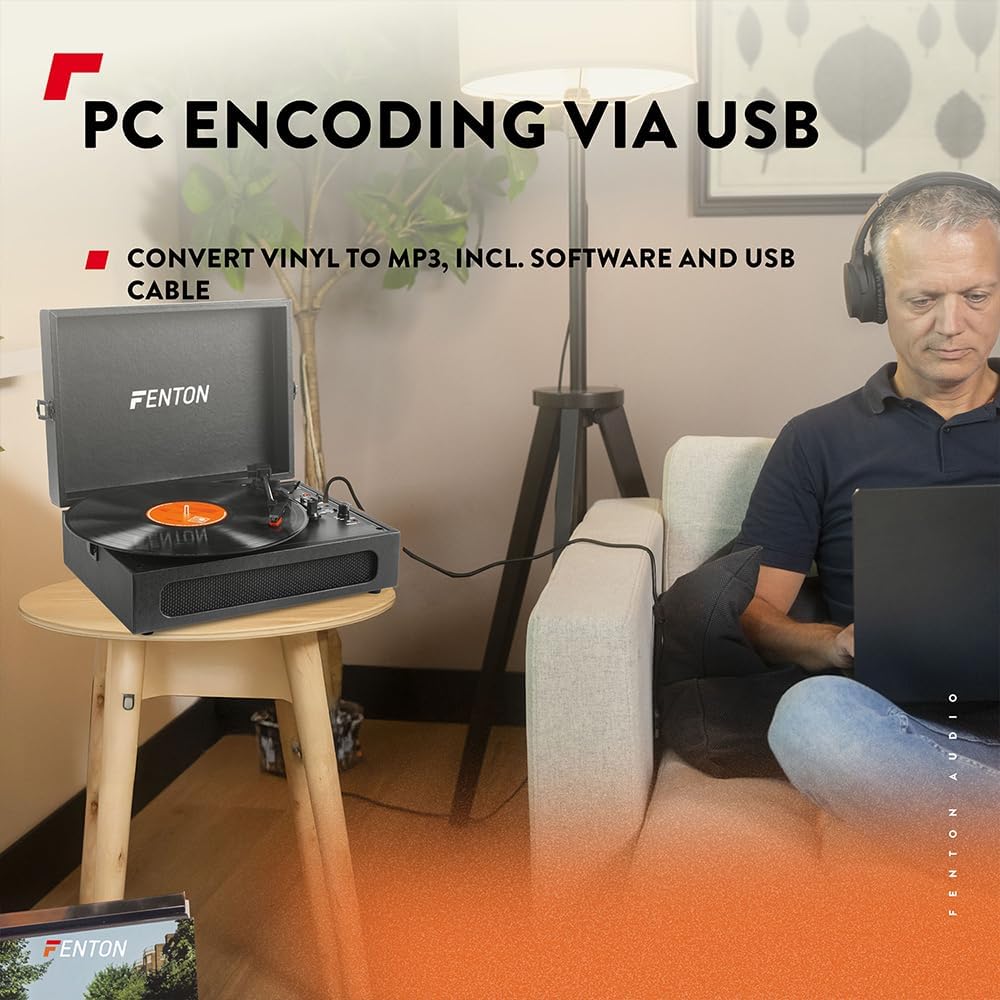
Image 6.3: USB encoding in progress, converting vinyl audio to MP3 files na kọmputa.
6.5. Using the AUX Input (Line In)
Connect an external audio device (e.g., smartphone, MP3 player) to the turntable's built-in speakers.
- Connect a 3.5mm audio cable from your external device's headphone or line-out jack to the "Line In" jack on the turntable.
- Turn the Power/Volume knob clockwise to power on the unit.
- Ensure the BT OUT/PHONO/BT IN switch is not in "BT IN" mode (it can be in PHONO or BT OUT, as Line In is a separate input).
- Play audio from your external device. The sound will be routed through the turntable's speakers.
- Adjust the volume using the Power/Volume knob on the turntable and/or your connected device.
7. Nlekọta
7.1. Cleaning the Turntable
- Mgbe niile, wepụ unit na ebe ọkụ tupu ihicha.
- Jiri ákwà dị nro ma kpọọ nkụ hichaa elu mpụta. Ejila ihe nhicha, wax, ma ọ bụ ihe mgbaze.
- Gently brush the stylus with a soft brush designed for stylus cleaning, moving from back to front.
- Keep the dust cover closed when not in use to prevent dust accumulation.
7.2. Ndochi Stylọs
The stylus is a consumable part and will wear out over time. A worn stylus can damage your records and degrade sound quality. Replace the stylus after approximately 300-500 hours of playback, or if you notice a significant drop in sound quality or visible damage.
- Consult the manufacturer's website or your retailer for compatible replacement styli.
- Follow the instructions provided with the replacement stylus for proper installation.
8. Nchọpụta nsogbu
| Nsogbu | Ihe nwere ike ime | Ngwọta |
|---|---|---|
| Enweghị ike | Power adapter not connected; Power outlet not working; Power/Volume knob off. | Ensure power adapter is securely connected. Try a different outlet. Turn Power/Volume knob clockwise to ON. |
| Enweghị ụda sitere na ndị ọkà okwu | Volume too low; BT OUT/PHONO/BT IN switch in incorrect position; Headphones connected. | Increase volume. Set switch to "PHONO" for vinyl or "BT IN" for Bluetooth reception. Disconnect headphones. |
| Sound distorted or skipping | Record dirty or damaged; Stylus worn or dirty; Turntable not level. | Clean record. Clean or replace stylus. Place turntable on a level surface. |
| Nsogbu njikọta Bluetooth | Device too far; Turntable not in pairing mode; Incorrect BT mode selected. | Move device closer. Ensure turntable is in "BT IN" (for reception) or "BT OUT" (for transmission) mode and indicator is flashing. Restart both devices. |
| Record stops prematurely (Auto Stop) | Auto Stop switch is ON. | This is normal operation. If you prefer continuous rotation, set the Auto Stop switch to OFF. |
9. Nkọwapụta
| Ụdị | Fenton |
| Nọmba nlereanya | RP118B |
| Agba | Nwa |
| Ihe onwunwe | Polyurethane |
| Ụdị moto | Belt chụpụrụ |
| Ọsọ ịkpọghachi | 33 1/3, 45, 78 RPM |
| Ngwa dakọtara | Personal computer, MP3 player, smartphone, headphones, speakers, tablet |
| Ụdị Bluetooth | 5.0 (for reception and transmission) |
| Ọrụ USB | PC encoding (Vinyl to MP3) |
| Ntinye ederede | RCA Line Out, 3.5mm Headphone Jack |
| Ntinye ọdịyo | 3.5mm AUX In |
| Ndị na-ekwu okwu ọnụ | Yes, stereo |
| Ibu Ibu | 3.25 kilogram |
| Ịnye ọkụ | DC 5V (Adapter included) |

Image 9.1: Dimensions of the Fenton RP118B turntable.
10. Akwụkwọ ikike na nkwado
For warranty information, please refer to the documentation included with your purchase or visit the official Fenton website. For technical support or service inquiries, please contact your retailer or the manufacturer directly.
Manufacturer: Tronios B.V.
Ask a question about this manual
Ask about setup, troubleshooting, compatibility, parts, safety, or missing instructions. Manuals+ will review the question and use this page’s manual context to help answer it.