
1. Okwu mmalite
Thank you for choosing the Choetech True Wireless Earbuds. This manual provides detailed instructions on how to set up, operate, and maintain your earbuds to ensure optimal performance and longevity. Please read this manual carefully before using the product and keep it for future reference.
2. Ihe ngwugwu
- Choetech True Wireless Earbuds (Left & Right)
- Nchaji case
- Igwe nchaji USB
- Ọtụtụ nha nke ntị ntị
- Akwụkwọ ntuziaka onye ọrụ
3. Ngwaahịa gafereview
Familiarize yourself with the components of your Choetech True Wireless Earbuds.

Image: The Choetech True Wireless Earbuds and their compact charging case.

Image: The earbuds placed inside the open charging case, showing the charging contacts.
Ihe ndị dị na ntị:
- Mpaghara njikwa aka: Maka ijikwa ọkpụkpọ egwu, oku, na onye enyemaka olu.
- Ihe ngosi LED: Shows pairing status and battery level.
- Igwe okwu: Maka oku na iwu olu.
- Kọntaktị na-akwụ ụgwọ: Maka ịchaji n'ime akpa ahụ.
Ihe ndị dị na ikpe chaja:
- Oghere Nchaji Earbud: Na-ejide ma na-eme ka ekweisi ndị ahụ sie ike.
- Charging Case LED Indicator: Shows case battery status.
- USB Nchaji Port: Maka ịchaji ikpe ahụ.
4. Nhazi
4.1 Ịchaji ntị na akpa
Tupu i jiri ya nke mbụ, chajie ma ekweisi na ihe mkpuchi chaja ahụ nke ọma.
- Tinye ekwe ntị n'ime akpa chaja, hụ na ha nọdụrụ nke ọma.
- Jikọọ eriri USB na-ebunye n'ọdụ ụgbọ mmiri na akpa ahụ yana isi iyi ike (dịka ọmụmaatụ, eriri USB nkwụnye, ọdụ ụgbọ USB kọmputa).
- The LED indicators on the earbuds and case will show charging status. They will turn off or change color when fully charged.
A full charge provides over 5 hours of playback time for the earbuds, and the charging case extends total usage to approximately 120 hours in standby mode.

Image: Visual representation of the earbuds' long battery endurance, indicating playback, talk, and standby times.
4.2 Pairing with Your Device (Bluetooth 5.2)
The earbuds utilize advanced Bluetooth 5.2 technology for a fast and stable connection.
- Open the charging case. The earbuds will automatically power on and enter pairing mode. The earbud LED indicators will flash, indicating they are ready to pair.
- Na ngwaọrụ gị (smartphone, mbadamba, wdg), gbanye Bluetooth.
- Chọọ maka available Bluetooth devices and select "Choetech BH-T06" from the list.
- Once connected, the earbud LED indicators will stop flashing. You will hear a confirmation tone.
The earbuds support seamless switching, allowing each earbud to independently fast switch between two different audio devices.
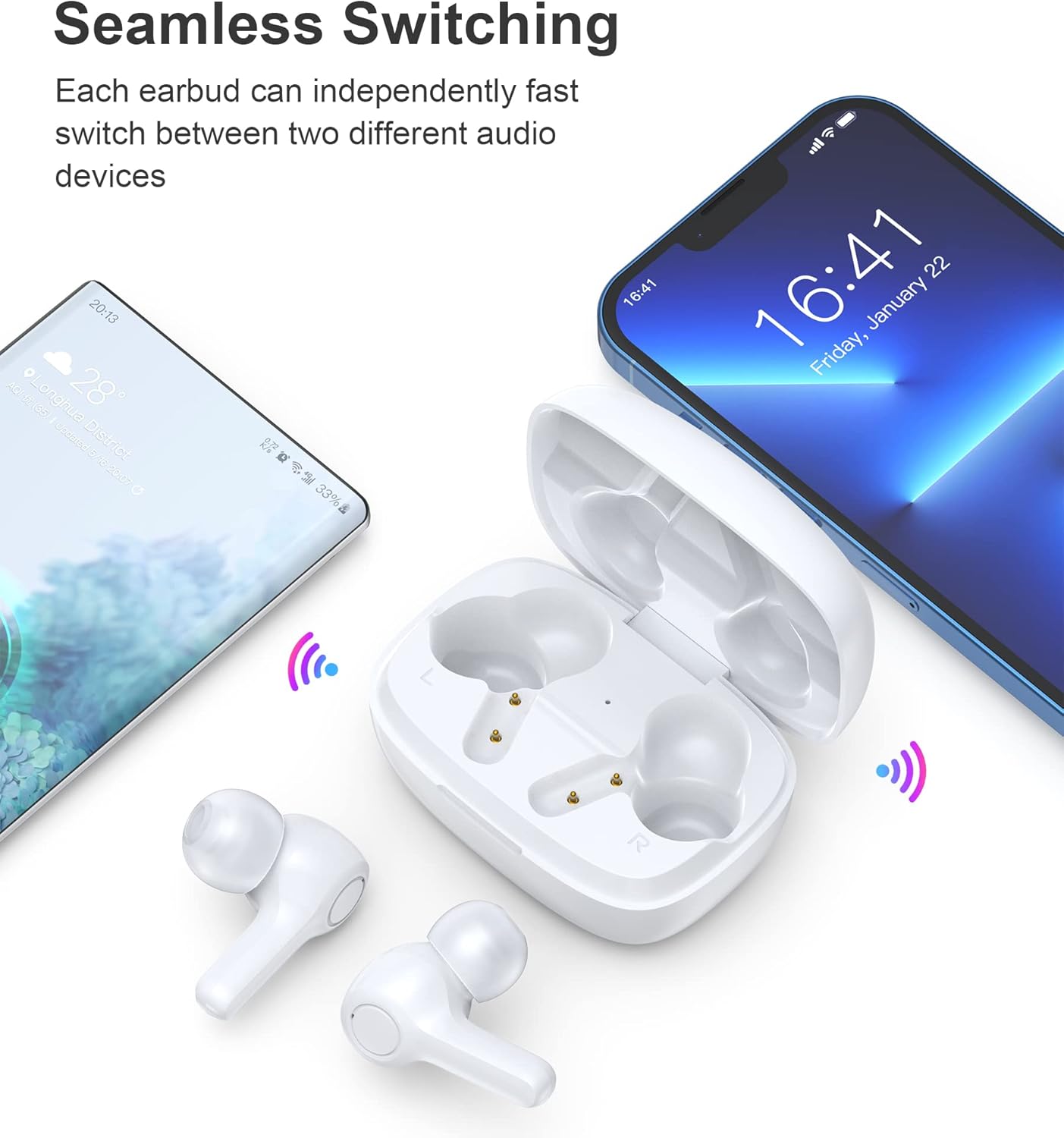
Image: Illustration demonstrating the seamless switching capability between a smartphone and another device.
Mara: Mgbe ejikọtara ya na mbụ, ekweisi ga-ejikọ na ngwaọrụ ikpeazụ ejikọtara ozugbo mgbe ewepụchara ya na akpa ahụ, ma ọ bụrụhaala na etinyere Bluetooth na ngwaọrụ ahụ.
5. Ntuziaka ọrụ
5.1 Gbanyụọ ma ọ bụ gbanyụọ
- Ike Na: Mepee igbe nchaji, na ntị ntị ga-agbanye ọkụ ozugbo.
- Gbanyụọ: Tinye ihe ntị ntị n'ime akpa nchaji wee mechie mkpuchi. Ha ga-agbanyụ ozugbo wee malite ịchaji.
5.2 Njikwa mmetụ
The earbuds feature sensitive touch controls for easy operation.
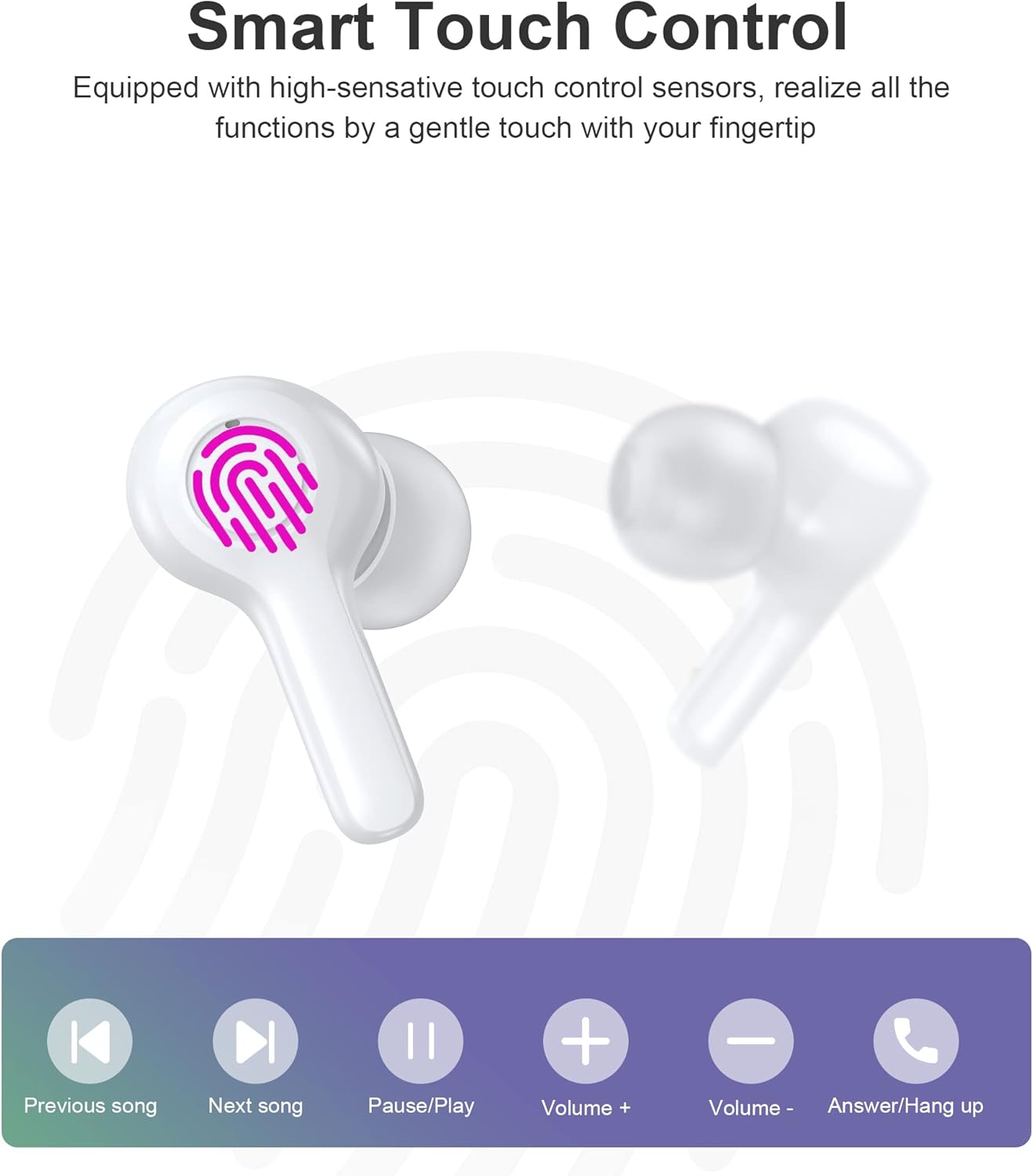
Image: Diagram illustrating the various touch control functions on the earbuds, including playback, volume, and call management.
| Omume | Ihe ntị aka ekpe | Nri ntị aka nri |
|---|---|---|
| Gwuo/kwụsịtụ | Otu mgbata | Otu mgbata |
| Abụ na-abịa | Pịa ugboro abụọ | |
| Abụ gara aga | Pịa ugboro abụọ | |
| Elu elu | Pịa ugboro atọ | |
| Mpịakọta ọnụ | Pịa ugboro atọ | |
| Zaa/Kwụsị Oku | Otu mgbata | Otu mgbata |
| Jụ oku | Ogologo Pịa (2s) | Ogologo Pịa (2s) |
| Mee ka onye enyemaka olu rụọ ọrụ | Ogologo Pịa (2s) | Ogologo Pịa (2s) |
Mara: Specific touch control functions may vary slightly depending on your connected device and its operating system.
6. Nlekọta
6.1 Nhicha
The earbuds are IPX8 waterproof, making them resistant to sweat and water. They can be easily cleaned.
- Jiri akwa dị nro, kpọrọ nkụ, hichaa akpa ntị na ihe nchaji.
- Maka unyi isi ike, ntakịrị dampJiri mmiri kpuchie ákwà ahụ. Ejila kemịkalụ siri ike ma ọ bụ ihe ndị na-eme ka ọ dị nro.
- Ensure the charging contacts on both the earbuds and the case are clean and dry to prevent charging issues.

Image: Visual representation of the earbuds' IPX8 waterproof protection, showing them submerged in water.
6.2 Nchekwa
- Mgbe ejighị ya, chekwaa earbuds n'ime akpa nchaji ha iji chebe ha ma debe ha ebubo.
- Debe ngwaahịa a n'ebe dị jụụ ma kpọọ nkụ, ebe okpomọkụ na anwụ na-anaghị apụta oke.
7. Nchọpụta nsogbu
Ọ bụrụ na ịnwee nsogbu ọ bụla, biko rụtụ aka na azịza ndị a na-ahụkarị:
- Igwe ntị anaghị ejikọta: Ensure both earbuds are out of the case and in pairing mode. Turn off and on your device's Bluetooth. Try forgetting the device in your Bluetooth settings and re-pairing.
- Naanị otu earbud na-arụ ọrụ: Place both earbuds back into the charging case, close the lid, wait a few seconds, then take them out again. This often re-syncs them.
- Enweghị ụda: Lelee ọkwa olu dị na ngwaọrụ gị na ekweisi gị. Hụ na ejikọrọ ekweisi gị nke ọma na ngwaọrụ gị.
- Nsogbu ịchaji: Clean the charging contacts on both earbuds and the case. Try a different USB cable and power source.
- Ogo oku na-adịghị mma: Ensure the microphones are not obstructed. Move closer to your device. The smart noise reduction technology helps provide clear calls, but extreme noisy environments may still affect quality.

Image: Visual representation of the noise reduction technology, showing sound waves being processed for clearer audio.
Ọ bụrụ na nsogbu ahụ ka dị, biko kpọtụrụ nkwado ndị ahịa.
8. Nkọwapụta
| Njirimara | Nkọwa |
|---|---|
| Nlereanya | BH-T06 |
| Ụdị Bluetooth | 5.2 |
| Ngosi nke enweghị mmiri | IPX8 (Waterproof to 1 meter for 30 minutes) |
| Ike batrị earbud | 40mAh (ekwe ntị nke ọ bụla) |
| Ịchaji Ike batrị Case | 300mAh |
| Oge nkwughachi | ~5+ hours (earbuds) |
| Standby Time (with case) | ~120 awa |
| Nha Ọkà Okwu | 8mm |
| Igwe okwu | 4 (for clear calls) |
| Teknụzụ Njikọta | Ikuku (Bluetooth) |
| Njikwa mkpọtụ | Automatic Noise Reduction |
9. Ozi nchekwa
- Ewepụla ma ọ bụ gbanwee ngwaahịa a.
- Debe ya ebe okpomọkụ dị oke njọ, anwụ kpọmkwem, na ọkụ na-enwu enwu.
- Zere idobe ma ọ bụ idobe ngwaahịa ahụ na mmetụta siri ike.
- Debe ebe ụmụaka na anụ ụlọ na-apụghị iru.
- Ejila ekwe ntị dị oke elu ruo ogologo oge iji gbochie mmebi ntị.
10. Akwụkwọ ikike na nkwado
Choetech products come with a standard warranty. Please refer to the warranty card included in your package or visit the official Choetech website for detailed warranty terms and conditions. For technical support, troubleshooting assistance, or any inquiries, please contact Choetech customer service through their official channels.