
FIMEI PY-F1035
FIMEI Floor Lamp with Table (Model PY-F1035) Instruction Manual
Brand: FIMEI | Model: PY-F1035
Ngwaahịa gafereview
The FIMEI Floor Lamp with Table is a versatile 3-in-1 furniture piece designed to provide lighting, storage, and charging capabilities. Its modern and minimalist design integrates seamlessly into various room settings, including living rooms, bedrooms, and apartments. The lamp features adjustable color temperatures and a rotatable head for customized illumination, while the integrated charging station offers convenient power access for multiple devices.

Image: The FIMEI Floor Lamp with Table highlighting its three core functions: lighting, storage, and charging, integrated into a single unit.
Kedu ihe gụnyere
Please ensure all components are present before beginning assembly:
- Ala Lamp with Integrated Table
- Linen Fabric Lampndo
- E26 9W LED Bulb
- Ngwa Mgbakọ na Ngwa
- Akwụkwọ ntuziaka
Ntuziaka Mgbakọ
Soro usoro ndị a maka mgbakọ ngwa ngwa na mfe:
- Wepu akụrụngwa: Carefully remove all parts from the packaging and lay them out on a clean, soft surface to prevent scratches. Verify all parts are present against the included parts list.
- Gbakọta etiti tebụl ahụ: Attach the table legs to the shelves using the provided hardware. Ensure all connections are secure.
- Wụnye ọdụ Nchaji: Secure the power strip with USB ports and outlets into the designated slot on the table.
- Gbakwunye Lamp Osisi: Jikọọ lamp pole to the table top. Ensure the power cord from the lamp is routed correctly through the table structure.
- Kpọkọtanụ Lampndo: Fasten the linen cloth onto the two shade holders (rings) as per the instructions.
- Install the Bulb and Lampndo: Screw the E26 9W LED bulb into the lamp socket. Place the assembled lampndo n'elu lamp jide ma chekwaa ya.
- Jikọọ na Ike: Tinye lamp's power cord into a standard 110V outlet.
Video: A detailed assembly guide for the FIMEI Floor Lamp with Table, demonstrating each step from unboxing to final setup.
Video: A user-friendly demonstration of the FIMEI Floor Lamp with Table assembly process, highlighting key steps for quick setup.
Ntuziaka ọrụ
Ọrụ ọkụ:
- Gbanyụọ/ Gbanyụọ: Use the pull chain switch located beneath the lampshade to turn the light on or off.
- Gbanwee okpomoku agba: The included E26 9W bulb offers three color temperature settings. Pull the chain switch repeatedly to cycle through warm yellow (3000K), natural warm light (4500K), and cool white light (6000K).
- Tụgharịa Lamp Isi: The gooseneck arm allows for 350° rotation of the lamp head. Gently adjust the arm to direct light where needed.
Charging Station Operation:
- ọdụ ụgbọ mmiri USB: Utilize the 5V/2A Type-C port or the 5V/2A 10W USB-A port to charge compatible electronic devices such as phones, tablets, and Bluetooth headsets.
- Ụlọ ahịa AC: The two 120V outlets provide power for laptops, portable speakers, radios, or other small appliances.

Foto: The lamp demonstrating its three adjustable color temperatures, allowing users to select between warm, natural, and cool lighting to suit their environment.

Image: Close-up of the lamp's gooseneck arm, illustrating its 350-degree rotation capability for flexible light direction.

Image: The integrated charging station on the table, featuring USB-C, USB-A, and two standard power outlets for convenient device charging.
Video: A brief preview demonstrating the functionality of the FIMEI Floor Lamp with Table, including its lighting and charging features.
Atụmatụ
- 3-na-1 imewe: Combines a floor lamp, end table, and charging station into a single, space-saving unit.
- Ebe nchaji agbakwunyere: Includes 1 USB-C port (5V/2A), 1 USB-A port (5V/2A 10W), and 2 standard 120V AC outlets, powered by a 76-inch cord.
- Ọkụ na-agbanwe agbanwe: Comes with an E26 9W LED bulb offering three color temperatures (3000K warm yellow, 4500K natural warm, 6000K cool white) controlled by a pull chain.
- Flexible Illumination: Ndị lamp head features a 350° rotatable gooseneck arm to direct light precisely.
- Nchekwa dị mma: Features a sturdy table top and an additional lower shelf for books, coffee, laptops, and other items.
- Ihe owuwu na-adịgide adịgide: Made with iron material and a powder-coated finish, ensuring stability and longevity. The table surface is designed to be water-resistant.
- Ichekwa oghere: Ideal dimensions (12.2"D x 16.3"W x 57"H) make it suitable for small spaces in bedrooms, living rooms, or apartments.
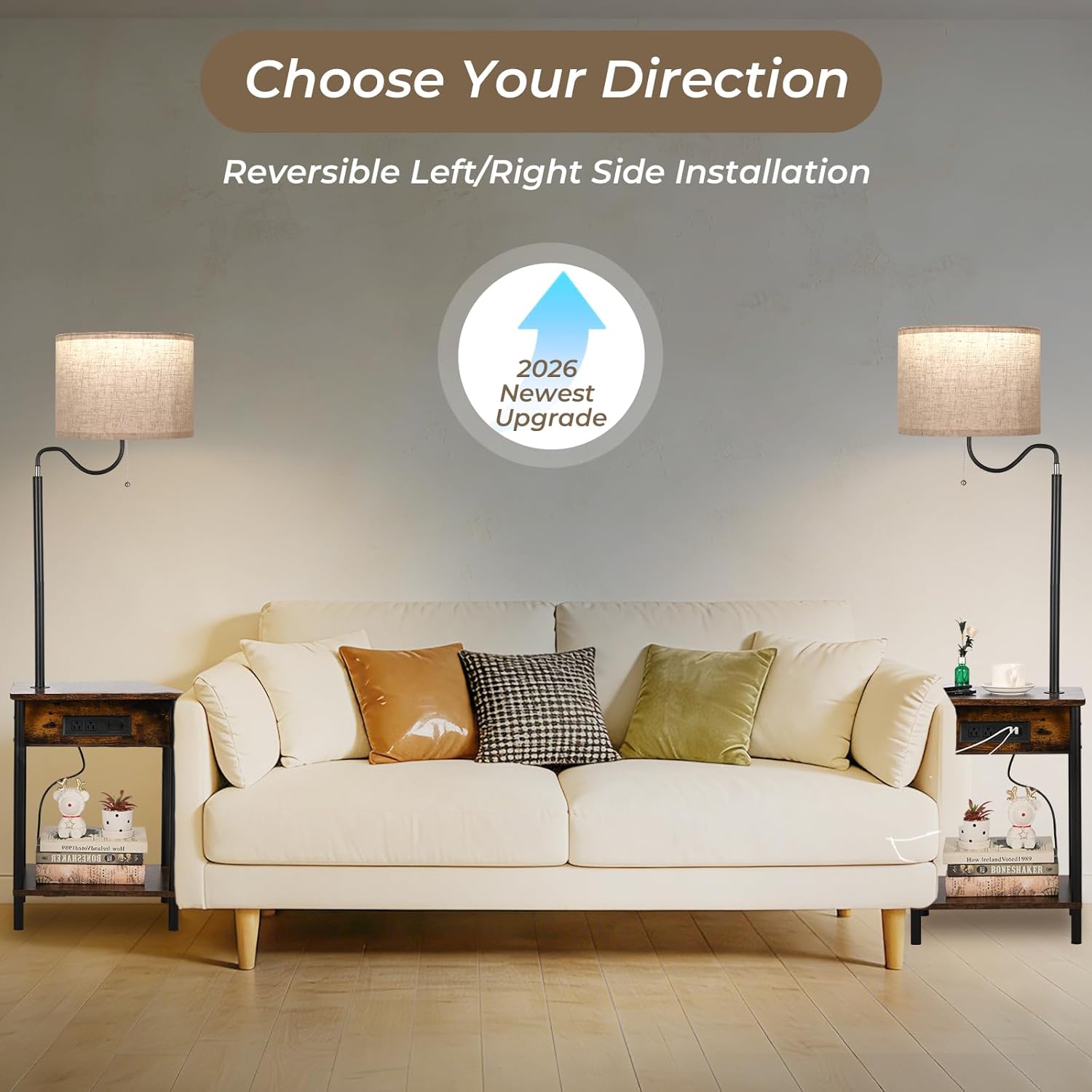
Foto: Ihe gbawara view of the FIMEI Floor Lamp with Table, detailing its various components and features such as the LED bulb, linen lampshade, charging ports, and rotatable head.

Foto: A nso nso view illustrating the 0.6-inch thickness of the table top, indicating its sturdy construction.

Image: The lower storage shelf of the table, shown with decorative items, demonstrating its practical use for organizing personal belongings.

Image: Water droplets on the table surface, illustrating its water-resistant properties for easy cleaning and durability.
Nkọwapụta
| Nọmba nlereanya | PY-F1035 |
| Akụkụ (D x W x H) | 12.2"D x 16.3"W x 57"H |
| Ihe onwunwe | Iron (Base), Linen (Shade) |
| Ụdị mmecha | Ekpuchiri ntụ ntụ |
| Ụdị isi iyi ọkụ | Ikanam |
| Isi Bulb | E26 |
| Wattage | 9 watt |
| Voltage | 110 volts |
| Okpomọkụ agba | 3000K (Warm Yellow), 4500K (Natural Warm), 6000K (Cool White) |
| Usoro njikwa | Pull Chain (Light), Touch (Charging Station) |
| Teknụzụ Njikọta | USB (Type-C, Type-A) |
| Isi Iyi Ike | Igwe ọkụ eletrik |
| Ojiji ime ime/n'èzí | Eji ime ụlọ naanị |
Nlekọta
- Nhicha: Jiri nwayọ hichaa ihe dị n'elu tebụl, damp akwa . Zere kemịkalụ siri ike ma ọ bụ ihe nhicha abrasive.
- LampNlekọta ndo: Gently dust the linen lampshade with a soft brush or vacuum with a brush attachment. Do not wash.
- Ndokwa bọlbụ: Gbaa mbọ hụ na lamp is unplugged before replacing the E26 bulb. Use an LED bulb of similar wattage (max 9W) to maintain optimal performance and safety.
- Njikwa ụdọ: Keep the power cord and charging cables tidy to prevent tripping hazards and damage.
Nchọpụta nsogbu
| Nsogbu | Ihe nwere ike ime | Ngwọta |
|---|---|---|
| Ìhè anaghị agbanwuo. | Power cord not plugged in; Bulb loose or faulty; Power outage. | Ensure cord is securely plugged into a working outlet. Check if the bulb is screwed in tightly. Replace bulb if necessary. Verify power to the outlet. |
| Charging ports/outlets not working. | Lamp not plugged in; Device not compatible; Overload. | Ensure the main power cord is plugged in. Check device compatibility. Unplug some devices to prevent overload. |
| Lamp head does not rotate smoothly. | Mechanism egbochiri ma ọ bụ isi ike. | Gently check for any obstructions. Apply minimal force when rotating. Do not force rotation if resistance is met. |
Akwụkwọ ikike na nkwado
This FIMEI Floor Lamp with Table comes with a Akwụkwọ ikike onye nrụpụta afọ 2. For warranty claims, technical support, or any questions regarding your product, please contact FIMEI customer service through the retailer where the product was purchased or visit the official FIMEI websaịtị maka ozi kọntaktị.
Biko dowe ihe akaebe nke ịzụrụ ihe maka nkwado akwụkwọ ikike.
Ask a question about this manual
Ask about setup, troubleshooting, compatibility, parts, safety, or missing instructions. Manuals+ will review the question and use this page’s manual context to help answer it.