

1. Okwu mmalite
This manual provides instructions for the installation, operation, and maintenance of your TEEHO Fingerprint Door Lock. Please read this manual thoroughly before installation and use to ensure proper function and safety.
The TEEHO Fingerprint Door Lock offers multiple access methods including fingerprint recognition, keypad codes, and traditional keys. It is designed for residential door security and keyless access control.
2. Ihe ngwugwu
- Fingerprint Keypad Door Lock (Exterior and Interior Assemblies)
- 2 Passage Door Knobs / Levers
- Deadbolt Latch
- Efere efere
- Ngwaike mgbakwasa
- Keys (for emergency override)
- Template nwụnye
3. Ntọala na nwụnye
Before installation, ensure your door meets the required dimensions for compatibility.

Image: Diagram illustrating door compatibility and dimensions for installation, including backset (2-3/8" or 2-3/4"), door thickness (1-3/8" to 2"), and bore hole diameter (2-1/8").
3.1 Nkwadebe ọnụ ụzọ
- Verify door thickness and backset measurement.
- Use the provided template to mark and drill holes if necessary. The lock is suitable for 2-1/8" (54mm) door holes.
3.2 Ịwụnye Deadbolt Latch
- Insert the deadbolt latch into the door edge. Ensure the 'UP' arrow is pointing upwards.
- Chekwaa ya na kposara.
3.3 Installing the Exterior Assembly
- Feed the cable through the door hole, below the deadbolt latch.
- Align the exterior assembly with the deadbolt and door holes.
3.4 Installing the Interior Assembly
- Jikọọ eriri site na mgbakọ dị n'èzí na mgbakọ n'ime ime.
- Mount the interior assembly, ensuring proper alignment.
- Chekwaa ya na skru na-ebuli elu.
3.5 Ntinye batrị
- Wepu mkpuchi batrị na mgbakọ dị n'ime.
- Insert 4 AA alkaline batteries (not included), observing polarity.
- Dochie mkpuchi batrị.
3.6 Installing Passage Door Levers
- Install the passage door levers according to their specific instructions.
4. Ntuziaka ọrụ
4.1 Mkpọghe mkpịsị aka
The lock features 3D biometric fingerprint recognition. It can recognize your fingerprint in approximately 0.3 seconds and unlock the door in 1 second.
- Tinye mkpịsị aka gị edebanyere aha na ihe mmetụta mkpisiaka.
- The lock will unlock upon successful recognition.

Image: A person using their finger on the fingerprint sensor of the TEEHO door lock for quick unlocking.
4.2 Keyless Entry (Keypad)
The lock supports up to 20 access codes, each 4-10 digits long.
- Enter your registered access code on the keypad.
- Press the '#' key (or equivalent confirmation key).
- Mkpọchi ga-emeghe.
Okwuntughe mgbochi-peeping
To prevent others from guessing your code, you can enter random digits before or after your actual access code.

Image: Illustration of the anti-peep function, showing random digits entered before and after the actual password on the backlit keypad.
4.3 One-Time PIN Code
Generate a temporary PIN code for guests, cleaners, or delivery staff. This code will be automatically deleted after a single use.

Image: A person receiving a one-time PIN code on their phone for temporary access to the door.
4.4 Ọrụ Mkpọchi Akpaaka
The lock can be configured to automatically lock after a set period. This period can be adjusted between 10 and 99 seconds.
4.5 One-Touch Locking
To manually lock the door instantly, press and hold any key on the keypad for 2 seconds.
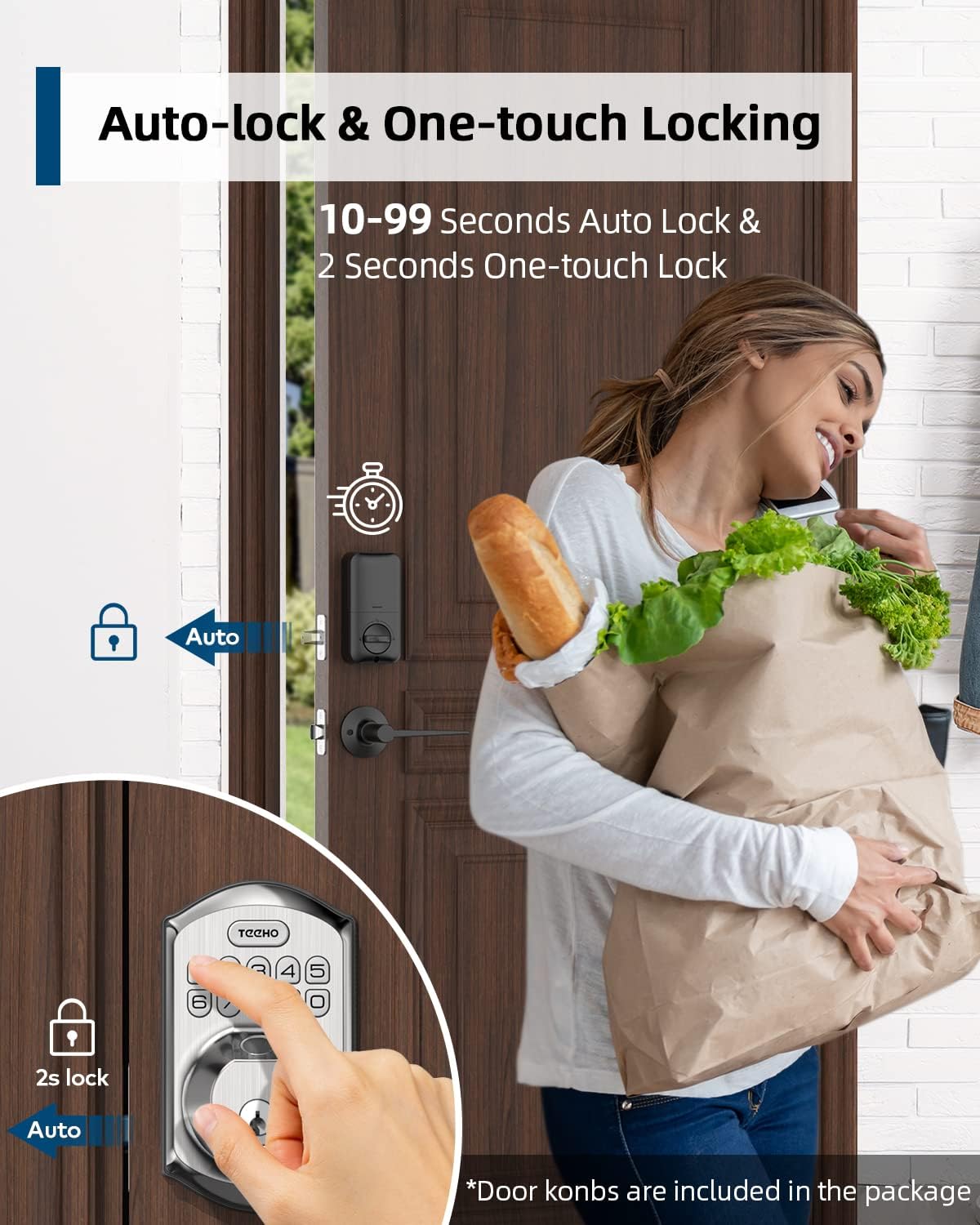
Image: Illustration showing the auto-lock function (10-99 seconds) and one-touch lock function (2 seconds hold) on the TEEHO door lock.
4.6 Atụmatụ ndị ọzọ
- Ọnọdụ ogbi: Disables keypad sounds for quiet operation.
- Ụdị ezumike: Na-eme ka nchekwa dịkwuo mma mgbe ị na-anọghị ogologo oge.
- Ahụigodo backlit: Na-eme ka ọhụhụ na ọnọdụ ọkụ dị ala.
5. Nlekọta
5.1 nnọchi batrị
The lock is powered by 4 AA batteries, providing up to 1 year of battery life. The lock features a low battery indicator.

Foto: Ofeview of lock features including 20 fingerprints, 20 user codes, auto-lock, IP54 waterproof rating, one-time PIN code, one-touch locking, low battery indicator, and up to 1 year battery life.
- When the low battery indicator appears, replace all 4 AA batteries promptly.
- Use new alkaline batteries for optimal performance.
5.2 Nhicha
Wipe the lock's exterior with a soft, damp akwa . Zere ihe nchacha ma ọ bụ ihe mgbaze nke nwere ike imebi ngwụcha ma ọ bụ ngwa eletrọnịkị.
5.3 Mgbochi ihu igwe
The lock has an IP54 weather resistance rating, providing protection against dust and splashing water. While durable, avoid direct exposure to heavy rain or prolonged submersion.
6. Nchọpụta nsogbu
- Mkpọchi anaghị aza: Check battery level. Replace batteries if low. Ensure cables are securely connected.
- Amataghị akara mkpịsị aka: Ensure your finger is clean and dry. Try placing your finger at different angles. Re-register your fingerprint if issues persist.
- Keypad not working: Verify battery power. Ensure you are entering the correct code. Check for any physical damage to the keypad.
- Mkpọchi akpaaka anaghị emetụ aka: Check the auto-lock settings to ensure it is enabled and the delay time is set correctly.
- Mkpọchi atọpụla: Tighten mounting screws on both interior and exterior assemblies.
7. Nkọwapụta
| Njirimara | Nkọwa |
|---|---|
| Ụdị | TEEHO |
| Nlereanya | B0C69VNJ27 |
| Njirimara Pụrụ Iche | Mkpịsị aka |
| Ụdị mkpọchi | Ahụigodo |
| Ihe onwunwe | Nickel |
| Eji akwadoro | Residential door security and keyless access control |
| Ụdị | Oge a |
| Agba | Nickel Nickel |
| Ọnụọgụ nke Iberibe | 1 (set includes lock and 2 passage door knobs) |
| Ngwa gụnyere | Fingerprint keypad door lock, 2 passage door knobs, door levers |
| Ụdị njikwa | Hand Control, Mechanical knob |
| Usoro njikwa | Metụ aka |
| Isi Iyi Ike | 4 AA Batteries (Alkaline recommended) |
| Ndụ batrị | Ruo 1 afọ |
| Nguzogide ihu igwe | IP54 |
| ANSI Rating | Nkeji 3 |
8. Akwụkwọ ikike na nkwado
8.1 Ozi akwụkwọ ikike
Specific warranty details are not provided within this manual. Please refer to the product packaging, the manufacturer's official website, or your purchase documentation for comprehensive warranty information.
8.2 Nkwado ndị ahịa
For technical assistance, troubleshooting beyond this manual, or inquiries regarding your TEEHO Fingerprint Door Lock, please contact TEEHO customer support through their official websaịtị ma ọ bụ onye na-ere ahịa ebe a zụrụ ngwaahịa ahụ.