
Okwu mmalite
Thank you for choosing the Denon PerL True Wireless Earbuds. This manual provides essential information for setting up, operating, and maintaining your earbuds to ensure optimal performance and a personalized listening experience. Please read these instructions carefully before use.
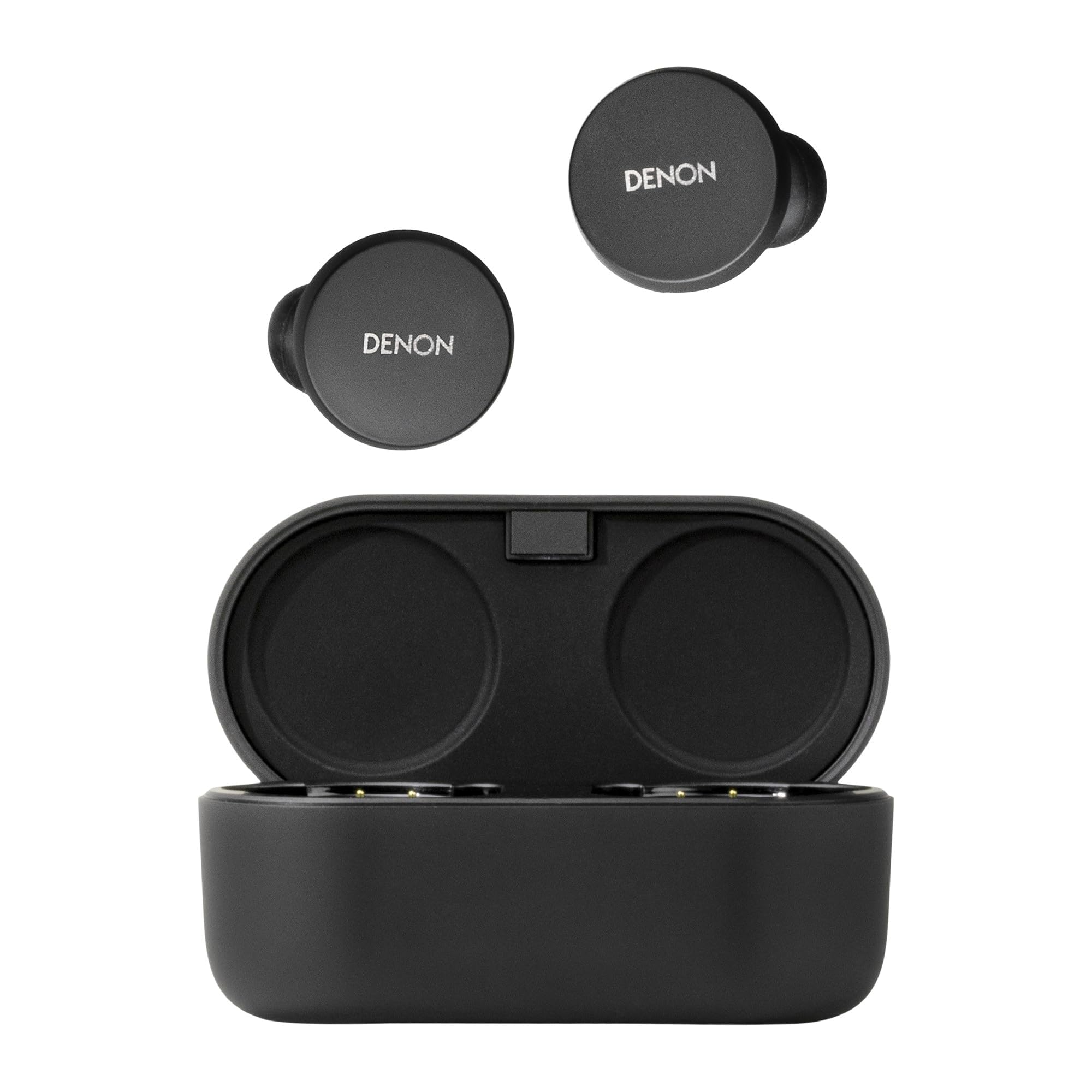
Image: Denon PerL True Wireless Earbuds and their charging case.
Kedu ihe dị na Igbe ahụ
Chọpụta na ihe niile dị na nkwakọ ngwaahịa:
- Denon PerL True Wireless Earbuds
- Akpa nchaji ngwa ngwa
- USB-A ka eriri USB-C
- Five Tip Options (XS, S, M, L, Foam)
- Two Wing Attachment Options

Image: Denon PerL Earbuds, charging case, and the included selection of ear tips and wing attachments for a customized fit.
Melite
1. Ịchaji ihe ntị na akpa
Before first use, fully charge the earbuds and charging case. Connect the USB-C cable to the charging case and a power source. The indicator lights on the case will show the charging status.
2. Ijikọ na ngwaọrụ
- Mepee igbe nchaji. Igwe ntị ga-abanye na ọnọdụ njikọta na-akpaghị aka.
- Na ngwaọrụ gị (smartphone, tabletị, wdg), gaa na ntọala Bluetooth.
- Select "Denon PerL" from the list of available devices.
- Ozugbo ejikọtara ya, ụda olu ga-akwado ijikọ na-aga nke ọma.
3. Denon Headphones App
Download the Denon Headphones app from your device's app store. The app is essential for unlocking the full potential of your earbuds, including personalized sound, custom touch controls, and mode adjustments.
Image: A smartphone screen showing the Denon Headphones app, with Denon PerL earbuds and a laptop in the background.
4. Personalized Sound with Masimo Adaptive Acoustic Technology (AAT)
The Denon PerL earbuds utilize Masimo AAT to create a unique sound profile tailored to your hearing. This process involves the earbuds playing a range of tones and listening to the tiny sounds (otoacoustic emissions or OAEs) generated by your cochlea. The app then creates an EQ setting perfectly tuned to how you hear.
Video: An animation demonstrating how Masimo Adaptive Acoustic Technology (AAT) works by measuring otoacoustic emissions to create a personalized sound profile.
5. Comfortable and Secure Fit
Achieving a proper fit is crucial for sound quality and noise cancellation. Experiment with the five included ear tip options (XS, S, M, L, Foam) and two wing attachment options to find the most comfortable and secure fit for your ears. The Denon Headphones app also offers a fit test to help you ensure an optimal seal.

Image: A person wearing a Denon PerL earbud, illustrating the secure and comfortable fit.
Na-arụ ọrụ Earbuds
1. Aka njikwa
Each earbud features four fully customizable touch inputs. These can be configured via the Denon Headphones app to control functions such as:
- Kpọọ/kwụsịtụ egwu
- Wụpụ egwu (na-esote/na-aga n'ihu)
- Gbanwee olu
- Mee onye enyemaka olu rụọ ọrụ
- Switch between Noise Cancelling and Social Mode
- Zaa/Kwụsị oku
2. Noise Cancellation and Social Mode
The earbuds feature Adaptive Active Noise Cancellation (ANC) to block out ambient distractions. For situations where you need to be aware of your surroundings, activate Social Mode to allow external sounds to pass through. These modes can be toggled using the customizable touch controls or through the Denon Headphones app.
3. Ịkpọ oku
The Denon PerL earbuds are equipped with eight microphones and Qualcomm aptX Voice technology for clear voice calls. Multipoint connectivity allows you to connect to two devices simultaneously, making it easy to switch between music on one device and calls on another.
Nchaji na ndụ batrị
The earbuds provide up to 8 hours of playback in Normal Mode on a single charge. The charging case extends the total listening time to up to 24 hours in Low Power Mode, offering multiple recharges. The case supports both USB-C and Qi wireless charging.
Ihe ngosi batrị:
- Check battery status via the Denon Headphones app.
- LED indicators on the charging case show the case's battery level.
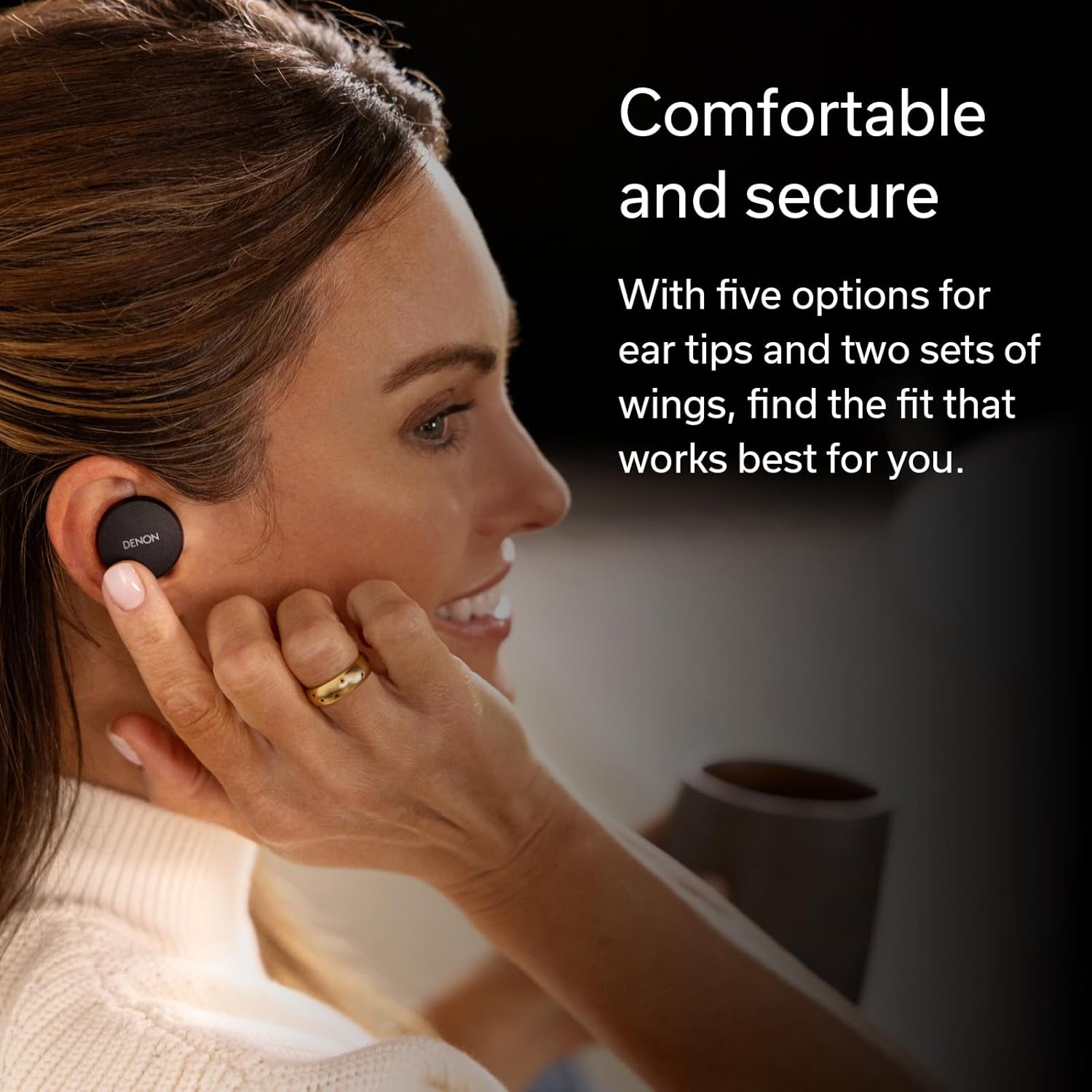
Image: Hands placing the Denon PerL earbuds into their charging case.
Nlekọta
1. Nhicha
Regularly clean your earbuds and charging case to maintain performance. Use a soft, dry, lint-free cloth. Do not use abrasive cleaners or solvents. Remove ear tips and clean them separately with mild soap and water, ensuring they are completely dry before reattaching.
2. Mmiri Nguzogide
The Denon PerL earbuds are IPX4-rated for sweat and water resistance. This means they are protected against splashing water from any direction. They are not waterproof and should not be submerged in water. Ensure earbuds are dry before placing them back in the charging case.
Nchọpụta nsogbu
- Enweghị ụda: Ensure earbuds are charged, properly paired, and volume is adjusted. Check audio output settings on your device.
- Okwu ijikọ: Place earbuds back in the case, close, then reopen to re-enter pairing mode. Forget the device in your Bluetooth settings and try pairing again.
- Ọdịmma dabara adaba/ụda: Experiment with different ear tips and wing attachments. Perform the fit test in the Denon Headphones app. Ensure the personalized sound profile na-arụ ọrụ.
- Na-agbapụ batrị ọsọ ọsọ: Ensure earbuds are properly seated in the charging case. Close the case lid to ensure charging begins.
- Okwu Ogo oku: Ensure microphones are not obstructed. Try moving to an environment with less background noise.
Nkọwapụta
| Ụdị | Denon |
| Nọmba nlereanya | AHC10PLBK |
| Ntinye ntị | Na Ntị |
| Njikwa mkpọtụ | Nkagbu mkpọtụ nọ n'ọrụ |
| Teknụzụ Njikọta | Ikuku (Bluetooth 5.0) |
| Oke Bluetooth | 10 mita |
| Ndụ batrị earbud | Up to 8 hours (Normal Mode) |
| Mkpokọta ndụ batrị (ya na ikpe) | Up to 24 hours (Low Power Mode) |
| Ọkwa Nguzogide mmiri | IPX4 (mmiri na-eguzogide) |
| Ibu Ibu | 1.6 ounces |
| Ibu Case arọ | 1.68 ounces |
| Ụdị ọkwọ ụgbọ ala ọdịyo | Ọkwọ ụgbọala dị ike |
| Oke ugboro ugboro | 20 Hz - 20,000 Hz |
Vidiyo: Ngwaahịa dị n'eluview of the Denon PerL True Wireless Earbuds, highlighting key features and design.
Akwụkwọ ikike na nkwado
Ozi akwụkwọ ikike
The Denon PerL True Wireless Earbuds come with a 1-year manufacturer's warranty. Please retain your proof of purchase for warranty claims.
Nkwado ndị ahịa
For further assistance, technical support, or warranty inquiries, please visit the official Denon website or contact their customer service department. Refer to the product packaging for specific contact details.